Warm-up vs ramp-up for cold email: a safe daily send schedule
Warm-up vs ramp-up for cold email explained, with a simple schedule to grow daily sends, protect reputation, and reduce spam flags.
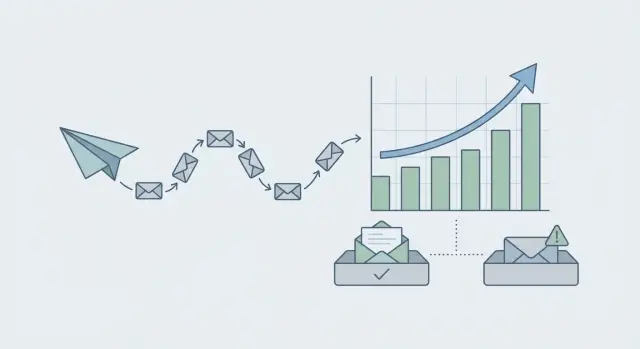
Why increasing cold email volume can backfire
Turning up your daily sends can feel like the fastest way to book more meetings. But if you jump from 20 emails a day to 200 overnight, mailbox providers often treat it as suspicious behavior and start placing messages in spam or blocking them.
Sudden volume spikes are a common trigger because new (or quiet) senders rarely behave that way. Providers expect steady patterns. When your activity looks like a burst, it resembles how compromised accounts and spam tools operate.
Gmail, Outlook, and other providers judge you on a mix of signals. When volume rises, even small issues compound quickly: bounces from bad addresses, unsubscribes or spam complaints, weak engagement (few replies or quick deletes), and shaky authentication or domain alignment.
The big idea is simple: safe growth is less about speed and more about consistency. A slow, steady increase gives your domain and mailbox time to build trust, and it gives you time to spot problems while they’re still small.
If you ramp too fast, you don’t just lose deliverability for a day. You can damage sender reputation for weeks, which means even good leads might never see your emails.
Warm-up vs ramp-up: what each one means
Warm-up and ramp-up sound similar, but they solve different problems. Mixing them up is one of the easiest ways to send too much too soon and teach inbox providers to distrust you.
Warm-up is about trust. A brand-new domain or mailbox has no history, so providers don’t know if you’re a real sender or a spammer. Warm-up creates normal-looking activity over time (sending, receiving, replies, steady engagement) so your reputation can form without sudden spikes.
Ramp-up is about volume. Once a mailbox looks like a legitimate sender, ramp-up is the controlled increase in daily sends. You grow from a small number of emails per day to the level your team needs while watching deliverability signals and keeping changes gradual.
When you need both
You usually need both warm-up and ramp-up when anything major is new: a new domain, a new sending provider, or a new audience you haven’t emailed before. Even if your copy is strong, a new setup has no track record.
What “done warming up” looks like
You’re not looking for perfection. You’re looking for stability: consistently low bounces, engagement that doesn’t suddenly drop, very few complaints or unsubscribes, and no sharp day-to-day jumps in volume.
If warm-up builds the foundation, ramp-up adds floors. Finish the foundation first, then increase volume in small steps.
Before you scale: domain, authentication, and list basics
If you increase volume before the basics are solid, results can drop fast. Providers watch new sending patterns closely, so small setup mistakes get punished harder when you send more.
Use a dedicated sending domain
Keep cold outreach on its own domain, separate from your main company domain. If deliverability gets shaky, you’re not risking the email you use for customers, invoices, or support.
A simple rule is one purpose per domain. Your marketing site and day-to-day team email can stay on the primary domain, while outbound runs on a dedicated sending domain with mailboxes used only for cold email.
Confirm authentication and list quality
Before you scale, confirm authentication is correct. SPF, DKIM, and DMARC tell providers your emails are legitimate and reduce obvious spam signals.
Do a quick sanity check before ramping:
- SPF includes the right sending service and doesn’t conflict with other records.
- DKIM is enabled and passes.
- DMARC exists and is set to at least monitor.
- Your prospect list is recent, targeted, and not an old scraped file.
- You can handle replies the same day.
List quality matters as much as technical setup. A clean, relevant list reduces bounces and complaints, which protects your sender reputation. If you’re unsure about a source, test it at low volume first.
Set expectations for replies and staffing, too. If 2% reply on a 200-email day, that’s about 4 replies. Someone should respond quickly, because slow or sloppy follow-up can turn interested replies into negative signals.
Plan your volume growth with simple guardrails
When teams talk about warm-up vs ramp-up for cold email, they often fixate on the numbers. The safer approach is to set guardrails first so your daily volume grows predictably and your reputation has time to adjust.
Start with a target you can hold steady for weeks. A huge jump for three days followed by a pause looks stranger than slow growth you can maintain.
A few guardrails that keep you out of trouble:
- Decide your target daily send volume and a realistic timeline to reach it.
- Split volume across multiple mailboxes rather than pushing one inbox too hard.
- Use consistent sending windows (same days, same general times).
- Keep message changes small while volume is rising.
Write down your stop rules before you need them. Treat them like a fire alarm, not a debate: if bounces rise, complaints appear, or opens drop sharply for two days in a row, hold volume steady (or step down) and investigate.
Example: if your plan is +10 sends per mailbox per day, your stop rule might be “hold for 3 days” the moment bounces increase, and only resume after you’ve confirmed list quality and rechecked email authentication (SPF/DKIM/DMARC).
Step-by-step schedule: a safe 30-day ramp from low to steady
A good ramp is boring on purpose. You start small, watch for trouble, then increase in small, predictable steps. Warm-up earns trust. Ramp-up spends that trust slowly.
Use the numbers below as a per-mailbox guide. If you have 3 mailboxes, multiply the daily send cap by 3, but keep the same gradual pace.
| Days | Daily sends (per mailbox) | What to focus on |
|---|---|---|
| 1-7 | 5-10 | Real inbox activity: reply to a few messages, move emails, mark legit mail as “not spam”, and keep cold emails ultra-targeted. |
| 8-14 | 12-20 | Small increases only. Keep emails short, personalized, and avoid big links or heavy formatting. |
| 15-21 | 22-35 | Steady growth. Add a second follow-up only if replies feel normal and negative signals stay low. |
| 22-30 | 38-50 | Approach your baseline. Keep increases gradual and consistent, not “up and down” by day. |
A simple rule: raise volume no more than about 15-25% every 2-3 days. If you need to push harder, add more time, not more sends.
If you add new mailboxes mid-month, don’t drop them into the current day’s volume. Treat each new mailbox like a fresh start: keep it in the Day 1-7 range for a week, then let it catch up. Older mailboxes can stay on their plan.
How to scale without changing everything at once
When you increase volume, most deliverability problems come from too many changes at the same time. A bigger send count plus new copy plus a new list plus a new domain can look suspicious, even if each change is fine on its own.
Keep the setup steady and scale in small steps. If you need more capacity, spread sends across multiple mailboxes, but keep each mailbox consistent (similar daily volume, similar sending days). Also avoid having every mailbox send the exact same message at the exact same time.
Two practical habits help most teams:
- Change one variable at a time (subject, first line, or offer), then wait a few days to judge impact.
- Cap follow-ups so they don’t quietly become most of your daily sends.
Follow-ups can snowball. If you send 40 new emails per day with a 3-step sequence, your total daily sends can jump quickly once follow-ups kick in. Setting a daily limit for follow-ups per mailbox keeps new outreach from getting crowded out.
What to monitor each day while ramping up
During a ramp, the daily signals matter more than your send count. One bad day can reset trust, so treat monitoring like a safety check.
Bounce rate (and what “too high” means)
Bounces are the fastest way to signal “this sender is risky.” As a rule of thumb, keep total bounces under about 2%. If you see a sudden spike (for example, 5%+ in a day), stop increasing volume immediately and investigate before sending more.
Quick fixes are often straightforward: remove the most recent batch of leads, double-check address formatting, and avoid older or scraped lists. If the spike ties back to one segment (one upload or one data source), pause that segment first.
Complaints, unsubscribes, and reply quality
Spam complaints and unsubscribes matter more than opens because they reflect negative user feedback. Even a small number of complaints is a red flag. If complaints show up, lower tomorrow’s volume and tighten targeting and copy, especially the first line and the offer.
Replies are a health signal, too. A normal mix usually includes interested replies, not interested replies, out-of-office messages, a small number of unsubscribe requests, and ideally close to zero bounces. Watch trends, not single days.
Inbox placement clues without complex tools
You can spot deliverability issues without fancy dashboards. Send a copy to a few real inboxes you control (Gmail, Outlook, and a company mailbox if possible) and check where it lands. Also watch for subtle signs like fewer replies than usual, more “I didn’t request this” messages, or a sudden shift where one domain stops replying entirely.
If anything looks worse than yesterday, hold volume steady (or step down) until metrics recover.
Common mistakes that trigger spam flags
Most spam issues don’t come from one “bad email.” They come from sudden changes that make mailbox providers doubt you. Consistency protects you.
Here are the mistakes that cause the fastest drops:
- Big volume jumps after a good first week.
- Mailing unverified addresses and ignoring rising bounces.
- “Personalization” that’s obviously wrong (wrong name, role, or company).
- Aggressive follow-ups packed into too few days.
- Changing multiple things at once (new domain, new provider, new copy, new list).
A common scenario: an SDR ramps from 20 to 80 sends per day because replies looked good. At the same time, they switch to a new template and load a fresh list from a new source. Two days later, bounces rise and replies go quiet. Was it the list, the copy, or the volume spike? It’s hard to tell, and the damage is already happening.
When you see risk signals, pick one lever at a time. Cap daily increases, clean the list if bounces trend up, and slow down follow-ups so it’s easy for someone to say “no” without friction.
Realistic examples: two ways teams ramp safely
Example 1: Solopreneur starting from zero
A solo founder buys one new sending domain and creates one mailbox. Week 1 stays intentionally small: a few hand-picked prospects per day, a strong match to the offer, and short emails that invite a real reply.
They ramp based on signals, not just a calendar. If replies stay normal and bounces stay low, they add a small amount the next week. If anything looks off, they hold volume steady for several days.
Their slow-down rule is simple: if bounces spike, opens drop suddenly, or they see even one complaint, they stop increasing until things return to normal.
Example 2: Small SDR team adding mailboxes
A 3-person SDR team wants more volume, but they avoid blasting from one inbox. They add mailboxes gradually and keep each mailbox in a safe daily range. Each SDR owns their sender identity, and the team spreads volume across mailboxes instead of pushing one sender too hard.
They also avoid stacking changes. If they add two new mailboxes this week, they don’t also switch lists, rewrite every template, and expand targeting on the same day.
When deciding whether to keep increasing, they look for a stable pattern: low bounces, near-zero complaints, and reply quality that doesn’t shift toward angry or “stop” responses.
If they have a bad week, they treat it like a drill: cut volume back for a few days, clean the list, review targeting, and only then resume ramping. If problems persist, they pause growth and fix the basics first (especially authentication and list quality) before trying to send through it.
Quick checklist before you increase tomorrow’s sends
Most deliverability problems happen right after a jump in volume, not after weeks of steady work. The goal is to make tomorrow look like a normal day to inbox providers.
Use these 5 checks:
- Sending setup is clean: SPF, DKIM, and DMARC are passing for the exact sending domain, and you’re sending from the same mailbox and domain you used yesterday.
- List is safe to email: data is recent, addresses are verified, and prospects match your targeting.
- Tomorrow’s increase is boring: a small step up, not a spike (avoid “double it” days).
- You know when to pause: if bounces jump or any complaints appear, hold volume flat (or reduce) until it settles.
- Replies get handled fast: respond quickly and process “not interested,” “unsubscribe,” and out-of-office cleanly.
If you want a simple pause rule you’ll actually follow: when anything bad trends up (bounces, complaints, angry replies), don’t push through. Hold tomorrow’s volume flat and fix the cause first.
Next steps: turn the schedule into a repeatable process
A ramp plan only works if it turns into a habit. Write down the next 14 days on one page: planned daily send volume, which mailboxes will send, and which sequence steps will run each day. When you can see the plan, you’re less likely to add volume impulsively after a good day.
Keep warm-up and ramp-up as two separate systems: one protects reputation, the other increases output. Tie them together with a lightweight routine.
Do a short daily check (bounces, complaints, reply mix), plus a longer weekly review (planned vs actual volume, and whether targeting or data sources need tightening). When something looks off, pause the ramp for 48-72 hours, fix the cause, then resume.
If you want fewer moving parts, an all-in-one platform can help you keep the process consistent. LeadTrain (leadtrain.app) combines sending domains and authentication setup, automated warm-up, multi-step sequences, and AI-powered reply classification in one place, so it’s easier to see what changed before you change volume again.
FAQ
How fast can I safely increase my cold email send volume?
A safe default is to increase gradually, not in big jumps. Aim for roughly 15–25% more sends every 2–3 days per mailbox and hold steady if any deliverability signal worsens. If you need more volume faster, add mailboxes or time rather than forcing one inbox to do it all.
What’s the difference between warm-up and ramp-up?
Warm-up builds trust for a new or quiet mailbox by creating normal-looking sending and engagement over time. Ramp-up is the controlled increase in daily sends once things are stable. Do warm-up first, then ramp; mixing them usually leads to sending too much before providers trust you.
How do I know when warm-up is “done”?
You’re looking for stability, not perfection. A warmed mailbox typically shows consistently low bounces, very few complaints or unsubscribes, and engagement that doesn’t suddenly drop while volume stays steady. If those signals are stable for a while, you can start ramping in small steps.
Should I use a separate domain for cold outreach?
Use a dedicated sending domain so cold outreach risk doesn’t affect your main company email (support, invoicing, internal mail). If deliverability dips, you can pause or adjust outreach without putting core operations at risk. It also helps you keep outbound mailboxes consistent and easier to manage.
What should I check before scaling up sends?
Make sure SPF, DKIM, and DMARC are set and passing for the exact sending domain you use. Keep your prospect list recent and targeted, and verify addresses so you don’t rack up bounces. Also ensure someone can handle replies the same day, because slow follow-up can create negative signals.
What bounce rate is too high during a ramp?
A practical rule of thumb is to keep total bounces under about 2%. If you see a sudden spike (like 5%+ in a day), stop increasing volume and investigate before sending more. Removing the newest batch of leads and fixing list quality is often the fastest correction.
When should I pause or reduce volume?
Hold volume flat (or step down) if bounces rise, complaints appear, or replies/engagement drop sharply for two days in a row. Don’t “push through” a bad signal, because it can hurt sender reputation for weeks. Fix one cause at a time, then resume gradual increases.
Can I change my templates or targeting while I’m ramping up?
Change one variable at a time and wait a few days to judge impact. If you increase volume while also switching copy, list source, domain, and sending setup, it becomes hard to diagnose problems and can look suspicious to providers. Keep the setup steady while ramping and iterate slowly.
Why do follow-ups cause deliverability issues when scaling?
Because follow-ups can quietly become most of your daily sends once sequences stack. If you send 40 new emails per day with a 3-step sequence, your total daily volume can jump fast as earlier leads hit follow-up days. Set a daily follow-up cap per mailbox so you don’t spike volume accidentally.
How can LeadTrain help with warm-up and ramp-up?
An all-in-one platform can reduce mistakes by keeping domains, mailboxes, warm-up, sequences, and reply handling in one place. With LeadTrain, you can buy and configure domains, have authentication set up, run automated warm-up, send multi-step sequences, and use AI reply classification to sort responses—making it easier to ramp consistently without juggling multiple tools.