UTM parameters in cold email: clean tracking without flags
Learn how to use UTM parameters in cold email links to measure clicks and bookings while keeping URLs clean and avoiding filter issues.
The real problem: tracking links without hurting deliverability
Teams add tracking to cold emails for a simple reason: you need proof. Which campaign booked meetings, which subject line got replies, and which offer actually led to a demo. Without tracking, every result feels like guesswork.
But cold email isn't like a newsletter. The same things that help you measure can also make your email look suspicious. Long URLs packed with parameters, redirect chains, and odd domains can reduce trust for the reader and raise flags for filters. Even when the email lands, a messy link can stop clicks because it looks unsafe.
A few things can go wrong fast:
- A tracking domain or redirect gets a bad reputation, and your clicks drop.
- Filters treat the link as risky, and inbox placement suffers.
- Security scanners "click" first and poison your data, making it look like people engaged when they didn't.
- Personal data or personalization tokens leak inside the URL, which looks creepy and can create privacy issues.
Clean tracking is the balance. You still get attribution, but the reader sees a normal, honest link. The URL is short, predictable, and points to a page that matches the email. If you use UTM parameters in cold email, the goal isn't maximum detail. It's reliable measurement without obvious tracking baggage.
A simple test: if you'd hesitate to click your own link after a quick glance on a phone, it isn't clean.
UTMs in cold email: what they do and what they miss
UTM parameters are small tags you add to the end of a URL. When someone clicks, your analytics tool reads those tags and records where the visit came from. That's the core idea behind UTM parameters in cold email: cleaner attribution without needing a separate click-tracking system.
Most teams only need a few fields to get useful reports:
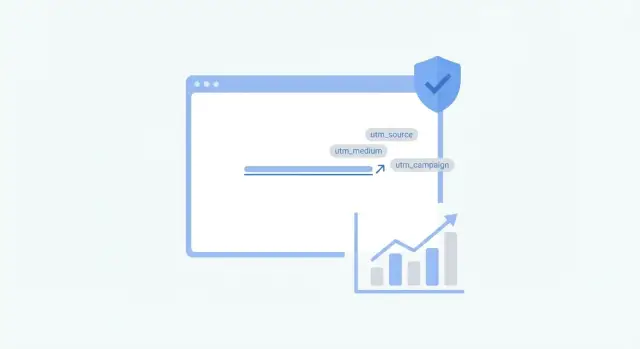
- utm_source: where the traffic came from (for example, your outbound tool or a list label)
- utm_medium: the channel (often "email")
- utm_campaign: the specific campaign or sequence (for example, "q1_sdr_outreach")
- utm_content: the variation (template A vs B, or step1 vs step2)
- utm_term: originally for paid search keywords, sometimes used for audience segments
UTMs measure clicks, sessions, and on-site actions (like a form submit) as long as your site analytics is set up correctly. They also help you compare variants if you use utm_content the same way every time.
What UTMs don't measure: opens (which are unreliable anyway), replies, or meetings booked unless those events are tracked elsewhere. UTMs also don't tell you who clicked unless you combine them with some identifier on your site, which brings privacy and consent considerations.
UTMs are worth using when you have a real decision to make, like "Which sequence step drives demo requests?" They're noise when you tag every link differently without a plan.
Plan your tracking before you touch the URL
If you add UTMs first and ask questions later, you end up with messy reporting and links you're afraid to reuse. Start by deciding what success means for this sequence, because different goals need different tracking.
Pick one primary outcome and one secondary outcome. You might care most about booked demos, but still want to watch clicks as an early signal. If your real goal is replies, remember UTMs won't measure replies directly, so you'll need another place to capture that.
Before you build any tracked link, decide:
- Your goal (clicks, demo requests, signups, or replies)
- Where you'll read results (analytics, CRM, or a simple spreadsheet)
- One source and medium scheme you'll stick to
- A simple campaign naming pattern (date + segment + offer works well)
- How you'll label A/B tests with
utm_content
Consistency matters more than clever names. Keep utm_source and utm_medium boring and stable, then use utm_campaign to describe what's actually changing (segment and offer). That keeps reports grouped correctly and avoids creating ten versions of the same channel.
For A/B tests, decide what utm_content means before you send anything. A useful rule is: utm_content = what the recipient saw (subject line A vs B, CTA button vs plain text, offer1 vs offer2). Don't mix multiple ideas inside one value.
Example: you email two segments (agencies vs SaaS founders) and send both to the same landing page. Use the same source and medium for both, set utm_campaign to segment + offer, and set utm_content to the variant. Then you can line up clicks with replies and meetings without guessing which link belonged to which test.
Naming and privacy rules that keep UTMs safe
UTMs are small, but they can create big headaches if you treat them like a dumping ground for notes and personal details. The safest approach is simple, consistent naming that helps reporting without revealing who the recipient is.
Keep names predictable, short, and consistent
Long values are hard to read in reports and can look suspicious in security logs. Pick a small set of allowed values, keep everything lowercase, and use hyphens instead of spaces.
A practical convention is utm_source, utm_medium, utm_campaign, and optionally utm_content for A/B tests. Keep each value to a few words.
- Use lowercase and hyphens (example:
sdr-outreach,q1-bookings,variant-a) - Avoid long strings, random codes, and sentence-like descriptions
- Keep
utm_campaignstable for the whole sequence so attribution doesn't fragment - Use
utm_contentfor small differences like angle, CTA, or template version - Write the rules down so nobody invents a new style mid-campaign
Do not put personal data in UTMs
Never include names, emails, company names, job titles, or anything that can identify a person. Those values can end up in analytics logs, browser history, forwarded emails, and screenshots.
If you truly must identify a lead, use a stable internal ID that means nothing outside your system (example: lid=483920). Keep it short, and don't combine it with obvious hints.
A helpful habit: store personalization in your CRM, and keep UTMs focused on campaign-level answers like "which sequence" and "which variant."
Step by step: build a clean, trackable cold email link
Start with the page you actually want a prospect to land on, not the page that's easiest to track. If you're sending people to a calendar, pricing page, or case study, pick that exact URL first and keep it stable.
Next, decide what you need to learn from the click. With UTM parameters in cold email, less is usually better. Only include fields you'll actually read later.
A simple build process:
- Use the final URL (no redirects you don't control).
- Add only the UTMs you will use (usually source, medium, campaign).
- Keep values short and consistent (example: source=newsdr, medium=email, campaign=q1_it_outreach).
- Encode special characters (avoid commas, quotes, and brackets).
- Paste the full URL into a browser and confirm UTMs show up in analytics.
Then validate it in real inboxes. Send a test email to at least three providers (for example, Gmail, Outlook, and a corporate inbox if you can). Click the link from each, and confirm two things: the page loads fast, and the UTMs arrive exactly as you wrote them.
How filters and scanners evaluate tracked links
Email providers don't just read your subject line. They also look at every link, where it goes, and what it looks like when it arrives.
Redirects and domain reputation
A link that jumps through several redirects can look like a cover story. Each hop is another chance for scanners to see something inconsistent (or for a redirect to break). One clean redirect is usually fine, but long chains raise suspicion and slow down the click experience.
Shorteners are a common issue. A random shortener domain has its own reputation, and you don't control what else gets shortened on it. A domain you own and keep stable is easier to trust because it matches your brand and stays consistent over time.
Also watch the landing domain itself. If you swap landing domains every campaign, it can look like you're trying to dodge reputation checks. Pick one reputable domain and reuse it for your outreach.
What scanners look for in the URL
Scanners often open links in a safe environment and flag patterns that look like tracking abuse. Query strings aren't bad by default, but long or messy ones can look risky, especially when they include odd characters.
Keep these basics in place:
- Use HTTPS and a valid certificate on the final landing page.
- Avoid mixed content warnings (for example, an HTTPS page loading HTTP assets).
- Keep UTM parameters short, readable, and consistent.
- Limit parameters to what you will actually use.
- Do not put personal data in the URL.
Avoid exposing personalization tokens in your URLs
Personalization tokens are placeholders like {{first_name}} or {{company}} that get replaced at send time. They're useful in the email body, but risky inside a URL. If a token fails to merge, the raw placeholder can end up in the link someone sees, clicks, or forwards.
Tokens usually leak for boring reasons: a field is empty, a merge tag is misspelled, or the sending tool uses a different syntax than your template. Leaks also show up when you reuse a template across lists that don't share the same columns.
A broken merge field can appear in subject lines and preview text, which is often captured by inbox tools, scanners, and screenshots. In a URL, the leak is worse because it can become part of your analytics forever (and it can expose personal data).
A safer approach is to keep URLs boring and do personalization somewhere else:
- Use a simple server-side ID in the URL (like a short lead_id) and map it after the click.
- Match attribution post-click in your CRM using email address or a campaign ID stored on the lead.
- Put human-readable details in the page content after the click, not in the link.
Before sending at scale, QA your merges with a tiny test list. Send the email to a few addresses you control, then check the subject, preview line, and the full URL after clicking.
If you spot a token inside a URL, pause the sequence and fix it at the source. Remove personal fields from the link, add a fallback value for empty fields, and resend only after your test emails show clean, stable links.
Common mistakes that ruin attribution or deliverability
Most tracking problems are self-inflicted. A link can be trackable and still break your data, annoy recipients, or raise the wrong signals for filters.
These are the mistakes that cause the most damage:
- Tracking every single link. If you add a long query string to multiple links (calendar, website, case study, footer), you increase noise and make the email look overly tracked. Pick one primary action link to tag, and keep everything else simple.
- Using a URL shortener with a sketchy reputation. Even if your content is fine, the redirect pattern can attract extra scrutiny and hurt click rates.
- Changing naming conventions mid-campaign. Small differences like
Q1-outreachvsq1_outreach_newsplit your reporting into separate buckets. - Mixing UTMs with aggressive tracking parameters from other tools. Multiple redirect layers and fingerprint-style parameters create long, messy links that don't look like a normal website URL.
- Forgetting to exclude internal clicks. Teammates testing links can inflate numbers and make you think a sequence is working when it isn't.
A simple example: an SDR sends 200 emails, then shares the message in a team chat for review. Ten people click the tracked link, and suddenly the campaign shows a healthy click rate, even though prospects barely engaged.
Quick pre-send checklist for tracked links
Before you hit send, treat your tracked link like a product feature. If it breaks, looks suspicious, or leaks personal data, you lose both attribution and trust.
- Aim for one primary click target per email when you can.
- Keep UTMs boring and consistent, and never include personal data.
- Confirm the landing page matches the promise. It should load fast, work on mobile, and clearly continue the story from the email.
- Remove anything that looks like a placeholder. If a URL shows tokens like {{first_name}} or {company}, fix it before sending.
- Click-test from at least three mailbox providers. Confirm there are no broken redirects or blocked warnings, and that UTMs still appear on the final page.
One more reality check: many inboxes and security tools pre-click links to scan them. The goal isn't "perfect" click numbers. It's clean, comparable numbers you can trust.
Example: tracking a cold outreach sequence without messy links
An SDR runs a 2-step cold sequence to book meetings with HR leaders. They test two angles: Version A focuses on saving time, Version B focuses on improving candidate quality. The goal isn't just clicks, but booked calls.
They keep the email link simple (no long tracking chain) and use UTM parameters in cold email only on the final destination page, so the URL still looks normal in the message.
A clean pattern could look like this:
https://example.com/demo?utm_source=outbound_emailutm_medium=coldutm_campaign=hr_q1utm_content=step1utm_term=ab_a
They change only the parts that matter: utm_campaign for audience + timeframe, utm_content for the step, and utm_term for the A/B label. No names, no company domains, no personalization tokens.
After a week, they compare three signals:
- Click rate: interest in the offer, but also the most inflated by scanners.
- Reply rate: often the best early signal that the message feels believable.
- Booked calls: the real outcome, confirmed in the calendar or CRM.
They also watch for bot clicks so they don't celebrate fake progress. Common signs are clicks within seconds of delivery, clicks from unusual locations, or a high click rate with near-zero time on page and no replies.
What they change next depends on the pattern. If clicks are high but replies are low, the page might be fine but the email copy feels generic, so they tighten the first line and make the ask smaller. If replies are decent but booked calls are low, they adjust the landing page to match the promise and reduce friction (shorter form, clearer time slots).
Next steps: make tracking repeatable across campaigns
If you want consistent attribution, stop building URLs from scratch each time. Decide on one UTM template your whole team uses, then treat it like a form: fill in the blanks, don't improvise.
A simple template is usually enough:
- utm_source: where the click came from (example: cold_email)
- utm_medium: the channel type (example: email)
- utm_campaign: the sequence name (example: q1_sdr_outreach)
- utm_content: the variant or offer (example: a_subject1)
- utm_term: optional, for an audience slice (example: saas_founders)
Keep values short, readable, and consistent. This is where UTM parameters in cold email help most: they turn "we sent some emails" into clean, comparable data over time.
Scale only after deliverability basics are stable
Tracked links work best when your sending setup is healthy. Before you increase volume, make sure domains and mailboxes are authenticated, and that you have a real warm-up period. Otherwise you'll blame UTMs for issues that are really reputation problems.
Test one thing at a time, and track intent (not just clicks)
A/B tests work best when you change only one variable (offer, CTA, or landing page), not the whole email. Use utm_content to label variants so results are easy to read later.
Pair click data with outcomes. A click with a "not interested" reply is different from a click followed by "interested" or a booked call.
If you want to keep sending setup and outcome tracking in one place, LeadTrain (leadtrain.app) combines domains, mailboxes, warm-up, multi-step sequences, and AI reply classification, which can make it easier to connect clicks to real conversations without juggling multiple tools.
FAQ
What’s the main reason to use UTM parameters in cold email?
UTMs help you attribute site behavior (clicks, sessions, and on-page conversions) back to a specific cold email campaign without relying on heavy click-tracking redirects. They’re best for answering questions like “Which sequence drives demo-page visits?” not for proving who opened or replied.
Which UTM fields should I include (and which can I skip)?
Use utm_source, utm_medium, and utm_campaign as your default. Add utm_content only when you’re running a clear A/B test you’ll actually analyze; skip everything else to keep links short and less suspicious.
How do I name UTMs so reporting stays clean?
Keep utm_source and utm_medium boring and stable so reporting doesn’t split into dozens of buckets. Put what changes (segment, offer, timeframe, or sequence name) into utm_campaign, and keep the format consistent across the whole team.
Can I put a prospect’s name or email in UTM parameters?
No. Don’t include names, emails, company names, job titles, or any value that can identify a person. Those values can end up in analytics logs, forwarded emails, screenshots, and browser history, creating privacy risk and making the link look creepy.
Will UTMs hurt deliverability, and how do I reduce risk?
Keep the destination URL direct and avoid long redirect chains, random shortener domains, and messy query strings. A short, readable URL on a domain that matches your brand typically earns more trust from both recipients and filters than a heavily wrapped tracking link.
Why do I see clicks that don’t match real interest?
Security scanners often “click” links before a human does, so raw click rate can be inflated. Treat clicks as a directional signal, then validate with outcomes like replies, time on page, form submits, or booked meetings to avoid optimizing for bot traffic.
How do I QA a tracked link before sending at scale?
Test the exact email in multiple inboxes and click the link yourself to confirm the final page loads quickly and the UTMs show up correctly in analytics. Also check mobile rendering, HTTPS validity, and that the link goes to the final destination you control (not an unexpected redirect).
Should I add UTMs to every link in the email?
Tag one primary action link (the one you want most people to click) and leave secondary links untagged or minimally tagged. Over-tagging makes the email look overly tracked, adds noise to reports, and increases the chance scanners or filters treat the message as risky.
Why should I avoid personalization tokens inside URLs?
Tokens can fail to merge and expose raw placeholders or personal data in the URL, and that leak can persist in analytics forever. Keep URLs generic, and if you need identity after the click, use a short internal ID that isn’t meaningful outside your system.
How do I connect UTM clicks to replies and meetings booked?
UTMs won’t tell you who replied or booked a meeting by themselves; they only label the visit. Connect outcomes by tracking the conversion event on the site (like a demo request) and matching it to campaign context in your CRM, or use a platform like LeadTrain that ties sequences and reply classification together so you can compare clicks with real conversations.