Target account list from conference sponsor pages: repeatable method
Learn a simple workflow to build a target account list from conference sponsor pages, spot budget signals, map roles, and write event themed outreach.
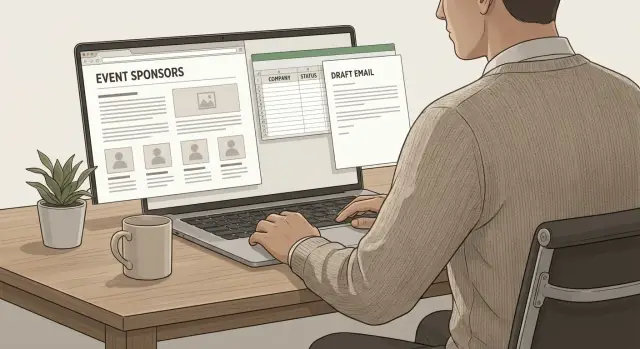
Why sponsor pages are a good place to find buyers
Sponsor pages beat random company databases for one reason: they show intent. A database tells you who exists. A sponsor list tells you who decided to spend money to be in front of a specific audience.
When a company sponsors an event, it usually signals three things that matter for outbound:
- Budget: Sponsorship isn’t free. Someone approved spend and expects a return.
- Timing: Events are tied to near-term goals, like building pipeline, launching an offer, entering a region, or hiring.
- Focus: Sponsors self-select into a theme. If the event is about security, finance, or ecommerce, the list is already filtered by interest.
Example: you sell a tool for sales teams. You find a RevOps Summit sponsor page with 40 logos. Those companies either sell to RevOps teams, employ RevOps leaders, or both. That’s a sharper starting point than a generic export like “SaaS companies, 50-500 employees.”
Sponsor pages aren’t always a good source. They get noisy when the event is too broad, too small, or built around hobby-level audiences. They can also mislead you when the sponsor list is stale or when most “sponsors” are agencies, media partners, or staffing firms.
Skip the sponsor list when:
- The page doesn’t show the current year (or the agenda looks outdated)
- There’s no clear theme tied to a business problem
- You can’t tell what sponsors actually do
- Most sponsors are agencies, staffing firms, or publications
Once you get the hang of it, you can pull a clean company list from sponsor pages and write messages that fit the event theme without sounding random. If you run outreach in a platform like LeadTrain, this kind of list also fits neatly into a repeatable workflow: collect accounts, map roles, then turn the same structure into a campaign each month.
How to choose the right events and sponsors
Not every sponsor page is worth your time. The best ones come from events where the audience matches your ICP and the timing matches how people buy what you sell.
If your product takes 3-6 months to approve, an event happening next week can still work. Just expect more “not now” replies, and plan follow-up around the post-event window.
Start with ICP fit and buying timing
Ask one simple question: who attends this event to solve a problem, not just to learn?
Conferences focused on a specific job function (RevOps, security, customer support, supply chain) usually beat broad trade shows. A fast way to check fit is to scan the agenda and speakers. If most sessions are about challenges your buyer owns (budget, compliance, pipeline, churn), sponsors are more likely to be spending in that area for real.
A quick filter that keeps you honest:
- The event makes it obvious who it’s for
- Sessions focus on measurable outcomes, not generic trends
- Topics match your deal motion (evaluate now vs “someday”)
- You recognize a few vendors your prospects already buy
- The region and industry align with where you can sell today
Use sponsor tiers, but don’t ignore adjacent buyers
Sponsor tiers are a useful shortcut. Platinum and Gold sponsors often have bigger budgets and a clear reason to be visible, which can be great for enterprise offers. They can also be the noisiest because everyone targets them.
Mid-tier sponsors (Silver, Bronze, Exhibitor) are often the sweet spot: still budgeted, but less overwhelmed. Partner and community sponsors can be hit or miss, so treat them as optional unless they match your ICP tightly.
Also look for adjacent categories that share the same buyer and budget. If you sell a sales enablement tool, don’t only target “sales tools” sponsors. Call recording, CRM consultants, outbound agencies, and data providers often sell into the same team.
One rule that saves a lot of time: avoid sponsor lists that are too broad. If you can’t explain in one sentence why sponsors are there, your message will end up generic too.
Step by step: turn a sponsor page into a clean company list
A sponsor page is messy by default: logos, brand names, subsidiaries, and marketing fluff. The goal is to turn that into a list you can actually email from, without losing the details that make messages feel personal.
Start with a simple sheet and keep it consistent from the first row. Useful columns: company name, sponsor tier, category (if listed), sponsor description, source event, and notes.
Copy sponsors in batches, then standardize names right away. Pick one naming rule and stick to it (for example, legal company name without “Inc.”, or brand name as shown on the site). If you see duplicates (parent brand plus a product brand), decide which one you’ll target and merge the rest into Notes. This one step saves hours later when you dedupe contacts and domains.
Don’t skip the sponsor description. Paste it into your sheet even if it feels salesy. Later, you can pull real phrases from it (market served, problem they claim to solve, event angle) and turn those into lines that sound relevant.
Add a couple of quick tags so you can filter fast: competitor, existing customer, partner, do not contact.
Finally, set a list-size goal before you keep scraping. For one outbound campaign, 50 to 200 companies is usually enough. If you’re running it in LeadTrain, that size also keeps setup and reply handling manageable while you test what works.
Qualify and prioritize accounts with quick filters
After you build the sponsor-based company list, do a quick cleanup pass. The goal isn’t deep research. It’s enough context to make consistent calls.
Add a few basics for each company:
- HQ location (or main market served)
- Employee count range (rough is fine)
- Website
- Industry or category (use your own simple labels)
- Sponsor tier and booth size (if listed)
Then tighten the list with a small set of disqualifiers. Pick 3 to 5 rules that remove accounts you’d never sell to even if they replied.
Example for a B2B SaaS team: cut companies under 10 employees, agencies and consultants, non-profits, companies outside your target regions, or anyone with no clear product page.
Keep sponsor signals soft
Sponsor tier and booth size are useful, but they aren’t truth. A Platinum sponsor might have budget, or it might be a partner deal. A small booth can still mean serious intent, especially in a high-growth year.
Use these signals as tie-breakers. If two accounts look equal, pick the one with the bigger footprint. If an account is a perfect fit but a lower-tier sponsor, keep it.
Add a simple fit score
A basic A/B/C score is enough to prioritize without turning this into a spreadsheet project:
- A: strong ICP match, right size, right market
- B: partial match (one key factor unclear)
- C: weak match (keep only if you need volume)
Example: you pulled 80 sponsors from a cybersecurity conference. After disqualifiers, you have 52. You mark 18 as A because they sell to mid-market IT teams, are 50 to 500 employees, and operate in your target regions. Those 18 get event-themed messages first.
If you execute in LeadTrain, the fit score can also become a field to split sequences and A/B tests so your best accounts get the most tailored outreach.
Map each account to the right roles to contact
A sponsor logo becomes a real lead when you know who inside the company can say yes, or at least route you to the right owner. The easiest way to stay consistent is to define a small “buying group” first, then map every account to the same 2 to 4 roles.
Ask: who feels the pain, who owns the budget, and who has to live with the change?
Build a simple buying group (2 to 4 roles)
Keep it tight so you can move fast:
- Budget owner: VP, Head of, Director
- Day-to-day owner: Manager accountable for results
- Operator: Ops roles (RevOps, Sales Ops, IT Ops) who implement
- Executive fallback: Founder/Owner for small companies or unclear org charts
You don’t need all four every time. For a small sponsor, owner plus manager might be enough. For a larger sponsor, director plus ops plus manager usually gets you moving.
When the company has multiple business units
Big sponsors often have multiple products and regions. If you email the wrong unit, you can get silence even if the company is a fit.
Use the sponsor-page context to pick an angle: which product line did they sponsor under, and what theme did the event push? A simple note per account helps:
- Team (Marketing, Sales, Data, Security, Finance)
- Product line (the solution they promote)
- Region (US, EMEA, APAC, or a key country)
- Use case (what they likely care about based on the event theme)
Example: you pull sponsors from a data security event. One sponsor is a large software company with separate Cloud and Analytics divisions. If they sponsored a Data Governance track, focus on governance roles (Director of Data Governance, Data Platform Manager, Data or IT Ops) instead of a generic IT Director who might sit elsewhere.
Set a contact goal per account so you don’t overdo it. A simple rule is two contacts per company: one budget owner and one day-to-day owner. If you’re using LeadTrain, that also makes it easier to track replies and route “not my area” responses to the right role instead of restarting from zero.
Use the event theme to shape your outreach message
Event-themed outreach works when it sounds like a real hallway conversation, not a random cold email with a conference name pasted in.
Skim the event headline, the top session titles, and any tracks (AI, compliance, revenue, security). Pull 2 to 3 plain-language hooks you can reuse, like “reducing manual work,” “passing audits,” or “getting pipeline without hiring.” Then pick one detail you can mention without guessing, like a track name or a session title.
Sponsor categories help you choose a pain to speak to. You’re not claiming what they do. You’re showing you understand why teams in that category get hired.
Instead of writing one-off custom emails, keep a small set of angles you can rotate:
- Session follow-up: “I noticed the session on [topic]. Are you tackling [pain] this quarter?”
- Category-specific pain: “Since you’re sponsoring under [category], how are you handling [common pain] today?”
- Trend plus first step: “Lots of teams are talking about [trend]. What workflow are you fixing first?”
- Benchmark question: “Are you aiming for [simple metric], or is the focus more on [alternative]?”
- Tool-stack friction: “Is the bigger issue getting data in, or getting teams to actually use it?”
Keep the message grounded in two parts: what you noticed, and why it matters. End with one question that’s easy to answer, like “Is this something you own, or should I speak with the person who runs outbound?”
If you’re loading this into LeadTrain, store the event name, sponsor category, and one session hook as fields. That makes first-line personalization faster without rewriting the whole email.
Step by step: build a repeatable outbound sequence from the list
Once you have a clean sponsor company list, the job is simple: earn a reply. Keep the sequence short, consistent, and easy to reuse. A good baseline is 4 to 6 touches over 10 to 14 days, with every message pointing to the same small next step.
Segment before you write. Split accounts by sponsor tier, sponsor category, and fit score. That lets you keep most of the copy the same while swapping a few lines that make it feel relevant.
A repeatable sequence:
- Email 1: event tie-in plus one clear question
- Email 2: small proof or example, then ask if it’s a priority
- Email 3: value nugget (a checklist item, metric, or quick win), invite a reply
- Email 4: simple bump (“Worth a quick chat, or should I close the loop?”)
- Email 5 (optional): breakup with a choice (“Interested” / “Not a fit”)
Personalization works best when it’s contained: the subject, the first line, or one sentence in the middle. Don’t sprinkle custom details everywhere. It slows you down and rarely adds more replies.
For testing, change one thing at a time. A/B test either the subject (curiosity vs direct) or the call to action (10-minute chat vs yes/no question). Keep everything else identical so you learn something real.
Decide upfront what success means:
- Reply rate
- Qualified reply rate
- Meetings booked
- Negative signals (bounces, unsubscribes)
If you use LeadTrain, it’s easier to keep segments, sequences, and reply categories organized so each new sponsor list becomes a campaign quickly.
A simple example: from one sponsor list to one campaign
Imagine you pick a mid-sized, industry-focused event like “RevOps Automation Summit” (theme: cleaner pipeline data, faster follow-up, fewer manual steps). The sponsor page shows 12 companies across tiers.
You choose five to start: a CRM add-on, a sales intelligence tool, a call recording platform, a revenue analytics dashboard, and a B2B payments provider. That’s enough volume to test without getting overwhelmed.
The list
Create a simple sheet where each row is one sponsor. Capture:
| Field | Why it matters |
|---|---|
| Event name + date | Keeps outreach grounded in something timely |
| Sponsor name + tier | Tier is a quick signal of budget and urgency |
| Category (from sponsor page) | Helps you tailor the angle |
| ICP fit (High-Med-Low) | Stops you from emailing everyone |
| Region/time zone | Makes send times sane |
| Target roles | Usually 2-3 per account |
| Personalization note | One sentence tied to the event theme |
| Status | Not started, contacted, replied, booked |
The emails
Pick one sponsor: a call recording platform. Your target role: Head of Demand Gen.
Subject: Post-event follow-up for RevOps Automation Summit leads

Hi {{FirstName}},

Saw {{Company}} is sponsoring RevOps Automation Summit. The theme is all about faster follow-up and less manual work.

If you’re planning to email attendees after the event, I can help you run a short, deliverability-safe sequence that segments replies automatically (interested, not interested, OOO, bounce) so your team only spends time on real conversations.

Worth a 10-minute chat to map a simple post-event follow-up plan?

- {{YourName}}
Follow-up with a different angle (not a bump):
Subject: Quick idea for sponsor-to-meeting conversion

Hi {{FirstName}},

Different angle: most sponsors lose meetings because replies get messy (OOO chains, “circle back” notes, unsubscribes).

If you share how many leads you expect from the event and your target meeting goal, I’ll send back a 3-step sequence outline and a reply-handling workflow you can copy.

Should I send it?

- {{YourName}}
To segment the rest of the list, keep it simple: top-tier sponsors first, perfect-fit categories next, adjacent tools after that, then long shots only if you have capacity. If you use LeadTrain, you can keep each segment as its own mini-sequence and test angles without rebuilding everything.
Common mistakes when prospecting from sponsor pages
Sponsor lists look like easy gold, but a few missteps can turn a good source into noisy outreach and poor deliverability.
Mistake 1: Assuming every sponsor is a perfect fit
Sponsors pay for many reasons: recruiting, brand visibility, partnerships, or a one-off launch. If you treat the whole page as qualified, you blast companies that will never buy and burn your sending reputation on bad fits.
A quick sanity check: do they sell to your audience, fit your deal size, and operate where you can sell?
Mistake 2: Over-personalizing until you never send
It’s easy to get stuck writing a mini-essay for each account. The result is usually a half-finished list and zero replies.
A better bar: one sentence that shows you picked the company for a reason (sponsor angle, category, or session theme), then move on.
Mistake 3: Using the event theme as decoration
Name-dropping the conference without a point reads like fluff. Connect the theme to a business priority. If the event is about security, tie it to something practical like compliance deadlines, pipeline risk, or common buyer objections.
Mistake 4: Ignoring deliverability basics
Sponsor pages make list-building fast, which tempts people to ramp volume too quickly or send from a fresh domain. That can push you into spam before you learn what works.
Warm up mailboxes, ramp slowly, and keep bounce risk low. LeadTrain can help here by handling domain setup and email authentication (SPF/DKIM/DMARC), warm-up, and reply classification in one place.
Mistake 5: Not tracking which events and tiers convert
If you don’t label accounts by event and tier, you can’t learn. You might email 80 Gold sponsors and 200 Bronze sponsors and get similar meeting rates, then keep focusing on the wrong tier next time.
One habit fixes most of this: record event, tier, fit notes, and outcome, then review monthly.
Quick checklist and next steps to run this every month
Use this as a pre-flight check before you turn a sponsor page into a campaign.
Monthly checklist
- Confirm the event matches your ICP and has a clear business theme
- Capture the basics: company name, website, sponsor tier, event name, and one “why this fits” note
- Pick 1-2 target roles per account, then segment by tier or theme
- Manually review 10 accounts before scaling (real company, clear fit, clear reason)
- Keep messaging simple: one reason, one question, one CTA. Make sure domains are authenticated, mailboxes are warmed, and daily volume ramps slowly
A good sanity check: if you remove the event mention, does the email still make sense? If not, you’re leaning on the conference name instead of a real business reason.
Next steps to make it repeatable
Pick one day each month and treat this like a routine:
- Choose one event and one segment (for example, top-tier sponsors in one track) and run a small test.
- Launch a short sequence with measured pacing, then watch replies for the first 48-72 hours.
- Log results by event: sent, positive replies, bounces, unsubscribes, meetings booked.
- Reuse what worked: keep the same list fields and scoring rules, then swap only the event theme and your “why you” line.
If you want fewer moving parts, LeadTrain combines domains, mailboxes, warm-up, multi-step sequences, and AI-powered reply classification in one place, so your monthly workflow stays focused on picking the right events and writing a clear reason to reach out.
FAQ
Why are sponsor pages better than random company databases for prospecting?
Sponsor pages show intent. A company chose to spend money to reach a specific audience, which usually signals budget and a near-term goal. That makes them a better starting point than a generic database list where you don’t know who’s actively investing right now.
When should I avoid using a sponsor page as a lead source?
Skip it if the page doesn’t clearly show the current year, the agenda looks outdated, or the event theme isn’t tied to a real business problem. Also avoid lists where you can’t tell what most sponsors do, or where the majority are agencies, staffing firms, or publications.
How do I pick events that match my ICP?
Start by scanning the event positioning and agenda. If it’s clearly for a specific job function (like RevOps, security, or support) and the sessions focus on outcomes your buyer owns (pipeline, compliance, churn), it’s usually a good fit. If it’s broad and vague, your outreach will end up broad and vague too.
Do sponsor tiers (Gold/Platinum) really matter for prioritizing accounts?
Treat tiers as a shortcut, not truth. Higher tiers often signal bigger budgets, but they’re also heavily targeted and sometimes reflect partner deals. Mid-tier sponsors are often the best balance: they still budgeted for visibility, but they may be less saturated with inbound and outbound noise.
What’s the fastest way to turn a sponsor page into a clean company list?
Use a simple sheet and capture the context you’ll reuse in messaging: company name, sponsor tier, category (if listed), sponsor description, source event, and a short note. Standardize company names early and merge duplicates (parent brand vs product brand) so you don’t waste time later deduping domains and contacts.
How do I qualify sponsor companies without doing deep research?
Add a few basics that help you disqualify quickly: website, rough employee range, region, and a simple industry label. Then apply 3–5 “never sell to” rules (for example, too small, wrong region, agencies/consultants, no clear product). The goal is consistency, not perfect research.
Who should I contact inside each sponsor company?
Pick 2–4 roles and apply them to every account so your process stays repeatable. A good default is one budget owner (VP/Head/Director) and one day-to-day owner (manager), with an ops/implementation role added for larger orgs. Two contacts per company is usually enough to start without spamming the account.
How do I use the event theme in outreach without sounding cheesy?
Mention the event in a way that explains why you’re reaching out, not as decoration. Use one real detail you can’t get wrong (a track name or session theme) and connect it to a practical pain. End with an easy question like whether they own the area or who the right person is.
What does a good outbound sequence look like for sponsor-based lists?
A solid default is 4–6 touches over about two weeks, with every email pointing to the same small next step. Keep personalization contained to one line and test one change at a time (subject or call to action) so you learn what’s driving replies instead of guessing.
What deliverability mistakes should I watch for when emailing sponsor lists?
Don’t ramp volume too fast, and don’t send from a fresh, unauthenticated setup. Warm up mailboxes, keep bounce risk low, and track bounces and unsubscribes closely. If you want fewer moving parts, a platform like LeadTrain can handle domains, authentication (SPF/DKIM/DMARC), warm-up, sequences, and reply classification in one workflow so you can focus on targeting and copy.