Sunset an outreach domain gracefully: steps and clean DNS
Sunset an outreach domain gracefully with a clear off-ramp: pause sends, retire mailboxes, tidy DNS, and keep records for audits.
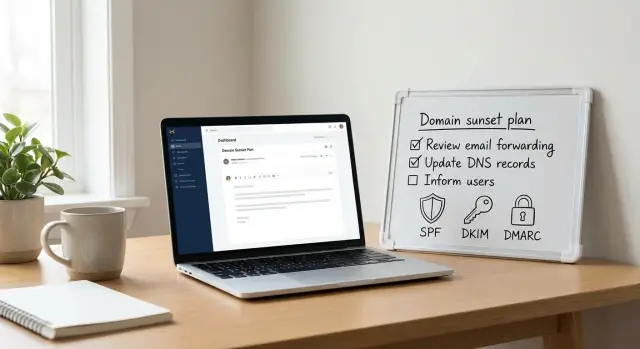
What it means to sunset an outreach domain
Sunsetting an outreach domain means stopping outbound sending in a controlled, deliberate way. You’re not deleting the domain overnight. You’re winding it down so inboxes, sending patterns, and records stay predictable.
Even after you stop sending, the domain still has a reputation with mailbox providers. Dropping from steady volume to zero overnight can look odd, and a messy shutdown can spill into your next setup, especially if you reuse the same lists, templates, or tracking patterns.
There’s also a compliance and trust angle. Weeks or months later, you might need to show what you sent, when you sent it, and how you handled opt-outs. If you lose access to mailboxes, logs, or DNS history, simple questions from Legal, a partner, or your own RevOps team can turn into a scramble.
Multiple teams typically have stakes in a clean sunset. Sales and SDRs don’t want conversations lost. Ops and RevOps need reporting consistency. IT needs DNS and access tied off securely. Legal and compliance need an audit trail for opt-outs, complaints, and message history.
If you simply stop logging in and hope for the best, the problems tend to surface later: replies keep coming to inboxes nobody watches, old auto-forwards leak data, DNS records linger and confuse future setups, and audits fail because nobody can reconstruct what happened.
If you’re using an all-in-one platform like LeadTrain, it’s easier to treat a sunset as a planned change. Domains, mailboxes, warm-up, sequences, and reply classification live in one place, so you’re less likely to leave loose ends across multiple tools.
Decide the scope and timeline
Start with the reason you’re retiring the domain. The safest plan depends on whether you’re reacting to deliverability issues, a rebrand, tool consolidation, or risk control (for example, reducing the number of domains that can send).
Then define the scope. Are you sunsetting the entire domain, or only specific mailboxes and sending identities?
- Partial sunset makes sense when the domain still has other jobs (support, billing, app logins).
- Full sunset fits domains that exist only for outreach and shouldn’t be used again.
Pick a target end date, then add a cool-down period. The end date is when new outbound stops. The cool-down is a buffer where you still monitor inboxes and reduce activity gradually so you don’t create unusual patterns, like a last-minute blast followed by silence. For many teams, 1 to 2 weeks is a practical cool-down.
To keep everyone aligned, lock four decisions in writing:
- Why you’re sunsetting the domain, and what success looks like
- Scope (entire domain vs specific mailboxes)
- End date and cool-down length
- Owners for DNS, mailbox access, and recordkeeping
Ownership is where retirements often break down. DNS updates, mailbox access, and audit notes tend to live in different systems. If you use LeadTrain, decide who owns domain and mailbox settings in the platform, who approves DNS changes, and who exports or stores campaign history.
Example: an SDR team sunsets an outreach domain after a rebrand. They stop new sequences on Friday, monitor inboxes for two weeks, and assign one person to DNS updates, one to mailbox access, and one to save proof of what was sent and when.
Capture the history you may need later
Before you turn anything off, save a clear record of what happened on the domain. Six months from now, you don’t want to guess why you stopped using it or what was sent from a specific address.
Capture the campaign setup, not just results. If you used multi-step sequences, personalization fields, segments, or A/B tests, export or save the final version that was actually running. Include audience rules (who was eligible and who was excluded) so you can explain why certain people were contacted.
Next, snapshot performance while the data is still easy to access. Record totals and rates over a recent, stable window (often the last 30 days) so numbers remain comparable later.
An “audit pack” that usually covers what teams need:
- Campaign configuration (sequence steps, templates, segment filters, A/B variants)
- Deliverability indicators (send volume, bounce rate, spam complaints if available, unsubscribe count)
- Reply outcomes (total replies and a simple breakdown like interested, not interested, out-of-office, bounce, unsubscribe)
- Mailbox inventory (every sending address, provider, purpose, last-used date)
- Sourcing notes (where lead data came from and any consent-basis notes, if applicable)
Example: if an SDR mailbox is retired after a role change, keep the last-used date and which campaigns it sent. If a prospect later disputes an email, you can quickly pull the template, the sequence step, and the recorded outcome.
Store the pack in one place, name it consistently, and lock it so it doesn’t get “cleaned up” later.
Step-by-step: stop sending without causing spikes
The goal is straightforward: stop outbound traffic in a controlled way, without sudden bursts, half-finished follow-ups, or someone accidentally turning things back on.
Start by freezing anything that can create new sends: active sequences, scheduled emails, and any automation that enrolls people into campaigns.
A sequence that works for most teams:
- Pause or end all active sequences that use the domain, and clear scheduled sends for the next 7 to 14 days.
- Turn off new lead imports and any API jobs that push prospects into those sequences.
- Decide how to handle in-progress follow-ups: either let the current step finish within a short window, or cancel remaining steps for everyone.
- Set a short sunset window (for example, 72 hours) where nobody is allowed to restart campaigns on that domain.
- Confirm there are zero queued messages before you call outbound sending “off.”
Follow-ups are where teams accidentally create spikes. If you let sequences run out, set a firm end date and remove future steps so volume doesn’t drag on unpredictably. If you cancel, do it in one pass rather than day by day.
Make the “no restarts” rule real. Write it down, post it where the team will see it, and name a single owner. If you’re using a consolidated setup like LeadTrain, it’s easier to verify nothing is still scheduled because sequences, mailboxes, and warm-up settings are managed together.
Handle replies, forwards, and inbox monitoring
Stopping outbound is only half the work. People will keep replying for days or weeks, and some replies still matter: positive interest, unsubscribe requests, and “wrong person” messages that help keep your data clean.
Decide what should happen to inbound mail during wind-down:
- Monitor the inbox directly (best when you expect real conversations)
- Forward replies to a shared sales inbox (best for coverage across time zones)
- Use a short-term auto-reply (best when the campaign is truly over)
If you use an auto-reply, keep it simple and time-boxed. Two to four weeks is usually plenty. Don’t ask people to click anything. Point them to the right place to reply and confirm opt-out requests will be honored.
Set a lightweight monitoring routine for a few weeks. Check daily at first, then reduce to twice a week as volume drops. If multiple mailboxes are involved, assign one owner so responsibility doesn’t drift.
Unsubscribes still need to work after outbound stops. If someone replies “unsubscribe,” treat it as a real request and record it in your suppression list so it carries over to future domains. Many platforms, including LeadTrain, can classify replies like unsubscribe or bounce, which makes it easier to catch and process them during the sunset period.
Example: if a prospect replies “stop emailing me” two weeks after your last send, forwarding that message to a team inbox isn’t enough. You also want the opt-out recorded so the next campaign on a new domain doesn’t contact them again.
Map your DNS before you change anything
Before making DNS changes, take a snapshot of the current state. DNS is the paper trail of how the domain sends email, receives email, and supports any tracking or small sites used for outreach. Editing records blindly can break mail flow, cut off access to old inboxes, or make audits harder.
List what exists today and what each record does. Focus on email delivery and reporting records: SPF, DKIM, DMARC, MX, and any tracking subdomains used for opens or clicks. If you used a platform like LeadTrain, many records were created during setup, but domains often accumulate extra entries over time.
A quick labeling scheme helps you decide what’s safe to remove later:
- Sending: SPF (TXT), DKIM (CNAME or TXT selectors), provider verification records
- Receiving: MX, plus any mail-related A/AAAA records for inbox hosting
- Policy and reporting: DMARC (TXT) and any reporting mailbox references
- Tracking and redirects: subdomains like mail, track, click (A or CNAME)
- Website basics: root and www (A/AAAA/CNAME) plus verification TXT records
Once you can see the full map, decide your end state: receive-only (keep MX and basic authentication), parked (minimal records, no sending), or fully retired (no email services at all).
Coordinate changes with anyone who might still rely on the domain (support inboxes, forwarding rules, CRM notifications). Make one change at a time, record what changed and when, and keep the original DNS snapshot for future reference.
Keep DNS clean while avoiding surprises
DNS is where “we stopped sending” can quietly turn into “emails started failing.” Cleaning it up is part hygiene and part risk control.
Start with SPF. If the domain will not send any email, remove entries that authorize your outreach sender (for example, a specific sending service or mailbox provider). If the domain still sends other mail (support or billing), keep only what those systems require. Avoid broad catch-all includes “just in case,” because they can be abused later.
Next, DKIM. Old DKIM records aren’t automatically dangerous, but they create confusion during troubleshooting and audits. If a selector was used only for outreach, remove it after you’re confident nothing legitimate still signs with it. If you need extra caution, rotate keys as part of the retirement process and keep a record of what changed.
DMARC is your guardrail. If a domain should not send, a stricter policy can make sense, but keep reporting on. DMARC reports are often the fastest way to spot unexpected sending after retirement.
A safe approach that avoids breaking things:
- Change one thing at a time (SPF, then DKIM, then DMARC)
- Keep DMARC reporting enabled, even if the policy tightens
- Wait an observation window before deleting more records
- Remove unused tracking CNAMEs only after confirming nothing depends on them
Example: if you used a click or track subdomain during outreach, keep the CNAME for a week or two after stopping sends, then remove it once logs and DMARC reports stay quiet.
If LeadTrain handled SPF/DKIM/DMARC setup for you, export your current DNS state first. That gives you a clean record of what existed and what you changed.
Common mistakes and how to avoid them
Most problems happen when a sunset is treated like flipping a switch. Plan for stragglers: late replies, system emails, and old integrations you forgot existed.
Deleting mailboxes too early is a frequent mistake. You lose reply history, opt-out requests, and evidence of what was sent. Keep inboxes available (often read-only) for a defined period, and export what you need for compliance or internal review before removing access.
Another common issue is removing DNS records before sending is actually quiet. If SPF, DKIM, or tracking records disappear while a tool is still trying to send, you’ll generate bounces and messy logs. Freeze campaigns first, wait for scheduled sends to clear, then change DNS.
It’s also easy to miss shared systems that still use the domain: calendar invites, CRM notifications, support aliases, or a forgotten automation can keep sending even after outreach is paused.
To reduce surprises:
- Audit every tool that can send from the domain (outreach, CRM, support, calendars)
- Pause sequences and scheduled follow-ups, not just new sends
- Keep mailboxes and logs for a clear retention period
- Assign one owner for the shutdown checklist
- Record what changed and when, including DNS edits
Unsubscribe handling is another blind spot. If someone clicks unsubscribe weeks later and the processing endpoint is gone, you create a bad experience and potential compliance risk. Keep unsubscribe processing alive until you’re confident inbound traffic has stopped.
Example: your SDR team pauses campaigns on Friday, but a CRM still sends meeting reminders from the same domain over the weekend. On Monday you remove DKIM and SPF, and those reminders bounce. You avoid this by confirming all send sources are quiet before changing DNS. A consolidated platform like LeadTrain can help here because domains, mailboxes, sequences, and reply classification are visible together, so it’s easier to spot what’s still active.
Quick checklist before you call it done
Do a final pass so nothing keeps sending and nothing important is lost for later audits. The target outcome is simple: no surprise mail, no missing records, and a clear owner.
- Confirm every sequence is paused or ended, and verify there are no queued or scheduled sends (including follow-ups).
- Block new lead flow tied to that domain: imports, API jobs, automations, and routing rules that re-enroll contacts.
- Set a reply plan for the next 2 to 4 weeks: who monitors inboxes, what gets handed to sales, and how unsubscribes are captured.
- Document the DNS end state: current SPF/DKIM/DMARC/MX plus any tracking or custom return-path records, and what you plan to remove vs keep.
- Archive the mailbox inventory and limit access: list every sending mailbox and alias, then restrict logins to a small group with a named owner.
Add a short audit note while it’s still fresh: sunset date, who approved it, last day of sending, and a few numbers (send volume, bounce rate, complaint rate if available, and meeting bookings). If you used LeadTrain, snapshot or export the campaign list and reply classifications so you can later explain why the domain was retired.
One practical tip: keep at least one monitored inbox active for a short period after sending stops. Late replies and opt-outs are easier to handle calmly than to recover after the fact.
A realistic example: switching outreach domains without losing traceability
A small SDR team retires Domain A (their older outreach domain) and moves new campaigns to Domain B. They take it slowly to avoid sharp deliverability shifts and to preserve a clear story for Legal or RevOps later.
Week-by-week plan (what they actually do)
Week 1: They stop launching new sequences on Domain A but let active ones finish. Daily send limits are reduced to near-zero instead of a hard stop. Warm-up stays on so reputation doesn’t swing abruptly.
Week 2: They watch replies on Domain A daily and handle stragglers. In LeadTrain, reply classification reduces manual sorting so the team can quickly separate interested responses from out-of-office messages, bounces, and unsubscribes.
Week 3: They move only the conversations that truly need follow-ups to Domain B. Domain A inboxes remain open for monitoring, but outbound is fully off.
Week 4: They archive or close Domain A mailboxes after confirming no open deals depend on those addresses. Then they remove DNS records used only for sending.
What they keep for audits, and how they tell the team
They save a small set of proof, not a messy dump of everything:
- Metrics snapshot (send volume, bounce rate, reply rate) from the final 30 days on Domain A
- Reply summary by category (interested, not interested, out-of-office, bounce, unsubscribe)
- DNS change log (what existed, what was removed, and the date)
- Mailbox closure list and the owner for each
To avoid confusion, the SDR lead posts one clear note: “Domain B is now the only domain for new outreach. Domain A is read-only for replies until [date]. If you need to continue an existing thread, ask before switching the sender.”
Next steps and a clean handoff for the future
A sunset isn’t finished on the day you stop sending. The real test is whether someone can answer three questions months later: what was used, when it changed, and who approved it.
Create a one-page domain sunset record and store it with your operational notes. Keep it plain and factual:
- Domain name, purpose, and owner
- Key dates (last send, warm-up stopped, DNS changes, mailbox closure)
- What was running (sequences, sender addresses, sending provider)
- Final DNS state (SPF/DKIM/DMARC/MX and any tracking records)
- Where evidence lives (exports, screenshots, logs) and who signed off
Set two reminders: one for 7 to 14 days after the last send, and another for 60 to 90 days later. On those dates, check DMARC reports and leftover inbox traffic (replies, bounces, auto-responders). If meaningful mail is still arriving, extend monitoring.
Decide early whether the domain should be fully decommissioned or kept as receive-only.
Keep it receive-only if you expect late replies, need to honor opt-out requests, or want a cleaner audit trail. Fully decommission it only when you’re confident nothing important is arriving and you’ve saved the records you might need.
If you’re running outreach through an all-in-one tool like LeadTrain, the handoff is usually simpler because domains, mailboxes, warm-up status, and campaign history are stored together. That makes it easier to pause sending, keep inboxes monitored, and preserve sequence history while the domain goes quiet.
FAQ
What does it actually mean to “sunset” an outreach domain?
Sunsetting an outreach domain means you stop outbound sending on purpose and in a controlled way. You freeze new sends, wind down what’s already running, and keep enough access and records so replies, opt-outs, and audits don’t turn into a mess later.
Why shouldn’t I just stop sending overnight?
A sudden drop from steady sending to zero can look unusual to mailbox providers, especially if other patterns (templates, links, tracking, lists) stay the same elsewhere. A gradual wind-down also gives you time to catch late replies, unsubscribes, and forgotten automations before you remove access or change DNS.
How do I choose between a partial sunset and a full sunset?
Default to a full sunset only if the domain was used just for outreach and has no other job. If the same domain also handles support, billing, or app-related email, do a partial sunset by turning off only the outreach mailboxes and sequences while keeping the domain’s other mail flow intact.
How long should the cool-down and monitoring period be?
A practical baseline is an end date for new outbound plus a 1–2 week cool-down where you still monitor inboxes and reduce activity in a predictable way. If you expect long deal cycles or lots of late replies, keep monitoring longer, but keep outbound fully off once you hit the end date.
What history should I capture before turning anything off?
Save what you sent, when you sent it, and how you handled replies and opt-outs. You’ll usually want the final version of sequences and templates, a recent performance snapshot, a list of sending mailboxes and last-used dates, and a clear record of why the domain was retired.
What’s the safest way to stop sending without creating volume spikes?
First, stop anything that can create new sends: active sequences, scheduled emails, and any automation that enrolls new prospects. Then make sure there are no queued messages and set a clear rule that nobody restarts campaigns on that domain. In an all-in-one setup like LeadTrain, this is easier because sequences, mailboxes, and warm-up live in one place.
What should I do about replies and unsubscribe requests after I stop outbound?
Keep at least one person responsible for checking inbound during the wind-down, because replies can still include real interest and unsubscribe requests. If you forward replies or use an auto-reply, make it time-boxed and make sure opt-outs still get recorded. LeadTrain’s reply classification can help you quickly spot unsubscribes, bounces, and genuine interest while the domain is being retired.
When should I change SPF/DKIM/DMARC and other DNS records?
Snapshot your current DNS first so you know exactly what existed and can explain changes later. Then make changes slowly, starting only after sending is truly quiet, because removing SPF/DKIM or tracking records too early can create bounces and confusing logs. DMARC reporting is especially useful as an early warning if something keeps sending after retirement.
What are the most common mistakes when sunsetting an outreach domain?
The most common mistakes are deleting mailboxes too early, changing DNS while something is still trying to send, and forgetting other systems that send from the same domain (like calendars or CRM notifications). Another frequent miss is letting unsubscribe handling break after outbound stops, which creates avoidable risk and bad experiences.
How do I know the sunset is truly complete?
You’re done when outbound is fully off, inbound is covered for a defined period, and you can answer “what changed, when, and who approved it” without guessing. Keep a short sunset record with key dates, owners, mailbox closures, a DNS change log, and where your campaign history is stored so future Legal, IT, or RevOps requests don’t require a rebuild.