Short videos in outbound sales: a 5-minute recording recipe
Learn how to use short videos in outbound sales with a simple 5-minute recording recipe, where to place it in your sequence, and how to avoid common mistakes.
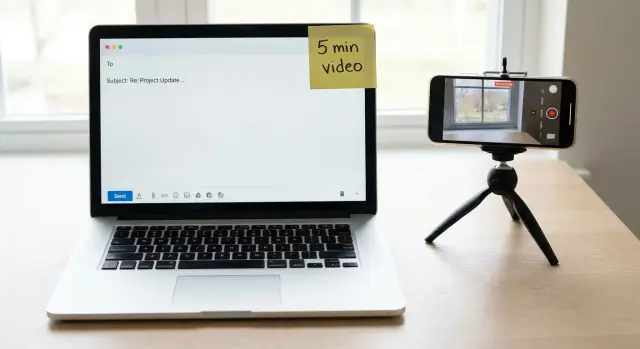
Why outbound feels noisy and where video actually helps
Most prospects ignore outbound because it all looks the same. Their inbox is full of “quick question” emails, vague claims, and long blocks of text that ask for a meeting before you’ve earned any attention.
It’s not that your offer is bad. Buyers have simply learned a fast sorting rule: if it feels generic, risky, time-consuming, or like a pitch, they skip it.
A short video can break that pattern because it does a few things text can’t. People can see you’re real, hear your tone, and understand the point quickly. When it’s done well, video feels less like marketing and more like a quick personal note.
Video helps most when it has a clear job. Use it to show something faster than you can explain it (a page, a workflow, a before-and-after), prove you did a small amount of homework, or remove confusion around one specific idea. The best videos also make replying easy by ending with one clear yes/no question.
Video can also hurt response rates, usually because of friction. If watching feels like work, people won’t do it. The common causes are long monologues, burying the point until the end, or making the recipient click through hoops.
It can also backfire when it feels creepy or too personal. Mentioning a business detail is fine. Commenting on someone’s appearance, family, or social posts usually isn’t.
The practical goal is simple: record something useful in under 5 minutes total (prep plus recording), send it at the right moment in your outbound follow-up sequence, and keep the message so clear the prospect knows what you want without rereading.
Decide if video is worth it for your outreach
Short videos work best when they add clarity or trust that plain text can’t. If you’re using video just because it feels new, it often becomes extra work with little payoff.
A quick test is this: will a 60 to 90 second video meaningfully increase your chance of getting a reply compared to a well-written email? If you’re not sure, don’t rebuild your whole outreach. Test it on a small set.
Video is usually a good fit when your offer needs a quick visual (a workflow, a simple walkthrough), when trust matters (premium pricing, sensitive data, long-term contracts), or when your target list is small and focused. It’s usually a bad fit when you’re sending high volume with no real personalization, or when your ICP and value proposition are still fuzzy.
The decision rule is effort vs deal size. If you can record a video in 5 minutes and the deal is worth weeks of revenue, it’s worth testing. If the deal is small, or reply rates are low because the offer is weak, video won’t rescue it.
A simple example: if you sell a $12k/year service to 30 very specific companies, a handful of videos can be a smart bet. If you sell a $29/month tool to anyone with an inbox, recording a video for each prospect will drain your time fast.
Keep the test tight. Pick 20 to 30 prospects who match your best customers, use video only on touch 2 or 3 (after a first plain email), and track one outcome: replies that lead to meetings (not views). Keep the format consistent and change only one thing at a time, like the hook or the CTA.
The 5-minute recording recipe (simple structure)
Short videos work best when they feel like a quick note, not a mini commercial. The goal is to earn one small next step. If you try to explain everything, people click away.
A repeatable structure that stays under 90 seconds:
- 0 to 10 seconds: your name, what you do, and why you chose them.
- 10 to 30 seconds: one specific thing you noticed (helpful, not creepy).
- 30 to 75 seconds: one idea they can use right now.
- last 10 to 15 seconds: one clear next step, plus permission to say no.
The “notice” part is where most people overthink. Don’t mention personal details. Stick to public, work-related signals: a new job post, a recent feature launch, a pricing page change, or a tool listed on their site.
For value, talk like you’re leaving a voice note for a colleague. Example: “I saw you’re hiring two SDRs. One thing that usually helps is adding a short breakup follow-up that offers a simple yes/no choice. It often lifts replies without adding volume.” That’s enough. No full deck.
Your ask should be tiny. “Worth a 10-minute chat this week?” works. So does “Should I send the exact email copy I’d use?” Then close with something low pressure: “If this isn’t a priority, just reply ‘no’ and I’ll close the loop.”
Script it fast: a template you can reuse
Waiting for the perfect script is how most people never hit record. Write a tiny outline that fits on a sticky note, then talk like you would in a quick voice note.
Before you record, jot down three bullets:
- the problem you think they have (one sentence, specific)
- the proof you can show in 10 seconds (a number, a screenshot, a quick before-and-after)
- the next step you want (one simple question)
Keep the video under 75 seconds. Short videos get watched because they feel safe to click. A 2 to 3 minute video often turns into “I’ll watch later,” which usually means never.
A hook that isn’t a compliment
Skip “Love what you’re doing” and skip jokes. Start with a plain observation tied to their role or situation:
“Quick question about how you’re handling outbound replies.”
“I noticed you’re hiring SDRs, so I figured reply volume is picking up.”
“I’m reaching out because teams using cold email often lose good leads in inbox noise.”
The one screen share moment
Use one screen share moment that’s safe and useful, meaning it shows process, not private data. A public page, a blank template, or a sanitized example is enough. For cold email video outreach, something as simple as “here’s the three-bucket way we sort replies” makes the idea concrete without turning into a demo.
End with a low-friction question that can be answered in one line. Avoid “Want to hop on a call?” as your first ask.
Here’s a reusable script you can read almost word-for-word:
Hey {Name} - I’ll keep this to 60 seconds.

I’m reaching out because {specific observation about their situation}.

What I often see is {one common problem in their world}. It usually leads to {simple consequence}.

(Quick screen share) Here’s {one thing} - notice {what to look at}. This is how teams avoid {pain}.

Would it be helpful if I sent you a 2-step example for {their goal}? Or are you already happy with what you’re using?
Setup that looks professional without a studio
You don’t need fancy gear. You need a clear picture, clean sound, and a calm frame. That’s what makes you feel credible in the first three seconds.
Phone or webcam: pick the one that looks most like you
A phone camera often looks more natural than a laptop webcam, especially in low light. If you can prop your phone at eye level (a stack of books works), you’ll usually get a sharper image. A webcam is fine if it’s already at eye height and you can sit close enough that your face fills most of the frame.
If you’re choosing fast: use your phone when you have decent light and a stable setup. Use your webcam when you’re already set up for calls and don’t want to move anything.
The 60-second fixes that matter most
Do a quick pass before you record: face a window or lamp so light hits your face (not from behind), use headphones or wired earbuds for cleaner audio, silence notifications, and keep the background simple.
Eye contact matters more than people think. Look into the lens for the key lines: their name, why you reached out, and the ask. Glance at notes briefly, then come back to the camera.
After you record, save time with a boring, consistent file name (for example, Company-Name_FirstName_UseCase_Date) and keep everything in one folder per campaign or week.
Where video fits in an outbound follow-up sequence
Video works best when the prospect already understands why you’re reaching out. It’s rarely the opener. It’s the proof or clarifier after you’ve earned a few seconds of attention.
A simple rule: your first message should be about clarity, not creativity. Keep it short, text-only, and specific so the person can decide quickly if it’s relevant. If they don’t understand the context, a video won’t save it.
Once the context is clear, a short video becomes useful as a follow-up. It adds a human face, shows you did real homework, and can explain one point that’s hard to say in two lines.
A practical placement that works for many teams:
- Touch 1 (Day 1): text-only email with a clear reason for reaching out
- Touch 2 (Day 3-4): follow-up plus a 30 to 60 second video reinforcing the same point
- Touch 3 (Day 7): text-only objection handling or a polite break-up
Video is also strongest after a signal. If someone clicks, opens multiple times, or replies with a question, a short video can answer faster and feel more personal than another paragraph.
Finally, know when to stop. If they reply “not interested,” acknowledge it and end the thread. If there’s no response after your planned touches, send one respectful final note and move on. Being persistent is fine. Being pushy costs you reputation.
How to send it: copy that gets the video watched
Your email copy matters more than the video. Most people decide in 2 seconds if they’ll click. Make the subject and first line explain the video in plain words, not hype.
Say what the video shows, why it matters to them, and what you want them to do next.
Subject + opening line that feels human
Keep the subject specific and calm. Avoid words that sound promotional.
Subject examples:
- “30-sec walkthrough of your {{process}}”
- “Question about {{goal}} - quick screen share”
- “Idea for {{company}}: {{outcome}} in 60 sec”
Opening line examples:
“Recorded a 45-sec screen share to show where {{company}} could save time on {{task}}.”
“Made a short video to point out one thing I noticed on your {{page/process}} and a fix.”
One clear benefit, then a simple CTA
In one sentence, tell them what they get from watching.
“You’ll see the exact step where teams usually lose replies, plus a small change that lifts response rate.”
Then ask for a low-effort reply. Two choices makes this easier:
- “Worth exploring? Reply A) yes, send details or B) not a fit.”
- “Want me to tailor this to your setup? Reply with A) current tool or B) no tool yet.”
- “If it’s easier, I can do Tue 11-1 or Wed 3-5 your time - which window works?”
If they do not watch: a gentle follow-up line
Assume they were busy. Your follow-up should stand alone even if they never clicked:
“If you didn’t get a chance to watch, the short version is: {{one-line takeaway}}. Want me to send the steps in text instead?”
Phrases that can hurt deliverability or trust
Avoid wording that feels salesy or clickbaity. Skip “I made this just for you” and “personalized video” (it often reads like a template), and skip “watch until the end” or “you’ll love this.”
Use simple labels like “screen share” or “walkthrough,” and be precise about length: “38 sec” or “1 min.”
Common mistakes that make video outreach backfire
Video outreach fails for predictable reasons. Fix those, and your message starts to feel helpful instead of needy.
A common mistake is making the video about you. If the first 20 seconds are your background, your product, and your “quick intro,” people click away. Start with their world: a problem you see, a result they likely care about, or a small observation that shows you did basic homework.
Length is the next killer. When a video turns into a mini-demo, it stops being outreach and becomes homework. Aim for one point, one example, one next step.
Video also can’t save a weak offer. If your message is vague (“we help teams grow”) or your ask is unclear, a video just adds friction. Keep the offer specific and easy to evaluate.
Be careful with over-personalization. Mentioning something sensitive (health, family, politics, layoffs) can feel intrusive, even if it’s public. Stick to safe, work-relevant details.
Also avoid blasting video to everyone at the company. It can create internal confusion and look like spam. Start with one best-fit contact, then branch out only if you have a clear reason.
If you want a quick fix before you record, write one sentence: “This is relevant because ____.” If you can’t fill that in, don’t hit record.
Quick checklist before you hit send
Decide the job of the video. The best short videos do one thing: make it easy for the other person to understand why you reached out and what to do next.
Keep it short enough to earn attention. A good target is under 75 seconds, with the point clear in the first 10 seconds.
Do a fast pre-send check:
- Open with the reason for the video in your first line
- Include one specific observation, not a backstory
- Share one idea and one clear ask
- Keep the tone neutral and low-pressure
- Make sure your sender setup is clean before you scale (authenticated domain and a warmed mailbox)
Deliverability matters here. If your email setup is new, don’t blast a big list with video on day one. Warm the mailbox first, then increase volume slowly.
A realistic example: a 3-touch flow with one short video
Scenario: You’re an SDR selling a sales tool to a VP of Sales at a 50-person SaaS company. You have a clear reason to reach out: their team is hiring SDRs, and reps are likely spending time on manual follow-ups and messy lead handoffs.
A simple 3-touch flow keeps the video rare and useful:
- Touch 1 (Day 1, text-only email): One sentence on what you noticed, one sentence on the problem, one question. Example: “Noticed you’re growing the SDR team. When teams add reps fast, follow-ups often get inconsistent and pipeline notes get messy. Are you currently happy with your follow-up process?”
- Touch 2 (Day 3, 60-second video): A quick screen share that shows one improvement, then a simple question. Example: show a basic follow-up sequence map (3 steps) and point to where reps usually drop the ball. End with: “Would it be helpful if I sent a 3-step follow-up sequence you can copy?”
- Touch 3 (Day 6, text-only bump): Reference the video without guilt. Example: “Quick bump - should I send that 3-step follow-up sequence, or is this not a priority right now?”
The video isn’t a full demo. It’s one idea that makes them think, “That’s relevant to us.” If you can’t show one clear improvement in 60 seconds, skip the video and keep it text.
What you do next depends on the reply. If they’re interested, reply with two time options and one sentence on what you’ll cover. If they’re not interested, thank them, ask one narrow timing question if it’s useful, then stop. If they’re out-of-office, set a reminder and resend the core message later (no need to re-record). If you get a bounce or unsubscribe, remove them and check your targeting and list quality.
If you’re doing this at any scale, operational details matter. Tools like LeadTrain (leadtrain.app) can help keep outbound organized by consolidating domains, mailboxes, warm-up, sequences, and reply classification in one place, so you spend less time sorting and more time responding to the people who actually engage.
FAQ
When does video actually help outbound sales?
Use video when it can show something faster than text or add trust quickly. A 60–90 second clip works best as a clarifier, not a full pitch.
Should I use video in the first cold email or later?
Default: put it on touch 2 or 3, after a short text email sets context. If they didn’t understand why you reached out, a video won’t fix it; it just adds work.
How long should an outbound video be?
Aim for 60–75 seconds, with the point clear in the first 10 seconds. Longer than 2 minutes often turns into “I’ll watch later,” which usually means never.
What’s the best structure for a 90-second video?
Keep it simple: why you picked them, one work-related thing you noticed, one useful idea, then one yes/no next step. Treat it like a quick voice note, not a mini commercial.
What can I mention without sounding creepy?
Stick to public, work-related signals like a job post, a new feature, a pricing page change, or a tool listed on their site. Avoid anything personal (appearance, family, social posts), even if it’s public.
How do I script a video fast without sounding robotic?
Use a tiny outline: their likely problem, one proof point you can show fast (a quick screenshot or example), and the exact question you want answered. If you can’t fit it on a sticky note, it’s too much.
What should the email text say so people actually watch?
Say what the video is and how long it is in plain words, then give one clear benefit and a simple reply option. “Recorded a 45-sec screen share to show X—want the steps in text?” is usually enough.
Why does video outreach sometimes reduce reply rates?
The biggest killers are making it about you, talking too long, and burying the point until the end. Another common issue is using video to cover a vague offer; if the value is unclear, video adds friction instead of replies.
What’s the minimum setup to look professional on video?
Get decent light on your face, clean audio (earbuds help), and a calm background. Eye level camera and looking into the lens for the key lines (their name, reason, ask) makes you feel credible fast.
How do I scale video outreach without hurting deliverability?
If you’re sending at scale, keep your deliverability clean: use an authenticated domain and a warmed mailbox before increasing volume. Platforms like LeadTrain help by consolidating domains, mailboxes, warm-up, sequences, and reply classification so you can test video without juggling multiple tools.