Secondary domains for cold email: protect your primary brand
Learn how outbound teams use secondary domains for cold email to protect their main brand, set up authentication, warm up safely, and monitor risk.
Why outbound can put your primary brand at risk
Cold email is high-variance. Even with a solid offer, a small number of spam complaints, bounces, or negative signals can push your sending reputation down. If you send from your primary brand domain, that risk attaches to the same domain your team uses for day-to-day work like customer support, invoices, product updates, and partner emails.
Deliverability problems usually show up in plain ways. Emails that used to land in the inbox start going to spam. Some providers temporarily block you. Open and reply rates drop, and you might not notice until a campaign is already underperforming. Worse, messages can still show as “sent” while quietly landing where nobody will see them.
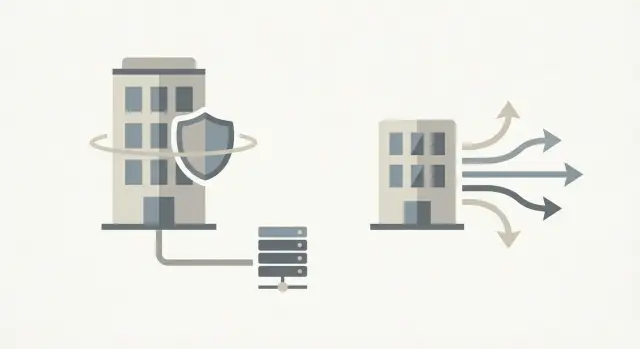
A defensive domain strategy keeps your core brand domain protected by using one or more secondary domains for outbound sending. Your website and company identity stay on the primary domain, while cold outreach happens on a closely related domain that you can warm up, monitor, and pause or rotate if needed. If a campaign goes sideways, you contain the damage and avoid impacting critical business email.
Four decisions matter most:
- When it’s worth separating sending from your main domain
- How to choose a secondary domain that feels trustworthy without confusing people
- How to set up SPF, DKIM, and DMARC so providers treat you as legitimate
- How to warm up and ramp sending so you build reputation instead of burning it
A simple example: a small SDR team keeps all real customer communication on the primary domain, then uses a secondary domain only for net-new outbound sequences. If replies turn negative or bounces spike, they can pause that domain without putting the whole company’s email at risk.
Primary domain vs secondary domains: the basic idea
Your primary domain is the one people already trust. It’s on your website, your customer emails, and your contracts (for example, brand.com). It carries most of your long-term reputation.
A secondary domain is an extra domain you use mainly for outbound sending (for example, brandhq.com or trybrand.com). The goal is straightforward: run cold outreach on a separate sending identity so deliverability problems don’t immediately touch your main brand.
Secondary domains aren’t a trick. They aren’t about pretending to be another company, copying a competitor, or dodging filters. The safest approach is to keep the domain clearly related to your brand and use it consistently.
The risk is mostly reputation, and it tends to show up in a few places:
- Domain reputation (how receiving systems judge the domain over time)
- Mailbox reputation (the track record of each sending inbox)
- Content and sending behavior (complaints, bounces, sudden volume spikes)
- Authentication alignment (whether SPF/DKIM/DMARC match what you send)
A secondary domain helps because it separates the “learning curve” of outbound from the domain customers rely on. If a new campaign gets high bounces or complaints, you can pause, fix targeting and copy, and recover without dragging your main domain into the same mess.
When should you skip the extra domain? If you send low volume and only to people who expect your emails (partner intros, inbound demos, existing customers), using your primary domain is often fine. If your outreach is mostly high-trust channels like events and direct referrals, careful list hygiene and thoughtful messaging can matter more than additional domains.
How to choose a secondary domain without confusing people
A secondary domain should feel like it belongs to you, but it shouldn’t pretend to be your primary brand domain. You want recognition and trust without putting your main domain’s reputation on the line.
Pick something clearly connected to your company name, product name, or a well-known tagline. Simple modifiers often work well: “get”, “try”, “with”, “team”. If your main site is Brand.com, a secondary domain like GetBrand.com is easier to understand than a random phrase.
Avoid domains that look like typos or copycats. People notice small tricks (extra letters, swapped characters, odd hyphens). Those choices reduce replies because they feel suspicious, and they can increase spam complaints because recipients assume you’re impersonating someone.
If you plan to scale outbound, decide early whether you need one secondary domain or a few. One domain is simpler. Multiple domains can make sense if you want separation by team or audience, or if you need more sending volume without pushing one domain too hard.
Two common ways to split domains:
- By segment (for example, one domain for SMB outreach and another for enterprise)
- By volume (two or three domains sharing the load so no single domain spikes too quickly)
Set clear rules for where the secondary domain appears. Most teams use it in the From address (and often Reply-To), but keep identity consistent in the signature: real name, real company name, and a short line that removes doubt (for example, “Reaching out from the team at Brand”).
Email authentication and setup: SPF, DKIM, DMARC basics
SPF, DKIM, and DMARC are the basic proof that your sending domain is allowed to send email and that messages haven’t been altered on the way.
- SPF says which servers are allowed to send mail for your domain.
- DKIM adds a signature to each message so inboxes can verify it’s really from you.
- DMARC tells inboxes what to do if SPF or DKIM fails, and where to report problems.
If you skip authentication or set it up wrong, you’ll usually see one of two outcomes: more spam placement, or outright bounces because large providers treat unauthenticated mail as risky. That defeats the point of using secondary domains in the first place.
Before touching DNS records, decide what recipients will actually see:
- Use a real person in the From name (for example, “Jordan at Acme”) rather than a department label.
- Choose one email format and stick to it (first@, first.last@, or firstlast@).
- Keep mailbox conventions simple: a couple of shared boxes for routing (like sales@) and named mailboxes for sending.
Consistency matters more than fancy setup. A short internal note prevents drift when a new SDR joins or when you add domains in a hurry. It should cover the sending provider, the DNS records you require (SPF, DKIM selectors, DMARC policy), your allowed From formats, and a quick test checklist (send to a personal inbox and confirm “mailed by” and header alignment).
Warm-up strategy: build reputation gradually
A new sending domain and mailbox start with little to no reputation. If you launch a real campaign immediately, inbox providers see a sudden spike from an unknown sender and get cautious. Warming up is the slow part that protects your results later.
A safe warm-up plan is simple: start tiny, behave like a normal human sender, then increase volume only when things look clean.
A practical warm-up timeline
Use this as a starting point (adjust down if your audience is very cold or your messaging is aggressive):
- Days 1-3: 5-10 emails/day per mailbox
- Days 4-7: 10-20 emails/day
- Week 2: 20-40 emails/day
- Week 3: 40-70 emails/day
- Week 4: 70-120 emails/day
Warm-up traffic should look different from prospecting. Mix in replies, short threads, and a normal send pattern. Many teams keep warm-up running in the background while they ramp campaigns carefully.
Early warning signs and what to do
Don’t push through problems. Slow down and fix the cause if you see:
- Bounces rising above your normal baseline
- Spam complaints or feedback like “marked as spam”
- Open rates dropping fast across multiple providers
- More messages landing in Promotions/Spam than before
If any of these show up, pause scaling for a few days, cut daily volume, and tighten targeting. Also separate warm-up volume from prospecting volume: treat warm-up as a small baseline, and only add campaign sends on top when metrics stay steady.
Sending practices that protect deliverability
The point of using secondary domains for cold email isn’t just separation - it’s control. Even a well-configured domain can get into trouble if your sending behavior looks noisy, inconsistent, or pushy.
Start with steady volume. Set a daily cap per mailbox that you can keep for weeks, not days. Big spikes (20 emails one day, 200 the next) are a common trigger for filtering. If you need more volume, add mailboxes and ramp gradually instead of pushing one inbox harder.
Copy matters as much as setup. Keep the message specific, calm, and easy to understand. Skip exaggerated claims, fake urgency, and spammy words that make you sound like an ad. A good rule: if you’d feel annoyed receiving it, rewrite it.
Multi-step sequences help, but only when they’re respectful. Space follow-ups so they feel like reminders, not pressure. Use clear stopping rules: stop when someone replies, bounces, or opts out. If a person says “not interested,” treat that as a stop too, even if they didn’t use the word “unsubscribe.”
A few habits that usually keep teams safe:
- Send on a consistent schedule and avoid bursts.
- Personalize lightly with real details, not fake placeholders.
- Stop sequences automatically on replies, bounces, and opt-outs.
- Limit follow-ups (often 2-3) and space them out.
- Make opting out easy and honor it immediately.
Opt-outs aren’t a failure. They reduce complaints, and complaints can hurt deliverability quickly.
What to monitor so problems don’t spread
Secondary domains only protect you if you catch deliverability issues early. Most problems start small (one mailbox, one list, one template) and then spread if nobody is watching.
Start with three rates that tell you if you’re harming reputation: bounce rate, spam complaints, and unsubscribe rate. Track them daily and weekly, not just per campaign. A single bad upload or a broken address pattern can push bounces up fast. Complaints are rarer, but they matter a lot. Unsubscribes are normal, but a sudden jump usually means targeting or copy drifted.
Segment results by domain and by mailbox. If one mailbox is spiking in bounces, the fix is different than if an entire domain is affected. The same applies to complaints: one rep might be using a riskier subject line or sending to the wrong audience, and you won’t see it in an overall average.
Also watch quieter warning signs. Sudden drops in opens or replies can mean filtering changed, or messages started landing in Promotions or Spam. Opens aren’t perfect, but if opens and replies fall together, treat it as a signal to slow down and investigate.
A simple team rule can prevent damage from spreading:
- Pause a mailbox if bounces jump above your baseline for two days.
- Pause a domain if multiple mailboxes show the same spike.
- Pause a sequence if unsubscribes jump after a copy change.
- Investigate before resuming: list quality, recent volume changes, and recent template edits.
Example: a realistic rollout for a small outbound team
A small B2B company has two SDRs and one sales lead. They’re going after a new segment (IT services firms) without risking the main brand domain that runs the website, support inbox, and billing emails.
They keep anything customers rely on the primary domain: the public site, product emails, support, invoicing, and partner communication. For outreach, they use a secondary domain that looks familiar but doesn’t pretend to be the main site. They pick a short variant of the brand name and use it only for sending and a simple landing page.
Their first two weeks are intentionally slow:
- Days 1-2: Buy the domain, create 2-3 sender mailboxes, and set up SPF, DKIM, and DMARC.
- Days 3-7: Start mailbox warm-up and keep outbound volume at zero while reputation builds.
- Days 8-10: Send a small first batch (20-40 emails per SDR per day) to a clean, highly targeted list.
- Days 11-14: Add a second step and A/B test the opener (not the offer).
After two weeks, they adjust based on signals. If bounces spike, they pause the mailbox and check list quality before increasing volume. If opens and replies are low but bounces are fine, they tighten targeting and simplify the first email. If out-of-office replies are high, they change sending days/hours and refine job titles. Only after the basics look healthy do they ramp volume.
Common mistakes that defeat the point of secondary domains
Secondary domains are meant to absorb reputation risk while your primary brand stays clean. Most failures happen when teams treat extra domains as a shortcut to send more, faster.
Here are the mistakes that cause the most damage:
- Buying many domains and ramping all of them at once. You end up with lots of weak senders instead of one healthy sender, and you multiply bounces and complaints.
- Using lookalike domains that feel sneaky (letter swaps, extra characters, weird hyphens). It raises trust alarms and can lead to angry replies.
- Leaving DNS half-done. One wrong SPF include, missing DKIM, or a DMARC setup that doesn’t align with the From domain can push mail into spam or cause failures.
- Changing patterns constantly: big spikes, rotating copy daily, or switching audiences too often. Reputation is built on consistent behavior.
- Ignoring replies: letting opt-outs linger, not removing repeated bounces, and failing to stop follow-ups to people who said no.
A simple failure case: a team buys five new domains, uploads lists, and sends 200 emails per domain on day one. Two domains have a DKIM issue, and nobody notices for a week. By then bounces are high, opt-outs are ignored, and the whole program looks risky to inbox providers.
If you want secondary domains to protect you, keep it boring: one or two domains at a time, verified authentication, steady daily volume, and strict handling of bounces and opt-outs.
Quick checklist before you hit send
A defensive domain strategy works best when you treat setup like pre-flight checks. It takes minutes and can save weeks of deliverability problems.
Start with the domain itself. Make sure it’s close enough to your brand to feel real, but not so close that it looks like a typo. Get internal approval (sales and legal if needed), then lock in what your From name and signature will look like.
Before you send a single prospecting email, confirm these essentials:
- The secondary domain is clear, not misleading, and the team agrees on how it should appear to recipients.
- SPF, DKIM, and DMARC are set for the sending domain and you’ve verified they work.
- Mailboxes follow a consistent naming pattern and have sensible daily limits.
- Warm-up is stable before real outreach volume starts.
- Monitoring is in place so you notice trouble early, not after pipeline drops.
Monitoring should have simple rules anyone can follow. Decide in advance what triggers a pause and who reviews it. Examples: pause on a bounce spike, a sudden rise in complaints, or a sharp jump in opt-outs. If inbox placement drops (more mail landing in spam), slow down and investigate before adding volume.
Next steps: make the process repeatable for your team
The biggest win from secondary domains isn’t “safer sending.” It’s having a playbook everyone follows, so deliverability doesn’t depend on one person’s memory.
Start by defining the split. Decide which messages belong on secondary domains (net-new outbound, higher-volume tests, new markets) and which stay on your primary domain (existing customers, invoices, support, hiring). Write down the reason for each so the rule doesn’t drift.
Then standardize your setup so new domains are never one-offs. Use the same domain pattern, mailbox naming, and authentication baseline every time. Launch one proven template first, then expand volume and variations only after performance is stable.
If you want fewer moving parts, LeadTrain (leadtrain.app) is designed to keep domains, mailboxes, warm-up, multi-step sequences, and reply classification in one place. That can help teams run a consistent process, especially when they’re adding new sending domains and mailboxes over time.
FAQ
Why should I use a secondary domain for cold email instead of my main domain?
A secondary domain acts like a buffer. If a cold email campaign gets high bounces, spam complaints, or poor engagement, the reputation damage stays mostly attached to that sending domain instead of your primary domain that handles support, billing, and day-to-day communication.
When is it okay to send outreach from my primary domain?
Use your primary domain when you’re sending low volume to people who already expect your email, like existing customers, inbound demo requests, or warm partner intros. The moment you start net-new outreach at scale, a secondary domain is usually safer because it limits the blast radius of mistakes.
How do I choose a secondary domain that doesn’t look sketchy?
Pick a domain that clearly relates to your brand name or product, using simple modifiers that feel natural to a human reader. Avoid anything that looks like a typo, a copycat, or a weird variation, because it reduces trust and can increase complaints.
How many secondary domains do I actually need?
Start with one secondary domain and get it healthy before adding more. Add a second or third only when you need separation by audience or you need more volume without spiking sends on a single domain.
Do I really need SPF, DKIM, and DMARC for a secondary domain?
SPF, DKIM, and DMARC are the basic signals that your domain is allowed to send and that the message is authentic. If these aren’t set correctly, you’ll often see more spam placement or bounces, even if your targeting and copy are good.
How long should I warm up a new domain and mailbox before sending real campaigns?
A simple, safe default is to warm up gradually and avoid sudden volume jumps. Start with a handful of emails per mailbox per day, then increase slowly over a few weeks while watching bounces and placement so you don’t burn reputation before you even start prospecting.
What daily sending volume is “safe” for cold email?
Keep volume steady and predictable, then scale by adding mailboxes instead of pushing one inbox too hard. Sudden spikes are a common trigger for filtering, so it’s better to ramp slowly and maintain a level you can sustain week after week.
What should I monitor to catch deliverability problems early?
Watch bounce rate, spam complaints, and unsubscribe rate first, because they’re direct signals of risk. Also pay attention to sudden drops in opens and replies across providers, since that often shows inbox placement is getting worse even if you don’t see explicit errors.
What should I do if emails start landing in spam?
Pause or slow down immediately, then fix the likely cause before scaling again. Common causes are bad list quality, broken authentication, or a sudden volume increase, and continuing to send usually makes recovery take longer.
How can LeadTrain help with a secondary-domain outbound setup?
LeadTrain can simplify the workflow by keeping domains, mailboxes, warm-up, multi-step sequences, and reply classification in one place. That helps teams stay consistent with setup and day-to-day operations, so fewer details slip through when you add new domains or ramp outreach.