SDR email provisioning plan for safe domain and warm-up ramps
SDR email provisioning plan to add new reps without deliverability shocks: domain and mailbox setup, warm-up ramp targets, and team volume controls.
Why adding SDRs can hurt deliverability fast
Cold email often works fine with one sender because the volume is low and changes happen slowly. When you go from one person to a team, a lot shifts at once: more mailboxes, more domains, more templates, and more daily sends. To inbox providers, that can look less like normal growth and more like a coordinated blast.
Spam filters watch for patterns. A sudden jump in volume, especially from new or rarely used mailboxes, is one of the fastest ways to trigger stricter filtering. Even with good copy, a big increase in sends can lead to more spam placement, more bounces, and more complaints. Then the next sends perform worse.
The biggest hidden risk is shared reputation. If multiple SDRs send from the same domain or share the same sending infrastructure, one person ramping too fast or mailing a weak list can affect everyone.
The spikes inbox providers notice usually come from a few predictable moves: turning on brand-new mailboxes at full volume, enabling several sequences at once, importing a large list and emailing it immediately, raising team targets without a team-wide cap, or sending from domains with little or no history.
A solid SDR email provisioning plan makes growth look normal: mailboxes warm up before real outreach, daily limits rise in small steps, and total team volume stays controlled even when headcount changes.
What to standardize before onboarding new SDRs
Before you add new senders, write down a few defaults that don’t change. This prevents the two fastest deliverability killers: inconsistent sender identity and surprise volume jumps.
Start with identity. Decide whether each SDR gets their own persona (name, signature, mailbox) or whether you’re running a shared brand identity with rotating senders. Most teams do better with per-SDR identities because replies, follow-ups, and opt-outs stay cleaner, and you can quickly tie problems to one sender.
Pick a mailbox naming pattern and stick to it. Minor differences make audits painful later. Choose one format (like [email protected]) and a consistent approach for additional mailboxes.
Set time rules. Choose a standard sending window (for example, weekdays only within a fixed 8-hour block) and a time zone rule (send based on lead time zone, or always based on the SDR’s time zone). Consistency reduces bursty patterns that look automated.
Also agree on definitions so reporting stays meaningful. Warm-up emails are for reputation building (low volume, varied, conversational). Campaign emails are prospecting (sequence steps, tracking, volume targets). Keep those categories separate when you review performance.
Finally, assign ownership. Someone should be accountable for monitoring daily signals, adjusting ramp targets, pausing a mailbox or domain when thresholds are hit, approving new templates and list sources, and documenting changes so the next onboarding looks like the last.
Domains: how to add capacity without changing everything at once
Onboarding often fails for one simple reason: the team suddenly sends more mail from the same small set of domains. A safer SDR email provisioning plan treats domains like capacity you add in small chunks, not a switch you flip.
You typically need a new sending domain when total daily volume will rise enough that each existing domain would have to jump just to keep up, or when you’re onboarding multiple SDRs who will ramp at the same time. Reusing an existing domain is fine when the change is small and the domain already has stable inbox history.
A simple capacity estimate
Plan domains quarterly, not week by week. Estimate your next quarter peak (not your average), then keep headroom so you don’t have to panic-scale.
Example: if you expect 12,000 outbound emails per month at peak and you want to keep each domain around 2,000 to 3,000 per month, you’re looking at roughly 4 to 6 sending domains. If you’re hiring, add another domain as a buffer.
Separate risk on purpose. Keep proven domains (stable inboxing, low bounces, consistent replies) for your core sequences. Use newer domains for ramping new SDRs and testing. If a new domain struggles, it shouldn’t drag down everything else.
Before any sending, confirm the basics: SPF and DKIM must align with the domain you send from, and DMARC should be present. These aren’t “nice to have” details; they help receiving inboxes trust your setup.
To roll out gradually, avoid big cutovers. Start new domains at low volume, move one SDR or one sequence first, and increase in small weekly steps while older domains stay steady. Put a fixed cap per domain so the team can’t spike.
Mailboxes per SDR: practical defaults that reduce risk
A safe default is one primary sending mailbox per SDR. Add a second mailbox only after the first shows steady performance. More mailboxes can increase capacity, but they also increase the chance of mistakes, mixed identities, and sudden jumps.
For most teams:
- Start with 1 sending mailbox per SDR.
- Keep an optional backup mailbox warm at low volume.
- Use a separate non-sending mailbox for internal testing (never for cold outreach).
Mailbox age matters. A brand-new inbox has no history, so it should ramp slower than an older, well-behaved mailbox. If you create an inbox the same day an SDR starts, treat the first 2 to 3 weeks as reputation-building: fewer sends, more spacing, and no bursts.
Get access and security right early. Keep admin ownership outside any single person’s password manager. Use unique passwords, enable 2FA where possible, and store recovery info in a shared admin vault. When an SDR leaves, you should be able to lock access quickly and keep the mailbox for continuity.
Keep identity consistent across everything the recipient sees: display name, signature, and reply-to. Mismatches look suspicious and can hurt replies.
Retire or pause a mailbox when it shows repeated bounces, complaint signals, or a clear drop in inbox placement that doesn’t recover after lowering volume.
Warm-up ramp targets that keep growth smooth
A good ramp is boring on purpose. The goal is steady reputation growth, not hitting full volume on day one. Keep warm-up traffic separate from real campaign sends.
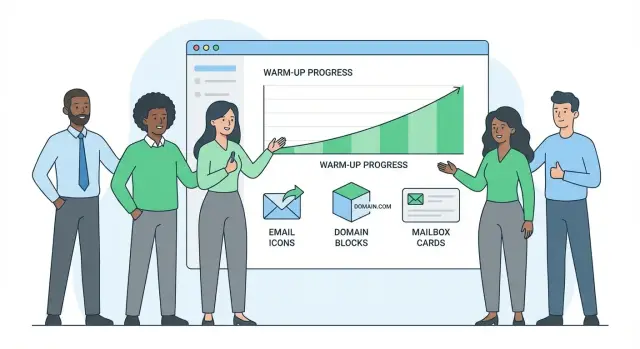
Here’s a simple 4-week ramp per mailbox (practical ranges, not strict rules):
- Week 1: 10 to 20 warm-up emails/day, 0 to 5 campaign sends/day
- Week 2: 20 to 35 warm-up/day, 10 to 20 campaign/day
- Week 3: 15 to 25 warm-up/day, 25 to 40 campaign/day
- Week 4: 10 to 20 warm-up/day, 40 to 60 campaign/day
After week 4, increase by about 10% to 20% per week until you reach your normal target. If you need more capacity, add another mailbox or domain instead of doubling volume overnight.
Watch feedback, not just send counts. If bounces climb, replies drop sharply, or complaint signals show up, pause increases for a few days and reduce sends by 20% to 30%. Fix the likely cause (list quality, targeting, too many links, sending too fast), then ramp again.
Keep weekends and holidays predictable. Either send every day at a lower level or consistently pause on weekends. A quiet weekend followed by a Monday blast can look unnatural.
Team-wide controls to prevent volume spikes
When new SDRs join, the biggest risk usually isn’t one person sending too much. It’s the team total jumping overnight because several mailboxes, domains, and campaigns ramp at the same time. Treat volume like a shared budget.
Set caps at two levels: per mailbox and per domain. Mailbox caps stop one sender from spiking. Domain caps protect your domain reputation when multiple mailboxes share it.
A simple control set:
- Hard daily cap per mailbox
- Daily cap per domain (sum of all mailboxes)
- Lower “first week” caps for new mailboxes
- A rule that any new campaign starts at the lowest cap
- One owner who approves cap increases
Caps won’t help much if all sends go out at 9:00 AM. Use pacing so messages are spread across the workday. Avoid enabling a step that triggers hundreds of emails at once.
Coordination matters most during onboarding. Don’t let multiple SDRs go live on the same day. Launch in waves, then wait until the ramp is stable before adding the next wave. If you need to test a new sequence, run it with one SDR first.
A shared calendar helps prevent accidental stacking. Track ramp milestones, planned go-lives, and cap increases.
Step-by-step: onboarding a new SDR from zero to full send
The goal is simple: every new sender starts clean, proves they can send safely, then earns higher volume.
1) Prep the sending foundation
Before the SDR touches a sequence, make sure the domain setup is finished and consistent. That means SPF, DKIM, and DMARC are in place, and the sending domain has a real, lightweight website and a matching sender identity (name, role, signature).
2) Create mailboxes with standard profiles
Create the SDR’s mailboxes and keep sender details uniform: one real person name, one company identity, one time zone rule, and a steady sending schedule. Avoid changing display names or signatures during the ramp.
3) Warm up first, then add tiny campaign volume
Start warm-up immediately, but keep campaign sending low at first. Early on, you’re testing reputation, not trying to hit pipeline targets.
4) Run a controlled test sequence
Launch a small sequence to a tightly filtered list (good fit, verified emails, low spam risk). Keep copy simple and personal. Watch for an unusual spike in “stop” replies or unsubscribes.
5) Raise caps only when signals are healthy
Increase weekly, not daily. Hold or roll back if you see warning signs.
Use this quick checklist:
- Bounce rate stays low and stable
- Complaint signals stay near zero
- Unsubscribes don’t jump after increases
- Reply mix looks normal (not mostly out-of-office or angry)
- Inbox placement doesn’t suddenly drop
6) Document and hand off
Write down the exact ramp (week-by-week caps, sequence rules, and what triggers a pause). Then the next onboarding follows the same playbook instead of guesswork.
Example scenario: adding 3 new SDRs over 30 days
Starting point: 4 SDRs send 1,200 cold emails per weekday total (about 300 each). You run 2 sending domains with 12 total mailboxes (3 per SDR). Deliverability is stable.
Now you’re adding SDRs A, B, and C. The goal is to add capacity first (domains and mailboxes), then add volume slowly.
- Week 1: Add 1 new sending domain, create mailboxes for SDR A, start warm-up. Keep the team cap so total stays near 1,200/day while existing SDRs hold steady.
- Week 2: Create mailboxes for SDR B on the new domain and warm them up. SDR A starts a very small campaign while warm-up continues.
- Week 3: Create mailboxes for SDR C and warm them up. SDR A increases modestly; SDR B starts first sends. Keep the team cap tight so total rises in small steps.
- Week 4: Gradually raise each new SDR toward their target while watching bounces and unsubscribes. If any metric jumps, pause increases for a couple of days.
Stagger start dates so warm-ups don’t all “graduate” on the same day. Also split prospects so new SDRs don’t hit the same list as existing reps. Segment by territory, industry, company size, or lead source, and remove overlaps.
What success looks like by day 30: the new SDRs are sending consistently, total volume increased without sharp jumps, and inbox placement stayed steady.
Common mistakes that cause sudden deliverability drops
Most deliverability drops aren’t mysterious. They’re usually caused by a few avoidable moves, often right when new SDRs join.
One major trigger is treating a brand-new mailbox like a seasoned sender. Launching a full multi-step sequence on day one creates an instant spike from an address with no reputation.
Another issue is adding capacity in too many places at once. Teams buy several new domains, create several mailboxes per domain, and ramp all of them simultaneously. If list quality or targeting is off, the entire new setup gets flagged together. Grow one layer at a time so you can isolate what caused what.
Mistakes that show up most often:
- Going from 0 to full send in a single day, especially with multi-step sequences
- Ramping multiple new domains at the same time
- Letting each SDR choose their own schedule (random peaks, Monday blasts, end-of-day spikes)
- Ignoring rising bounces or unsubscribes until replies dry up
- Changing copy and targeting mid-ramp, then blaming warm-up when performance drops
Bounces and unsubscribes are fast feedback. A bounce jump often points to list quality or verification problems. An unsubscribe jump usually points to message-market mismatch or weak targeting. Waiting a few more days usually makes recovery slower.
Avoid mixing big experiments during warm-up. If you change your audience, rewrite the offer, and shift sending times while ramping, you lose your baseline.
Quick checks to know if your ramp is on track
You don’t need complex deliverability reporting to catch problems early. A few consistent checks will do most of the work.
Daily signals worth watching
Check these every workday, per SDR and for the team total:
- Bounces: sudden jumps often mean a bad segment or broken data
- Unsubscribes: one is normal, a spike is a warning
- Reply rate: it can be low, but it shouldn’t collapse overnight
- Complaint signals (if available): treat any increase as urgent
- Actual send volume: confirm you’re hitting the planned cap, not what the sequence could send if left unchecked
Once a week, compare planned ramp targets to what actually went out. Many ramp failures come from someone enabling a second sequence, cloning a campaign, or adding prospects without realizing they doubled volume.
Do a simple spam folder spot-check. Send a plain internal test email to a few seed inboxes you control (Gmail, Outlook, and a company inbox) and confirm it lands in Inbox.
List hygiene is the safety net. Before each ramp increase, spot-check for duplicates, stale records, and risky segments.
Simple decision rules
Clear rules help managers and SDRs make the same call under pressure:
- Pause if complaint signals appear or bounces spike sharply
- Hold the current step if unsubscribes rise week over week or replies fall for several days
- Reduce volume if only one SDR shows problems while others look normal
- Increase only when metrics stay stable and the team consistently hits the planned cap
- After major changes (new domain, new mailbox, new offer), hold for a few days before the next increase
Next steps: make provisioning repeatable as the team grows
Treat onboarding like a small release process. Write down your ramp targets once, then reuse them for every hire.
Keep a single provisioning doc (one page is enough) that answers the same questions every time: what gets created, when it ramps, and who can raise limits. Include which domains are assigned, how many mailboxes each SDR gets, volume caps with planned weekly increases, a simple calendar of ramp milestones, and the one owner who approves increases and pauses.
Tooling can make this easier to enforce. If you’re already using an all-in-one platform like LeadTrain (leadtrain.app), having domains, mailboxes, warm-up, sequences, and reply classification in one place helps you spot risky jumps and keep onboarding consistent across the team.
Plan one quarter ahead. Forecast hires, then add domain and mailbox capacity early so you’re not forced into sudden volume jumps after an SDR asks for “more sends.”
FAQ
Why does deliverability often drop right after we add new SDRs?
Adding multiple SDRs usually increases volume, templates, and senders all at once. Inbox providers may read that as a coordinated blast rather than natural growth, especially if the mailboxes are new or rarely used. The safest approach is to ramp in waves and keep strict caps so the team total grows smoothly.
What caps should we set to prevent team-wide volume spikes?
Treat volume like a shared budget with two caps: a daily cap per mailbox and a daily cap per domain. Keep first-week caps lower for new mailboxes, and only raise limits on a weekly schedule when bounce and unsubscribe signals stay stable. This prevents one new hire or one new sequence from creating an overnight spike.
How many mailboxes should each SDR have?
A good default is one primary sending mailbox per SDR, then add a second only after the first is stable. More mailboxes can add capacity, but they also add risk because identity, scheduling, and list quality mistakes multiply. If you want insurance, keep one backup mailbox warm at low volume instead of using it for real outreach immediately.
When should we add a new sending domain instead of reusing an existing one?
Start a new sending domain when your next ramp would force existing domains to jump significantly just to keep up, or when multiple SDRs will ramp at the same time. If the change is small and your current domain has stable history, you can often reuse it with tighter caps. The goal is to add capacity in small chunks, not flip everything over in one day.
What warm-up ramp schedule is a safe default for a new mailbox?
A simple, safe plan is to separate warm-up from real prospecting and increase campaign sends in small weekly steps. Many teams do well with a four-week ramp where week one is mostly warm-up with minimal campaign traffic, then gradually shifting toward 40–60 campaign sends per day by week four. After that, increase by roughly 10–20% per week if signals stay healthy.
What are the most common onboarding mistakes that cause sudden deliverability drops?
The most common triggers are launching brand-new mailboxes at full volume, starting multiple sequences on the same day, and importing a large list and emailing it immediately. Other frequent causes are random sending schedules that create bursts and raising targets without domain-level caps. Avoid big cutovers and make changes one layer at a time so you can see what caused what.
Which metrics should we monitor daily during an SDR ramp?
Watch for sudden bounce jumps, a noticeable increase in unsubscribes or negative replies, and a reply rate that collapses over a few days. Also confirm actual sent volume matches your planned caps, because cloning campaigns or adding prospects can silently double output. If you see warning signs, hold increases for a few days and reduce sends while you fix list quality or targeting.
How do we keep sender identity consistent when provisioning new SDRs?
Keep the display name, signature, and reply-to consistent across the mailbox and your sequences. Use a single naming pattern for addresses so audits are easy and changes are traceable. Avoid changing identity details mid-ramp, because it can look suspicious and makes it harder to diagnose deliverability shifts.
What should we do if bounces or unsubscribes jump during the ramp?
Pause new increases first, then reduce volume by about 20–30% while you investigate. Check list quality and verification, confirm you didn’t introduce duplicates or a risky segment, and review whether a new sequence created a burst. Once signals stabilize, resume the ramp gradually instead of trying to “make up” volume with a spike.
How can a platform like LeadTrain help enforce a safe provisioning plan?
Use one system of record for domains, mailboxes, warm-up, sequences, caps, and reply handling so you can spot risky jumps quickly. LeadTrain helps by keeping provisioning and sending controls in one place, including warm-up and reply classification, so managers can enforce caps and ramp rules consistently. The key is still process: document your defaults and reuse the same onboarding playbook for every new SDR.