Response time SLA: simple standards that raise conversions
Set a response time SLA for first replies and follow-ups, track adherence, and spot bottlenecks so leads get answers fast and more convert.
Why response time affects conversion
In sales, “response time” is really two clocks.
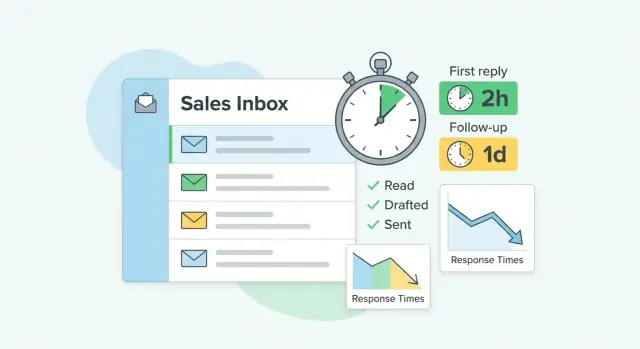
First reply time is how quickly you answer a new inbound message, a form fill, or a prospect’s first response to your outreach. Follow-up time is how long it takes to reply after each new message in an active thread.
Fast replies win because they match the moment someone is paying attention. When you respond hours later, they’ve moved on to another vendor, got pulled into meetings, or simply forgot why they replied. Slow follow-ups create the same problem: the conversation cools off, the prospect stops checking, and you get ghosted even when the interest was real.
A simple response time SLA helps because it makes your speed predictable. Prospects don’t know your internal workload, but they notice patterns. If your team replies quickly once and then disappears for a day, trust drops. If you respond quickly and consistently, it feels professional and easy.
Teams usually lose time in a few predictable places: handoffs (nobody is sure who owns the lead), inbox overload (replies get buried), unclear coverage (no one is on point during meetings or after hours), too many tools (messages spread across mailboxes and systems), and waiting for perfect info (people delay replying until they have every detail).
Success looks like fast, consistent, predictable replies. If a prospect asks, “Sounds interesting, can you share pricing?”, a good response arrives quickly and keeps momentum: “Yes. Quick question first: how many seats?” That single question preserves the thread and makes it easier to book a meeting before attention fades.
Define what you are standardizing
Before you set a response time SLA, get clear on what counts as a “response” and what clock you’re measuring. If you skip this, teams can hit numbers on paper while leads still feel ignored.
Start with first reply. Define it as the time from an inbound lead (a reply, a form fill, a referral intro) to the first human answer that moves the conversation forward. Auto-replies like “we got your message” don’t count unless they include a real next step and a clear time commitment.
Then define follow-up. This is the time between touches after no response, like the gap between your first reply and the next nudge, or between later check-ins. Write down what a “touch” is (email, call, voicemail, LinkedIn message) so everyone measures the same thing.
Business hours are another common source of confusion. Decide what your clock uses: business hours only, 24/7, or a hybrid (for example, 24/7 for first reply and business hours for follow-ups).
Finally, set channel scope. If leads can reach you through multiple doors, include them or you’ll create blind spots. Common channels include email replies, website forms, chat messages, referrals/introductions, and missed calls/voicemails.
One example makes the stakes obvious: if someone replies “Interested, can you send pricing?” at 7:30pm, your definition should say whether the timer starts immediately or at the next business-day start. If your team uses reply labels like “interested” vs “out of office,” you can apply the same rules more consistently.
Pick the SLA metrics that matter
A good SLA is small enough to remember and clear enough to measure. If you track ten numbers, people stop caring. Focus on the few that change outcomes.
Speed: the time target
Speed is the promise you make, like “reply within 1 hour” or “same business day.” Use concrete times, not vague words like “ASAP.” Keep two levels at most (for example, inbound demo requests vs everything else) so it stays practical.
Reliability: the percent you actually meet
Speed without reliability is just a wish. Add a threshold like “90% of first replies within target.” This turns the SLA into a team habit, not a heroic sprint. It also prevents a few late misses from hiding behind a good average.
Coverage: what is included
Write down what’s in scope so the metric is fair. Define your included lead sources, which segments count, who owns the clock (assigned rep, round-robin queue, or shared inbox), plus business hours and time zone rules.
A concrete edge case to decide once: if a lead comes in Friday at 6:30pm, does the timer start then, or Monday morning?
Quality guardrails: fast but helpful
Speed that annoys prospects can hurt conversion. Set a minimum bar for the first reply: acknowledge the request, answer at least one question, and give a clear next step (propose two meeting times or ask one key qualifier). Also clarify what does not count as “responded.” Out-of-office and unsubscribe messages shouldn’t be treated as wins.
How to set simple SLAs step by step
A response time SLA only works if it matches how people actually buy. Keep it simple enough that anyone on the team can remember it without looking it up.
1) Sort leads into a few buckets
Group leads by intent and value. Three buckets is usually enough: hot (asked for a call or replied with interest), warm (engaged but not ready yet), and cold (everything else). If a lead shifts, the bucket changes immediately.
2) Set first reply targets per bucket
Don’t use one blanket number. Hot leads get the fastest target because delay costs money. Warm leads still need speed, but you can be slightly looser. Cold leads can be slower, as long as you’re consistent.
3) Define the follow-up rhythm and the longest allowed gap
Follow-ups matter as much as the first reply. Decide two things: the cadence (how often to follow up) and the maximum time you’ll ever let pass without a touch. This prevents “we’ll get back to them” from turning into silence.
A simple structure you can adapt:
- Hot: reply within 1 hour (business hours); follow up daily; never more than 24 hours between touches.
- Warm: reply within 4 hours; follow up every 2 days; max gap 3 days.
- Cold: reply within 1 business day; follow up twice a week; max gap 7 days.
4) Assign ownership and a backup plan
Every lead needs one owner, plus a clear backup when that person is in meetings, offline, or out. Even a rule as basic as “round-robin during the day, shared inbox coverage after 5pm” removes guesswork.
5) Write it on one page and make it visible
Put the rules, examples, and “what to do when you miss the target” on one page. If your team runs sequences, align follow-up timing to your SLA so the system reinforces the behavior instead of fighting it.
Reasonable starting targets (use as a baseline)
A response time SLA works best when it matches how ready to buy the lead is. If you set one strict target for every message, your team will either miss it or waste time racing on low-priority threads.
Use these starting targets as a baseline, then tighten only after you can hit them consistently for 2 to 4 weeks:
- Hot inbound (demo request, pricing, “talk to sales”): first reply in 5 to 15 minutes during business hours. Follow-ups same day if you don’t get a response.
- Warm inbound (content download, webinar attendee, referral intro): first reply in 1 to 4 hours. Follow-ups next business day.
- Cold outbound replies (someone responds to your sequence): first reply in 1 business day. Follow-ups every 2 to 3 business days until you get a clear yes/no.
Out-of-office needs its own rule or you’ll create fake “missed SLAs.” If a reply clearly says they’re away, pause the timer and schedule the next touch for the morning after they return (or 1 business day after the return date if it lands on a weekend).
Example: if someone asks for pricing at 11:20am, respond by 11:35am with a clear next step (book time, quick questions, or a short quote). If they don’t answer, send a same-day nudge before end of day. For a cold outbound reply like “maybe, what do you do?”, answering tomorrow is usually fine as long as it’s thoughtful and moves the conversation forward.
Make it easy for the team to hit the SLA
A response time SLA only works if people know who is responsible right now. Decide who owns the clock the moment a lead comes in: the assigned rep, a round-robin queue, or a shared inbox. If it’s unclear, everyone assumes someone else will answer, and your first response time slips.
Handoffs are where standards break. If a lead changes owner (territory change, vacation, meeting booked, specialist needed), the clock shouldn’t reset silently. One simple rule usually works: the new owner inherits the timer and must send the next touch by the original deadline. If that’s not possible, the handoff should trigger a short “we’re on it” reply plus a concrete next step.
Escalation should be automatic and boring. You don’t want reps guessing what to do at minute 29 of a 30-minute target. A simple escalation ladder helps: a reminder halfway to the deadline, a backup notification near the end, and a fail-safe message if the target is missed.
Templates help most when they answer the question, not when they sound generic. Keep a small set of fast replies for common situations (pricing request, “can you send details,” wrong contact, “circle back later”) and require one sentence that advances the deal (a qualifier question or a clear next step).
How to measure adherence without busywork
Measuring a response time SLA shouldn’t mean spreadsheets or daily manual checks. The goal is to capture a few timestamps automatically and review results on a steady rhythm.
Track two things separately: first reply time (how long until the lead gets a human answer) and follow-up gaps (time between touches after that). A team can look “fast” on first reply and still lose deals because follow-ups drift.
Avoid averages. Averages hide the painful tail where leads wait a day and then disappear. Use percentiles instead: p50 shows what a typical lead experiences, and p90 shows the slow edge that quietly kills conversion.
Keep reporting simple. You usually only need: lead created time (or reply received time), first outbound reply sent time, time between follow-up steps, current status (open/won/lost/unqualified), owner, and lead source.
Then segment results by rep, lead source, and segment (for example, enterprise vs SMB, demo requests vs cold outbound). That reduces “my leads are different” arguments because you can see which inputs actually change speed.
When an SLA is missed, don’t jump to blame. Pull a small sample (10 to 20 leads from the p90 group) and read the timeline. You’re looking for root causes: unclear ownership, buried notifications, messy handoffs, time zone mismatch, or sequences that stall after an out-of-office.
Common mistakes and traps
Most teams miss response goals for predictable reasons. Fixing them often raises conversions more than squeezing another 5 minutes off a timer.
A response time SLA fails when it’s built for an ideal day, not a real one.
Treating every lead the same is a common mistake. A pricing request, a referral, and a reply to a cold email shouldn’t share the same clock. If you only have one standard, reps will ignore it or waste time rushing low-value threads.
Targets that ignore time zones and business hours break in practice. “Reply in 10 minutes” sounds nice until half your leads arrive overnight. Define the clock clearly and make sure everyone uses the same time zone rule.
No backup plan for meetings, travel, and PTO is another quiet killer. Even the fastest rep is offline sometimes. Without coverage, first replies slip, follow-ups get forgotten, and the lead goes cold.
Chasing speed while replies stay vague can backfire. A quick “Thanks, when are you free?” often creates extra back-and-forth. Fast replies only help when they move the deal forward with a clear next step.
Finally, messy tracking across inboxes and tools makes the numbers untrustworthy. If half the team replies from Gmail, others use a shared inbox, and others reply inside a sales tool, your SLA dashboard will be wrong and people will stop believing it.
Example: a prospect replies “Yes, send details” while an SDR is in demos all afternoon. Without coverage, the message sits for four hours and the prospect books with a competitor.
Quick checklist to audit your response-time process
A response-time standard only works if it’s easy to follow on a normal day. Audit one real channel (web leads, inbound emails, demo requests, or replies to outbound) using the last 20 to 50 leads.
Check for a clear owner within minutes, a written and visible first-reply target that matches working hours, a defined follow-up cadence (including when you stop), a backup plan for time off, and a weekly habit of reviewing missed cases and choosing one concrete fix.
One reality check: if two people answer the same lead, that isn’t speed, it’s unclear ownership. If nobody answers until the next day, the target might be unrealistic or routing is broken.
After the audit, capture the rules on one page: your response time SLA, follow-up rules, and exceptions (weekends, holidays, high-volume days). If you keep a dashboard, keep it focused: first reply, follow-ups sent on time, and missed cases that need review.
Example: a simple SLA that a small team can follow
Here’s a response time SLA a two-person team can run without tools overload. Assume three messages arrive at the start of the week: one inbound demo request, one warm referral, and one reply to a cold email.
The 5 business-day timeline (Mon-Fri)
Use one rule for first replies, then a light follow-up rhythm. Keep follow-ups short and specific (one question, one next step).
| Lead type | Day 1 (Mon) | Day 2 (Tue) | Day 3 (Wed) | Day 4 (Thu) | Day 5 (Fri) |
|---|---|---|---|---|---|
| Inbound demo request (10:00) | First reply by 11:00. Offer 2 time slots. | Follow-up at same time if no reply. | One more follow-up with a single question (“Should I close this?”). | Stop unless they respond. | Stop unless they respond. |
| Warm referral (11:30) | First reply by 15:30. Mention referrer, ask 1 qualifier. | Follow-up with a calendar option. | Short check-in + value proof (1 sentence). | Stop unless they respond. | Stop unless they respond. |
| Cold reply (arrives Tue 14:00) | - | First reply by Wed 14:00. Answer their question fast. | Follow-up if they asked for info and went quiet. | Final follow-up: confirm next step or close the loop. | Stop unless they respond. |
What happens if you miss the first reply by 1 day
Missing the demo request until Tuesday turns “hot now” into “I already booked someone else.” Even when they still reply, the meeting often slips later in the week, and your follow-ups feel pushier because you’re catching up.
A before vs after comparison helps it click. With 30 leads per week (10 inbound, 5 warm, 15 cold replies), a team that replies “when they can” might book 6 to 8 meetings. After setting the first-reply targets above and sticking to the follow-up days, the same team often sees 8 to 11 meetings. The gain usually comes from fewer leaks in the first 24 hours.
Next steps to roll this out
Start small so you can learn fast. Pick one channel and one segment for a two-week pilot. For many teams, that means inbound demo requests or replies from one cold email campaign aimed at a specific niche.
Write the rules down in a single page that everyone can find: what counts as a first reply, what counts as a follow-up, what hours are covered, and what happens on weekends.
A simple rollout plan:
- Choose the pilot scope: one channel, one segment, two weeks.
- Agree on targets and ownership: who replies first, who follows up, who covers time off.
- Decide tracking: one place to log timestamps and outcomes (reply time, meeting booked, churned lead).
- Add a weekly 20-minute review: what you hit, what you missed, and why.
- Adjust targets based on real numbers, not guesses.
During the pilot, focus on patterns, not blame. When you miss a target, ask what broke: ownership, handoffs, alerts, time zone rules, or slow research before replying.
If cold email is part of your motion, it’s easier to hit an SLA when sending, mailboxes, warm-up, sequences, and reply sorting live in one place. LeadTrain (leadtrain.app) is one example of an all-in-one setup, including AI-powered reply classification that can separate interested replies from out-of-office, bounces, and unsubscribes.
Lock it in after two weeks
When the pilot ends, keep what worked and tighten one thing at a time. Only raise targets after you can hit them for two straight weeks and your conversion rate is moving in the right direction.
FAQ
What exactly is a “response time SLA” in sales?
Start with two timers: first reply time (from inbound message to first helpful human reply) and follow-up time (time between later touches in the thread). Write down what counts as a response, what hours the clock uses, and which channels are included so everyone measures the same way.
Why does response time affect conversion so much?
Fast replies work because they catch the prospect while attention and intent are high. When you wait hours, they often move on, forget why they replied, or book someone else, and slow follow-ups cool the conversation and lead to ghosting.
What counts as a real first reply (and what doesn’t)?
Acknowledge the request, answer at least one question, and give a clear next step in the same message. A quick, vague note like “When are you free?” is fast on paper but often creates extra back-and-forth that slows the deal.
Should the SLA clock run 24/7 or only during business hours?
Use a clear rule and stick to it, like business hours for your main time zone, or a hybrid where first replies are treated more urgently than follow-ups. Decide once how you handle nights, weekends, and Friday evenings so the metric stays fair and predictable.
How do I choose different targets for hot vs warm vs cold leads?
Bucket leads by intent, then assign faster targets to hotter signals like demo or pricing requests. A simple starting point is three buckets (hot, warm, cold) so the standard stays memorable and you don’t waste speed on low-priority threads.
What’s a good follow-up rhythm without being annoying?
Pick a cadence and a maximum allowed gap so nothing drifts into silence. Daily follow-ups for hot threads and every 2–3 business days for colder threads is a practical default, as long as you stop or pause when the prospect clearly says they’re away or not interested.
How should we handle out-of-office replies in the SLA?
Pause the timer when the message clearly states they’re away, then schedule the next touch for the morning after they return (or the next business day if they return on a weekend). This prevents fake “misses” and keeps your follow-ups aligned with when they can actually respond.
How do we prevent leads getting stuck during handoffs or meetings?
Give every lead one owner immediately, plus a backup rule for meetings, travel, and PTO. A simple approach is round-robin or shared inbox coverage during set hours, and a clear handoff rule where the new owner inherits the original deadline instead of resetting the clock.
What should we measure to know if the SLA is working?
Track first reply time and follow-up gaps separately, then review percentiles (like p50 and p90) instead of averages. Averages hide the painful tail where leads wait a day, so percentiles show the slow cases that quietly hurt conversion.
What are the most common mistakes teams make with response-time SLAs?
Too many tools and inboxes create blind spots, and unclear ownership leads to “someone else will answer.” Another common mistake is chasing speed with low-quality replies; the best standard is fast and useful, with a clear next step that keeps momentum.