Reply-time SLAs that increase meetings with faster follow-up
Reply-time SLAs keep hot inbound and outbound replies from going cold. Learn response windows, escalation rules, and coverage hours that book more meetings.
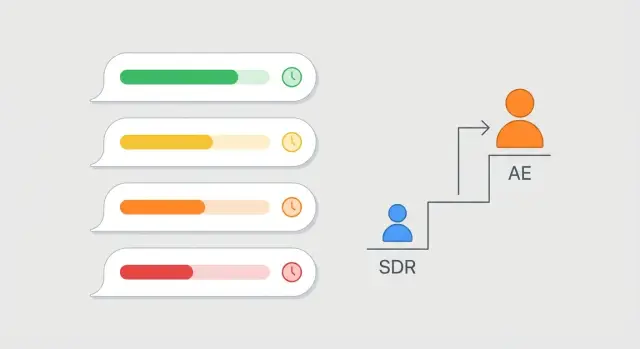
Why hot replies go cold
A prospect reply is a small window of attention. If it sits unanswered, interest doesn’t stay neutral, it fades. They get pulled into meetings, another vendor replies faster, or they simply forget why they responded.
Speed usually matters more than perfect wording. A quick, clear answer keeps momentum and shows you’re paying attention. Waiting to craft the ideal message often turns a warm thread into a cold restart where you have to earn attention all over again.
Replies also go cold for operational reasons. The usual choke points are simple: the message lands in a shared inbox with no clear owner, notifications get missed during busy hours, the SDR sees it but the AE needs to answer and the handoff stalls, someone is out and there’s no backup, or the reply is misread (for example, “next week” gets treated as “not interested”).
The cost of delay isn’t just “a slower deal.” It’s lost meetings. Prospects who reply are signaling intent, even when they’re pushing back or asking a question. Respond late and the story changes from “this is relevant right now” to “this was a nice-to-have.”
Picture this: a founder replies at 11:10 am, “Can you do Tuesdays? What’s pricing for 5 seats?” If they don’t hear back until the next day, they’ve had plenty of time to book someone else, ask for recommendations, or decide it’s too much work.
That’s why reply-time SLAs exist. They turn “someone should answer” into a clear promise, so hot replies get a timely, human response instead of sitting in a queue.
What a reply-time SLA is (and isn’t)
A reply-time SLA is a team agreement for how quickly you respond to inbound replies from your outbound emails. It’s the “we reply within X” rule that keeps a warm conversation from going quiet because the right person didn’t see the message in time.
A useful SLA spells out four things in plain terms: who owns the reply, when you’re expected to respond, how fast the first response must go out, and what happens if the owner can’t respond.
It also helps to separate first response from full resolution.
- First response means acknowledging and moving the conversation forward (“Yes, happy to share times. Are you free Tue or Wed?”).
- Full resolution is the outcome (meeting booked, disqualified, or a clear next step).
Your SLA can be strict on first response without creating unrealistic expectations that everything gets solved immediately.
What an SLA is not: it’s not a script, it’s not a way to police people’s keyboards, and it’s not “reply instantly no matter what.” It’s a clear default so nobody has to guess.
Choose response windows by reply type
A single response target for every email sounds tidy, but it breaks in real life. A prospect asking to book a call isn’t the same as a “not interested,” and an inbound demo request shouldn’t compete with a routine outbound reply.
Start by separating inbound vs outbound. Inbound replies (someone came to you) usually deserve the fastest response because the buyer already has momentum. Outbound replies are still valuable, but you should prioritize them so the team spends time where meetings are most likely.
A simple set of priority levels is enough:
- Hot: booking, pricing, timeline, “send times” (business hours: 15 to 30 minutes; off-hours: by next morning)
- Warm: questions, “maybe later,” needs info (business hours: 2 to 4 hours; off-hours: within 12 hours)
- Neutral: unclear, short replies like “ok” or “who are you?” (business hours: same day)
- Negative: not interested, unsubscribe requests, complaints (business hours: same day, clean and polite)
Define two clocks: business hours vs off-hours. If you promise “30 minutes” but no one is staffed, you create a rule you can’t keep. A practical approach is fast targets during coverage hours, and a clear “by 9 to 10am local time” target outside them.
Finally, decide what counts as “responded.” An auto-ack can be useful off-hours, but it shouldn’t stop the clock. “Responded” should mean a human, relevant reply that moves the thread forward (answers the question, offers times, or confirms next steps).
Set coverage hours and ownership
Reply-time SLAs only work if someone is clearly on point and everyone knows when. Pick coverage hours you can actually staff every day, not the hours you wish you had. A smaller, consistent window beats a wide window that leaves gaps.
Define coverage around when leads reply most often (usually local business hours). Then decide what happens outside that window so a hot reply doesn’t sit unanswered.
A simple setup looks like this:
- Core coverage (example: 9:00 to 17:00 in your main selling time zone)
- Optional late check if evenings produce replies (example: one sweep at 19:00)
- One named owner per inbox per shift (not “the team”)
- Clear weekend and holiday rules (light coverage or auto-ack only)
- One SLA time zone, translated for remote teammates
Ownership matters as much as hours. Assign one thread owner who stays responsible until there’s a clear handoff. For SDR to AE handoffs, keep the split simple: SDR owns first response and qualification; AE owns pricing, technical questions, and scheduling once intent is confirmed. If an AE is pulled in, the SDR should stay copied and keep the next step moving.
Weekends and holidays are where deals leak. If you can’t cover them, use an auto-acknowledgment to buy time and set expectations: confirm you got the message, give a specific response time, and offer one fast option (like “reply with your time zone and best time tomorrow”).
Escalation rules that prevent stalled threads
Escalation rules are for the moments when the owner can’t respond quickly enough, or when the reply needs a different person to close the loop. They’re the safety net that prevents a warm thread from turning into a “checking back in” email.
First, define what counts as “needs help now.” Keep triggers obvious:
- High intent (“Yes, interested,” “Send details,” “Can we talk this week?”)
- Pricing or contract questions (budget, terms, security, procurement)
- Calendar requests (asking for times, availability, or a scheduling link)
- Decision-maker involvement (CC’ing a boss, asking for an intro)
- Urgent deadlines (“Need this by Friday”)
Next, decide who gets pulled in. Many teams use a tiered approach: SDR owns the thread, AE handles pricing and close steps, a manager helps when a deal is sensitive, and an on-call person covers gaps.
Time-based escalation should be explicit. A simple ladder works:
- 15 minutes: pull in AE (or on-call) if the reply includes a meeting request or pricing ask
- 1 hour: manager review if nothing has been drafted and sent
- 4 hours: reassign thread ownership to on-call and notify the original owner
To avoid messy handoffs, require a short escalation note every time: lead name and company, the exact question asked, a suggested reply (2 to 3 sentences), the meeting goal, and constraints (time zone, deadline, red flags).
Routing and triage workflow
Fast response starts with one decision: where replies land. A shared inbox works well when multiple people can own a thread (rotating coverage, territory handoffs). Personal inboxes can work for account owners, but only if there’s a real backup when they’re out.
Routing rules should be boring, consistent, and easy to audit. Most teams route by campaign, territory, account owner, and reply type. Whatever you choose, keep it stable so people learn the pattern.
Then triage every reply into a small set of outcomes so nobody wastes time rereading the same thread:
- Interested: assign owner and set next action (send times, book call, ask one clarifying question)
- Out-of-office: schedule a follow-up for the return date, then pause
- Bounce: stop sending from that mailbox and replace or fix the address
- Unsubscribe: confirm suppression immediately
- Not interested: close the thread politely, then stop
Keep a single place to track status and next action (owner, last reply time, due time, what happens next). If it’s scattered across inboxes and chat threads, fast follow-up becomes luck.
Step-by-step: build and roll out your reply-time SLA
Look at what happens today, not what you wish happened. Pull a week or two of replies and note the gaps: first-response times, where threads stall, and which times of day are uncovered.
Keep the SLA simple. Most teams only need 2 or 3 tiers based on urgency and meeting likelihood.
Write it down as short rules:
- Hot intent (pricing, meeting request, clear fit): respond fast, then follow up again the same day if needed
- Neutral (questions, “send info,” “maybe later”): respond within a few hours, then set a next step
- Low value or admin (out-of-office, unsubscribe, wrong person): handle quickly, then close the loop
Then assign ownership. Every inbox needs a named owner plus a backup (for meetings, PTO, being offline). If you have more than one rep, set a simple on-call rotation during business hours so someone is always accountable.
Run a two-week pilot before making it official. Pick one segment or one team, share targets, and review real threads together. If targets are missed, fix blockers instead of blaming people: too many handoffs, unclear lead owner, no coverage at peak times.
Roll out with a small scorecard. Track what drives meetings:
- Median first-response time by tier
- Percent of hot replies answered within target
- Stalled threads older than 24 hours
- Meetings booked from replies
Realistic example: turning a reply into a booked meeting
Maya (SDR) and Jon (SDR) run outbound sequences for a small B2B team. Priya (AE) handles demos. They send from several mailboxes and rely on reply-time SLAs so interested replies get a fast, human response.
At 5:47 PM, a reply comes in: “Yes, we’re evaluating options. Can you share pricing and a quick overview? I’m free tomorrow morning.” This is exactly when good leads often slip.
Their SLA defines coverage as 9:00 AM to 6:00 PM, plus a rotating late shift until 7:30 PM for hot replies. Today, Maya is on late shift.
What happens next:
- 5:48 PM: Maya sees the alert and replies within 3 minutes with two time options for tomorrow morning.
- 5:52 PM: She adds Priya and shares key context (who they are, what they asked, why it matters).
- 5:57 PM: Priya confirms she can take the call and replies with a calendar option and a short agenda.
- 6:05 PM: The meeting is booked for 9:30 AM.
The escalation rule matters too. If Maya hadn’t opened the reply within 5 minutes, it would reassign to Jon. If neither responded within 10 minutes, it would alert Priya directly so the closer can jump in while intent is still high.
Common mistakes and how to avoid them
Most reply-time SLAs fail for simple reasons: they look good on paper, but they don’t tell people what to do when a real reply lands.
Mistake 1: One target for every reply
If “reply within 2 hours” is your only rule, it won’t hold up. An interested reply isn’t the same as an out-of-office or a bounce. Use different response windows by intent, even if you keep it to two or three tiers.
Mistake 2: No clear owner
When a reply hits a shared inbox and no one is assigned, everyone assumes someone else handled it. Fix this with one visible owner per thread (plus a backup).
Mistake 3: Manual forwarding and “I’ll remember”
Forwarding emails, copying chat messages, and hoping someone sees it is where speed dies. Routing and triage should be automatic enough that urgent replies can’t hide.
Mistake 4: Ignoring time zones and coverage gaps
If your coverage hours don’t match where prospects are, your team will still look slow. Set coverage by region and be explicit about after-hours handling.
Mistake 5: Measuring activity, not outcomes
Counting emails sent can hide the real problem. Track what maps to meetings:
- Median first response time by reply type
- Percent of “Interested” replies answered within target
- Meetings booked per 100 positive replies
- Lost opportunities where the prospect followed up first
- SLA misses by hour of day (to spot coverage gaps)
Quick checklist for a working SLA
A reply-time SLA only works if it’s easy to follow on a busy day.
- Define first-response targets by priority, not one number. Make sure everyone uses the same definitions.
- Set coverage hours that match when prospects respond, and name a backup owner for lunch, meetings, and PTO.
- Write escalation in plain language: what counts as stuck, who gets pulled in next, and how fast.
- Test routing so replies don’t disappear: A/B variants, forwarded messages, and out-of-office responses.
- Do a weekly 15-minute check that compares response time to meetings booked, and look for patterns.
Next steps: make it stick (without adding more tools)
Start small so the team actually uses it. Pick one active campaign and one simple rule (for example, “hot replies get a first response within 15 minutes during coverage hours”). Once that holds for a week, add a second tier or expand to another campaign.
Keep the SLA visible with just two numbers:
- Median first response time (by reply type)
- Meetings booked from replies
Review weekly for the first month, then monthly. If response time improves but meetings don’t, the issue is usually message quality or the next-step offer, not the SLA.
If you want fewer handoffs and less inbox chaos, a unified outbound setup can help. LeadTrain (leadtrain.app) combines domains, mailboxes, warm-up, sequences, and AI reply classification in one place, so teams can prioritize “Interested” replies quickly and keep ownership clear without juggling multiple tools.
FAQ
Why do “hot” prospect replies go cold so fast?
A reply is a short window of attention. If you wait, the prospect gets busy, another vendor responds first, or they simply forget why they wrote back, and you end up restarting the conversation instead of moving it forward.
What is a reply-time SLA, in plain English?
A reply-time SLA is a clear team rule for how quickly someone sends a human first response to replies from your outbound emails. It’s not a script or a demand to solve everything instantly; it’s a default that prevents threads from sitting unowned.
What’s a good first-response target for high-intent replies?
Use at least two clocks: one for business hours and one for off-hours. A practical baseline is 15–30 minutes for booking/pricing replies during coverage, and “by next morning” outside coverage, so you’re fast without making promises you can’t keep.
Should the SLA measure first response or full resolution?
Separate the first response from full resolution. The first response should acknowledge the message and move the thread forward, even if you can’t answer everything yet; full resolution can happen after you loop in an AE or gather details.
How do we avoid the “shared inbox = no one owns it” problem?
Give every thread one named owner, plus a backup, and make that visible. Shared inboxes work only when ownership is explicit; otherwise everyone assumes someone else handled it and the reply stalls.
When should we escalate a reply to an AE or manager?
Keep escalation triggers obvious: meeting requests, pricing/contract questions, urgent timelines, or a decision-maker joining the thread. Escalate based on time as well, so if the owner can’t respond fast enough, the next person is automatically pulled in.
What should we do about after-hours and weekend replies?
If you can’t truly staff nights and weekends, don’t pretend you can. Use a short auto-acknowledgment to confirm receipt and set a specific time you’ll respond, then make sure a real human reply happens as soon as coverage starts.
How should we triage replies so nothing gets missed?
Define a small set of outcomes and handle each consistently: interested, not interested, out-of-office, bounce, and unsubscribe. This prevents rereading threads, speeds up decisions, and makes it obvious what the next action is for each reply.
What metrics show whether our reply-time SLA is actually working?
Track median first-response time by reply type, the percent of high-intent replies answered within target, stalled threads older than 24 hours, and meetings booked from replies. If response time improves but meetings don’t, the follow-up offer or messaging is usually the issue.
How can LeadTrain help teams respond faster to replies?
A unified setup helps when it reduces manual forwarding and makes reply status and ownership clearer. For example, LeadTrain combines domains, mailboxes, warm-up, sequences, and AI reply classification in one place, so teams can quickly spot “Interested” replies and respond fast without juggling multiple tools.