Reason codes for lost leads: a simple system that works
Set up reason codes for lost leads to capture timing, fit, and budget consistently, then use the data to run smarter experiments.
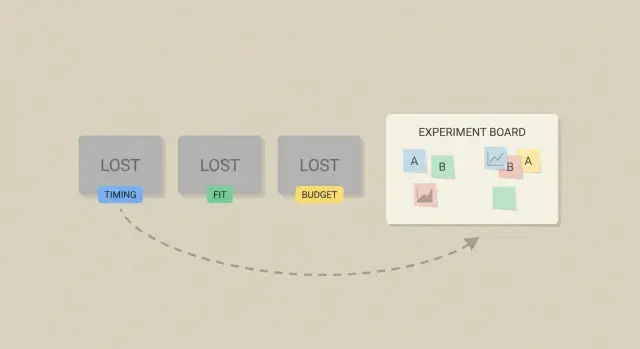
Why most teams don’t learn from lost leads
Most teams can tell you how many leads they “lost,” but not what to change next week. “We lost them” is a story, not a decision. Without a shared way to explain why a lead didn’t move forward, the same mistakes repeat and every rep invents their own definition.
Start by agreeing on what “lost” means. For many outbound teams, it’s any contact you won’t pursue in the current cycle: they said no, stopped replying after a clear objection, unsubscribed, bounced, or chose a competitor. That’s different from “no response yet.” Mixing the two hides the real reasons.
The next problem is vague notes. “Not interested,” “bad fit,” and “timing” can mean five different things depending on who typed them. When loss reasons live as free text, you can’t count them reliably, compare them across reps, or connect them to changes in messaging, targeting, or the offer.
Day to day, it usually looks like this: a rep marks 20 leads as “not interested,” but half were actually “already using a competitor.” Marketing tweaks copy based on a few loud calls, not the most common objections. The team changes two things at once (new ICP and new email) and can’t tell what worked.
A reason-codes system fixes this by forcing a choice from a small, stable set of options (Timing, Fit, Budget, Authority, Competition, and so on). Patterns show up fast. You can see which objections are rising, where your targeting is off, and which experiments are worth running.
If you use a cold email platform with reply classification, you can start even earlier. When replies are consistently labeled “not interested,” “out of office,” “bounce,” or “unsubscribe,” you get cleaner outcomes before anyone writes a note. Then you add the missing piece: the why.
What a reason-codes system is (in plain language)
A reason-codes system is a short list of labels you use when a lead says “no” or goes dark. Instead of leaving a fuzzy note like “not interested,” you pick one clear reason from a short list, such as Timing, Budget, Not a fit, or Already using a competitor.
The difference between reason codes and free-text notes is consistency. Notes are still useful for context, but they’re hard to count and compare. Reason codes are structured, so you can answer questions like: Are we losing more on price, or because we’re talking to the wrong people?
Good reason codes are simple: the same code means the same thing every time, it takes seconds to choose, and it’s specific enough to act on. “Timing” is useful. “Timing: contract renews in Q3” is even better when you add a short note.
Once you have this, three areas improve quickly:
- Messaging: you see the top objections and update your copy.
- Targeting: you spot patterns like “too small” or “no use case” and tighten your list.
- Follow-up timing: you turn “revisit in 90 days” into a real reminder workflow.
Reason codes should live where decisions happen, not buried in a spreadsheet. Put them in your CRM close-lost step, your outbound tool, and anywhere you handle replies. Reply classification answers “what happened.” A reason code answers “why.”
Pick a small set of reason codes that stays stable
Keep the list small and stable. Start with 6 to 10 codes, not 30. A short list forces reps to choose the closest true reason instead of hunting for the perfect label, and it keeps reporting consistent month to month.
A good starter set covers reasons you’ll see in almost any sales motion: timing, fit, budget, authority, competition, and no response. Add catch-alls only if you define them tightly.
Here’s a simple set you can copy, with one-sentence definitions:
| Code | One-sentence definition |
|---|---|
| Timing | They like the idea, but now isn’t the right moment (busy cycle, later quarter, hiring freeze). |
| Fit | The product doesn’t match their use case, team type, or requirements. |
| Budget | They can’t spend at the price point or don’t have budget approved. |
| Authority | You’re not speaking with someone who can approve or champion the purchase. |
| Competition | They chose another option or already have a vendor they won’t replace. |
| No response | After your agreed follow-up attempts, they never replied or went dark. |
| Not interested | They replied and clearly said no without giving a specific reason. |
| Unknown | You couldn’t determine the reason from the conversation (or lack of it). |
Use “Unknown” as a pressure valve, not a default. Allow it only when there’s truly no signal, and build a habit to shrink it: one final question like, “What would need to change for this to be a yes later?” Even a short reply often turns Unknown into Timing, Budget, or Fit.
Keep these codes steady for at least a quarter. If you need detail, add it in notes (for example, “Fit: needs Salesforce integration”) while the top-level code stays the same.
Design the taxonomy and naming rules
A good taxonomy makes reason codes useful for decisions, not just neat labels. The goal is straightforward: when two people read the same situation, they choose the same code.
Start with codes that are mutually exclusive whenever possible. If “Budget” and “Pricing too high” both exist, you’ll split the data and argue about wording. Pick one.
Naming rules that keep things clear
Use short, plain names that describe the buyer’s reality, not your internal debate.
- Prefer nouns or short noun phrases: “Budget,” “Timing,” “No decision maker,” “Missing feature.”
- Avoid bundled labels like “Timing/Budget.”
- Keep codes stable and add detail as a sub-reason only when it’s worth acting on.
- Write a one-sentence definition for each code and include one example.
Clear vs confusing examples:
- “Budget” (clear) vs “Price objection” (depends on the rep)
- “Timing” (clear) vs “Not now” (could mean priority, contract, budget, or seasonality)
- “Compliance/security requirement” (clear) vs “Legal” (too broad)
Sub-reasons: optional, not mandatory
Only add sub-reasons when you’ll do something with them. “Timing” might get sub-reasons like “Locked in contract” or “Project delayed.” If you’re not going to change messaging, targeting, or the offer based on that detail, skip it.
When multiple reasons apply
Multiple reasons happen, but you need a rule so reporting stays clean:
- Pick one Primary reason (the first blocker you’d remove).
- Optionally store one Secondary reason if it changes what you’d test next.
- If you can’t choose, your definitions overlap and need rewriting.
Example: a prospect says, “Looks good, but we already signed a 12-month contract and we’re tight on budget.” Primary = “Timing (contract)” because budget doesn’t matter until renewal. Secondary = “Budget” only if you might test a lower-tier offer later.
If your platform uses reply classification (interested, not interested, bounce, unsubscribe), keep that separate from reason codes. Status is what happened; reason is why.
Decide where and when to capture the reason
Reason codes only help if they’re captured the same way, every time. Choose the moment when the outcome is clear and the person still remembers the details.
Set ownership first. The person who last worked the lead should pick the code because they have the freshest context. For inbound, that’s often the AE. For outbound, it’s usually the SDR who handled the reply or the AE who ran the first call.
Make the code required only at decision points. If you force it too early, people guess. If you wait until month-end, they forget. A simple rule: require a code when the lead moves to a final status (Closed Lost, Disqualified, Unsubscribed) and keep it optional while the lead is active.
Capture location depends on workflow, not your ideal stack. A CRM custom field is best if your team lives in the CRM. A shared spreadsheet can work for a small team if someone audits it weekly. A short internal form works when you need consistency across tools.
A clean pattern for most teams:
- Disqualified before a meeting: SDR selects code + one-sentence note.
- Lost after discovery or proposal: AE selects code + competitor or constraint (optional).
- No reply after a sequence: system marks “No response,” and a human applies a reason only if there’s clear signal.
- Bounce or unsubscribe: auto-captured as a status; reason code is optional unless you’re running deliverability tests.
Keep notes short and tied to the code. One sentence is enough: “Liked the offer, but procurement froze spending until Q3.” If you use a platform like LeadTrain that classifies replies (interested, not interested, out-of-office, bounce, unsubscribe), treat that as your starting point, then confirm the final reason code when you close the loop.
Step by step: implement reason codes in a week
You can set this up quickly if you keep the first version small and treat it like a pilot, not a policy.
Start by pulling real language from your team. Skim the last 30 to 50 lost deals, call notes, and email threads. Write down the phrases people actually use (“not hiring yet,” “already have a vendor,” “budget frozen,” “too small for us”). Then turn that messy list into a short set of codes with tight definitions.
Build the capture point where work already happens. Use a required dropdown for the code plus an optional one-line note for context (like “renewal in May” or “needs SOC2”). If you do outbound, map common email replies into the same code set. A reply label like “not interested” isn’t a reason code, but it can prompt the rep to choose one.
A 5-day rollout plan
- Day 1: Gather the top loss explanations from recent calls and emails.
- Day 2: Draft 8 to 12 codes with tight definitions and real examples.
- Day 3: Add a dropdown field and a short notes box in your CRM or outreach tool.
- Day 4: Train on 10 past leads as a group and compare tags.
- Day 5: Launch a 2-week trial, then change the list once.
After the trial, remove codes no one used, merge confusing ones, and only add a new code if it would change an experiment you’ll run next week. That’s how the system stays useful instead of turning into clutter.
Tie reason codes to experiments you can actually run
Reason codes matter only if they change what you do next. Treat each high-volume reason as a question you can test, not a label to file away. If “Timing” shows up in 30% of losses, the move isn’t to argue with it. It’s to learn which timing works.
Turn one reason into a simple hypothesis: “If we change X, then this reason will drop, and outcome Y will improve.”
To keep tests practical, map each reason to a lever you can pull:
- Targeting: tighten who you contact so Fit losses fall.
- Offer: change the promise, packaging, or pricing frame so Budget losses fall.
- Proof: add a concrete case study or numbers so trust-related losses fall.
- Sequencing: adjust steps and follow-ups so No response falls.
- Timing: change re-contact rules, follow-up windows, or send days.
Log every test the same way: test name, audience, one change only, dates, and the reason code you expect to move. If you use a tool like LeadTrain, its reply classification can help you see whether “not interested,” “out-of-office,” or “bounce” shifts during the test, while your reason codes explain the why behind the “no.”
Define success before you launch. Use metrics that match the lever:
- Positive reply rate (not just any reply)
- Meetings booked per 100 sends
- Unsubscribe rate (as a guardrail)
- Sales cycle time from first reply to meeting
Example: Budget is spiking in mid-market accounts. Test a new email that leads with a smaller starter package and one concrete ROI line. If Budget-coded losses drop and meetings stay steady or rise, keep it. If meetings drop, you learned the framing attracts the wrong buyers.
Reporting that leads to decisions (not dashboards)
A report is useful only if it ends with a decision. Aim for a short weekly review that answers one question: what should we change next week?
A simple weekly review (30 minutes)
Keep it to one page and one meeting. Pull the top three loss reasons, then slice them by places you can act: segment and channel.
A consistent agenda:
- Top 3 reasons overall (count and %)
- Top 3 reasons by channel (cold email, inbound, referrals)
- Top 3 reasons by segment (persona, industry, company size)
- What changed since last week (new reasons, sharp jumps)
- Decisions: keep, kill, or iterate
Keep numbers comparable. If one reason code has six variants (“no budget,” “budget later,” “budget Q3”), you’ll debate wording instead of fixing the problem.
Watch trends after you change something
The most valuable view is before vs after a clear change: a new email angle, a new offer, a new target list, or a new qualification question. If you ship a change on Tuesday and “Timing” doubles by Friday in one persona, that’s a signal. It might mean you’re reaching earlier-stage buyers, or your message is muddy about urgency.
If you use reply classification (interested, not interested, bounce, unsubscribe), pair it with reason codes only for the replies that matter: the human “no” responses. That keeps reporting cleaner.
End every review with a short action list: keep what improved without new downside, kill what made things worse, and pick one hypothesis for next week.
Example: turning “timing” and “budget” into next tests
Picture an outbound campaign aimed at mid-market operations leaders. Your message is about reducing manual work and tightening process control. After two weeks, your codes show the same themes: Timing (“Q4 freeze”), Fit (“too complex for us”), and Budget (“not in this year’s plan”).
Now treat those reasons as inputs to experiments. Pick one or two changes you can run next week:
- Timing (Q4 freeze): Create a revisit track with a short check-in email scheduled for early January, plus a CRM reminder. Test a subject line that acknowledges planning cycles.
- Budget (not planned): Add a proof block that anchors value in a simple cost comparison (time saved per week) and a low-friction first step (audit or pilot).
- Fit (too complex): Narrow the ICP for the next batch. Exclude smaller teams or companies without a dedicated ops role, and rewrite the opener around one simple use case.
Next week, review again. If “Q4 freeze” drops but “already have a tool” rises, you don’t throw away the system. You add one clear code for that objection and queue the next test.
Common mistakes and how to avoid them
The fastest way to ruin this system is to make it feel like paperwork. If reps have to think too hard, they’ll guess or skip it, and your data turns into noise.
Mistakes that quietly break the system
Most teams run into the same issues:
- The list is too long, so people pick something random to move on.
- Causes get mixed with outcomes. “Ghosted” is what happened, not why.
- Codes are interpreted loosely. One rep uses “Timing” as “no urgency,” another means “budget resets next quarter.”
- Codes change every week, which kills trend data.
- No one owns the system, so confusing codes never get cleaned up.
If “ghosted” is a code, you can’t run a useful test. But if you capture a cause like “no clear next step” or “wrong persona,” you can change the email or the targeting and measure the impact.
How to avoid it (without slowing the team down)
Keep it stable and easy:
- Define each code in one plain sentence and add one example.
- Ask for extra detail only when it matters (for example, “Budget” plus “needs under $5k/year”).
- Assign one person to review monthly and make changes on a schedule, not mid-campaign.
If you already use reply classification (interested, not interested, out of office), treat reason codes as the next layer: the human-friendly why behind the “no” that you can actually test.
Quick checklist and next steps
Keep the system small, consistent, and tied to actions:
- Keep the list to 6 to 10 reasons, each with a one-line definition and one example.
- Use one place to record the reason every time, and name one owner to maintain the list.
- Include “Unknown,” but treat it as a signal, not a habit.
- Review top reasons monthly and turn them into one or two experiments, not a bigger report.
- Make codes visible to the whole team so everyone learns what “Timing” vs “Fit” means in your context.
To reduce Unknown, add one small prompt: when a lead goes cold, ask a single clarifying question, like “Is this mainly timing, budget, or not a fit?” Even a short reply often turns Unknown into a usable category.
If your outbound motion lives in email, it helps when outcomes and conversations sit in one place. LeadTrain (leadtrain.app) combines sequencing with reply classification, so your team can move from “not interested” to a consistent reason code without digging through threads or juggling multiple tools.
FAQ
What should count as a “lost lead” vs “no response”?
Start with a rule your whole team can repeat: a lead is “lost” when you won’t pursue them in the current cycle because they said no, chose someone else, unsubscribed, bounced, or you’ve completed your follow-up attempts and they still haven’t engaged.
Keep “no response yet” separate, otherwise your data will overstate objections and hide process problems like weak follow-up or poor targeting.
Do we really need reason codes if reps can just write notes?
Use reason codes as structured labels you can count and compare, and keep notes for the one sentence of context you don’t want to lose.
A good default is: one required reason code at the decision point, plus an optional short note like “renewal in May” or “needs SOC2.”
How many reason codes should we start with?
Keep it small: 6 to 10 codes is enough for most outbound and inbound motions.
If you go bigger than that at the start, people will guess or pick random options just to move on, and your reporting won’t be reliable.
When is it okay to use “Unknown”?
Use “Unknown” only when there’s truly no signal in the conversation or thread.
If “Unknown” is common, add one final clarifying question before closing the loop, like “Is this mainly timing, budget, or not a fit?” Even a short reply usually converts Unknown into something actionable.
What if multiple reasons apply (timing and budget, for example)?
Pick one primary reason as the blocker you would remove first to get a yes.
If you want nuance, store one secondary reason only when it changes what you would test next; otherwise you’ll create messy data that’s hard to interpret.
When should we require reps to select a reason code?
Capture the reason code at the moment the outcome becomes final, not while the lead is still active.
A practical default is to require a code when a record moves to Closed Lost, Disqualified, Unsubscribed, or your defined “No response” threshold, and keep it optional before that so people don’t guess.
Who should be responsible for choosing the reason code?
Make the last owner of the lead pick the code, because they have the freshest context.
In many teams that means the SDR for pre-meeting outbound losses and the AE for post-discovery losses. What matters most is consistency, not the perfect org chart.
How does automated reply classification fit with reason codes?
Reply classification tells you what happened in the inbox (for example, not interested, out-of-office, bounce, unsubscribe), but it usually doesn’t tell you why the buyer said no.
Use classification as the starting signal, then apply a reason code when you close the loop. Tools like LeadTrain can reduce manual sorting so reps spend their time choosing the right “why,” not digging through threads.
How do reason codes translate into experiments we can run next week?
Treat each high-volume reason as a prompt for one specific change you can test.
For example, if “Fit” is rising, tighten targeting or adjust your opener; if “Budget” is rising, change packaging or the ROI framing; if “No response” is rising, adjust sequencing and follow-up timing. Tie each test to the reason you expect to move so you can tell what worked.
What are the most common mistakes teams make with reason codes?
Keep reporting simple and decision-driven: review the top few reasons weekly or monthly and pick one action.
The most common failure is letting the list grow, change constantly, or mix outcomes with causes (like using “ghosted” as a reason). Stable definitions, a small list, and one owner who cleans up confusion on a schedule will keep the system useful.