Proposal follow-up emails: a 3-message sequence to close
Proposal follow-up emails that keep deals moving: a simple 3-message sequence to confirm decision criteria, reduce risk, and book the next call.
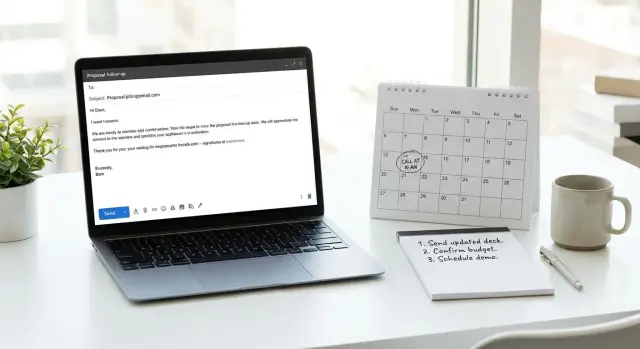
Why deals stall after a proposal
After you send a proposal, the energy often drops. The buyer said they were interested, you delivered what they asked for, and then... nothing. That silence usually isn't a hidden "no". More often, it's the messy middle where the next step is unclear.
Most of the time, your contact forwards the proposal, compares it to one or two other options, and tries to get internal agreement. If nobody clearly owns the decision, your proposal becomes another open tab.
Buyers usually go quiet for a few predictable reasons. They're busy and your deal isn't urgent this week. The decision criteria are still fuzzy (even to them). More people got involved after the proposal (finance, IT, a manager). They're worried about choosing wrong and want reassurance. Or they simply don't know what you want them to do next.
That's why repeated "just checking in" emails fail. They add work: the buyer has to figure out what to say, and the path forward still isn't obvious. Good proposal follow-up emails reduce thinking, not increase it.
A clear next step beats a reminder. It helps your contact confirm the decision process, name who needs to weigh in, and pick a time to talk. That creates momentum and makes it easier for them to champion you internally.
A 3-message follow up sequence aims to do four things without sounding pushy: confirm how the decision will be made, surface missing information, reduce perceived risk, and get a specific next step on the calendar (or a clean "no" so you can move on).
Prep: what to know before you follow up
Before you send proposal follow-up emails, reset your goal. You're not trying to "check in". You're trying to confirm how a decision will be made and make the next step obvious.
Start with the decision process. If you don't know who signs off, what has to happen internally, or when they want to decide, your follow-ups will drift into vague reminders. Look back at notes for clues like "Finance needs to review" or "My manager needs to approve."
Next, reread your proposal like you're the buyer. Pull 2-3 outcomes they said they wanted, in their words. Not features, not your process: outcomes. Examples: "reduce manual reporting time," "hit launch by March," "stop churn in the first 30 days." These become anchor points in your follow-ups so the conversation stays about value, not paperwork.
Then choose one concrete next step. One. When you offer three options at once, people often choose none.
Before you write, make sure you can answer these:
- Who is the decision maker, and who influences the decision?
- What's the target decision date (even a rough one)?
- What are the top 2-3 outcomes they care about most?
- What single next step are you asking for (15-minute call, redlines review, approval meeting)?
- If they say "no" or go quiet, what clean close-the-loop option will you offer?
Finally, decide what you'll do if they're not moving forward. A clear "no worries, should I close this out for now?" message saves both sides time and often triggers an honest update.
Example: If the buyer said, "We need legal and my VP," your next email should ask for a 15-minute decision call with those people invited, and confirm whether legal review happens before or after that call.
The 3-message sequence at a glance (timing + goal)
A good follow-up sequence doesn't nag. It moves the deal forward by asking one clear question at a time and making the next step easy.
Use this cadence (adjust if they gave you a specific decision date):
- Message 1 (about 2 business days after sending): confirm the review process and decision criteria
- Message 2 (about 5-7 days after): reduce perceived risk and remove blockers
- Message 3 (about 10-14 days after): close the loop and prompt a clear yes/no
Each message has a different job, so you don't repeat yourself.
Keep the thread tidy
Reply in the same email thread whenever possible. It keeps the proposal, context, and your questions in one place. Start each follow-up with a one-line recap so it's easy to scan.
What success looks like
Success isn't always a signature. Aim for one of these outcomes: a scheduled decision call (even 10 minutes), a clear next step with a date (legal review, stakeholder meeting), or a clean no.
If you get "we're reviewing," treat it as a partial answer and respond with one specific question that helps them pick a date.
Message 1: clarify decision criteria and confirm the path
Your first follow-up should feel like a normal continuation of the conversation, not a nudge for the sake of nudging. The goal is to confirm how they'll decide and lock in the next step.
Subject lines that sound specific without being pushy:
- Quick check on the proposal for [Project]
- Next step for [Outcome]?
- Confirming decision plan for [Company]
- Proposal follow-up: timing + owners
- Any gaps to close before you decide?
Open with the outcome they said they wanted. One sentence is enough. Then ask two decision-criteria questions that are easy to answer.
Subject: Next step for [Outcome]?

Hi [Name],

Sharing a quick follow-up on the proposal I sent on [Day]. You mentioned the main goal is [Outcome] by [Date], so I want to make sure we’re aligned on how you’ll decide.

Two quick questions:
1) What are the top 2-3 must-haves for this to be a “yes” (and is there anything in the proposal that doesn’t meet them yet)?
2) Who else needs to weigh in, and what timing are you working toward for a decision?

If it helps, I can walk you through it in 15 minutes. Would [Tue 11:00] or [Wed 2:00] work, or is there a better next step on your side?

Thanks,
[Your Name]
If they reply, "We're reviewing," don't send paragraphs. Ask one clarifying question that forces a useful answer, like: "Is the decision based more on budget approval or rollout timing? And who needs to sign off?"
Once you know the criteria, your next messages can close specific gaps instead of guessing why they're quiet.
Message 2: reduce risk and make it easy to say yes
Message 2 is about lowering the cost of saying "yes." If your follow-up feels like pressure, replies slow down. Instead, assume there's a reasonable concern (risk, timing, internal buy-in) and help them name it.
A simple approach is to offer a few common blockers and let them pick. It reads as helpful, not impatient. Most teams want clarity on scope (what's included), timeline (when results show up), risk (what happens if priorities change), and security or compliance.
Keep it short and make the reply easy.
Subject: Quick check on the proposal

Hi {{Name}} - any concerns holding this up on your side?

Most teams ask about (1) scope, (2) timeline, or (3) security/compliance.
If it helps, I can send a 1-page note on security, tighten the scope, or walk you through the plan in 10 minutes.

Which of those would be most useful?
If a quick call is easiest, can we do {{Day}} at {{Time}} or {{Day}} at {{Time}}?
If you already suspect the issue (budget sign-off, legal review, a competing project), replace the "most teams ask" line with a single, polite guess: "Is this waiting on legal, or is there something in the scope you want adjusted?"
Message 3: close the loop and prompt a clear decision
Message 3 is the polite reset. You're not chasing. You're helping both sides stop spending time in limbo.
Keep it short, neutral, and specific. Remind them what the proposal covers in one line, then ask for a clear next step. Give two clean options: book the next step or park it.
Subject: Quick close-the-loop on the proposal

Hi {Name},

Wanted to close the loop on the proposal we sent for {scope/outcome}. Is moving forward still a priority on your side?

If yes, I can hold {two time options} for a 15-minute decision call to confirm the final details and next steps.

If not, no problem - tell me if you’d rather pause this until later, or close it out for now.

To keep calendars clean, I’ll release the hold on {day/date} if I don’t hear back.

Thanks,
{Name}
The "release the hold" line works because it's about scheduling reality, not a threat. If you didn't actually hold time, swap it for something true like: "I'll assume priorities shifted and will close my file on Friday unless you tell me otherwise."
If they reply "not now"
Reply with one question that makes timing real: "Totally fine. When would you like me to circle back, and what needs to happen before it's a yes?" Then set a reminder for that date.
Step-by-step: write and send the sequence in 20 minutes
You don't need perfect wording. You need a clear next step, a reason to reply, and a simple schedule.
1) Pick the next-step CTA (2 minutes)
Choose one action you want them to take. For example: book a 15-minute decision call, confirm who approves and by when, review redlines together on a short call, or reply with a yes/no so you can close the file.
When your CTA is set, your emails feel focused instead of pushy.
2) Draft Message 1 with a fill-in template (6 minutes)
Use a simple fill-in and hit send:
"Hi [Name] - quick check-in on the proposal for [project].
To make this easy, what are you deciding on (price, timeline, scope, legal, security), and who else needs to weigh in?
If it helps, I can do a 15-minute call to confirm the decision criteria and next steps. Does [two time options] work?"
3) Customize Message 2 to reduce risk (7 minutes)
Pick the most likely objection and address it in one sentence. Clarify what's included, offer a smaller first step, confirm terms, or share a simple rollout plan.
Example: "If timing is the concern, we can start with [small pilot] and expand after week 2 once you see results."
4) Send Message 3 only after silence (3 minutes)
If Messages 1 and 2 get no reply, don't add more detail. Ask for a clear decision:
"Should I keep this open, or close it out for now? If you want to continue, what day should we lock in for a decision?"
5) Log the outcome and set a rule (2 minutes)
Write down the last touch date, status (waiting, closed, next meeting), and your next trigger (for example, "no reply after 3 business days"). If you run sequences, having replies labeled by type helps you avoid chasing people who already answered.
Common mistakes that slow replies
Most proposal follow-up emails fail for one reason: they make it hard for the buyer to take the next action.
One trap is the wall of text that re-explains the whole offer. The decision maker skims, can't find the ask, and postpones the reply.
Another is packing five questions into one note. Even if they want to respond, it feels like homework, so it sits.
Tone matters. If your message hints they're ignoring you, you create friction. Buyers delay because they're coordinating internally, waiting on budget sign-off, or juggling priorities.
Fixes that get you answers faster
Put the ask near the top (one clear next step). Limit yourself to 1-2 questions that unblock a decision. Keep context in the thread with a one-sentence recap (proposal name, date, outcome). And after a few touches, offer a clean close: "Should I close this out for now, or is there a decision date we should work toward?"
Example: if they said "we're reviewing," don't reply with three paragraphs and six questions. Reply with one sentence of context and one question: "To help your review, what will the decision be based on: price, timing, or scope?"
Quick checklist before you hit send
Before you send, do a fast pass for focus:
- Each email has one job (clarify the path, reduce risk, or close the loop).
- The next step is obvious and specific, with 1-2 time options.
- You're asking 1-2 decision questions, not a long list.
- You named their goal in one sentence, in their words.
- The reply can be effortless: "yes," "no," "next week," or one detail like an approver's name.
A quick gut-check: read your email once and underline the one sentence you want them to respond to. If you can't find it, your CTA is buried.
Example: turning "we're reviewing" into a scheduled decision call
A common stall looks like this: you send the proposal, the buyer replies, "We're reviewing internally," and then nothing happens for a week. They might like the offer, but they need sign-off.
Scenario
You're selling a service for $6,000/month. Your contact (Dana) is positive, but Finance and the department head must approve.
Message 1 (clarify decision criteria):
Subject: Quick check on approval path

Hi Dana - thanks again for the thoughtful call.

So I follow up the right way: who else needs to weigh in, and what are the top 2 criteria for a yes (price, scope, timing, security, something else)?

If it helps, I can join a 15-minute internal review to answer questions live.
Dana replies: "Finance will ask about risk and contract flexibility. Also, our director wants a shorter pilot." Now you know the real blockers.
Message 2 (reduce risk with a small adjustment):
Subject: Option to make this easier to approve

Hi Dana - based on Finance/director feedback, here are two clean options:

A) Keep scope as-is, start with a 30-day pilot, then roll into monthly.
B) Reduce scope to X for the first month, same price, then expand once results are proven.

Which option would your team prefer to review?
You're not "discounting." You're giving an approval-friendly shape.
Message 3 (close the loop and schedule a decision call):
Subject: Should we schedule a decision review?

Hi Dana - should we book 20 minutes to make a final call?

I can do Tue 11:00 or Wed 2:00. If this is a no for now, just reply “pause” and I’ll close it out.
A good reply usually includes a time, who will attend, one remaining concern, and what they need from you before the call.
Your response: confirm the time, list attendees, answer the concern in 2-3 sentences, and restate the exact decision they'll make on the call (Option A or B).
Next steps: make follow-ups consistent without extra admin
Consistency beats creativity. Reuse the same 3-message structure, but customize three things: their goal, the success metric, and the next meeting option.
If you want the thread to feel personal, add one sentence that could only be true for that prospect. For example: "If cutting onboarding time from 2 weeks to 5 days is still the target, I can share the rollout plan we discussed."
Calls and voicemails can help, but use them selectively. Add a short call when the deal is mid-to-high value, you've already had a real conversation, and you're close to a decision date. Skip the call when you're still chasing basic engagement or the company has strict vendor processes. In those cases, a clean email thread with a clear next step usually works better.
To keep follow-ups running without extra work, save your 3-message sequence as a template with fill-in fields (goal, date, decision owner), stick to one place to schedule sends, and use simple reply buckets so you always know what to do next.
If you're running outbound at scale, a platform like LeadTrain (leadtrain.app) can keep domains, mailboxes, warm-up, and multi-step sequences in one place, and classify replies automatically so you don't waste time sorting "out-of-office" or "not interested" responses.
Aim for a steady rhythm: send the next message only when the last one didn't produce a clear outcome. The goal isn't more touches. It's fewer loose ends and more scheduled decision steps.
FAQ
Why do deals go quiet after I send a proposal?
Use a short sequence that asks one clear question at a time and makes the next step easy. Your goal is to confirm the decision path, remove a specific blocker, and then get a yes/no or a dated next step.
When should I send the first follow-up after a proposal?
Start about 2 business days after sending the proposal, unless they gave you a specific decision date. If you follow up sooner, it can feel impatient; later, your proposal becomes easy to ignore.
What timing should I use for a 3-message follow-up sequence?
A simple cadence is 2 business days, then 5–7 days, then 10–14 days after the proposal. Keep each message different so you’re moving the deal forward instead of repeating “just checking in.”
What should I ask in the first follow-up email?
Ask who needs to sign off, what the top decision criteria are, and when they want to decide. Keep it to one or two questions so replying doesn’t feel like homework.
What’s the best single next step to propose?
Pick one: a 15-minute decision call, a redlines review, or confirmation of approvers and timeline. Offering too many options often leads to no action at all.
How do I respond when they say “We’re reviewing internally”?
Reply with one clarifying question that forces a useful detail, like whether the decision is mainly about budget, timing, or scope, and who signs off. Avoid long explanations; you want a short answer that reveals the real bottleneck.
What should Message 2 do if there’s still no decision?
Focus on lowering the cost of saying yes by surfacing a likely concern and giving an easy choice. Ask which is most useful: tightening scope, confirming timeline, or addressing security/compliance in a short note or quick call.
How do I write a follow-up that gets a clear yes or no?
Send a brief close-the-loop note that offers two clean options: schedule a decision step or pause/close it out. Being neutral and specific usually gets an honest reply, even if it’s a “not now.”
What are the most common proposal follow-up mistakes?
Don’t re-explain the whole offer, don’t ask five questions, and don’t sound annoyed. Put the ask near the top, keep it in the same thread, and make the reply effortless with one clear next step.
How can LeadTrain help me run proposal follow-up sequences at scale?
Use one system to manage domains, mailboxes, warm-up, and multi-step sequences so deliverability and sending are consistent. LeadTrain also classifies replies like interested, not interested, out-of-office, bounce, and unsubscribe so you spend less time sorting responses and more time booking the next step.