Prevent duplicate outreach: rules that keep teams aligned
Prevent duplicate outreach with clear ownership rules, account locking, and simple escalation steps so prospects get one professional message.
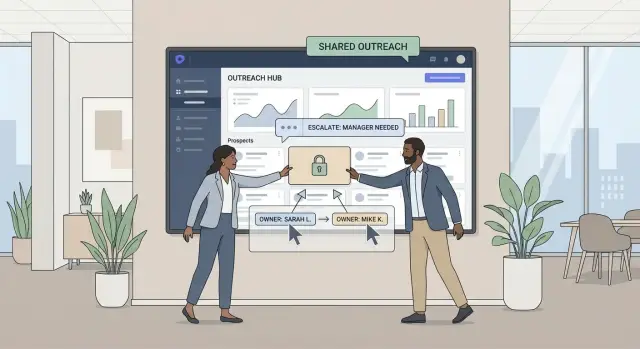
Why duplicate outreach hurts, in plain terms
Duplicate outreach is when two people from your company contact the same prospect without knowing it. Sometimes it’s obvious: two separate cold emails to the same person within a day. Other times it’s messier: two reps email different people at the same company, then both jump into the same reply thread once someone forwards the message internally.
To the prospect, it looks like your team isn’t paying attention. Even if your offer is strong, the experience feels noisy and careless. People worry they’ll get spammed, or that your team will be hard to work with after the sale.
The damage usually shows up in three places. Trust drops fast, because prospects wonder if you actually know who they are and why you’re reaching out. Reply rates suffer, because many people ignore both messages or answer with a short, annoyed note. And internal time gets wasted, because reps argue over who “owns” the conversation while the deal stalls.
The goal is simple: one voice to the prospect, even if several reps support the account. That doesn’t mean only one person can ever talk to them. It means the outreach is coordinated, consistent, and respectful of the prospect’s time.
There are a few rare cases where duplicate outreach can be acceptable, but they should be deliberate and tracked. If a prospect has two distinct buying teams (like Marketing and IT) and your solution truly serves both, you might run separate outreach tracks. Or if a rep changes territories, a clean handoff can work: one rep introduces the new owner, then steps out.
If you’re using a cold email platform like LeadTrain, the point isn’t just sending faster. It’s making sure everyone sees the same contact status, replies, and ownership so the prospect gets a single, coherent experience.
How duplicate outreach happens across reps and teams
Duplicate outreach usually starts with a simple problem: different people are building their own prospect lists in different places. Even if everyone is doing “the right thing” inside their own workflow, the team ends up emailing the same company twice, or worse, the same person.
A common trigger is list overlap from multiple data sources. Marketing exports leads from a webinar, SDRs pull accounts from a database, and AEs import a “dream list” from a previous job. Each list looks new to the person holding it, but the same accounts show up again and again.
Most duplicates come from a handful of patterns:
- Two reps pull similar filters from different tools and never compare lists before sending.
- The same account gets worked by different teams (region, segment, or product) with no shared rules.
- An SDR hands off to an AE but keeps prospecting the same account “just in case.”
- A rep leaves and their accounts get reassigned without a clear “last touch” record.
- People use personal inboxes or side tools, so there’s no shared history.
Product lines can make this worse. If one rep sells Product A and another sells Product B, both can feel justified contacting the same account. From the buyer’s view, it still looks uncoordinated, especially when messages arrive within a day or two.
Handoffs are another weak spot. If an SDR books a meeting and the AE follows up, but the SDR continues outreach to other contacts at the same company, you get mixed signals. One person is trying to move a deal forward while another is still sending cold emails.
The underlying issue is the lack of a shared timeline: who emailed, when, and what happened. If a rep can’t quickly see that a colleague reached out last week and got a “not interested,” they’ll send a new sequence and restart the confusion. Teams that want to prevent duplicate outreach usually need one system of record for outreach activity, not five different spreadsheets and inbox threads.
Example: Rep A imports “US SaaS founders” and starts a sequence. Rep B imports “companies hiring SDRs” and starts another. Both lists include the same startup, and the CEO gets two similar intros from the same company in 24 hours. That’s how a normal week turns into a reputation problem.
Pick an ownership model that matches your sales motion
To prevent duplicate outreach, decide what your team owns: a person, or a company. It sounds small, but it changes how you assign leads, how you handle handoffs, and how you resolve conflict.
Contact-level vs account-level ownership
Contact-level ownership means one rep owns one specific person (for example, the VP of Sales), but another rep could still message a different person at the same company. This tends to work when you sell to multiple departments, reps specialize by persona (HR vs Finance), or deal size is smaller and speed matters more than perfect coordination.
Account-level ownership means one rep owns the whole company and controls who gets contacted and when. This is usually better when one bad impression can block the whole account, deals involve multiple stakeholders and a longer cycle, or you use account-based selling and want one clear thread owner.
A simple rule of thumb: if two different emails from your company would look confusing to the buyer, choose account-level ownership.
To keep ownership clear without slowing people down, many teams use time-based rules like these:
- A lead is “claimed” only when the rep creates an approved opportunity record or logs a real first touch, not just when they find the account.
- Claims have a short activation window (for example, 24 to 48 hours). If the rep doesn’t act, the claim expires.
- Ownership gets reviewed after a fixed period (often 14 to 30 days) if there’s no reply and no meaningful activity.
- Reassignments require a short note explaining what happened so the next rep doesn’t repeat the same approach.
- Once an account is owned, outreach to new contacts at that company requires permission from the owner (or a documented exception).
Special cases that need a written rule
Most duplicates happen in the gray areas: partners, inbound leads, renewals, and expansions. Decide upfront who wins in each case.
One common approach: inbound leads go to whoever owns the account, but with a fast follow-up timer. Renewals and expansions belong to account management, while net-new outreach stays with SDRs.
If your team runs outreach in a platform like LeadTrain, reflect these choices directly in your process by separating contact ownership from account ownership and enforcing a clear “claim before send” rule.
Account locking rules that stop conflicts before they start
Account locking answers one question: “Who is allowed to send to this prospect right now?” If it’s clear and automatic, you prevent duplicate outreach without turning your CRM into a courtroom.
What to lock (so you block the right conflicts)
Lock the smallest thing that reliably prevents confusion, then expand only if you still see overlap.
Many teams get the best results by locking at two levels: the account and the individual contact.
- Account lock: prevents two reps from emailing different people at the same company at the same time. This is best when brand control matters.
- Contact lock: blocks duplicates to the same person while still allowing coverage of larger accounts.
Other lock types can help, but they’re easier to misuse:
- Domain locks help when company matching is messy (subsidiaries and rebrands), but can be too strict.
- Sequence locks keep a contact from entering multiple campaigns at once.
- Mailbox sender locks prevent two mailboxes from hitting the same contact, which also keeps replies clear.
A practical default: lock the contact for everyone, and add an account lock only when a rep has an active opportunity or a live conversation.
How a rep claims ownership (simple, auditable fields)
Ownership should be claimable in seconds and reversible when it goes stale. Keep the required fields minimal and time-based:
- Owner (person or team)
- Claimed at (timestamp)
- Lock reason (new prospecting, active sequence, replied, meeting set)
- Lock expires at (auto-expires unless renewed)
- Notes (one line, for example: “Spoke with CFO, asked to follow up next week”)
Then decide what the lock actually does. Use two behaviors.
Hard block when the damage would be real: the contact is already in an active sequence, has replied recently, has opted out, or is tied to an open deal. Use a warning when it might be fine, like an account-level overlap where two personas could make sense. The warning should show who owns it, why, and when it expires.
For shared accounts with multiple stakeholders, allow parallel outreach but keep it coordinated. One “account captain” owns the account lock, while reps claim specific contacts. If two reps need to talk to the same person, the lock stays with the rep who has the active thread. The other rep routes context to them instead of sending a new email.
Platforms like LeadTrain can support this with sequence-level safeguards and clear ownership metadata, so conflicts get caught before anything is sent.
Step by step: a workflow your team can follow every day
A daily routine beats a complicated policy. Before anyone hits “send,” everyone should be able to see who owns the account, what happened last, and what happens next.
Start by agreeing on a small set of fields that must be filled in for every account and contact. Keep it boring and consistent: owner, last touch date, and next step (call scheduled, sequence running, waiting on reply, paused).
Then follow the same workflow every day:
- Update the basics first. Confirm owner, last touch date, and next step are current.
- Do a one-minute pre-send check. Search the account name and primary domain, scan the last 30 days of activity, and verify no active sequence is running.
- Claim the account in a standard way. Use one action everyone recognizes (for example, set yourself as owner) and leave a short note: what you’re doing, which persona, and when you’ll stop if there’s no response.
- Run a duplicate check twice. Once on import (to catch repeats) and once right before launch (to catch new activity since import). If your outbound tool supports it, block sending when an owner is missing.
- Hand off or pause fast when you find a conflict. If someone else is working it, pause your sequence, message the owner, and wait for a yes or no before restarting.
Also schedule a short weekly exception review. Look for stale owners (no touch in 14 to 30 days), unclear next steps, and bounced or unsubscribed contacts that should be removed from future sends.
In platforms like LeadTrain, teams often pair this with reply classification so “not interested” or “unsubscribe” replies stop outreach quickly across the whole team.
Escalation paths that keep things fair and fast
Even with good lead ownership rules and account locking, overlap will happen. What matters is resolving it quickly without making the prospect feel like your team is disorganized.
A simple 3-level escalation path
Keep the path short and predictable:
- Level 1: Rep to rep. Decide who owns the next touch and who pauses, based on current context.
- Level 2: Team lead. Makes a quick call when reps can’t agree or when accounts cross segments.
- Level 3: Ops or RevOps. Updates the source of truth (CRM rules, routing, territories) so it doesn’t repeat.
The key rule: only one person actively contacts the account while the decision is pending. Everyone else pauses new touches.
Timeboxes that stop conflicts from dragging on
Escalation only works if it’s fast. Use same-day timeboxes so prospects don’t get multiple messages while your team debates:
- Rep to rep: 30 minutes during working hours
- Team lead: 2 business hours
- Ops or RevOps: end of day (or next morning for timezone mismatches)
If the timebox expires, the default action should already be defined. For example, the rep with the most recent positive signal sends, and the other rep pauses.
What evidence to include (so decisions are easy)
Ask for a small set of proof. It keeps the conversation factual and avoids “I had it first” arguments:
- Last outbound message and timestamp (email or call attempt)
- Any reply or meeting history, even if it’s a short note
- Intent signals (form fill, demo request, pricing page visit) if you track them
- Account context (segment, territory, existing relationship, partner involvement)
If you use a platform like LeadTrain, the last sent email, the latest reply category (interested, not interested, out-of-office, bounce, unsubscribe), and sequence status are usually enough.
Fast decisions you can make in one minute
The decision doesn’t need to be perfect. It needs to be consistent:
- Who sends the next message today
- Who pauses sequences and stops calling
- Whether to hand off ownership (and by when)
- Whether to merge notes and move forward as a single thread
- When to recheck, if the account is mid-evaluation
A clear escalation path protects your brand: one voice to the prospect, one plan inside the team.
What to say and do when overlap still happens
Even with good rules, overlap happens. A sequence may start before a record updates, a rep may import an old list, or two teams may work the same industry. The goal is to fix it fast, keep the lead comfortable, and prevent a second mistake.
If a duplicate email already went out, do two things right away: stop the extra outreach and choose one owner for the conversation. Pausing matters more than explaining. If you use a platform like LeadTrain, pause the active sequence for that lead or account so no more steps send while you sort it out.
Send a short apology that doesn’t blame a teammate or your tools:
“Sorry about that - you received a similar note from my team. I’ll be your single point of contact going forward. If you’d rather work with someone else here, tell me and I’ll hand it off.”
That message acknowledges the issue, reduces future noise, and gives the prospect control.
Merge the conversation, don’t run two threads
Parallel conversations create confusion and increase the chance of contradictory info or double booking. Aim for one thread and one calendar path:
- Pick one rep to reply from the same email thread the prospect engaged with.
- Ask the other rep to stop replying and forward any context internally.
- Copy only what’s needed into your CRM notes so the owner has the full story.
- If the prospect replied to both, respond on the thread with the most recent prospect message.
When to pause sequences and reset follow-ups
Pause is the default when there’s any chance the prospect is receiving more messages. Resume only when ownership is clear:
- Pause immediately after you confirm overlap (even if you’re not sure who owns it yet).
- Reset follow-ups if the prospect replied, asked a question, or booked time. Manual replies should replace automated steps.
- Restart a sequence only if the prospect went silent and you have a single owner and a single message plan.
Handled well, a small mistake becomes a trust moment. Handled poorly, it becomes the reason they ignore you.
Realistic example: two reps target the same account
Team A and Team B both add the same account on Monday: “Northwind Logistics.” Team A works inbound hand-raisers. Team B runs a new outbound sequence for logistics teams.
At 10:05 a.m., Sam (Team A) creates the account and starts a short 3-step sequence. Once the first email is scheduled, the account is locked to Sam as the owner, with a visible note: “Active sequence: Northwind - Ops Leaders - Wave 1.”
At 2:30 p.m., Priya (Team B) uploads a prospect list that includes Northwind. During import, she sees a warning that the account is already active and locked. She opens the record and confirms there’s an active sequence and a named owner.
Instead of sending anyway, Priya follows the rule: no second sequence while a lock is active. She requests access with one sentence: “I have a relevant offer for their VP Ops. Can we coordinate or swap?” That triggers the escalation path.
Here’s how it gets resolved in under 24 hours:
- 2:35 p.m.: Priya requests an ownership review and adds her reason.
- 2:40 p.m.: The system tags the account as “Under review,” pausing new enrollments from other teams.
- 4:00 p.m.: The manager checks simple criteria: active sequence, last touch, and which team’s motion fits the contact.
- 4:10 p.m.: Decision: Sam keeps ownership, Priya is added as a collaborator, and Sam will introduce Priya if interest is confirmed.
- Next morning: The lock stays with Sam, and the decision note is saved on the account.
To the prospect, outreach stays clean. Only one point of contact emails them, with one clear thread. If the prospect replies, “Talk to my colleague who handles vendor selection,” Sam forwards internally and follows up in the same thread: “Thanks - looping in Priya from my team who specializes in this area.”
Tools like LeadTrain help prevent duplicate outreach by making active sequences and ownership visible, so reps discover overlap before a second email goes out.
Common mistakes and how to avoid them
Duplicate outreach usually isn’t a “bad rep” problem. It’s a process problem. Small rule gaps turn into awkward double emails, confused prospects, and internal friction.
Here are the mistakes that show up most often, plus fixes that keep things moving:
- Ownership that lasts forever. If an account can be “owned” indefinitely, it becomes a parking lot. Add an expiry based on activity, like 30 days with no touches or no reply, then return it to the pool unless the owner renews it with proof (scheduled meeting, active deal stage).
- Locking too aggressively. Some teams lock accounts for every minor action, which slows outreach and encourages workarounds. Lock only when it matters: an active sequence, a live negotiation, or a confirmed meeting. Use short locks (hours or days) for research or list building.
- Vague rules like “first come, first served” with no proof. “I found it first” causes arguments unless you define what “first” means. Make it measurable: the first logged outbound email, call, or meeting note in your system wins. If it’s not recorded, it didn’t happen.
- Records not updated after key events. Overlap often happens after bounces, no-shows, and “not interested” replies because the account still looks active. Build the habit (and ideally automation) to update status right away. If your platform classifies replies as bounce or unsubscribe, use that signal to release ownership or block future sends.
- No rule for parent companies vs subsidiaries. One rep emails the parent brand while another hits a regional subsidiary, and the prospect experiences it as spammy. Decide whether ownership applies at the parent level (covers all subsidiaries) or at the domain or location level, and write down the exception.
A quick self-check: if a new rep joined tomorrow, could they read one page of rules and confidently know who can email whom today? If not, tighten the definitions first.
Quick checklist and next steps
To prevent duplicate outreach, your team needs checks that happen every time, not “when we remember.” One clear owner, one active plan, and a clear way to hand off when things change.
Before any rep launches a new sequence, do these quick checks in your CRM and outreach tool:
- Search the account and primary contacts for recent emails, tasks, and active sequences.
- Confirm the current owner (rep and team) and whether the account is open, locked, or in escalation.
- Check suppression flags (do-not-contact, unsubscribe, legal restrictions, existing customer).
- Review last touch date and the latest reply status (including out-of-office).
- Scan for nearby duplicates (same domain, same parent company, similar account names).
Good records make this easy. At a minimum, each account and contact should have a single owner, a backup owner (or team), account status (open/locked/escalation), last outbound touch date, next step date, and a short “why we’re contacting” note. Add the source of truth for sequences (which tool and which campaign name) so people can confirm what’s already running.
Managers can catch issues early with a weekly audit. Pick a small sample and look for patterns:
- Accounts touched by more than one rep in the last 7 days
- Contacts who received multiple first emails from different mailboxes
- Accounts stuck in escalation with no decision after 48 hours
- High unsubscribe or spam complaint pockets tied to specific segments
- Closed-lost or existing customers accidentally re-entering sequences
Write down your ownership rules in one page, train reps with two real examples, and set a simple escalation SLA (who decides and how fast). If your team uses multiple mailboxes and tools, centralizing the basics helps. A unified setup like LeadTrain can keep domains, mailboxes, warm-up, sequences, and AI reply classification in one place, so ownership and responses are visible before someone hits send.
FAQ
What exactly counts as duplicate outreach?
Duplicate outreach is when more than one person from your company contacts the same prospect without coordination. It can be two emails to the same person, or two separate threads that collide when someone forwards internally.
It hurts because it makes your team look disorganized, drops trust, and often lowers reply rates even if your offer is good.
What’s the fastest way to stop duplicate emails across a team?
Start with a single “system of record” for outreach activity so reps can see recent sends, replies, and ownership before launching a sequence. Then enforce a simple “claim before send” rule so someone is clearly responsible.
Tools help, but the real fix is shared visibility plus a habit of checking the last 30 days of activity before emailing.
Should we use contact-level or account-level ownership?
Choose account-level ownership when two different emails from your company would confuse or annoy the buyer. It’s usually the safer default for longer sales cycles, multiple stakeholders, and higher-stakes deals.
Contact-level ownership can work for high-volume motions or when different personas are truly separate buying paths, but you still need clear rules to avoid clashing threads.
What should we lock: the contact, the account, or the domain?
A practical default is to lock a contact for everyone as soon as they enter an active sequence, have replied, or are tied to an open deal. Add an account lock when there’s a live conversation or active opportunity so multiple reps don’t hit the same company at once.
Locks should expire automatically unless renewed by real activity, so accounts don’t get parked forever.
What fields do we need to track ownership without making it complicated?
Keep it minimal and auditable: owner, claimed timestamp, lock reason, and an auto-expiry time. Add a short note that explains the plan and the next step date.
If the record doesn’t show who contacted them and what happened, it’s not useful for preventing overlap.
Are there any situations where duplicate outreach is actually okay?
Yes, but make it deliberate. It can be reasonable when the company has two truly separate buying teams and your message is clearly different, or when you’re doing a clean territory handoff.
If you do it, track it and coordinate timing so the prospect still experiences one coherent conversation.
What should we do if two reps already emailed the same prospect?
Pause the extra sequence immediately and pick one owner for the conversation. Then send a short, calm apology that confirms a single point of contact going forward.
Avoid blaming teammates or tools; prospects mostly care that the noise stops and the thread becomes clear.
How do we resolve ownership conflicts without wasting a day?
Use timeboxes and a default rule. Give reps a short window to resolve it directly, then escalate to a team lead, then to ops to fix routing so it doesn’t repeat.
While it’s being decided, only one person should send messages and everyone else should pause outreach to that account.
How does LeadTrain help prevent duplicate outreach in practice?
It reduces it by keeping domains, mailboxes, warm-up, sequences, and reply classification in one place, so the team can see status and ownership before sending. It also helps because reply categories like interested, not interested, out-of-office, bounce, and unsubscribe can be used to pause or stop outreach quickly.
It doesn’t replace ownership rules, but it makes them easier to follow because activity isn’t scattered across inboxes and spreadsheets.
What are the most common reasons duplicates keep happening even with a CRM?
The most common causes are overlapping lists from multiple sources, unclear territory or segment rules, SDR-to-AE handoffs that aren’t clean, and outreach happening from personal inboxes or side tools.
Fixing it usually means deduping at import, checking again right before launch, and making “last touch + next step + owner” visible to everyone.