Outbound for productized services: package positioning + emails
Outbound for productized services works best when you sell one clear package. Use positioning and a simple email structure to cut back-and-forth.
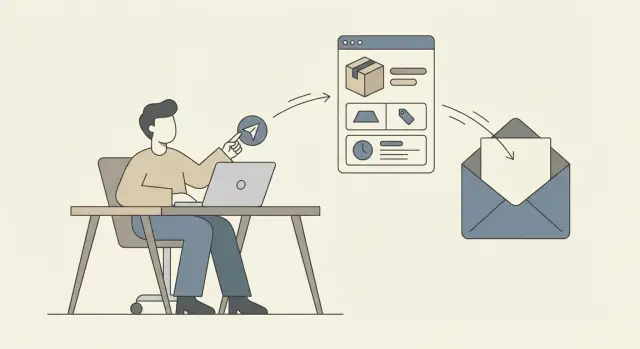
Why selling “custom” creates endless back-and-forth
When your outreach says “custom,” you’re asking the reader to do work before they even care. They have to explain their situation, guess what you can do, and wait while you “put something together.” A simple reply turns into a long thread that fades out.
“Custom” also triggers a safety check. Prospects worry about surprise costs, scope creep, and getting pulled into a messy project. Even people who like you pause because they can’t answer one basic question: “What am I saying yes to?”
Custom offers create long email chains for a few predictable reasons: the buyer needs to explain their full context to get a quote, you have to ask follow-up questions to avoid underpricing, and then they have to sell the idea internally without clear boundaries. When nobody can see the next step, timing slips and the decision turns into “let’s think about it” instead of a clean yes or no.
A defined package changes the dynamic. The prospect can evaluate it fast. It becomes a choice, not a negotiation. Expectations are clear: who it’s for, what’s included, what it costs, and what “done” looks like.
Instead of “Tell me about your needs,” you give them a small decision: “Is this the outcome you want, and does this price and timeline fit?” If it’s a no, you learn quickly. If it’s a yes, you move forward without a dozen clarifying emails.
The goal isn’t to win every conversation. The goal is a clean yes/no and a short call only when it matters.
A simple example: if you offer a fixed “inbox-ready cold email setup in 7 days,” your message can point to specific deliverables (domains, mailboxes, warm-up, and a first sequence). If you use something like LeadTrain, a lot of the technical back-and-forth can disappear because domains, DNS/authentication, warm-up, and sequences live in one place.
Positioning a single package in plain words
If you want less back-and-forth, stop describing your service like a menu. Describe it as one clear outcome for one clear buyer. When people understand what you do in one read, they can reply without ten questions.
Choose the one thing you do best and say it the way your buyer would say it. Not “full-funnel growth support.” More like “we rewrite your onboarding emails so more trials become paid.”
Then pick a narrow trigger that makes them care right now. Triggers work because they help the reader self-qualify. Tie your package to a specific moment: they just hired a sales rep, launched a new product, raised a round, moved upmarket, or their calendar shows low demo show rates. Keep it specific, not “looking to grow.”
To keep your positioning consistent across your site, outbound, and replies, write one sentence you can reuse. Keep it short enough to fit in a cold email without sounding like a pitch deck.
A structure that works:
- For [buyer type], we [deliver a specific outcome]
- In [timeframe], using [your method or scope boundary]
- So they can [business result they care about]
Example: “For boutique B2B agencies, we set up a ready-to-send cold email system in 10 days, including domains and warm-up, so you can book meetings without becoming a deliverability expert.”
Notice what’s missing: custom options, long feature lists, and “it depends” language. You can still personalize, but personalize the reason you’re reaching out, not the package itself.
If you run outreach at scale, consistency matters. A platform like LeadTrain can help keep the “plumbing” (domains, authentication, warm-up, sequences) standardized so your positioning stays the main message instead of getting buried in setup details.
Build a package that is easy to say yes to
A productized service sells faster when the buyer can picture the outcome in one breath. If they have to ask, “So what exactly do I get?” you’re already back in custom-land.
Start with a simple name that hints at the result, not your process. “30-Day Demo Pipeline” is clearer than “Outbound Consulting Package.” Ideally, someone can forward your email internally without rewriting it.
Keep the “what’s included” tight and concrete. For example: one target segment and one offer angle confirmed in a short kickoff, a 4-email sequence with two subject line options, clear list criteria and a set number of prospects, setup and a sending plan for one mailbox/domain, and a weekly report that tells them what to change and what to keep.
Then anchor the decision with a clear timeline and price. A timeline removes “How long will this take?” A price removes “Can you ballpark it?” Example: “Delivered in 14 days. $2,500 flat.” If you offer ongoing help, separate it: “After that: $750/week to run and improve it.”
Add one short paragraph on what’s out of scope. This prevents scope creep without sounding defensive. Example: “Not included: building a new website, writing 10 different sequences, or managing replies for your whole team.” People respect boundaries when they’re stated early.
Finally, make the start line obvious by listing what you truly need from the client: a short description of their best-fit customer plus one proof point, access to the sending inbox (or the person who owns it), and a yes/no decision on segment and offer angle within 48 hours.
Concrete scenario: a finance freelancer sells a fixed “CFO Intro Sprint.” The buyer sees deliverables, a two-week timeline, a flat price, and clear limits. They can say yes in one thread.
Cold email structure that keeps the thread short
When you sell one clear package, your email should feel like a quick fit check, not the start of a long discovery call. Make it easy to reply with a simple yes, no, or “talk to this person instead.”
Subject lines that match a packaged offer
Good subject lines hint at a specific outcome and a fixed “thing,” not a vague consult. A few patterns:
- “Quick fit check: [package name]”
- “Fixing [pain] in [timeframe]”
- “One package for [outcome]”
- “Who owns [area]?”
Keep it plain. If it reads like an ad, it gets ignored.
Keep the email short on purpose
Aim for 70 to 120 words. Shorter wins because it forces you to remove the parts that create back-and-forth: long intros, big case studies, and a long list of questions.
A simple structure is enough:
- One line showing you picked them for a reason
- One line naming the problem you solve
- One line describing the package (deliverables + timeframe)
- One proof point (tiny and specific)
- One CTA that’s easy to answer
Your CTA shouldn’t be “Want to hop on a call?” Ask for a quick fit check: “Worth exploring, or should I close the loop?” or “Open to a 10-minute fit check next week?”
To route it internally, add one sentence: “If this isn’t you, who owns this?” That line prevents dead ends and often gets forwarded.
If you’re running multiple sequences, LeadTrain’s reply classification can also keep things tidy by sorting responses (interested, not interested, out-of-office, bounce, unsubscribe) so you spend less time triaging and more time responding.
A simple email template you can reuse
When you sell one package, the email should do one job: help the reader quickly decide if it’s relevant. Lead with a clear problem, add one proof point, describe the package in plain words, share a price range, then ask for a small next step.
Subject: Quick question about [team/company] + [outcome]

Hi [First name] -

Noticed [personalization: one short, true detail].

Are you dealing with [problem in one sentence]?

We help [who] get [result] by doing one fixed package: [package name in 3-6 words].

Proof: [one sentence: result, metric, or recognizable client type].

What you get:
- [deliverable 1]
- [deliverable 2]
- [deliverable 3]

Price is usually [range] depending on [simple factor].

If this is relevant, want me to send a 5-line breakdown and a couple example outcomes? (No call needed.)

Optional risk-reversal: If you want, we can start with a 7-day pilot and you can cancel anytime.

Thanks,
[Name]
[Role]
The personalization slot shouldn’t become research homework. Think: a recent post title, a job opening, a product launch, or a simple “saw you’re hiring 2 SDRs.” One line is enough.
To signal “not custom” without sounding rigid, frame it as a benefit: fewer decisions, faster start, predictable scope. A line you can rotate in: “It’s a single package (same scope for everyone), so we can start quickly and you know exactly what’s included.”
A few tweaks that reduce “Can you explain?” replies:
- Use a concrete deliverable list (3 items max) instead of features.
- Give a price range, not a single number, unless it’s truly fixed.
- Make the CTA low effort: “reply with yes” or “send details” beats “book a call.”
- Keep proof to one sentence, one metric.
If you use a platform like LeadTrain, you can save the template and keep structure consistent across sequences while swapping only the problem, proof, and personalization line.
Follow-up sequence: 3 nudges that do not annoy people
Most cold threads get ignored because people are busy, not because they hate your offer. A good follow-up is short, adds one new piece of value, and makes it easy to reply in one line.
Your goal isn’t to “convince.” It’s to confirm fit fast, or exit cleanly.
A simple cadence that feels respectful: follow up after 2 business days, then 3 to 4 business days, then a final note a week later. If your buyers have longer cycles, stretch the gaps.
Follow-up 1: one-line restate + yes/no
Keep this one almost boring. Remind them what the package is and ask a yes/no that’s easy to answer.
Example: “Quick bump: we do a fixed 2-week onboarding cleanup (one package, one price). Is this something you want to explore, yes or no?”
Follow-up 2: add one concrete result + timeframe
Earn the second message by adding proof. Keep it specific. One result, one time period, one sentence.
Example: “Last month we helped a 6-person agency cut client onboarding time from 10 days to 3 days within 2 weeks by standardizing the intake and automating the handoff.”
Then ask a simple fit question: “Is improving onboarding speed a priority this quarter?”
Follow-up 3: two options, then a polite exit
Reduce effort for them. Offer two low-commitment paths: a short call or details in writing.
- Option A: “Want to do a 10-min call to see if this fits?”
- Option B: “Or reply with ‘details’ and I’ll send the package outline and price in one email.”
Add an exit line that saves face: “If now’s not the time, no worries, I can close the loop.”
When to stop: after the third follow-up (or a fourth only if you have a new trigger like a role change or recent funding). If they say “not now,” thank them and ask when to check back. If they stay silent, send the close-the-loop note and stop.
If you run sequences in LeadTrain, use reply classification to keep this clean. Anyone who replies “not interested” or “unsubscribe” should be excluded from further nudges.
Common traps when outbounding a productized service
Outbound works best when it feels like an easy decision. The fastest way to ruin that is to make your “one package” sound like a menu, a negotiation, or a long intake form.
Common mistakes that create long threads:
- Too many options up front. If your first email mentions tiers, add-ons, and “we can tailor it,” people reply with questions instead of a yes/no. Pick one default package and only reveal alternatives after they ask.
- Hiding price and inviting negotiation. “Happy to share pricing on a call” often reads like “this will be expensive” or “this will turn into haggling.” If you have a fixed package, give a clean range or a single number and anchor what it includes.
- Discovery questions that feel like a form. A list of eight questions makes your offer feel like work. Ask one question that decides fit, then offer a short next step.
- Customizing every pitch until you lose speed. If you rewrite the offer each time, your package stops being a package. You also lose repeatable learning that makes outbound improve week to week.
A simple rule: the first email should do three jobs - name the problem, state the package, and propose a tiny next step.
To avoid back-and-forth, keep a default path:
- One package name + one-sentence outcome
- One proof point (a result, a timeframe, or a clear deliverable)
- One price anchor (exact or range)
- One low-friction CTA (reply with a number, or a 10-minute fit check)
If you’re sending volume, consistency matters as much as copy. LeadTrain can help by keeping domains, warm-up, sequences, and reply classification in one place so you focus on the offer and the conversation, not tool-hopping.
Quick checklist before you send
Before you hit send, do a 60-second check. It saves you from long threads, “Can you clarify?” replies, and follow-ups that feel pushy.
First, make sure your offer is easy to retell. If someone forwards your email to a teammate, that teammate should understand what you sell without a call.
A quick checklist:
- One-sentence package test: Can a stranger describe your package in one simple line (what you do, for who, and the result)?
- Clear boundaries: Did you state what’s included, what’s not, and the basic timeline?
- Starting requirements: Did you say what you need to begin (access, assets, a call, a doc)?
- Single small CTA: Is the call to action one tiny step (reply “yes,” pick a time window, or answer one question)?
- Follow-up stop rule: Decide in advance when you stop (for example, after 3 follow-ups or after a “not now”).
Do the skim test. Look at the draft for 10 seconds. If you can’t understand the offer, proof, and next step at a glance, the reader won’t either. Cut extra sentences, remove side benefits, and move details to a later reply.
One practical habit: read your email out loud. If you run out of breath, it’s too long.
If you’re sending sequences, turn the same checklist into a pre-send gate in your workflow. Tools like LeadTrain can help by keeping sequences, warm-up, and reply sorting in one place so you stay focused on message quality.
Example: selling one fixed package with a short thread
Here’s a realistic example: you sell to B2B SaaS founders who want more demos but don’t have time to manage cold email.
The package (one thing, clearly named): “Outbound Sprint - 10 days to a live campaign.”
It includes:
- 1 ICP + targeting brief (who you email, who you avoid)
- 2 cold email sequences (4 steps each) + 2 subject line variants
- Inbox setup checklist + warm-up plan for 2 mailboxes
- Campaign launch + first-week tweaks (deliverability + copy)
- A simple handoff doc so they can run it after
Timeline: 10 business days.
Price range: $3,500 to $5,000 (final price depends only on mailbox count: 2 mailboxes at the low end, 4 at the high end).
The 4-email sequence (high level)
The goal is to keep the thread short by making the “yes” small and the package non-negotiable.
- Email 1: One problem, one outcome, one package. CTA: “Worth a 10-min call to see if it fits?”
- Email 2: Quick bump plus a specific detail: “I can share the exact 10-day plan if you reply ‘plan’.”
- Email 3: Tiny proof point (one sentence) plus a disqualifier: “If you are not ready to email 200 to 500 prospects/month, ignore this.”
- Email 4: Breakup that still offers value: “Should I close your file, or send the 2-sequence outline?”
How the reply stays simple
Prospect reply: “Interested, but we need something custom. Can you also do LinkedIn and landing pages?”
Your reply (short): “Thanks. This sprint is fixed: cold email only, 10 days, $3,500 to $5,000 based on mailbox count. If you want LinkedIn too, we can talk after the sprint as a separate add-on. Want the 10-day plan and example emails?”
Prospect reply: “Ok. Send the plan. We have 3 mailboxes.”
Your reply: “With 3 mailboxes you’re at $4,250. If that range still works, I’ll send the plan and 2 time options.”
If you run this in LeadTrain, the fixed package helps even more because setup (domains, mailboxes, warm-up, sequences) can be standardized, so you’re not rewriting your process for every lead.
Next steps to run this consistently
Consistency is what makes outbound work for productized services. If you treat it like a one-off push, you’ll keep rewriting your offer and reinventing your process.
Lock three things: a niche, a one-page “package card,” and one email template. Your package card can be plain text. It just needs: who it’s for, the problem it fixes, what’s included, the timeline, the price, and one clear next step.
A simple setup you can finish in an afternoon:
- Pick one niche you can name in one line (role + industry + trigger)
- Write your package card (6 lines, no extras)
- Choose one proof point (a result, a case, or a credible process)
- Finalize one email and one follow-up line
- Set a weekly target (for example, 50 new people, 3 short follow-ups)
Then make sending repeatable. Deliverability issues create invisible failure and waste weeks. Use separate sending domains (not your main company domain), set up mailboxes, add proper authentication (SPF, DKIM, DMARC), and warm up gradually so your first sends don’t look suspicious.
If you want fewer moving parts, run everything from one place so you don’t lose threads across tools. LeadTrain (leadtrain.app) combines buying and configuring sending domains, mailboxes, warm-up, multi-step sequences, and AI reply classification, which makes it easier to keep your process consistent.
A practical rhythm is simple: batch new prospects on Monday, launch sequences on Tuesday, and spend 20 minutes a day replying only to “interested” and real questions.
One small example: if you sell a fixed “Landing Page + Copy in 7 days” package, your job isn’t to explain every detail in the first thread. Send the package card and ask one fit question. Save the rest for a call or a short checklist.
Do this for 4 weeks without changing your package. Only adjust targeting and the first two lines of your email based on what gets replies.
FAQ
Why does saying “custom” in cold outreach create long email threads?
Calling your offer “custom” makes prospects do extra work before they trust you. They need to explain context, wait for a quote, and worry about scope and surprise cost. A defined package lets them quickly understand the outcome, price, and next step, so the thread stays short.
How do I describe my package so people understand it in one read?
Start with one sentence that includes the buyer, the outcome, and the timeframe. Then add 2–3 concrete deliverables and a clear next step. If someone can forward it internally without rewriting it, it’s packaged enough.
What’s a good “trigger” to use so my outreach feels relevant?
Pick one trigger that signals urgency, like hiring a new SDR, launching a product, moving upmarket, or low demo volume. Mention that trigger in your first line so they can self-qualify fast. Avoid vague triggers like “looking to grow.”
Should I offer multiple tiers or just one package in the first email?
Default to one package with one scope and one primary price anchor. You can keep add-ons, but only bring them up after they say yes to the core package. Too many options up front turns your email into a Q&A session.
Do I need to share pricing in the cold email?
Include a clear price or a tight range in the first message if the package is real and repeatable. Pricing early reduces “ballpark?” replies and filters out bad fits. If you must use a range, explain the one simple factor that changes it, like mailbox count or volume.
How do I state what’s not included without sounding defensive?
Write “out of scope” as a calm boundary, not a warning. Keep it short and concrete so it prevents mismatched expectations. The goal is to protect the package timeline and stop the conversation from turning into a custom proposal.
What CTA keeps replies simple and avoids back-and-forth?
Ask for a yes/no fit check rather than an open-ended call request. For example, ask if the outcome and timeframe are a priority, or if you should close the loop. You can offer a short call as an option, but make “reply in one line” the default.
How short should a cold email be for a productized service?
Aim for roughly 70–120 words and remove anything that invites questions. Keep one personalization line, one problem statement, one package line with timeframe, one proof point, and one low-effort CTA. If you need multiple paragraphs to explain it, the offer isn’t clear yet.
How many follow-ups should I send before I stop?
Use 3 follow-ups max unless a new trigger appears. Each follow-up should add one new piece of value, like a specific result or a clearer option to reply, and then make exiting easy. If they say “not interested” or ask to stop, end it immediately.
How can LeadTrain help reduce the setup and reply chaos in outbound?
Standardize the “plumbing” so every campaign doesn’t become a setup project. Using an all-in-one tool like LeadTrain can reduce technical back-and-forth by handling domains, authentication, warm-up, sequences, and reply sorting in one place. That keeps your time focused on targeting and conversations, not tool-hopping.