Outbound for enterprise add-ons: win admins, then buyers
Outbound for enterprise add-ons works best when you sell to platform admins first, prove safety and ROI, then expand to business stakeholders with a clear rollout plan.
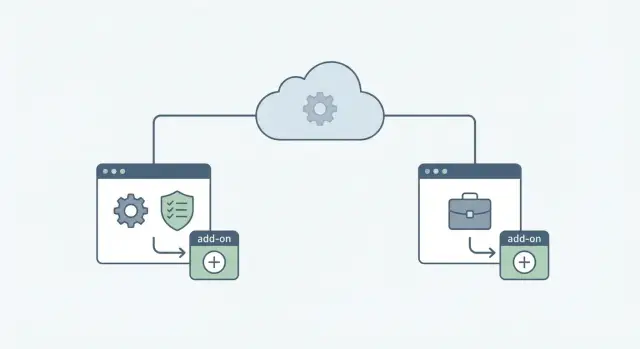
Why enterprise add-ons stall without admin buy-in
Enterprise add-ons aren’t like selling a standalone tool. You’re not asking a team to try something on the side. You’re asking to plug into a system that already has owners, rules, and audit trails. So the first gate is rarely excitement. It’s permission.
That’s why outreach for enterprise add-ons often stalls even when the value is obvious. The person who feels the pain (a manager, ops lead, or power user) can say, “Yes, we need this,” but they can’t grant access, approve security terms, or allow data to flow. They become an internal fan, not the person who can move it forward.
Admins and platform owners live in a different world than business stakeholders. Their job is to prevent surprises. Until they believe your add-on is safe and controllable, the deal doesn’t progress, even if budget exists somewhere else.
Most stalls come down to a few quiet risk questions:
- What data will this touch, store, or export?
- What permissions does it need, and can we limit them?
- How do we turn it off, remove it, or roll it back?
- Who’s accountable if something breaks or leaks?
- Will this create support tickets and extra work for our team?
A simple example: you email a RevOps leader about an add-on that improves reporting in their CRM. They like it and forward you to the admin. The admin asks for least-privilege access, an audit log, and a clear deployment plan. If you can’t answer quickly, the thread goes quiet. Not because they hate the idea, but because “maybe later” is safer than “yes.”
Define success early, in admin terms. You’re trying to earn four things: a safe way to test, security and platform sign-off, a controlled rollout plan, and a clear internal owner after launch. When you lead with those outcomes, you remove the biggest reason add-ons die in the inbox: uncertainty about risk, effort, and control.
Map the roles: admin, platform owner, and business buyer
When you sell an add-on inside an existing platform, “the buyer” is rarely one person. If you treat it like a normal SaaS sale, your outbound hits a wall because the first person who reads your message often can’t say yes.
Think in lanes: who protects the platform, who owns the direction, and who gets the business result. Your job is to match the first message to the lane you’re in.
The lanes (and the gatekeepers)
Admins care about keeping the lights on. They worry about stability, security settings, access control, and the support tickets your add-on could create. If they sense extra work or risk, they can block you quietly.
Platform owners (sometimes called product owners or ecosystem owners) look at fit and risk at a higher level. They ask whether this aligns with the roadmap, whether it increases vendor lock-in, and whether it distracts the team.
IT and security are often the hard gate. They focus on data handling, permissions, access changes, and whether the integration introduces new compliance work.
Business stakeholders care about outcomes: adoption, time saved, revenue impact, and pricing. They usually don’t want to discuss scopes, tokens, or permission models.
If you want a simple cheat sheet: admins want control and reversibility; platform owners want strategic fit; security wants clear data and access rules; business buyers want measurable results.
How to spot the right person from the outside
Titles can lie. An “admin” might sit in IT, RevOps, Sales Ops, Security, or a “Systems” team. A “platform owner” might be a director who never logs in. Before you write sequences, decide what you need from each lane.
Example: you sell an analytics add-on for a CRM. The admin worries about permission creep and dashboard tickets. The platform owner cares whether your add-on will be supported next year. The sales leader just wants reports people actually use.
If you run segmented outreach with separate sequences per role, your messages stay tight: safety and effort for admins, fit and risk for platform owners, and outcomes for business buyers. That separation is often the difference between “delete” and a useful reply.
Your first message to admins: safety, control, and effort
Admins don’t wake up hoping to add another vendor. Your first message should respect their job: protect the platform, prevent surprises, and keep changes easy to undo.
Lead with three points in plain language: what data you touch, what control they keep, and how little work it takes to test. If it’s reversible, say exactly how.
What to ask for (and what not to ask for)
On the first call, ask for their process, not their approval. Good questions sound like operations, not sales: how they review integrations, what security docs they need, who owns the platform roadmap, and what a clean pilot looks like in their environment.
Avoid forcing politics early. Don’t start with budget, procurement timelines, or “Can you introduce me to the VP?” Don’t ask for broad access or a full rollout. Admins hear risk and scope creep.
A simple ask that works:
“Can we do a 15-minute fit check to confirm permissions, auditability, and the smallest pilot that wouldn’t create cleanup work for you?”
Frame the add-on as low-risk and reversible
Describe the pilot in admin terms: least-privilege permissions, a sandbox option, a clear uninstall path, and an obvious stop button. Be specific about effort. “One config, one approval, and we handle the rest” lands better than vague promises.
If you’re selling an add-on inside a platform, propose a pilot limited to one workspace and one use case (like exporting a weekly report). If anything looks off, they can disable it and everything returns to how it was.
Proof points that usually matter:
- Permission model (who can do what)
- Audit logs (what actions are recorded, and how long)
- Data handling (what you store, where, and for how long)
- Support plan (who responds and how escalation works)
- Change management (how updates are rolled out and announced)
Build the target list: start narrow, then add the right people
A good target list is less about volume and more about picking the few people who can say “yes” or “no” quickly. Start with one account at a time and ask: is this timely right now?
Look for visible signals of urgency: a rollout or migration, rapid team growth, a spike in ops/security hiring, a new compliance requirement, or public notes about consolidating tools. Complexity is a signal too. Multiple business units and lots of integrations usually means admins are stretched, which makes “easy to adopt” more attractive.
Admins and platform owners often sit in different parts of the org. For most accounts, a small starter set works well: a couple of admins (one primary, one adjacent in ops/security), one platform owner, and one or two business stakeholders (a power user and a manager).
This mix prevents a common failure: over-targeting one persona and missing the real gatekeeper. If you only email business stakeholders, the admin can block you later. If you only email admins, you might get “not my problem” because they don’t own the outcome.
If you get engagement from only one side, expand deliberately. If an admin replies with permission concerns, add the platform owner next. If a business user replies with urgency, loop in an admin early to confirm feasibility.
Step-by-step outbound plan: admin-first, then stakeholder expansion
Selling inside an existing platform works best when you treat the admin as your first customer. Your job is to earn permission to be evaluated, not to win budget on day one.
1) Start with a tight wedge
Pick one use case that touches a real workflow and one admin concern you can answer clearly (permissions, audit logs, data access, performance, rollout effort). Pitching five use cases sounds like a messy change. Pitching one sounds controllable.
Before you write emails, force clarity: one user action that changes, one control the admin keeps, and one time-to-test promise in hours, not weeks.
2) Run two tracks, but don’t mix them
Create two short sequences: an admin track focused on safety and effort, and a business track focused on outcomes. Keep the language different so you don’t send ROI talk to someone who only cares about governance.
Start with admins, then expand only after a signal: a reply, a forward, a “who owns this?” question, or permission to loop in the platform owner.
3) Expand with admin context, not as a bypass
When you introduce a business stakeholder, anchor it to what the admin already cares about: “We can run this without broad permissions,” or “IT can turn it off anytime.” Ask the admin who should be included and propose a simple meeting goal: confirm fit or kill it.
4) Offer a short pilot with a decision date
Propose a small pilot (one team, one workspace, one metric) and agree on a decision date upfront. That date prevents endless “still evaluating” loops.
Example: you sell an approval add-on. The admin cares about permission scope. You propose a pilot for one department, show exactly which roles get access, and agree: “If it saves two hours per week for that team by Friday the 19th, we plan rollout. If not, we stop.”
Cold email that gets admin replies (not silent deletes)
Admins delete anything that smells like a quota-carrying pitch. Your goal isn’t to sell in the first email. It’s to earn a low-risk conversation where they can quickly decide if you’re safe and relevant.
Subject lines should sound like an internal note, not marketing:
- "Quick question about [Platform] admin controls"
- "[Platform] add-on: security + rollout check"
- "Who owns [Platform] integrations?"
- "Pilot requirements for [use case]"
Keep the body simple: context, risk reducer, ask. Context is one sentence that shows you understand what they manage (permissions, data access, change control). Risk reducer removes the three big fears: extra work, security risk, surprise rollouts. The ask should be easy to answer in one reply.
Subject: [Platform] add-on rollout question

Hi [Name] - are you the admin who owns approvals for [Platform] add-ons and integrations?

We built an add-on that [one-line value]. It runs with least-privilege access, supports audit logs, and can be limited to a single workspace/team for a pilot.

If it is in your area, can we do a 15-minute fit check to confirm (1) security requirements and (2) what a safe pilot would look like? If not, who is the right owner?

Thanks,
[Your name]
Good asks for admins are control-focused: a 15-minute fit check, a short list of pilot requirements, or confirmation of who owns the approval path. Avoid “demo” unless they ask.
When replies come in, respond fast and make it easy to forward. For “not my area,” thank them and ask for the right owner. For security concerns, offer a short summary (data accessed, permissions, logging, retention) and ask what checklist they use. For “send info,” send a five-line overview plus two questions: requirements and approval steps.
How to expand inside the account without losing the admin champion
Your admin champion is your fastest path to “yes” and your easiest way to get blocked. If they feel surprised, pressured, or bypassed, they can slow everything down with one message: “Not approved.” Expansion works best when the admin stays in control and looks good internally.
When to loop in business stakeholders (and when to wait)
Loop in business stakeholders after the admin has confirmed three things: it’s safe, the effort is reasonable, and there’s a clear owner for the business outcome. Before that, keep it admin-first.
Good moments to expand:
- The admin asks, “Who would use this day to day?”
- You have a clear, low-risk pilot plan they can approve
- You can quantify time saved, risk reduced, or revenue protected
- The admin offers an intro
- The add-on clearly affects a specific team’s workflow
If none of these are true, pushing to “talk to the business” reads like you’re trying to skip governance.
Arm the admin champion with a short internal pitch
Make it easy for the admin to forward a note that sounds like them:
“Quick heads up: I reviewed [Add-on]. It stays within our existing platform permissions and can be limited to [scope/team]. Setup is about [time], and we can run a small pilot to prove value before any broader rollout.”
Then translate your features into outcomes for whoever they introduce. “Audit logs” becomes “fewer security escalations.” “Automations” becomes “less manual ops work.” “Role-based access” becomes “no surprise changes for end users.” That’s the bridge from “allowed” to “wanted.”
Pricing and packaging: avoid early negotiation traps
The fastest way to lose momentum is debating price before the account agrees on scope and success criteria. Keep pricing tied to a simple pilot and clear expansion levers (seats, usage caps, included controls).
A clean talk track: “We can start with a limited tier for one team, prove the result in 30 days, then expand if it’s worth it.”
Example: selling an add-on inside a platform with strict admins
A team sells an analytics add-on that plugs into a workflow platform already used across a large company. The admin team is strict. Nothing new gets installed without a risk review, a rollback plan, and proof it won’t create tickets.
The first outreach goes to the admin lead, not the business unit. The message isn’t about features. It’s about safety, control, and effort:
“Not asking you to roll this out. Could we run a 20-minute check to confirm (1) what data we read/write, (2) how access is scoped, and (3) how you can disable it in one click? If it passes your bar, we can do a limited pilot with two test users.”
The admin replies with constraints: SSO only, no broad permissions, audit logs required, and a change window in two weeks. The pilot adapts to fit their world: read-only scope first with a clear list of API calls, a single sandbox workspace, an admin kill switch and rollback checklist, and a named support path during the pilot.
Once the admin says, “This is safe if you keep it scoped,” you reach the business owner (often RevOps or a department head). Now the story changes. You lead with outcomes: fewer manual reports, faster decisions, less time chasing numbers. You also repeat the admin guardrails so it feels approved, not sneaky.
A 30-day rollout decision can be simple:
- Week 1: install in sandbox, confirm permissions and logs
- Week 2: pilot with 5 to 10 users, track one core metric
- Week 3: review results with admin and business owner together
- Week 4: decide: expand, extend, or stop with a clean rollback
Common mistakes when outbounding enterprise add-ons
The fastest way to lose an account is treating an enterprise add-on like a simple “buy now” feature. Early on, you’re selling trust more than budget.
A common misstep is pitching ROI before you address risk and control. Admins and platform owners hear “new add-on” and think about permissions, data handling, outages, and support load. If your first note is all savings and growth, it sounds like you’re ignoring what they’re paid to protect.
Another mistake is skipping the platform owner and getting blocked later. You might get a friendly admin reply, run a couple calls, then hit a hard stop when someone asks, “Who approved this?” Early alignment prevents surprise vetoes.
Five mistakes that show up repeatedly:
- Asking for broad access too early instead of offering a safe, limited start
- Running one generic sequence for everyone in the account
- Treating “no response” as disinterest when it often means “this looks risky” or “not my job”
- Letting pilots drift with no end date, decision criteria, or clear owner
- Dodging security and control questions, then scrambling when procurement appears
A simple fix is to set boundaries upfront: “two-week pilot, read-only access, metric X, decision on day 14.” That gives admins something concrete to approve and defend internally.
Checklist to send cleaner outreach
Before you hit send, do a quick gut check. Small mismatches (wrong persona, weak risk story, vague ask) kill replies even if your add-on is strong.
Start with these:
- Persona fit: are you writing to the admin or platform owner first?
- Risk angle: did you explain security, permissions, data access, and auditability in plain words?
- Effort clarity: did you say what they need to do, and what you handle?
- Pilot offer: did you propose a low-risk test with a clear end date?
- Clear ask: is the next step one simple action (reply yes/no, or suggest a time window)?
Then make sure your sequence mechanics match how decisions actually happen: don’t spam, don’t expand until you get a signal, and stop on bounces/unsubscribes/clear “no.”
Reply handling is where most teams slip. Decide in advance what each reply type triggers. “Interested” gets a short agenda focused on security and pilot scope. “Not interested” gets a clean close. “Out of office” gets a reminder date. “Bounce” triggers a contact fix.
If you run cold email at any real volume, it also helps when your sending setup and reply triage don’t become a second job. LeadTrain is one example of an all-in-one cold email platform that bundles domains, mailboxes, warm-up, sequences, and AI-powered reply classification, so you can stay focused on learning from admin responses instead of babysitting deliverability and inbox sorting.
FAQ
Why do enterprise add-on deals stall even when the buyer likes the idea?
Start with admins because they control access, permissions, and rollout risk. A business user can want it, but an admin can still pause it with one question about security, audit logs, or rollback. Getting admin clarity early turns “maybe later” into a clear next step.
Who are the key roles in an enterprise add-on sale, and what does each care about?
Admins protect stability and reversibility, platform owners care about strategic fit and long-term support, and security/IT focus on data handling and compliance. Business buyers care about outcomes like time saved and adoption. If you send one generic message to all of them, it usually fits none of them.
What should my first cold email to an admin focus on?
Lead with what data you touch, what permissions you need, and how you keep scope tight. Add a clear “off switch” and explain what effort is required from their team. End with a small ask like a short fit check, not a full demo or rollout.
What should I ask an admin on the first call (and what should I avoid)?
Ask how they evaluate integrations, what security docs they require, who approves changes, and what a “safe pilot” looks like in their environment. Keep it operational and specific so they can answer quickly. Avoid budget talk and broad access requests in the first conversation.
How do I frame a pilot so it feels low-risk to admins?
Offer a pilot that is limited to one workspace/team and one use case, using least-privilege permissions. Describe exactly how they can disable it and what changes are reversible. The goal is a test they can approve without fearing cleanup work later.
Should I run one outbound sequence for the whole account or split by persona?
Keep two separate tracks: an admin track about safety, control, and effort, and a business track about measurable outcomes. Don’t mix ROI language into admin messages or governance language into business messages. Start with admins, then expand only after you get a reply, a forward, or permission to loop others in.
What account signals suggest admins will actually engage right now?
Use signals like migrations, rollouts, rapid growth, new compliance needs, or public tool consolidation efforts. Those moments increase urgency and make “easy to adopt” more attractive to admins. If nothing is changing, expect longer cycles and stricter scrutiny.
When is the right time to bring in business stakeholders without upsetting admins?
Loop in business stakeholders after the admin confirms it’s safe, the effort is reasonable, and there’s a clear path to test. Present it as collaboration, not a bypass, by repeating the admin guardrails in the intro. This keeps the admin feeling in control instead of surprised.
How should I handle pricing without derailing momentum early?
Tie price to a scoped pilot first, with clear expansion levers like seats or usage limits. Avoid negotiating before you’ve agreed on success criteria and rollout scope. A simple approach is “small team for 30 days, decision date set upfront, then expand if it works.”
What are the most common outbound mistakes when selling enterprise add-ons?
Common mistakes include asking for broad access too early, sending the same message to everyone, and letting pilots drift without a decision date. Another frequent failure is dodging data and permission questions, which creates silence rather than objections. Fix it by offering a tight pilot, clear controls, and fast, direct answers to risk questions.