Outbound email for low-ACV SaaS: offer, qualification, activation
Learn how outbound email for low-ACV SaaS can work by changing the offer, qualifying harder, and pushing prospects to fast activation steps.
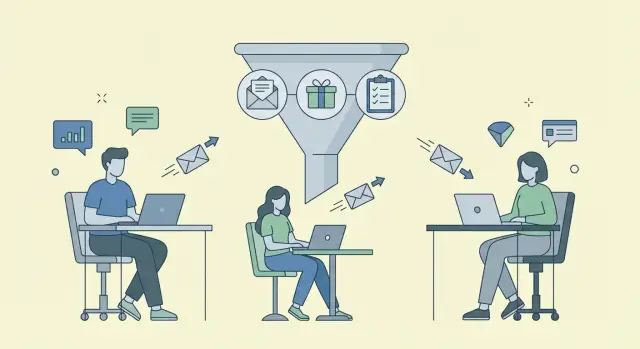
Why outbound feels unprofitable for low-ACV SaaS
When your product is $19 to $99/month, every wasted email is expensive. Not because sending costs money, but because your time does. If you spend 10 minutes researching, writing, following up, and answering questions, you can burn through a full month of revenue before anyone even logs in.
Outbound email often fails at this price point because the motion looks like enterprise sales, but the economics can't support it. Long back-and-forth, custom demos, and heavy hand-holding work when one deal pays for the effort. At low ACV, it turns profitable outreach into a busy schedule.
Here’s what usually breaks first: sales cycles drag, targeting gets loose, the next step is vague, and every new user needs help before they see value.
“Worth it” looks different at this price. You’re not trying to win a long negotiation. You’re trying to create fast replies and fast starts. The best outcome is a simple path from interest to first value, with minimal questions and minimal setup.
A concrete example: if a prospect replies “Sure, tell me more,” but the next step is a 30-minute call next week, momentum is gone. If the next step is “I can set this up in 5 minutes, here’s the quickest way to try it,” they can feel value today.
A simple promise that keeps the economics sane: fewer leads, better fit, quicker time-to-value. Build outbound around that, and you can send less email, close more of the right people, and avoid support-heavy customers that crush low-ACV ROI.
Start with the math: what needs to be true
Outbound only works when the numbers leave you room. Before you write a subject line, decide what you can afford to spend to get a new customer.
Pick a target CAC (what you can pay to acquire one customer) and a payback window (how fast you want that spend back). Example: if your plan is $49/mo and you want payback in 2 months, you can spend about $98 per new customer, less if support costs or refunds are meaningful.
Then decide what an intermediate win is worth. For low-ACV SaaS, a booked call is often the wrong north star. If most customers buy without a call, a trial start or self-serve signup is a better unit.
Write down your working assumptions:
- Cost per lead contacted (tools, data, time)
- Reply rate (low, mid, high)
- Conversion from reply to trial start (or booked call)
- Conversion from trial start to paid
- Expected revenue inside your payback window
Run a quick range instead of betting on one guess. If 1,000 emails cost you $200 all-in:
- Low case: 0.5% trial starts = 5 trials. If 20% pay = 1 customer. CAC = $200.
- Mid case: 1% trial starts = 10 trials. If 20% pay = 2 customers. CAC = $100.
- High case: 2% trial starts = 20 trials. If 25% pay = 5 customers. CAC = $40.
Pick one metric to optimize first. If you get replies but few trials, fix the offer and next step. If trials start but few pay, fix activation. If replies are low, fix targeting and deliverability before anything else.
Change the offer so it fits a low price point
If your SaaS is $29 to $99/month, “book a demo” is often the wrong ask. A demo implies a long evaluation and a bigger decision than the price deserves. The offer should feel like a quick win, not a project.
A good low-ACV offer is specific, time-bounded, and easy to say yes to. Instead of “Want to see a demo?”, try “Want me to set up X so you can try it today?” or “I can send a ready-to-use version of Y.” The goal is to remove effort, not add steps.
Offers that tend to match low price points:
- 15-minute quick-start setup (you do the first steps with them, live)
- Mini audit with 3 fixes (you review one screen, flow, or message and give exact changes)
- Template pack (3 to 5 ready-to-copy templates for their use case)
- Trial extension with a clear goal (extra days only if they complete a simple action)
- “Done-for-you first draft” (you write the first campaign/message using their inputs)
Make the promise concrete. “In 15 minutes, you’ll leave with: account created, one key setting configured, and your first result measured.” People buy clarity.
Match the offer to the role.
Owners want saved time or revenue this week. Operators want less manual work and something they can copy. Team leads want repeatability and a small pilot tied to one workflow and one metric.
Example: if you sell a reporting tool to small agencies, don’t lead with a demo. Lead with “15-minute setup: connect one client, generate one report, and schedule it weekly.” That feels worth doing now.
Tighten qualification before you write a single email
Qualification is the profit switch. If you email everyone who could use your product, you’ll book calls that never activate, churn fast, or create a lot of support work.
Start with an ICP you can recognize in 10 seconds. Pick 3 to 5 traits that must be true before a lead gets an email. Keep them observable.
Common must-haves include: team size or role, a clear trigger (hiring, new funding, tool change), a workflow that matches your product (they already use spreadsheets or a competitor), and a budget signal (they pay for adjacent tools).
Add a few hard disqualifiers. It shrinks your list, but protects your time and churn. Examples: they need heavy custom work to see value, they expect high-touch support for a $29 plan, or they’re in an industry you can’t serve well.
Write one internal line that says who you’re not for. For example: “Not for hobby projects, not for enterprises, not for teams that need custom integrations on day one.”
Choose one segment first, not five. If you target agencies, coaches, ecommerce, SaaS, and local services at once, your copy gets vague and your replies get messy.
Build a fast activation path (what happens after interest)
If someone replies “sure” and your next step is a 30-minute call, low-ACV outbound usually collapses. The win is speed. The next step should be a small action they can do now, without a meeting.
Make activation the goal, not the signup
Treat “interested” as a handoff into a short, guided activation. Your reply should point to one clear action: connect an account, import a small sample of data, run a quick check, or start a first project.
Friction kills this moment. Reduce form fields, cut choices, and pick sensible defaults so a new user can move without thinking. If you need information, collect it after they get a first result.
A simple activation checklist that fits in one screen:
- Create the account
- Connect the one integration that matters most
- Import 10 to 50 items (not the full dataset)
- Run the first action and view the result
- Set one alert or saved view so they come back
Define “activated” with real signals
Don’t count “signed up” as success. Decide the 1 to 2 product actions that predict retention and drive your flow to those.
If your tool only becomes valuable after data is imported, “activated” might mean “imported at least 20 records and ran the first report.” If it’s collaborative, it might be “invited one teammate and completed one shared task.”
This also makes follow-up easy. If someone replied interested but never imported data, your next email can be one step, one default, and an offer to troubleshoot one blocking issue.
Write emails that lead to a small next step
The goal isn’t a long call or a full demo. It’s a quick, low-effort step that proves fit. If the next step feels heavy, most people will wait, and you’ll never hear back.
Keep each email tight: one problem the reader likely has, one proof point that you can help, and one small ask. That’s how you get simple replies like “yes” or “not us” instead of “can you send more info.”
A simple structure that gets clear replies
A good cold email should answer three questions in plain language: why you, why now, and what to do next.
- Problem: name one concrete pain (time, cost, missed steps, slow setup)
- Proof: one specific result or credible signal
- Ask: a tiny commitment (try X, reply with Y, confirm one detail)
Add a soft qualifier inside the ask so mismatches self-select out. Example: “If you’re sending 20+ outbound emails a day” or “If you have at least 2 reps.”
Subject: quick question about {pain}

Hi {Name} - are you still handling {pain} manually?

We help {role/team} get {result} without {common headache}.

If you have {soft qualifier}, want me to send a 2-minute setup checklist you can copy?
Follow-ups: add a new angle
Avoid “just bumping this.” Each follow-up should earn attention with a different reason to respond: a small example, an alternate next step, a flipped qualifier (“if you’re not doing X yet, ignore this”), or a one-sentence objection handler.
Step-by-step: run a 7-day low-ACV outbound sprint
A low-ACV sprint is about learning fast, not blasting volume. Keep it small enough that you can read every reply and change course quickly.
One segment, one promise, one next step. If you try three audiences and two offers in a week, you won’t know what worked.
A practical 7-day plan, even as a solo founder:
- Day 1: Pick one narrow segment and one activation goal (for example: connect your first account).
- Day 2: Write a simple offer and a 3-step sequence.
- Day 3: Build a small lead list (50 to 150) with hard qualifiers you can verify quickly.
- Day 4: Send a small batch (10 to 30) and tag every response by type.
- Days 5 to 7: Adjust one thing at a time based on replies, then send the next batch.
Measure reply quality, not just reply rate. Polite “not a fit” replies usually mean the segment or activation goal is off. Basic questions mean the offer is unclear.
Common traps that kill low-ACV outbound ROI
Low-ACV outbound works only when every step stays small, fast, and repeatable. When it turns into long calls, vague targeting, or messy reply handling, the time cost quietly eats the revenue.
Trap #1: Selling a call when the product should self-serve
If your best users can activate in minutes, pushing everyone into a 30-minute demo adds friction. A better ask is a quick setup step: connect one account, import a small list, or start a short trial with a pre-filled template.
Trap #2: Targeting broad titles instead of clear situations
“Founder” or “Head of Sales” isn’t a strategy. What converts is a specific trigger: just hired the first SDR, running ads but no follow-up system, using spreadsheets for outreach, or switching CRMs. Situation beats job title.
Trap #3: Over-personalizing fluff and under-explaining the next step
A clever opener doesn’t fix a confusing offer. If the email doesn’t clearly say what happens next, people stall. The next step should feel safe and tiny.
The common mistakes show up in a familiar pattern: asking for a meeting when a 2-minute “try it now” path would do, writing to a title instead of a trigger, spending time on personal notes while skipping a clear CTA, and chasing “maybe” replies for weeks.
Trap #4: Letting unqualified “maybe” replies consume your time
A “maybe later” isn’t a pipeline. Respond once with a simple choice: start now with a small step, or close the loop. Example: “Want the template and a 3-step setup, or should I check back next quarter?”
Trap #5: Ignoring deliverability basics
If you send from a new domain with no warm-up, you can lose before you start. Even good copy fails in spam.
Quick checks before you hit send
Before you send your first batch, do a 5-minute pre-flight check.
Sanity-check the offer. If a new user can’t start in under 15 minutes, it’s not a quick win, it’s homework. Swap “book a demo” for something lighter: a template, a pre-filled setup, or a short guided trial that gets them to a clear result.
Then look at the email itself. A prospect should understand the next step in 10 seconds on a phone screen. If you need three sentences to explain what happens after they reply, it’s too complicated.
Use disqualifiers to protect your time. Keep 2 to 3 clear “not a fit” rules, and keep your list small enough to skim manually.
A checklist you can reuse:
- Can they see value in 15 minutes or less?
- Is the next step clear in one short line?
- Do you have 2 to 3 disqualifiers written down?
- Is the list small enough to manually skim today?
- Have you defined which reply types count as success?
Define success beyond meetings. For low-ACV, an “interested” reply is great, but so is “not now, check back in 60 days” if you tag it and follow up.
Example scenario: low-ACV SaaS selling to small teams
Picture a $29/mo SaaS that helps small marketing agencies automate client reporting. The trigger is easy to spot: they post job ads for “reporting specialist,” talk about spending Fridays pulling numbers, or share screenshots of messy spreadsheets.
The offer has to feel like a quick win, not a big sales process. A strong version is: “I’ll set up your first client reporting workflow in 10 minutes.” You’re not selling the subscription in the first step. You’re selling speed and relief.
Qualification stays strict because you don’t have room for long back-and-forth. For example: a 3 to 25 person agency with at least a handful of active clients, using common tools (analytics, ad platforms, a CRM), and showing clear signs of manual weekly reporting pain.
When a prospect replies “yes,” don’t offer a menu of options. Send one path and one short checklist: connect data sources, pick one template, generate the first report, schedule it weekly.
Track numbers that match the offer: starts (how many “yes” replies begin setup), activations (how many finish the first workflow within 24 hours), and upgrades (how many pay, add seats, or commit annually).
Next steps: systemize the workflow and keep it simple
If outbound is going to work for a low-ACV SaaS, it has to feel boring. Same inputs, same daily routine, small changes, quick feedback. The goal is a repeatable loop you can run every week.
Write down the few things you can’t afford to keep re-deciding: your ICP snapshot (including who it’s not for), the exact offer and next step, your sequence rules, your activation checklist, and basic guardrails like unsubscribe handling and a daily send cap.
Then test one variable at a time. Keep the list and timing the same, and swap only the offer. Or keep the offer and change only the segment. If you change subject line, copy, CTA, and targeting all at once, you won’t learn anything.
Reply handling is where low-ACV outbound often wins or loses. Set a simple routine so every positive signal gets a fast response: check replies twice a day, respond to “interested” quickly during workdays, route “not now” into a single scheduled follow-up, and remove bounces and unsubscribes the same day.
If you’re tired of juggling tools just to get campaigns out the door, LeadTrain (leadtrain.app) is built to keep the workflow in one place - domains and mailboxes, warm-up, multi-step sequences, and reply classification - so you can spend more time on targeting, the offer, and activation.
FAQ
Should I ask prospects to book a demo if my SaaS is $29–$99/month?
If your best customers can get value without a call, default to a self-serve next step. Use a call only when it reliably increases activation or reduces refunds, and keep it short and structured around one setup outcome rather than a full demo.
How do I know if outbound can be profitable at low ACV?
Start with a target payback window and work backward from your price. If you charge $49/month and want payback in 2 months, you can’t spend much more than about $98 per customer before support and churn, so treat that as a hard cap while you test.
What’s the best metric to optimize first for low-ACV outbound?
Use a “trial start” or “activation event” as the main goal, not a booked meeting. For low-ACV products, the step that predicts revenue is usually a specific product action (like connecting an integration or running the first report), not the conversation itself.
What kind of offer works best in cold email for low-priced SaaS?
Offer a quick win that feels safe and small, like a 10–15 minute setup, a done-for-you first draft, or a ready-to-copy template for their exact use case. The key is that they can feel value today without scheduling friction.
How do I qualify leads quickly without overthinking it?
Pick 3–5 traits you can verify fast, like team size, a specific tool they already use, and a clear trigger that signals urgency. Add 2–3 hard disqualifiers (for example, needs custom work on day one) so you don’t win customers who will drain your time.
What should I do when someone replies “Sure, tell me more”?
Send one clear action they can do immediately, with defaults, and tell them what “done” looks like. For example: “Reply ‘yes’ and I’ll send a 2-minute checklist to connect one account and generate your first result today.”
How do I stop getting vague replies like “Can you send more details?”
Write for a simple yes/no reply: one pain, one proof point, one tiny ask. If you keep getting “send more info,” your next step is probably too vague, so tighten the promise and make the action concrete.
What deliverability basics matter most before I scale volume?
Send fewer emails, from properly set up domains and mailboxes, and warm them up before scaling. If deliverability is weak, even good targeting and copy won’t matter because your messages won’t reach the inbox consistently.
How many follow-ups should I send, and what should they say?
Treat follow-ups as new messages with a new reason to respond, not reminders. Each follow-up should add one fresh angle (a quick example, a clearer qualifier, or a simpler alternative next step) so it earns attention.
How can I run outbound without juggling five different tools?
Use a single workflow so you don’t waste time stitching tools together: domains, mailboxes, warm-up, sequences, and reply handling should live in one place. A platform like LeadTrain helps by consolidating setup and using reply classification so you can respond fast and keep the process lean.