Outbound content library: simple snippets your team will use
Build an outbound content library your team actually uses: reusable openers, proof, CTAs, and objections with simple versioning rules and ownership.
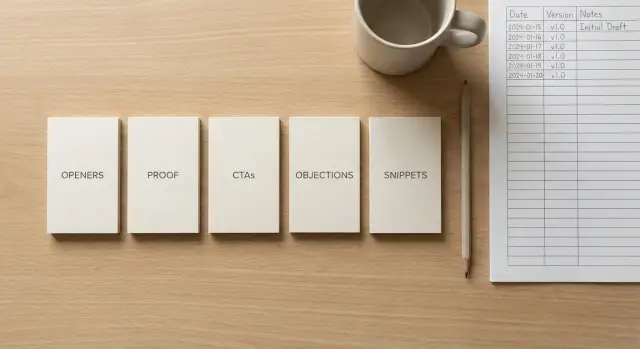
Why teams struggle to reuse outbound copy
Good outbound copy often has a short shelf life. It works for a month, then the product changes, the audience shifts, or a new teammate joins and writes their own version. After a few cycles, nobody trusts the old messages, even when they were proven.
Ownership is another problem. If the best lines live in someone’s head, a personal doc, or buried inside one long sequence, the rest of the team can’t reuse them without asking. People are busy, so they default to writing from scratch.
When everyone writes from scratch, you end up with a lot of “almost the same” emails. The basics are consistent, but tone, claims, and calls-to-action drift. Testing gets messy because you’re changing ten things at once. It also creates avoidable risk, like making promises sales can’t keep or using phrasing that hurts deliverability.
You can usually spot scattered messaging quickly. Two reps describe the same value in totally different words. Replies show confusion (“What do you actually do?”). A/B tests don’t teach you much because the variants are too different. New hires copy old threads and reuse outdated offers. And people argue about wording because there’s no shared baseline.
A real “library” isn’t a giant doc dump of full emails. Big docs become graveyards: hard to scan, hard to search, and hard to update safely. A useful outbound content library is a small set of reusable parts that anyone can grab fast, with clear notes on when to use them and what to avoid.
If your team runs cold email in a platform like LeadTrain, the biggest time-saver usually isn’t saving full sequences. It’s saving the few lines that consistently earn replies, so you can swap them into new campaigns without starting over.
What a simple library should achieve
A good outbound content library isn’t a museum of “best emails.” It’s a small set of reusable parts that helps people write faster without sounding copied.
It should speed up campaign launches without lowering quality. If a rep can grab an opener, a proof line, and a clean CTA in two minutes, you ship more tests and fewer half-finished drafts.
It should also create a consistent voice across SDRs and founders. Consistency doesn’t mean everyone sounds identical. It means the basics stay steady: plain words, one clear ask, no weird claims, and a tone that matches your brand.
Cleaner testing is another win. When everyone uses the same building blocks, you can change one input at a time and trust the result. If the opener stays constant and only the CTA changes, you know what moved the numbers.
It should make onboarding easier, too. A new rep should be able to write a solid email on day one, then improve from real results instead of guessing.
In practice, success looks like this:
- You can assemble a first draft in 5-10 minutes from approved snippets.
- Two people writing to the same persona produce emails that feel related, not random.
- A/B tests are based on one controlled change, not five changes at once.
- New hires know which lines are safe to use and which need approval.
- Updates happen once in the library, not in 12 separate docs.
Example: your founder writes a strong objection reply that books calls. Instead of keeping it buried in a single sequence, you store it as a short template with notes on when to use it. Next time the team builds a campaign, they reuse that exact piece and test only the opener, not the whole message.
Define your building blocks (snippets, not full emails)
A library breaks when it stores whole emails. People copy, tweak, and save new “final” versions, and soon nobody knows what’s current. Treat your outbound content library like a box of Lego pieces: small snippets you can mix and match.
Use a simple split:
- Snippet: 1 to 3 lines that do one job (an opener, a proof point, a CTA).
- Full email: a stitched-together message made from several snippets.
- Sequence step: a full email plus its role and timing (Step 1 intro, Step 2 bump, Step 3 breakup).
When you store snippets, you can reuse them outside cold email, too. The same opener can become a LinkedIn connection note. A proof line can drop into a follow-up. An objection reply can turn into a short “reply-back” when someone asks, “What do you do?”
Keep each snippet small enough to work in different contexts. If it needs a long setup, it’s not a snippet yet. Strip out extra detail and use placeholders like [industry], [role], or [trigger]. If you need more than two placeholders, it’s probably too specific.
Naming is what makes reuse real. If people can’t find it in 10 seconds, they’ll rewrite it.
A simple naming pattern works well:
- Type + audience + angle: CTA - Founder - 15min quick question
- Type + use case: Proof - Case study - 3x demos in 2 weeks
- Type + objection: Objection - Too busy - can I send 2 bullets
If you build sequences inside a tool, use the same names in the library and in campaign steps so teammates can search once and drop them in fast.
The four snippet types to create first
If your library starts with full emails, it gets messy fast. Start with short, reusable lines your team can mix and match.
1) Openers (relevance without fake flattery)
Good openers prove you aren’t blasting everyone, but they stay simple. Skip “Loved your recent post” unless you can name the post and why it matters.
A couple of examples:
- “Noticed you’re hiring SDRs - are you building outbound in-house this quarter?”
- “Saw you’re using HubSpot - curious if outbound is run by sales or marketing on your side?”
2) Proof lines (credibility in one breath)
Proof is a single sentence that answers: “Why should I trust you?” Keep it specific and short. If you don’t have big logos, use numbers, a narrow niche, or a quick before/after.
Examples:
- “Teams like yours use us to book demos without juggling domains, warm-up, and sequences across multiple tools.”
- “One 6-person sales team went from ‘mostly spam’ to steady replies after fixing authentication and warming new mailboxes for 2-3 weeks.”
3) CTAs (low-friction asks, then meeting asks)
Your first CTA should be easy to answer, not a calendar demand. Save the meeting ask for when they show intent.
A simple approach: question CTA first, meeting CTA second, and keep a polite close line ready (“If I’m off, who owns this?”).
4) Objection replies (short, calm, and useful)
Write one or two-sentence replies for the pushback you see every week: “not interested,” “already have a vendor,” “no budget,” “send info.” The goal is to keep the conversation alive, not win an argument.
Example:
“Totally fair - before I go, is it a timing issue or a ‘not a priority’ issue? Either answer helps me close the loop.”
Write rules your team can follow in 30 seconds
If your rules need a meeting to explain, people will ignore them. Put a one-page “rule card” at the top of the library so anyone can write or edit a snippet without changing your voice.
A simple rule card
Start with tone. Pick one default (usually “friendly, direct, no hype”) and spell out what that means. For example: short sentences, plain words, no slang, no fake urgency. Add a small banned list (“just checking in,” “circling back,” “reaching out,” “hope you’re well”) and a few allowed phrases that match your brand.
Set length limits by snippet type so messages stay skimmable:
- Openers: 1 sentence (max 20 words)
- Proof: 1-2 sentences (max 40 words)
- CTA: 1 sentence (max 18 words)
- Objection reply: 2-4 sentences (max 80 words)
- P.S.: 1 sentence (max 15 words)
Personalization rules are where teams waste time. Decide what tokens are allowed (first name, company, role, one relevant trigger) and what’s off-limits. Don’t personalize things you can’t verify, like revenue guesses, headcount guesses, or “I saw you’re hiring” unless you have a reliable source.
Add basic compliance habits. If you sell to regions that expect it, include a clear opt-out line in the final email of a sequence and don’t hide it. Avoid sensitive personal details. Keep claims honest and specific.
Finally, add industry do’s and don’ts. Example: in healthcare or finance, avoid “guaranteed results” and don’t ask for private data. Keep these rules right next to the snippets people paste into sequences so edits stay consistent.
Organize the library so it stays searchable
A library only works if people can find the right line in 10 seconds. A simple structure is folders for who you’re messaging (ICP) plus tags for why you’re messaging them.
Start with folders by audience and use case. For example, separate “SaaS founders” from “Recruiting managers,” then split each into common jobs like “Book a demo,” “Follow-up,” or “Re-engage after no reply.” This keeps browsing fast, even when the library grows.
Use a small set of tags that matches how your team thinks day to day:
- Industry (fintech, agency, ecommerce)
- Persona (CEO, VP Sales, Ops)
- Pain (no pipeline, churn, low reply rates)
- Offer (audit, case study, trial)
- Stage (opener, follow-up, breakup)
Each snippet should also have a short “when to use” note. One sentence is enough: “Use when the prospect has a team of 5+ SDRs and mentions outbound on their site.” Add an owner and a last-updated date so changes don’t get lost.
Good names beat clever names. Use a consistent pattern so snippets sort well and are readable at a glance: ICP + snippet type + angle + version.
Examples:
- SaaS-CEO_Opener_Trigger-Hiring_V1
- Agency-Founder_Proof_2-sentences_Case-Study_V2
- Fintech-VP-Sales_CTA_15min-Next-Week_V1
- Ecommerce-Ops_Objection_No-Budget_Defuse_V1
If your library lives inside a sending tool, mirror the same structure (folders, tags, simple metadata) so search and reporting match what your team actually sends.
Simple versioning rules that prevent chaos
A library only works if people trust what they copy. Without basic versioning, your best snippets get “improved” into five slightly different versions, and nobody knows which one is current.
Use a version format that tells the story at a glance:
- v1.0: first approved snippet, ready for real sends.
- v1.1: small edits that don’t change the idea (typos, shorter wording, clearer CTA, swapping one proof point).
- v2.0: meaningfully different angle (new audience, new offer, new objection handled, new structure).
Every time a version changes, add a short changelog note. Keep it to two lines: what changed and why. “Changed CTA from ‘Worth a chat?’ to ‘Open to a 10-min call Tue or Wed?’ because replies were vague” is enough. This prevents random edits and helps the team learn.
Set clear deprecation rules so old copy doesn’t hang around forever. Archive a snippet when it’s outdated, risky, or proven weak:
- It relies on an old feature, case study, or policy that’s no longer true.
- It triggers complaints (unsubscribes, spam reports, angry replies) above your norm.
- It underperforms for two test cycles in a row against a baseline.
- It duplicates a better snippet with the same purpose.
Approval should be simple. One person (or a small group) can publish to the library; everyone else can suggest edits with a note and a data point. If you use a sending tool, tie suggestions to a sequence and include the result that prompted the change.
Handle “team favorites” with respect but not nostalgia. If a beloved opener used to work and now falls flat, keep it as Archived: formerly strong and replace it with a tested v2.0. This keeps the library honest.
Step-by-step: build your first library in a week
Treat the first week like a pilot. The goal isn’t to cover every persona. It’s to publish a small set of snippets your team trusts and uses.
Week 1 plan (5 steps)
- Pick 1 audience and 1 offer to start. Choose the combo you send most often (for example: “agencies” + “book a 15-minute intro call”).
- Collect your top-performing lines from past outreach. Pull subject lines, first sentences, proof points, and replies that led to meetings. If you don’t have metrics, ask each rep for 5 messages they feel good about.
- Draft starter sets, not perfect sets. Aim for 10-15 openers, 10 proof lines, 10 CTAs, and 10 objection replies. Keep each snippet to 1-2 sentences so it’s easy to mix and match.
- Run a small A/B test plan. Decide what varies (one snippet type) and what stays fixed (audience, offer, send schedule, and the rest of the email). For example, test two openers while keeping proof and CTA identical.
- Publish, train, and review weekly for the first month. Put the snippets where people write emails. Do a 15-minute walkthrough, then review results every week and retire weak snippets quickly.
A simple starting move: take one email that booked meetings last month, split it into four labeled parts (opener, proof, CTA, objection), and rewrite each part into 3 alternatives. You get a mini-library that feels familiar, but gives reps real choices without turning the copy into chaos.
Example: turning one good sequence into reusable parts
Three SDRs are selling a SaaS product to operations leaders at mid-sized SaaS companies. Each person has their own voice, but they were wasting time rewriting the same ideas in different ways. The team couldn’t tell what was working.
They start with one sequence that already booked a few meetings. Instead of saving it as full emails, they break it into reusable parts in their outbound content library.
One new email gets built from snippets like this:
- Opener: a 1-2 sentence observation tied to ops metrics (onboarding time, ticket volume, handoffs).
- Proof: one credible line (a result, a short customer story, or a simple “we typically see X in Y weeks”).
- CTA: a low-friction question with two options (quick call this week, or should I send a 3-bullet summary?).
- PS / personalization: an optional line that only appears when they have a strong detail.
When a prospect replies, “We already have a vendor,” they don’t write a new email from scratch. They choose an objection snippet that acknowledges the vendor, asks one clarifying question, and offers a narrow comparison.
Example response:
“Makes sense. Are you using them mainly for reporting or for day-to-day workflows? If it helps, I can share a quick checklist of where teams usually see gaps (handoffs, SLAs, change requests).”
They track results at the snippet level, not just per sequence. That lets them keep the overall structure steady while swapping a single CTA or proof line and comparing replies.
When something wins, they update it with simple versioning:
- Rename it from v1 to v2.
- Add a one-line note: what changed and why.
- Record the date and the audience (ops leaders, SaaS, 100-500 employees).
- Retire the old version instead of keeping five similar copies.
The biggest shift is what they stop doing: rewriting every email, debating “best wording” without data, and saving personal templates nobody else can find.
Common mistakes and how to avoid them
The fastest way to kill an outbound content library is to make it noisy. People stop trusting it, then they go back to writing from scratch.
Mistake patterns that quietly break adoption
Overwriting snippets until you forget what worked. Treat edits as new versions (v1, v2) and keep a short note like “beat v1 on replies for SaaS founders, March.” Archive old versions instead of deleting.
Testing too many changes at once. Change one thing per test (only the opener, or only the CTA). If you swap opener, proof, and CTA together, you won’t know why results moved.
Storing snippets without context. Add one line under each snippet: audience, trigger, and goal (example: “Use after a webinar signup, goal is a reply with the right owner”).
Letting everyone publish, so everything becomes “official.” Anyone can suggest. Only owners approve. Assign an owner for each snippet type (openers, proof, CTAs, objections).
Proof that sounds like marketing, not sales. Write proof the way you’d say it on a call. Use plain facts, not hype (numbers, specific outcomes, recognizable situations).
A common failure looks like this: an SDR tweaks a strong opener, adds a new CTA, and changes the proof line all in one go. Replies drop, and the team blames the market. If those were separate versions, you’d spot that the new CTA was the issue and keep the opener.
If you use LeadTrain to run outbound, a clean library pairs well with how the product is set up: domains and mailboxes, warm-up, sequences, A/B tests, and AI-powered reply classification all in one place. That makes it easier to tie “this snippet changed” to “these replies changed,” without pasting data across five tools.
Quick checklist and next steps to keep it alive
A library only works if it stays current and easy to trust. A light routine keeps it useful without turning it into a side project.
Before you launch a new campaign
Do a 5-minute pass before you hit send. Look for obvious mistakes and preventable gaps.
- Pick one opener, one proof snippet, one CTA, and one objection reply that match the audience.
- Confirm the proof is real, specific, and still true (numbers, customer type, timeframe).
- Check the CTA is one clear ask (one action, one time option, one fallback).
- Remove anything that sounds like marketing (big claims, vague benefits, too many adjectives).
- Add a one-sentence note on the target segment and why the snippet fits.
If choosing feels hard, that’s a signal. Your snippets may be too long, too similar, or not labeled well.
Monthly maintenance (30-45 minutes)
Once a month, do a small cleanup instead of waiting for a big rewrite:
- Archive snippets that haven’t been used in 60-90 days or are tied to an old offer.
- Merge duplicates and keep the best wording as the default.
- Refresh proof: swap outdated examples, update results, and remove risky claims.
- Add 2-3 new snippets pulled from real replies (the phrases prospects actually use).
A simple rule helps: every new snippet must come from a real win, a real objection, or a real question you got more than once.
When this is working, the library becomes a shared baseline. Reps still write in their own voice, but they start from the same proven parts. Testing gets cleaner, onboarding gets easier, and your outbound stops reinventing itself every month.
FAQ
Should we save full cold emails or small snippets in a content library?
Start with snippets because they stay reusable and easy to keep current. A full email usually bundles an opener, proof, and CTA together, so when one part becomes outdated you end up rewriting everything or copying old promises. Snippets let you swap one piece while keeping the rest stable for cleaner testing and faster campaign drafts.
How long should a snippet be so people actually reuse it?
If it can’t be understood and pasted in under 10 seconds, it’s too long. A good snippet is usually one to three lines that does one job, like an opener that signals relevance or a CTA that asks a single clear question. If it needs lots of setup or more than a couple placeholders to make sense, split it into smaller parts.
What’s the easiest naming system for snippets?
Use a simple name that tells you what it is and when to use it, like “CTA - Founder - 10min quick question” or “Proof - Ops - onboarding time.” The goal is searchability, not cleverness. Consistent naming reduces rewrites because teammates can find the right line instead of starting from scratch.
How do I write openers that feel personal without fake compliments?
Default to a simple observation you can verify and a single question that’s easy to answer. Avoid vague flattery unless you can point to something specific you actually saw and explain why it matters. An opener should show relevance without sounding like it was pasted from a template.
What counts as a good proof line if we don’t have famous customers?
Keep proof to one short sentence that answers “why trust you,” using a concrete outcome, timeframe, or specific situation. If you don’t have big logos, use narrow credibility like “teams with X setup” or “after doing Y, they saw Z,” as long as it’s true and not overstated. The point is believability, not hype.
What’s a good first CTA in cold email if we don’t want to push a meeting?
Ask for a small reply first, then ask for a meeting after they show interest. A low-friction question like “Is this on your plate?” or “Worth sending a 3-bullet summary?” usually gets more responses than pushing straight to a calendar. Keep the CTA to one clear action so it’s easy to say yes or no.
How should we write objection replies that don’t sound argumentative?
Reply calmly in one or two short paragraphs and aim to clarify, not debate. Acknowledge their message, ask one simple question to understand the situation, and offer a small next step like a brief summary or a quick comparison point. If you try to overcome every objection at once, you usually create more resistance.
How do we version snippets without creating chaos?
Use simple versioning that signals how big the change is, such as minor edits versus a new angle. When you update a snippet, add a short note on what changed and why, so people trust it and stop making random “improvements.” Archive outdated versions instead of leaving five similar options that confuse everyone.
Who should be allowed to edit and publish to the library?
Make it easy for anyone to suggest changes, but limit publishing to one owner per snippet type or persona. Suggestions should include the reason and the result that triggered the change, like lower replies or more confusion in responses. This keeps the library consistent while still improving from real campaign data.
How does a tool like LeadTrain help keep a snippet library usable?
A unified platform helps because your domains, mailboxes, warm-up, sequences, A/B tests, and reply classification are in one place, so you can connect snippet changes to reply outcomes without juggling multiple tools. In LeadTrain, that also reduces deliverability risks because sending setup and warm-up are handled alongside the copy you’re deploying. The main win is faster iteration with less mess in both messaging and operations.