Outbound capacity planning for founders to avoid overload
Outbound capacity planning for founders: estimate email volume, reply handling, demo slots, and pipeline load so you do not miss leads.
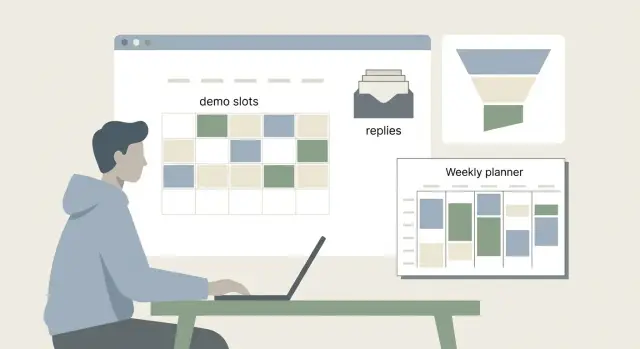
Why outbound capacity breaks for founders
Founders do outbound on top of everything else: product decisions, support, hiring, and keeping the lights on. You can stay busy all day and still miss great leads because outbound is more than sending messages. It’s replying fast, qualifying, booking, showing up prepared, and following up until the deal is clearly won or lost.
Speed is usually the first thing to break. A lead that replies is paying attention now, not next week. A slow response quietly signals, “This will be hard to work with.” Even if the prospect stays polite, the thread cools off, the meeting never gets scheduled, or they go with the vendor who replied first.
Outbound capacity planning means knowing how many active conversations you can keep warm without dropping the ball. Capacity isn’t just time. It’s attention: remembering context, tracking next steps, and doing what you said you would do.
A common trap is thinking, “If I send more, I’ll win more.” What often happens is the opposite. More volume creates more replies, which creates more context switching, which slows replies, which reduces conversion. Tools can remove some admin work, but they can’t create hours in your calendar or run your demos.
You’re likely over capacity if you recognize two or more of these:
- Replies sit for more than a day, especially “Can we talk this week?”
- You accept meetings but show up without notes or prep
- No-shows rise because scheduling and reminders are inconsistent
- Follow-ups happen in bursts instead of a steady rhythm
- Your pipeline feels messy: unclear stages, missing next steps, forgotten threads
If that’s you, it’s not a motivation problem. It’s math. Until your time and attention match the number of live opportunities you create, outbound keeps breaking in the same predictable way.
Set goals and constraints before you do any math
Capacity planning works when you decide what “good” looks like first. Otherwise you chase a bigger outbound number, then wonder why your calendar is packed and deals stall.
Start with one main goal for the next 2 to 4 weeks. Pick the single outcome that matters most right now: booking demos, closing deals, or validating your ICP with real conversations. Trying to do all three at once creates conflicting targets (high volume for learning vs high touch for closing).
Next, set a weekly time budget for sales work. Be honest about the hours you can protect every week, including context switching. If you only have 6 hours, don’t plan like you have 15. Include email, follow-ups, demos, and post-demo notes.
Then decide your quality bar. How deep will you go on each account?
- Light: quick personalization (1 to 2 lines), minimal research
- Medium: 5 to 10 minutes of research, tailored hook, clear use case
- High: deep research and a custom angle, maybe a short Loom-style note
Higher quality usually means fewer accounts, but better conversion and fewer wasted demos.
Finally, write down your non-negotiables as measurable constraints: response time (for example, reply within 4 business hours), max demos per week, and follow-up cadence (for example, 6 touches over 14 days).
If you can only run 8 demos a week and you want to respond to interested replies the same day, your outbound capacity isn’t “how many emails can I send.” It’s “how many conversations can I handle without dropping the ball.”
If you use an all-in-one cold email platform like LeadTrain, automation can remove setup and sorting work (warm-up, DNS/auth, reply classification). It doesn’t remove your constraints, but it can help you spend more of your budget on real conversations instead of admin.
Map your founder-led sales flow in 6 simple stages
Outbound capacity planning starts by making your sales process visible. If you can’t point to where time is spent, you’ll keep “adding leads” when the real problem is meetings, follow-ups, or slow replies.
Think in stages, not tools. Even if you do everything yourself, there are still handoffs between modes: writing, replying, meeting, and updating notes.
Here’s a simple 6-stage map you can use as a baseline:
| Stage | What it includes | Typical handoff point | Data to capture |
|---|---|---|---|
| 1) Prospecting | finding accounts, picking contacts, basic fit checks | list is “ready to message” | accounts added/week, minutes per account |
| 2) First touch | sending the first email or DM | message sent, waiting | first touches/week, minutes per message |
| 3) Replies | reading replies, sorting, quick answers | qualified to meeting or disqualified | reply rate range, minutes per reply |
| 4) Meetings | scheduling, running demos or calls | meeting completed, next step set | meetings/week, minutes per meeting + prep |
| 5) Follow-ups | recaps, nudges, second calls, security docs | moved to proposal or closed-lost | follow-ups per active deal, minutes each |
| 6) Close | pricing, negotiation, paperwork, onboarding handoff | signed or stopped | close rate range, hours per close |
Keep inputs rough. Use ranges like “2 to 4 minutes” or “10% to 20% reply rate” instead of trying to be exact. The goal is to spot bottlenecks, not build a perfect spreadsheet.
To make this usable week to week, track a small set of numbers:
- Volume: how many items enter each stage (new accounts, replies, meetings)
- Conversion: the percentage that moves forward (reply rate, show rate)
- Time: minutes per item (low and high estimate)
- Waiting limits: how long you allow a deal to sit before you touch it again
- Backlog: how many active threads you’re already carrying
Tools can change the time per stage. For example, if reply classification reduces sorting, treat “Replies” as a smaller workload. The point isn’t the tool. It’s seeing where founder time actually goes.
Step by step: calculate weekly outbound capacity
Every email you send creates future work. The goal is to pick a weekly send number you can actually service when replies and meetings show up.
A simple weekly worksheet
-
Time per outbound email (prep + send): Estimate the minutes you spend to find the right person, check basics, and write a decent first message. With templates, your average might be 3 to 5 minutes. With heavier personalization, it might be 8 to 12.
-
Reply-rate range: Don’t pick one number. Use a low, expected, and high case so you don’t get surprised by a good week.
-
Minutes per reply: Include reading, deciding what it means, writing back, and scheduling. A quick “not interested” might take 30 seconds. A real back-and-forth can take 5 to 10 minutes. If you have a tool that classifies replies (interested, not interested, bounce, unsubscribe), your average time per reply usually drops because you do less manual sorting.
-
Meetings created: From replies, estimate what percent become meetings. This is the bridge from inbox work to calendar load.
-
Fit check against your time budget: Add it all up and compare it to the hours you can safely spend on outbound each week.
Here’s the math in plain form:
- Outbound hours = emails_sent x minutes_per_email / 60
- Reply hours = (emails_sent x reply_rate) x minutes_per_reply / 60
- Total outbound workload = outbound hours + reply hours
Quick example (for a sanity check)
Say you have 6 hours/week for outbound.
- You average 5 minutes per outbound email.
- Expected reply rate 6% (use 3% low, 10% high).
- Average 4 minutes per reply.
If you send 60 emails/week:
- Outbound time: 60 x 5 = 300 minutes = 5.0 hours
- Replies: 60 x 6% = 3.6 replies, about 4 replies
- Reply time: 4 x 4 = 16 minutes = 0.25 hours
- Total: 5.25 hours (fits)
Now test the high case: 60 x 10% = 6 replies, reply time = 24 minutes. Still fine. If your numbers don’t fit, lower weekly sends or reduce minutes per email before you scale.
Response time targets that keep deals warm
The fastest way to waste good outbound is to reply too late. People who answer a cold email are usually in quick-scan mode. If you wait a day or two, the same person often goes cold, gets busy, or forgets why they replied.
Pick a response-time target you can actually hit. For most founder-led outbound, “same business day” is a solid default. If you can do “within 2 hours” for hot replies, even better. The point isn’t perfection. It’s consistency.
A simple rhythm is three short inbox check-ins (morning, midday, end of day). Each can be 10 to 20 minutes if your system keeps replies organized.
Define what counts as urgent and what you do next. Keep it small enough to remember when you’re busy:
- Pricing request: reply today with a range and one qualifying question, then offer two meeting slots
- Security/compliance question: acknowledge today, schedule a quick call or commit to a specific follow-up time
- “Ready to meet”: respond within 2 hours during workdays with a calendar option or two time choices
- Referral/intro: reply same day with a short thank-you and a one-line description of who you help
- Anything else: respond within 24 hours with one helpful question
Plan for reality: weekends, travel days, and deep work blocks. If you do deep work from 9 to 12, decide how replies are handled (cofounder, assistant, or nobody) and build that into your workflow. Your reply SLA is a hard constraint. If you can’t keep it, reduce volume or tighten targeting.
Demo bandwidth: the real bottleneck
Most founders think the limit is leads. It’s usually meetings. If you only have so many hours for calls, capacity planning should start with demo time, not email volume.
A “30-minute demo” is rarely 30 minutes. The call is the smallest part of the work. A realistic average per booked demo often looks like:
- Prep (review company, role, past touches): 10 to 15 minutes
- The call itself: 30 to 45 minutes
- Notes and next steps in your CRM: 5 to 10 minutes
- Follow-up email with recap and a clear ask: 5 to 10 minutes
- Context switch (before and after): about 5 minutes
That’s 55 to 85 minutes per demo, even before you count the ones that don’t happen.
Add a buffer for reschedules and no-shows. If 1 out of 4 meetings moves or flakes, plan as if every 3 completed demos create 4 demo slots worth of calendar churn. Otherwise your calendar looks full but your pipeline doesn’t move.
To translate time into a weekly cap, pick the number of hours you can spend on sales calls without hurting product work (for many solo founders, 4 to 8 hours/week). Divide by your real time per demo (use 75 minutes if you’re unsure). That gives you your maximum completed demos per week.
If you need more pipeline than that supports, don’t immediately send more emails. Change the meeting shape. Two meeting types often help:
- A short 10 to 15 minute qualify call for fit and urgency
- A full demo only for qualified buyers with a clear use case
Example: You can spare 6 hours/week. At ~75 minutes per demo, that’s about 4 completed demos. With reschedules, you might only want to offer 5 to 6 demo slots. If outbound starts generating 10 demo requests a week, you’ll feel “successful” and still lose deals because you can’t keep up.
When demos are the bottleneck, the right move is to protect response time and prioritize who gets a slot, not to increase volume.
Sales cycle limits and follow-up load
A longer sales cycle doesn’t just mean “wait longer.” It means more check-ins, more questions, more scheduling, and more “not now, remind me next month” threads you still need to manage. If you keep adding outbound on top of that, your pipeline can look busy while deals quietly go cold because you can’t follow up fast enough.
Your calendar isn’t the only constraint. Follow-up capacity is a hard cap on how many active deals you can carry at once.
A simple pipeline limit that works
Start with two inputs you can estimate without fancy tools:
- Active deals: any lead that has replied, booked a call, asked a question, or is in negotiation.
- Touches per deal per week: how many meaningful follow-ups you need to move it forward (email reply, confirmation, recap, answers, nudges, reschedules).
Use this quick limit:
Weekly follow-up load = active deals x touches per deal per week
Now compare that to your real time. If you can do 60 follow-up touches a week (because you only have 30 to 45 minutes a day for it), and your deals need 3 touches per week, you can carry about 20 active deals. Past that, you’re building a backlog.
This is where capacity planning becomes practical: it’s better to run less outbound and keep deals warm than to push more volume and let replies pile up.
When more outbound creates a bigger backlog
You’re over your limit when these start happening:
- Replies sit for more than a day or two
- You keep “saving leads for later” instead of moving them
- Your follow-ups become generic because you can’t remember context
- Reschedules and “quick questions” feel like interruptions
- You miss buying signals because you’re rushing
A concrete example: if your sales cycle is 6 to 8 weeks and each active deal needs 2 to 4 touches per week, follow-up load grows fast. Even 25 active deals can mean 50 to 100 touches weekly, plus demos and prep.
Reply sorting can be reduced with automation, but the core limit stays the same: you still need enough weekly capacity to move each deal forward. When you hit that ceiling, the fix is usually to pause new outbound, tighten qualification, or shorten the cycle before scaling volume.
Example scenario: solo founder selling a B2B SaaS
You’re a solo founder doing founder-led sales. You can spend 6 hours per week on outbound and follow-ups, you only take demos on 2 days, and your typical sales cycle is 14 days.
Turn “6 hours” into a weekly budget. If one demo takes 40 minutes (30 minutes call + 10 minutes prep/notes), then 5 demos per week already cost about 200 minutes. That leaves 160 minutes for everything else: reading replies, responding fast, scheduling, and follow-ups.
Now run two reply-rate scenarios to see where capacity breaks.
Low reply week: you send 400 cold emails and get a 5% total reply rate (about 20 replies). If each reply takes 4 minutes to read, decide, and respond, that’s about 80 minutes. Say 25% of those become demo requests (5 demos). Your week fits: 200 minutes of demos + 80 minutes of replies = 280 minutes, leaving 80 minutes for follow-ups across the 14-day cycle.
High reply week: you send the same 400 emails, but the copy hits and you get a 12% total reply rate (about 48 replies). At 4 minutes each, that’s 192 minutes just for inbox handling. If 30% ask for a demo (14 demos), you hit a wall: 14 demos x 40 minutes = 560 minutes, and you only have 360 minutes total.
Timing makes it worse. Replies bunch up 24 to 48 hours after a good send. If you wake up to 25 new replies on a demo day, you either delay responses (leads cool off) or you cancel work you promised yourself you’d do (product, hiring, ops).
When this happens, you have three realistic choices:
- Reduce send volume until you can answer same-day and keep demos within your two days
- Tighten targeting so fewer people reply, but a higher share are serious buyers
- Add help for triage and scheduling (even part-time), so you spend founder time on real opportunities
Tools that auto-categorize replies can also cut the sorting time that quietly eats your week.
The signal you’re overloaded isn’t “too many emails sent.” It’s slow response times and demo overflow that push your 14-day cycle into “maybe later.”
Common mistakes and hidden time sinks
The fastest way to break capacity planning is to treat sending volume as the goal. More emails only help if you can respond quickly and move interested people to a clear next step.
One common trap is sending more than you can reply to the same day. If replies sit for 24 to 48 hours, interest cools off, calendars fill up, and you end up doing extra chasing later. That “later” time is real workload, and it stacks up.
Another mistake is overbooking demos and then skipping follow-ups. A demo isn’t the finish line. Most deals need recap notes, tailored answers, a second call with a stakeholder, and reminders when someone goes quiet. If you pack your week with calls, you steal time from the work that closes.
Admin work is the silent budget killer. Many founders forget to reserve time for:
- Updating the CRM and writing clear next steps
- Prepping for calls (reading context, checking the company)
- Sending recaps, proposals, and simple pricing notes
- Handling scheduling back-and-forth and no-shows
- Reviewing what’s working and adjusting the message
People also underestimate “negative” replies. Bounces, unsubscribes, and not-interested responses still take time if you handle them manually. You have to stop follow-ups, clean your list, and make sure you don’t keep emailing the wrong addresses. If your platform tags replies automatically (interested, bounce, unsubscribe), you save minutes per thread. Across a week, that can be hours.
Sends are an input, not an outcome. Track what you can truly support: meetings held (not just booked), next steps set, and follow-ups completed.
A quick reality check: if you get 20 interested replies in a week and each needs 12 minutes to respond well and set next steps, that’s 4 hours of writing, before demos, prep, and proposals. If you didn’t plan for that, your response time slips and your pipeline starts leaking.
Quick checklist and next steps
When your week feels packed, it’s usually not because you need more leads. It’s because your capacity math is out of date. The fastest fix is to check a few numbers that reveal overload early.
Before you add volume, check:
- Reply backlog: do you have more than 24 hours of unanswered replies?
- Demo slots: do you have at least 2 to 3 open demo times in the next 7 days?
- Follow-up queue: do you have more than 20 active follow-ups waiting (quotes, docs, nudges, reschedules)?
- Active deals: do you have more deals in flight than you can touch 2 times per week?
- Response time: can you still reply to interested leads the same day?
If two or more are “no,” you’re past your limit. That’s your signal to cap outbound.
Set a weekly capacity cap and a simple rule for raising it. Example: “We send up to 400 new cold emails per week. We only raise by 10% to 15% after two weeks where reply backlog stays under 10 and we keep at least 3 demo slots open.” Volume should follow service level, not optimism.
Do a short weekly review at the same time every week:
- Stop: one thing that created extra follow-ups (for example, offering too many meeting options)
- Start: one thing that reduces delay (for example, fixed demo blocks on Tue/Thu)
- Keep: one thing that worked (for example, a short “can you do Wed 11 or Thu 3?” reply)
Finally, make sure your tools don’t hide work from you. When domains, mailboxes, warm-up, sequences, and reply sorting live in different places, your “capacity” number is wrong because time leaks everywhere. If you want fewer moving parts, LeadTrain (leadtrain.app) keeps domains, mailboxes, warm-up, multi-step sequences, and AI-powered reply classification in one place, so it’s easier to match send volume to the time you actually have.
FAQ
What does “outbound capacity” actually mean for a founder?
Outbound breaks when your reply and follow-up workload grows faster than your available attention. Sending more creates more conversations, and once responses slow down, conversion drops even if your copy is good.
How fast should I reply to cold email responses?
A good default is “same business day” for any meaningful reply, and “within 2 business hours” for clear buying signals like “can we talk?” If you can’t hit that consistently, reduce send volume or tighten targeting before you scale.
How do I figure out how many cold emails I can send per week?
Start with the number of hours you can protect each week, then subtract demo time, prep, and follow-ups. Whatever time is left determines how many new emails you can create and service without building a reply backlog.
Why should I plan for a “high reply” week instead of my average?
Use a low, expected, and high reply-rate estimate, then plan for the high case so a good week doesn’t blow up your calendar. This prevents the common failure mode where performance improves but your response time gets worse.
Why do demos become the bottleneck so quickly?
Meetings usually eat the most time because the call is only part of the cost. Prep, notes, follow-ups, and reschedules turn a “30-minute demo” into roughly an hour or more of real workload.
What should I do if outbound generates more demo requests than I can handle?
Cap demos by limiting availability, using a short qualify call first, and prioritizing higher-fit accounts. The goal is fewer, better meetings that you can run well, not a calendar that looks full while deals stall.
How can I tell if I’m carrying too many active deals at once?
A simple limit is tracking how many active deals you have and how many touches each needs per week to move forward. If that follow-up load doesn’t fit your schedule, new outbound will just pile onto an already overloaded system.
What are the clearest signs I’m already over capacity?
Response delays, inconsistent follow-ups, generic replies because you lost context, and a messy pipeline with unclear next steps are the big ones. If you see two or more of these at the same time, you’re over capacity and should reduce volume.
Should I focus on higher personalization or higher volume?
A practical split is doing light personalization when you’re validating messaging or ICP, and higher personalization only for your best-fit accounts. If you raise quality, lower volume so you can still reply fast and run meetings prepared.
How can tools like LeadTrain help without masking my real limits?
Automation helps most with setup and triage, not with demos and decision-making. An all-in-one platform like LeadTrain can handle domains, mailboxes, warm-up, sequences, and AI reply classification in one place, which reduces admin time so more of your weekly budget goes to real conversations.