Open tracking and link tracking: decide when to use them
Open tracking and link tracking can mislead and hurt deliverability. Use a practical decision framework to measure success via replies and meetings.
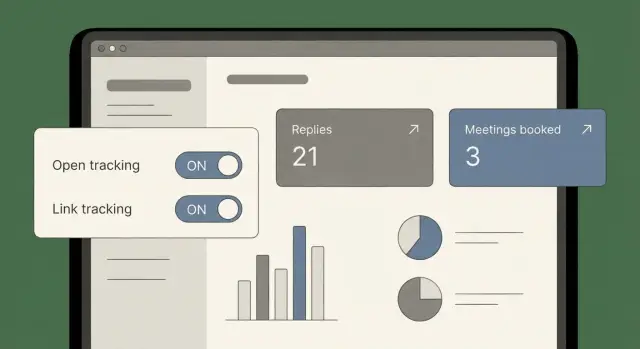
What open tracking and link tracking really measure
Open tracking and link tracking sound simple: you send an email, then you see who opened and who clicked. In practice, they measure something narrower and noisier.
Open tracking works by placing a tiny invisible image (a tracking pixel) in the email. When that image is requested from the tracking server, it records an “open.” That doesn’t mean the person read your message. It only means something loaded that image.
Link tracking usually replaces your real URL with a redirect link. When someone clicks, they first hit the tracking server, then get forwarded to the final page. That records a “click.” It doesn’t guarantee the person was interested, or even that a human clicked.
Here’s what the data can mean (and why it’s easy to misread): an “open” might be a real read, an email client preloading images, a privacy feature fetching the pixel, or a security tool scanning content. A “click” might be real interest, a scanner testing links, or a quick glance that never turns into a reply. And both metrics can be missing even when someone read your email (images blocked, text-only view, plain-text forwarding).
Opens and clicks are especially noisy now because many systems try to protect users. Some mail apps download images automatically to hide behavior. Many companies also run “safe link” scanners that open emails and click links in the background to check for phishing. That can make a campaign look great on a dashboard while your calendar stays empty.
The expectation to set is simple: open tracking and link tracking are activity signals, not outcome signals. If your goal is pipeline, the cleanest measurement is still replies and meetings.
When open tracking can still help
Open tracking is shaky data, but it isn’t always useless. In a few narrow cases, a rough open signal can save you time if you treat it as a hint, not a scorecard.
One case is a quick subject line smoke test. If you send the same body copy to the same type of prospects and one subject line gets noticeably more opens than another, it can point you toward what feels relevant. This works best early, in small batches, before you scale.
Opens can also offer light list hygiene clues. If you send to a clean, targeted list and see almost no opens at all, something may be off: wrong persona, weak data source, or a sending setup issue. It doesn’t prove anything, but it’s a useful flag.
A safe way to read open and click signals:
- Look for direction over time, not a one-day spike.
- Compare like for like (same audience, same sending days, similar volume).
- Pair “activity” with outcomes you can act on (replies, meetings, bounces, unsubscribes).
- Assume some opens are missing and some are fake.
If opens spike but replies don’t, don’t celebrate or panic. Reread your first two lines and your call to action. If the email is interesting but asks for too much, make the ask smaller. If it’s vague, add one concrete reason you picked them.
A safer alternative to open-based resends is time-based logic: follow up two business days later to everyone who didn’t reply, regardless of opens. It avoids rewarding noisy tracking and keeps your workflow consistent.
When open tracking can hurt (and why it’s often wrong)
Open tracking sounds clean: load a tiny image, count an open. In real inboxes, that signal is often noisy enough to mislead you, and sometimes risky enough to hurt results.
A big reason is Apple Mail Privacy Protection. Many people read email in Apple Mail, and Apple can preload images through its own servers. Your pixel may fire even if the person never saw your email, or it may fire hours later in a batch that has nothing to do with real attention. If you follow up aggressively based on those opens, you can end up chasing ghosts and annoying good prospects.
Corporate security tools add another layer of confusion. Some companies run scanners that open emails, fetch images, and even click links to check for threats. You’ll see opens and clicks from odd locations, at unusual times, and sometimes repeated multiple times. It can look like strong engagement when it’s just a machine doing safety checks.
Tracking can also affect trust. Some recipients don’t care, but others notice the “being tracked” vibe, especially in privacy-sensitive roles. If your sender is unfamiliar (new domain, new name), tracking can make the message feel more like marketing than a personal note.
There’s also a deliverability angle. Open tracking adds an extra asset request to a tracking domain. In many setups that’s fine, but it’s still one more thing that can look suspicious or break. The risk tends to be higher when you’re sending from newer domains or ramping volume.
Common false-confidence patterns:
- Lots of opens and almost no replies across the campaign.
- Opens clustered in the same minute across many recipients.
- Clicks coming from security-related systems or strange geos.
- “Winners” chosen based on opens, while reply rate gets worse.
If you must use open tracking, treat it as a diagnostic signal, not a success metric. Replies and meetings are harder to fake and match what you actually want.
Link tracking risks you can see in real inboxes
Link tracking usually works by replacing your normal URL with a redirect on a tracking domain. It logs the click, then forwards the reader to the final page. On paper it’s harmless. In real inboxes, it can change how your email is judged.
The first problem is trust. Many inbox providers and security tools treat redirects as higher risk because attackers use the same trick to hide where a link really goes. Some systems rewrite, scan, or block links they don’t like. Others click the link automatically to inspect it, which creates fake “clicks” that never came from a human.
You can often spot link-tracking problems right in the message: the link is long and messy, the displayed text doesn’t match the destination, the tracking domain is unfamiliar, or a security banner shows up. When recipients reply asking if a link is safe, that’s a sign the tracking wrapper is getting in the way.
A simple scenario: you email a prospect with a calendar link. Their security tool scans the message, follows the redirect, and flags it because the tracking domain is new. The prospect never sees a clean, trusted link, and you get a “click” that isn’t real.
If you care about cold email deliverability, these details matter. Even when the email lands, tracked links can reduce real clicks because the message feels less human and more like a campaign.
Safer options are often enough: send no link and ask a simple question, or include one direct link that clearly matches what you describe. If you do need a tracked link, keep it rare, make it obvious where it goes, and test how it looks in a few real inboxes before sending at scale.
A practical decision framework (step by step)
You don’t need a perfect philosophy on tracking. You need a simple rule that protects deliverability and trust while still giving you numbers you’ll use.
Start with one filter: if a metric won’t change what you do next week, it’s noise.
The 5-step decision
-
Name the goal in one sentence. Pick one: get a reply, book a meeting, schedule a demo, or get a referral. If the goal is meetings, the primary metric is meetings booked, not opens.
-
Set your acceptable risk. Two questions: How privacy-sensitive is your audience (security, legal, healthcare)? How fragile is your sending reputation right now (new domain, new mailboxes, recent deliverability issues)? Higher sensitivity or fragility means avoid risky signals.
-
Choose the email style before tracking. Decide whether the email can work with no links, one link, or multiple links. If you can hit the goal without links, do that. If you need a link, keep it to one and make it optional.
-
Pick metrics you’ll act on. For most outbound: reply rate, positive-intent replies, meetings booked, unsubscribe rate, and bounces. If you can’t describe the action tied to opens or clicks, leave tracking off.
-
Run a small test and compare outcomes. Send a small batch with tracking on and a similar batch with tracking off. Compare replies and meetings, plus negative signals like bounces and unsubscribes. Don’t call it a win because opens went up.
A quick example
Say you’re emailing 200 CFOs to book 15-minute intro calls. Your domain is new, and the message can work without links. Skip open and link tracking. Focus on clean copy, and judge success by replies and booked calls. If you truly need one calendar link, test it carefully and keep everything else the same.
Measuring success via replies and meetings (no tracking needed)
If you want numbers you can trust, measure outcomes that are hard to fake: replies and meetings. Opens and clicks can be blocked, preloaded, or triggered by scanners. A real reply is clear intent.
Three core metrics to start with:
- Reply rate (replies per 100 sends)
- Positive reply rate (interested replies per 100 sends)
- Meeting booked rate (meetings per 100 sends)
Two supporting numbers help you learn faster: time to first reply (are you getting interest quickly or only after multiple follow-ups?) and replies per 100 sends by step (which email in the sequence actually pulls responses?).
Replies get even more useful when you sort them into a few intent buckets: interested, not interested, out-of-office, bounce, and unsubscribe. Each bucket tells you what to do next. Interested means respond fast and book the meeting. Not interested can signal weak targeting or offer. Out-of-office suggests a later re-contact. Bounces point to list quality or sending setup problems. Unsubscribes often mean you’re too broad or too pushy.
How to judge a sequence without clicks
Without link tracking, you can still diagnose what’s working.
If reply rate is low across all steps, start with targeting and your first line. If reply rate is ok but positive reply rate is low, your offer is unclear or not relevant, so make the ask smaller and the value more specific. If most replies arrive only after the last follow-up, your first email is probably doing too much, or the call to action is buried. If you get positive replies but few meetings, the issue is usually the handoff: slow response time, too many scheduling questions, or a vague next step.
Example: choosing tracking for a simple outbound sequence
An SDR wants to book intro calls with Heads of RevOps at mid-size SaaS companies. The sequence is simple: Email 1 on day 1, a short bump on day 3. The goal isn’t clicks. It’s replies and meetings.
Version A: tracking on
The SDR enables open tracking and link tracking and includes a calendar link plus a case study link. The email gains a tracking pixel, and the links get rewritten. It still reads fine, but it now includes extra signals some inboxes treat cautiously.
Version B: tracking off
The SDR keeps tracking off and removes the extra link. The call to action is a reply. If a calendar link is needed, it’s sent after the prospect shows interest.
After a week, compare what matters more than opens:
- Reply rate and meeting rate
- Bounces
- Unsubscribes and spam complaints (if available)
- Positive vs negative replies
Then iterate based on what those replies tell you. If “interested” is strong but meetings are low, fix the scheduling step. If “not interested” is high, revisit targeting and the first line. If bounces rise with tracked links, treat it as a warning sign.
Common mistakes and traps
The biggest trap is assuming “more data = better decisions.” In cold email, tracking can add noise, trigger filters, and push you toward the wrong follow-up choices.
The patterns that show up most often:
- Tracking everything by default, without a clear decision it will change.
- Including multiple tracked links in the first email.
- Using opens to decide who to push harder.
- Chasing clicks while ignoring bounces and unsubscribes.
- Over-testing tiny changes on small lists and declaring false winners.
A useful rule: tie every metric to a specific action. If you can’t write down the action, skip the metric.
Quick checklist before you enable tracking
Before you enable open tracking or link tracking, decide what you’re trying to learn.
- Write the goal in one sentence.
- Decide whether links are necessary.
- If you must include a link, keep it to one direct, clear URL.
- Assume corporate inboxes have scanners that create fake opens and fake clicks.
- Only track if you know what you’ll change based on the result.
Also make sure the basics are stable first: correct SPF/DKIM/DMARC, sensible volume ramp for new domains, a clean list (low bounces), and a simple, readable message.
Next steps: set a replies-first process for your next campaign
If you want tracking to be a choice (not a habit), make replies and meetings your default scoreboard. Treat opens and clicks as optional diagnostics.
Use one simple rule: you only improved a sequence if reply rate or meeting rate moved in the right direction. Higher opens with flat replies isn’t a win.
A lightweight weekly habit:
- Track reply rate (positive and negative) and meeting rate per sequence.
- Review top reply categories and write one fix for each.
- Compare results by audience segment (role, industry, company size), not by open rate.
- Keep a short notes log: what you changed, when you changed it, and what happened.
If you want to keep deliverability basics and reply-based reporting in one place, LeadTrain (leadtrain.app) bundles domains, mailboxes, warm-up, multi-step sequences, and reply classification, so tracking can stay optional instead of becoming the center of your workflow.
FAQ
What does open tracking actually measure?
Open tracking records an “open” when a tiny image in your email is fetched. That fetch can be triggered by a real person, an email app preloading images, a privacy feature (like Apple’s), or a security scanner. Treat it as a weak activity hint, not proof someone read your message.
What does link tracking actually measure?
Link tracking usually swaps your real URL for a redirect that logs the click before sending the reader to the final page. That click can be a person, but it can also be a corporate “safe link” scanner testing the link. A recorded click is activity, not guaranteed interest.
Why are opens and clicks so unreliable now?
Because modern email clients and security systems often fetch images and test links automatically. That creates fake opens and fake clicks, sometimes in big spikes, even when no human engaged. At the same time, real reads can be invisible if images are blocked or the email is viewed in text-only mode.
When can open tracking still be useful?
Use it for a small subject line smoke test when everything else is kept the same: same audience, same body, similar send times, small batches. You’re looking for a clear directional difference, not a tiny improvement. Don’t use opens as the main success metric.
When should I turn open tracking off completely?
If your domain or mailboxes are new, your audience is privacy-sensitive, or you’re trying to maximize deliverability, leaving tracking off is often safer. Also turn it off if you’re tempted to “chase opens” with extra follow-ups, because that behavior is driven by noisy data.
Can link tracking hurt deliverability or trust?
Tracked links can look suspicious because redirects are commonly used by attackers, and some filters treat them as higher risk. They can also confuse recipients if the visible text doesn’t match the destination, which reduces trust. For cold email, fewer and cleaner links usually perform better.
What should I track instead of opens and clicks?
Default to outcomes you can act on: reply rate, positive-intent reply rate, and meetings booked. Add bounces and unsubscribes to catch list quality or messaging issues early. These signals are much harder to fake than opens and clicks.
How should I handle follow-ups if I’m not using opens?
A simple default is time-based follow-ups: send the next step after a fixed delay (for example, two business days) to everyone who didn’t reply. This keeps your process consistent and avoids making decisions based on preloads and scanners. If someone replies, stop the sequence and respond like a human.
How do I test whether tracking is helping or hurting my campaigns?
Run a small A/B test where the only difference is tracking on versus tracking off, and keep the audience and copy as similar as possible. Compare reply rate and meetings first, then check bounces and unsubscribes for any downside. If tracking boosts opens but replies don’t move, treat that as noise.
What’s the simplest “replies-first” workflow for cold email?
Send fewer links, keep the ask simple, and judge success by replies and meetings rather than dashboard activity. If you want this replies-first workflow to be easy, tools like LeadTrain can centralize domains, mailboxes, warm-up, sequences, and reply classification so you can focus on real outcomes instead of noisy tracking signals.