Mining competitor reviews for leads: find accounts and pain words
Mining competitor reviews for leads can reveal target accounts and the exact pain language buyers use. Use this simple workflow to turn posts into outreach.
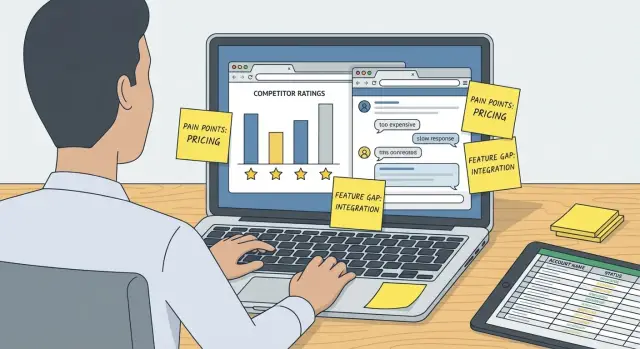
Why competitor reviews are a goldmine for outreach
Generic outreach fails for a simple reason: it guesses. When you don’t know what someone’s frustrated about right now, you fall back on vague promises like “save time” or “improve results,” and the reader has no reason to care.
Competitor reviews and forum threads remove the guesswork. Unlike a competitor’s homepage, reviews show the messy parts: what broke during setup, what felt overpriced, how support handled issues, and what people tried before giving up. That’s real buying context.
You get two useful things from this kind of research: a practical list of accounts that are actively evaluating tools, and a library of the exact wording buyers use when they’re annoyed, anxious, or relieved. That “pain language” is what makes cold outreach sound specific instead of generic.
These sources often reveal what marketing pages hide: when regret kicks in (onboarding, renewals, feature gaps), what triggers urgency (deliverability drops, broken reporting, workflow friction), what decision criteria matter (price per seat, integrations, admin control), and the phrases people use when something is failing.
A quick example: a reviewer writes, “We lost two days setting up DNS, then half our emails went to spam.” That single sentence hints at who owns the problem (SDR lead, founder, ops), what they fear (wasted time, low inbox placement), and what proof they’ll want (simple setup, stable deliverability).
Stay ethical. Use only public information, quote carefully, and never imply you’re a customer or affiliated with the competitor. You can be direct without being deceptive: speak to the workflow problem you saw, not someone’s private details.
Where to look and what to collect
The goal is simple: find real accounts that are unhappy (or actively switching) and capture the exact words they use to describe why.
Where to look
Start with places where people complain in public and others add details in replies.
Review sites are a good starting point: sort by newest and focus on 1 to 3 star reviews. Forums and communities are even better when you find long threads where someone shares their setup, what broke, and what they tried next. App marketplaces and extensions can surface reliability and support issues. Community Q&A tends to reveal “what should I use instead?” moments. Even job posts can hint at urgency when they mention deadlines, deliverability problems, or a tool stack that must be in place by a certain date.
Don’t stop at the headline complaint. Open comment threads. That’s where you’ll see the workarounds, the hidden constraints, and the real reason they’re frustrated.
What to collect
Collect details you can turn into both targeting and messaging. Save the company name (or any identifying clue), the reviewer’s role if it’s visible, and the competitor product they mention. Copy and paste the pain quote verbatim, and note the trigger that made it urgent. Capture stack hints (CRM, inbox provider, data source), switching signals (“trialing alternatives,” “renewal,” “cancelled”), and any proof points like numbers, timelines, error messages, deliverability swings, or support delays.
What data to capture from each post
You want enough detail to do two things: identify a real account when possible, and reuse the customer’s own words in outreach. If you only keep a vague summary, you lose the most valuable part: how they describe the problem.
Start with the basics:
- Company name and the product mentioned (even if it’s implied)
- The person’s role and team context (admin, operator, founder, sales ops)
- The exact pain quote (copy and paste, don’t rewrite)
- Context clues (budget, timeline, integrations, constraints, approvals)
- What they tried already (workarounds, agencies, switching providers)
Verbatim phrasing matters because it hits harder than your cleaned-up version. “We spend two hours a day chasing bounced emails” is more usable than “deliverability issues.” Keep numbers, time, and emotional words like “frustrating,” “waste,” and “can’t trust.”
Context clues turn a complaint into a targeting hint. “Needs to sync with Salesforce before Q4” implies a CRM, a deadline, and likely a sales team. “Finance won’t approve another tool” signals pricing sensitivity and a longer buying path.
Also capture what outcome they wanted. “I just want replies sorted without me triaging all day” isn’t just a complaint. It’s a clear angle for later.
Step-by-step workflow to mine reviews in 60 minutes
Treat this like a data collection sprint. Aim for volume and consistency first, then turn patterns into messaging.
Before you start, open a simple table with columns like: source, date, company, persona (if obvious), competitor, pain quote (verbatim), your short summary (separate), trigger, pain theme (one tag), desired outcome (one tag). Add a “proof” field so you can note that you saved a screenshot or copied the quote.
A 60-minute sprint
- Minutes 0-10: Pick sources and competitors. Choose 2 to 3 places and 1 to 2 competitors so you don’t scatter.
- Minutes 10-35: Collect 30-50 posts. Skim fast. Paste only the strongest one or two sentences as the quote.
- Minutes 35-45: Add context. Fill company and persona when you can. If it’s unclear, leave it blank.
- Minutes 45-55: Tag and trigger. Give each post one pain theme (deliverability, pricing, setup time, support) and one desired outcome (more replies, fewer bounces, faster launch). Note the trigger, like “after migrating domains” or “when adding a second mailbox.”
- Minutes 55-60: Save proof. Screenshot the best quotes so you can reference them later if the post disappears.
Example: a forum post says, “We lost inbox placement the week we scaled from 5 to 20 mailboxes.” Quote it verbatim, summarize as “scaling hurt deliverability,” tag the theme as deliverability, set the desired outcome as “scale safely,” and record the trigger as “mailbox expansion.”
Turn raw quotes into pain themes and triggers
Don’t treat each quote as a one-off complaint. Your job is to turn messy sentences into a few repeatable themes you can use for targeting and copy.
Copy 15 to 30 short quotes into a doc. Tag each quote with two labels: the switching trigger (why now) and the blocker (what’s failing day to day). Most triggers fall into a small set: price changes, support getting slower, a missing feature that breaks a workflow, onboarding that never fully worked, or reliability issues like bugs, bounces, and downtime.
Then pull the emotional words as-is. People don’t say “I dislike it.” They say “frustrated,” “stuck,” “wasting time,” “anxious,” or “embarrassed.” Those words are useful because they’re how buyers actually talk.
Finally, translate each theme into outcome language. Look for phrases like “just want it to work,” “need visibility,” or “stop manual follow-ups.” That’s what buyers are paying for.
If you want a simple format, keep one page per theme: a short theme name, the main trigger, two or three raw quotes, the emotional words, and the desired outcome. That’s enough to write messages that sound like the buyer, not like a brochure.
Turn posts into a practical target account list
The point isn’t to collect hot takes. It’s to turn identifiable posts into a list of real accounts you can contact.
Look for details people share without thinking: a company name, a site they manage, an email domain, a job title, team size, or a line like “we rolled this out to 12 reps.” If the post is totally anonymous, treat it as messaging research, not a lead.
For each promising post, record only what you’ll use:
- Company name or domain (even partial)
- Role and team context (SDR, RevOps, founder, ops)
- The quote that shows the pain
- Date of the post
- Stack hints (CRM, email tool, data provider)
Then prioritize by urgency and freshness. A complaint from last week that says “we’re switching this month” beats a two-year-old rant. Also weigh intensity. “Deliverability tanked and pipeline is down” is a stronger buying signal than “the UI is annoying.”
Keep a separate list for accounts that sound like they’re actively shopping: they mention trials, renewal timing, cancellations, or ask for alternatives. Those are the most likely to reply.
Turn pain language into message angles
Good messaging starts with the words buyers already used when they were frustrated. Pull short phrases (5 to 12 words) and treat them as building blocks for your subject line, opener, and question.
Subject lines work best when they mirror the buyer’s words and stay specific. If someone wrote “half our emails go to spam,” a subject like “Emails landing in spam” often beats “Improve deliverability.”
In the first sentence, lead with the pain theme in plain, quote-style phrasing, not a feature pitch. Keep it calm and neutral. Then ask one simple question tied to a plausible trigger, like renewal, switching, or scaling volume.
Finish with a low-friction next step. Offer something small: a 10-minute fit check, a quick example, or a short checklist tailored to their situation. The goal is an easy reply, not a big commitment.
Here are three patterns you can reuse for each theme:
- Light: Subject: “Quick question about deliverability.” Opener: “Saw a few teams mention emails landing in spam with X.” Question: “Is that still happening, or did you fix it?” Next step: “If helpful, I can share a 5-point warm-up setup we use.”
- Direct: Subject: “Emails landing in spam.” Opener: “You might relate to: ‘half our emails go to spam.’” Question: “Are you evaluating alternatives before renewal?” Next step: “Open to a 10-minute fit check?”
- Curiosity: Subject: “What usually causes spam placement.” Opener: “A lot of teams blame copy, but reviews often point to setup and reputation.” Question: “Did issues start after adding new mailboxes?” Next step: “I can send a quick example warm-up schedule.”
Segment your list so messages stay relevant
If you treat every quote the same, your outreach will still sound generic. Match the complaint to the right person, at the right moment, with the right level of directness.
Start by mapping themes to personas. Setup pain lands differently for an admin than for a founder who wants a simple system that runs.
- Admin or ops: setup, permissions, integrations, daily busywork, support response times
- Sales leader: reporting, rep adoption, consistency, forecasting, coaching signals
- Founder or owner: total cost, tool sprawl, time to first result, risk
Add timing triggers so your message fits what might be happening inside the account. Reviews often hint at when pain spikes: renewals, hiring waves, a rollout that broke, or scaling mailboxes.
Keep a short list of disqualifiers so you don’t waste time or overpromise:
- They need a feature you don’t support
- They’re locked into a multi-year contract with no exit window
- They clearly want the opposite approach
- Their volume or budget is far outside your target range
Be careful with competitor names. Mentioning a competitor can work when it’s truly necessary for context and you can keep a neutral tone. If you’re unsure, describe the workflow problem instead (domain setup, warm-up, reply sorting) and focus on the outcome.
Example scenario: from one review to a real outreach sequence
You find a review about an email tool. The reviewer works at a 40-person agency and writes: “We spend more time fixing deliverability than talking to prospects. Half our emails end up in spam after a few weeks.”
You add the agency to your target list. Your theme is simple: deliverability maintenance is stealing selling time.
That one quote can shape the first touch:
- Subject line: “Less time babysitting deliverability”
- Opener: “Saw a few teams mention they spend hours each week fixing inbox placement after ramping volume.”
- Question: “Is deliverability work taking time away from outreach for you too, or are you past that stage?”
Notice what you didn’t do: you didn’t say “I read your review on X” or paste their words back at them. Keeping it broad makes it feel less like surveillance.
Here’s a simple 5-email sequence built around the same theme:
- Deliverability time drain + one question.
- Quick benchmark question: “What % of your time is deliverability vs selling?”
- Light process prompt: “Some teams separate domains and warm up new mailboxes before scaling.” Ask if they have a process.
- Offer a checklist: “I can share a one-page checklist to reduce spam swings.” Include an easy out.
- Breakup: “Should I close the loop?” plus opt-out.
Add a polite opt-out line like: “If this isn’t relevant, reply ‘no’ and I’ll stop.” Measure success as replies that confirm or deny the pain, not instant demo requests.
Common mistakes and how to avoid them
The biggest trap is turning raw buyer language into your own marketing language. Reviews are useful because they’re direct. If you smooth them out, you lose the words people actually use.
Common mistakes:
- Rewriting quotes into “nice” phrasing. Keep a swipe file of exact sentences, then build a clean email around them.
- Emailing the wrong person. An ops admin describes day-to-day pain. If you’re writing to a VP, translate it into outcomes (lost time, missed pipeline, risk) without changing the core language.
- Over-mentioning the competitor or sounding hostile. Use the competitor name only when it’s necessary for context. Never attack them.
- Chasing one-off complaints. Build messaging from patterns you see at least 3 to 5 times across different accounts.
- Copying rude lines word-for-word. Keep the meaning, soften the tone. “Support is useless” becomes “support response times can be slow.”
If your email reads like you’re arguing with a review, it’ll feel weird. If it reads like you understand the problem and have a simple next step, it’ll feel helpful.
Quick checklist before you start emailing
Before you turn review quotes into outreach, do a fast pass to make sure you’re not building messages on thin evidence.
- You have fresh material: roughly 30+ recent posts from at least two different places.
- You can name 3 to 5 repeating pain themes, and each theme has at least five short quotes.
- You have 2 to 3 clear switching triggers (billing jumped, support stopped replying, too many manual steps, deliverability tanked).
- Your target list includes context, not just names. For each account, you noted a best-guess persona.
- For every theme, you drafted multiple angles using verbatim phrases.
Keep the library current. Add new quotes weekly and retire older ones that no longer match how people talk.
Next steps: put it into a repeatable outbound process
Turn what you found into a campaign plan you can run every week. Keep it small enough to execute in one sitting, but specific enough that it reads as personal.
A practical plan fits on one page: one clear audience, the trigger moment, the exact wording you’ll mirror, one low-friction offer, and a proof point you can share.
Do your sending setup early so deliverability doesn’t become a surprise. Use a dedicated sending domain, set up authentication (SPF, DKIM, DMARC), and warm up mailboxes before you push volume.
If you want fewer moving parts, LeadTrain (leadtrain.app) combines domains, mailboxes, warm-up, multi-step sequences, and reply classification in one place, so you can spend more time on targeting and copy and less time fixing setup gaps mid-campaign.
Treat replies as ongoing research. Set a weekly 20-minute review to tag responses, save new phrases people use, update your angles and objections, and add a few new accounts from fresh reviews. Over time, that library becomes more valuable than any single list because it keeps your messaging grounded in real language.
FAQ
What kind of competitor reviews are actually useful for outreach?
Start by focusing on what people say is breaking, slow, confusing, or overpriced. Look for specific moments like onboarding, scaling volume, renewals, or when they added more seats or mailboxes, because those events create urgency you can reference in outreach.
Where should I look for the best complaints and switching signals?
Review sites help you spot patterns fast, but long forum and community threads usually give better context on what they tried, what failed, and what they want instead. App marketplaces and Q&A threads are also valuable when people ask “what should I switch to?” because that’s a clear buying signal.
What exact details should I capture from each post?
Save the company (or any identifying clue), the role if visible, the competitor tool, and one strong sentence quoted verbatim. Add the trigger that made it urgent, plus any stack hints like CRM, inbox provider, or workflow details, so you can target and message with confidence.
How do I do this ethically without creeping people out?
Use only public information and never imply you’re affiliated with the competitor or that you read a specific person’s post. Keep your message broad by referencing a common workflow issue you’ve seen across teams, and avoid personal details that could make it feel like surveillance.
Should I paste a reviewer’s words directly into my cold email?
Use quotes as a messaging reference, not as proof that you watched them. Mirror the phrasing in a neutral way, then ask a simple question about whether that problem is happening for them too, without naming the site or pasting their exact sentence back at them.
How do I turn reviews into a real list of accounts to contact?
Treat anonymous posts as language research, not leads. Only add accounts to your target list when there’s a real identifier like a company name, domain, team detail, or job context you can verify elsewhere without guessing.
How do I match pain themes to the right persona?
Map the same complaint to the person who feels it most. Setup and integrations usually hit ops or admins, reporting and consistency matter to sales leaders, and tool sprawl and risk tend to matter most to founders, so your opener should match their world.
What’s the simplest way to turn pain language into a strong first email?
A good opener sounds like a calm observation, not a pitch. Lead with the pain theme in plain language, tie it to a believable trigger like scaling mailboxes or a renewal window, and end with a low-friction next step like a short fit check or a quick checklist.
What are the most common mistakes when using competitor reviews for outreach?
Don’t clean up buyer language into generic marketing claims, and don’t chase one-off rants. Build angles from patterns you see repeatedly, keep competitor mentions neutral and minimal, and translate day-to-day pain into outcomes when you’re writing to a senior buyer.
How can LeadTrain help if reviews keep mentioning setup, deliverability, or reply triage problems?
If your biggest pain themes are setup friction, warm-up, deliverability swings, and time wasted triaging replies, consolidating tools can reduce the gaps where things break. LeadTrain centralizes domains, mailboxes, warm-up, sequences, and reply classification so you spend less time stitching tools together and more time running consistent outreach.