Manage suppression lists across brands and keep audiences separate
Practical process to manage suppression lists across brands, avoid accidental re-mailing, run monthly audits, and protect sender reputation.
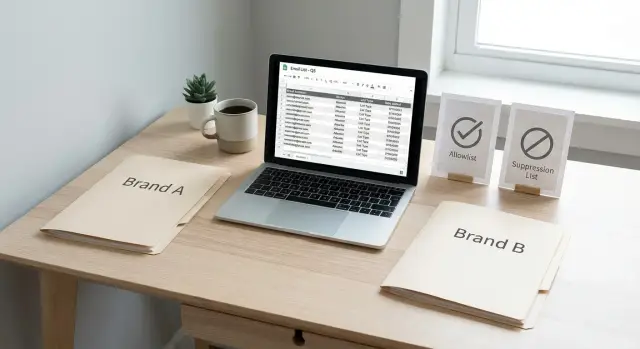
Why multi-brand emailing gets messy fast
Multi-brand emailing usually starts clean: each brand has its own list, its own offers, and its own voice. Then real life kicks in. One person fills out two forms, downloads two lead magnets, or gets imported from two sources. Now the same contact exists in multiple places with slightly different details: work email in one file, personal email in another, and an outdated company name somewhere else.
The problem accelerates when teams copy lists to move faster. A spreadsheet gets shared, a segment gets exported, or a CRM view gets cloned. Unsubscribes and suppressions often don’t travel with that copy, so someone who opted out of Brand A quietly reappears in Brand B’s next send.
Accidental re-mailing isn’t just annoying. It breaks trust (“I told you to stop”), increases complaints, and hurts deliverability for everyone using the same sending setup. It also wastes time, because reps end up chasing people who are already frustrated or simply unreachable.
If you’re seeing any of these, your process is already leaking: different teams keep their own “do not email” files, unsubscribes are handled by hand (sometimes days later), the same person shows up in multiple exports, or reply handling changes by team. If people regularly ask, “Are we sure this person didn’t opt out?” you’re operating on hope.
The fix starts with process, not tools. A platform like LeadTrain can centralize replies and suppressions, but you still need clear rules on what gets suppressed, where it’s stored, and who can change it.
Allowlists vs suppression: simple definitions
An allowlist is a short list of addresses or domains you explicitly permit to receive email from you. It’s most useful when deliverability matters more than reach, like internal tests, VIP partners, or a small pilot where you want near-zero surprises.
Suppression is the opposite: people you must not email. This includes unsubscribes, hard bounces, spam complaints, and explicit “do-not-contact” requests from sales or support. Suppression is about consent and safety, not preferences.
The next decision is scope. Some suppressions should be global (block sending from every brand you operate). Others can be brand-level (block only one brand).
A practical default looks like this:
- Global: spam complaints, hard bounces, legal do-not-contact requests, clear “stop emailing me” replies
- Brand-level: campaign pauses, temporary exclusions, segment-specific opt-outs
Example: if Jamie unsubscribes from Brand A’s newsletter, that can be brand-level. But if Jamie replies “stop emailing me” or marks your email as spam, that should become global immediately.
You also need a source of truth: one place that wins when data conflicts. If someone unsubscribes in one system but not another, the source of truth records the final answer, and everything else must update from it.
Separate audiences by brand (and define what a “person” is)
Start by defining what a “person” means in your system. The simplest model is a single contact record that can hold multiple permissions, one per brand. That way, someone can be opted in for Brand A, paused for Brand B, and globally suppressed when it matters.
Next, choose a consistent identifier.
- Email-only is easy, but breaks when the same person uses different emails.
- Email plus company domain catches overlaps, but can merge people who should stay separate (for example, shared inboxes).
Pick one rule, document it, and list your exceptions. Consistency beats cleverness.
Some decisions should be global by default. Hard bounces and spam complaints are obvious. “Stop emailing me” requests should also be treated as global unless you have a clear, documented reason not to.
List naming helps when files move between teams. Keep it boring and predictable: brand + region/market, purpose (audience, allowlist, suppression), date created (YYYY-MM), owner, and source.
Example: Jamie buys from Brand A and downloads a guide from Brand B with a different email. With an email-only identifier, Jamie could get mailed twice. With email plus domain, you’ll spot the overlap and can keep brand permissions separate while still applying global suppressions everywhere.
Set ownership and rules for changes
Multi-brand email gets risky when “anyone can edit the list.” One small mistake can re-mail someone who unsubscribed, or suppress the wrong people across the wrong brand.
Assign clear ownership for suppression and allowlist changes, then write down the rules. Most suppression entries should be automatic (unsubscribe clicks, spam complaints, hard bounces, and clear “stop emailing me” replies). Manual requests still happen, but they should go through the same intake path as everything else.
One intake path, not five
Every brand team needs one place to submit suppression changes and questions. When Brand A uses a chat message and Brand B uses a spreadsheet, updates get missed.
A lightweight approach that works:
- Brand teams submit the address, brand scope, reason, and source.
- A single owner (or small group) validates and applies the change.
- The owner logs who requested it and when.
- Removals require approval.
- Allowlist exceptions need a business reason.
Then set timing and stick to it. Choose real-time (best for frequent sends), daily (fine for smaller teams), or a hard gate before every campaign launch. Whatever you pick, it has to be part of the send process so campaigns don’t go out with stale suppressions.
Removals should be rare and controlled
Define who can approve removals and when they’re allowed. A safe default: only the suppression owner can remove, and only with evidence.
Valid removals include a typo address, an explicit resubscribe request, or a confirmed mistake (wrong brand suppressed). If you use a tool like LeadTrain, keep these actions limited to admins and record the reason so decisions are auditable later.
Step-by-step: build a cross-brand suppression workflow
Treat suppression like a small data system: clear categories, one source of truth, and a hard block before every send.
Step 1: Define categories and required fields
Keep categories few and strict so teams use them the same way. Common categories are unsubscribe, hard bounce, spam complaint, do-not-contact (manual), and legal or partner restrictions.
For every record, require consistent fields so you can audit later:
- Email address (normalized)
- Suppression category
- Brand scope (global or brand-specific)
- Date added
- Reason or source (unsubscribe link, support ticket, reply)
Step 2: Maintain global and brand-level suppression tables
Create one global suppression table that always wins. Then keep brand-level tables for cases that should not apply everywhere.
Example: a prospect unsubscribes from Brand A’s newsletter but still wants Brand B updates. That can stay brand-level. Spam complaints and hard bounces should not.
Step 3: Standardize imports and exports
Agree on one file format and one schedule. Imports should dedupe, normalize emails, and keep the original source. Exports should include the same columns every time so merges don’t lose context.
Step 4: Add a pre-send block that can’t be bypassed
Before any campaign launches, your sending system should automatically check global and brand-level suppression and remove blocked contacts.
If you use LeadTrain, this works best when suppression is treated as a required gate, not an optional checklist item. The point is to make “we forgot” impossible.
Step 5: Log every change
Make each add or removal traceable: who did it, when, what changed, and why. This protects you when a contact says, “I already unsubscribed,” and it keeps teams aligned.
Guardrails that prevent accidental re-mailing
The easiest way to prevent accidental re-mailing is to treat suppression as a record with context, not a simple yes/no.
Start by storing a do-not-contact reason (plus source and date). A checkbox hides important details. “Unsubscribed” and “Hard bounce” should permanently block future sends. “Not interested” might be brand-specific. “Wrong person” might still allow a clean re-target to a different role later.
A few guardrails catch most mistakes:
- Require a reason and timestamp for every suppression entry.
- Add a cooldown hold (for example, 14 to 30 days) after any outbound touch so other brands don’t hit the same person immediately.
- Block hard bounces and global unsubscribes by default, with no day-to-day override.
- Keep test contacts separated so they can’t slip into real prospect imports.
- Require brand tagging on every list before it can be used to send.
Cooldowns matter when brands share the same target market. If Brand A emailed a CFO yesterday, Brand B shouldn’t email the same CFO today just because they live in different lists.
If your system supports reply classification, use it to capture unsubscribe and bounce signals quickly. LeadTrain’s reply classification can reduce manual sorting, but the real protection is still the send-time guardrail that blocks suppressed contacts.
A simple monthly audit you can repeat
A monthly audit keeps suppression and allowlist rules from drifting. Put it on the calendar, assign one owner, and keep the output small: a short note plus one improvement to make next month.
Monthly audit template
Pull a fresh export of active contacts and suppressed contacts for each brand. Then check:
- Duplicates and near-duplicates, plus missing brand tags
- Outdated statuses (for example, still marked “new” even though they bounced or unsubscribed)
- Suppression spikes by day, campaign, or sender mailbox
- Mismatches between sources (sending tool vs spreadsheets vs inbox notes)
- A small sample (20 to 50 records) to confirm suppression reasons are correct
Spikes are early warnings. If Brand A’s unsubscribes jump from 0.2% to 1.5% in a week, treat it like a bug: find what changed in the segment, message, or list source.
Turn findings into one action
When systems disagree, the most restrictive status wins. If one place says “unsubscribe” and another says “active,” keep it suppressed until you verify the person opted back in.
Example: you review 30 suppressed records and notice 6 were tagged “not interested” but actually asked to unsubscribe. Next month’s one change could be tightening reply handling so “unsubscribe” is recorded consistently (for example, via classification in LeadTrain) and making brand tags mandatory on import.
Keep a one-page log: what changed, what you fixed, and what you’ll watch next month.
Edge cases to decide in advance
Most suppression problems come from edge cases nobody wrote down, so people guess. Decide these before your next campaign.
Opt-outs that mention only one brand
If someone unsubscribes from Brand A, should Brand B still email them? There’s no universal answer, but you need one rule everyone follows.
A practical default is global suppression unless the person clearly asked for a brand-specific opt-out. It protects trust, even if it reduces reach.
If you allow brand-specific opt-outs, record them explicitly: “Unsubscribed from Brand A only” vs “Unsubscribed from all brands.” Otherwise someone will assume the wrong thing and re-mail by accident.
Role emails and shared inboxes
Addresses like info@, sales@, support@, and admin@ are shared and more likely to complain. Decide whether you block them across all brands, allow them only for customers/partners, or allow them only when a human confirmed it’s a real buyer inbox.
Different rules for partners, customers, and leads
A customer asking to stop marketing emails is different from a lead saying “not interested.” Many teams keep distinct reasons (unsubscribe, complaint risk, competitor, customer-only, partner-only) and apply different sending rules by audience type.
Verbal or phone requests
If someone asks to be removed on a call, treat it as real. Decide who logs it and how fast. A simple standard is same day, with a note that includes date, brand, and the exact request.
“Email me later” without losing the request
This shouldn’t become permission to keep emailing. Use a consistent pattern: pause outreach until a specific date, store the date and brand, and resume only once (and only if no other suppression exists).
In LeadTrain, this is easier when “pause until” and “unsubscribe” are separate states, so a temporary delay doesn’t look like permanent permission.
Common mistakes and what to do instead
Compliance issues usually come from treating suppression as a file instead of a shared rule. You need a process that survives new hires, new tools, and busy weeks.
Common failures:
- Keeping suppressions in personal spreadsheets. They get copied, drift, and disappear when someone is out. Use one system of record and make every send read from it.
- Removing suppressions to hit list size targets. If volume is low, fix sourcing and segmentation, not suppression.
- Mixing leads from different brands into one sequence. Keep brand segmentation clear with separate lists, tags, and brand-aware rules.
- Ignoring bounce and out-of-office patterns. Bounces should suppress immediately. Out-of-office replies aren’t suppressions by default, but they should be labeled so you don’t keep hitting the same inbox.
- Not recording the reason, then guessing later. “Suppressed” isn’t enough. Store the reason and date.
A simple example: someone replies “Please stop emailing me” to Brand A. If that reason isn’t captured, another team might add them to Brand B later and assume it’s fine. Clear reasons prevent that.
If your platform supports centralized suppression and reply classification, use it. LeadTrain can auto-categorize common reply types (like unsubscribe, bounce, or out-of-office) so suppressions are applied consistently instead of relying on manual cleanup.
Quick pre-send checklist
Before you hit send, treat each brand like its own room while still honoring shared rules like unsubscribes and bounces.
Use a short checklist:
- Confirm the audience is clearly labeled for the right brand, and one person can explain why someone is included.
- Apply the latest global suppressions (unsubscribes, hard bounces, do-not-contact) before launch.
- Enforce a recent-contact cooldown across brands.
- Exclude internal seed/test contacts by keeping them in a test-only group.
- Spot-check a handful of contacts (10 is enough): correct brand, not suppressed, not recently contacted.
If anything feels unclear, pause and fix the rule, not just the one campaign. A simple note like “cooldown is 14 days across all brands” prevents the same mistake next week.
Example: two brands, one shared lead, no accidental resend
Brand A and Brand B both sell to mid-sized finance teams, so they often target the same company. A contact named Priya appears in both prospect lists because two different reps imported data at different times.
Priya receives Brand A’s 5-step sequence. After email #2, she clicks unsubscribe. The risk is obvious: if Brand B keeps sending, Priya feels ignored, complains, and you’ve created an avoidable compliance problem.
Here’s what “good” looks like:
- Priya’s unsubscribe creates a suppression record in a shared, cross-brand source keyed by email address (and often also tracked by domain).
- Before Brand B sends, the send list is checked against that shared suppression source and Priya is removed automatically.
- The system stores the reason (unsubscribe), date, and which brand triggered it, so anyone can answer, “Why did we stop emailing this person?”
Daily checks prevent the next send. The monthly audit catches slower issues, like Priya existing as “[email protected]” in one place and “[email protected]” in another, or an old CSV reintroducing suppressed contacts.
Write down what the next person needs to follow the process: what counts as global vs brand-only suppression, where the source of truth lives and who can edit it, the exact pre-send rule (“no send until suppression sync is green”), and the monthly audit steps.
Next steps: make it repeatable for every brand team
Make the process boring and repeatable: the same rules, the same place to check them, and a clear owner who keeps it moving.
Start with a one-page policy in plain language. Define what is global (applies to every brand) and what is brand-only (applies to one brand’s audience).
Lock in a few defaults: what goes on the global suppression list, what can stay brand-only, who can add or remove entries (and what proof they need), where the source of truth lives, and how you log changes.
Then pick one place to run campaigns and track replies consistently. When teams use different tools, unsubscribe and bounce signals get split across inboxes, and people get re-mailed by accident. An all-in-one outbound platform like LeadTrain can help because domains, mailboxes, warm-up, sequences, and reply classification sit in one workflow, which makes suppression enforcement easier to keep consistent. If you want a single home for this, LeadTrain on leadtrain.app is designed for managing outbound without juggling multiple separate tools.
Finally, schedule the next monthly audit now and assign an owner. The goal is simple: confirm global suppressions are enforced everywhere, spot re-mailing risk, and record fixes in the change log.