Lookalike prospect list from one customer win: a simple method
Learn how to turn one customer win into a lookalike prospect list by spotting repeatable role, trigger, and use-case patterns, then building a focused list of 20.
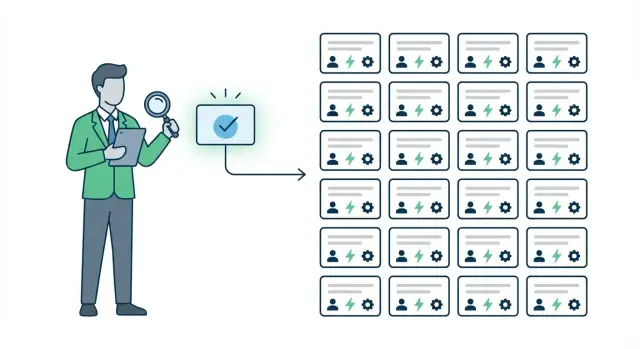
The problem: you have a win, but no repeatable target
A customer win feels like proof your offer works. The trap is what happens next. Many teams copy the pitch they used, blast it to a bigger list, and hope it works again. It usually doesn’t, because the pitch is just the surface.
The real reason you won sits underneath: the buyer’s role, the moment they were in, the problem they had to fix, and the constraints they were dealing with.
A targeted lookalike is not “companies that resemble your customer on paper.” It’s “people in a similar situation who are likely to care right now.” Same role (or close), same trigger, similar use case, similar blockers. You’re not looking for identical logos. You’re looking for a repeatable pattern.
That’s why starting with 20 prospects is often the sweet spot. It’s small enough to keep quality high and personalize. It’s large enough to test whether the pattern holds beyond one story. If you can’t get positive signals from 20 well-picked lookalikes, the issue is usually the pattern (or the message), not the list size.
Before you build the list, you need a few basics. Nothing fancy, just enough to avoid guessing: one clear win you can explain in plain words, basic notes (who bought, why now, what they tried before), a way to find similar roles and companies (your CRM, LinkedIn, Apollo, or any directory you already use), and a place to store and tag what you learn (a sheet or CRM fields).
A quick reality check: if you won because a Head of RevOps needed to fix lead follow-up after a tool migration, copying your “better follow-up” pitch to 500 random SaaS companies will fall flat. But finding 20 RevOps leaders who recently changed CRMs, added a new outbound motion, or hired SDRs gives you a focused test where the same problem is likely to exist.
Treat the win like a clue, not a template. Then building a lookalike list becomes pattern matching.
Collect the raw facts from the customer win
A lookalike prospect list is only as good as the notes you start with. Before you hunt for patterns, freeze the moment of the win and write down what actually happened, not what you wish happened.
Define the win in plain terms: what did they buy (plan, package, seats), who signed, and what date it became real (invoice paid, contract countersigned, first campaign launched). Then capture the “why now” in the customer’s words. One or two exact quotes are enough.
List the people involved and their roles. You’ll often sell to the same role again even when the company changes.
What to capture (and where to find it)
Pull facts from the places where decisions were made, not from memory: call notes and recordings (discovery, demo, pricing), email threads (objections, security questions, timing), proposal and pricing version history (what changed, what got removed), onboarding notes (what they set up first, what they struggled with), and support tickets or chat logs from week one (early friction, quick wins).
Now write the before-and-after as a simple story.
- Before: what pain, risk, or missed goal pushed them to act?
- After: what outcome did they expect in the first 30 to 60 days?
A 5-sentence summary you can reuse
Fill this in right after the win:
- They are a [role/team] at a [type of company], responsible for [job to be done].
- They bought [product/package] because [top pain] was causing [risk/cost].
- The trigger was [event] and they needed results by [time].
- They chose us over [alternative] because [1-2 deciding factors].
- Success in 30 days means [specific measurable outcome].
Example: a small sales team chose an all-in-one cold email tool because managing domains, warm-up, and replies across separate tools was costing hours each week and hurting deliverability. Their trigger was hiring two new SDRs and needing a repeatable outbound system within a month.
Extract the patterns: role, trigger, use case, constraints
A single win is only useful if you can explain why it happened. Your goal is to pull out a few repeatable patterns you can use to build a lookalike prospect list without overthinking it.
Start with the role pattern. Don’t stop at the title. Look at what the person is responsible for and what they get judged on. An SDR manager measured on meetings booked will buy for different reasons than a VP Sales measured on pipeline, even if both say “we need more outbound.” Also note the team setup: solo operator, small team, or a full SDR pod.
Next, find the trigger that turned “later” into “now.” Most buyers don’t change tools on a calm Tuesday. Something shifted: a new quota, a new segment, a fresh hire, a new tool that created gaps, or a deliverability issue that turned outbound into a fire drill.
Then write the use case in plain language. Not features. The job they hired you to do. For example: “Launch cold email campaigns fast without juggling domains, mailboxes, warm-up, and reply sorting.”
If your product is LeadTrain, the use case often reads like: keep deliverability healthy with automated warm-up, manage domains and mailboxes in one place, and spend less time triaging replies because responses get categorized automatically.
Finally, capture constraints. These are the boundaries that shaped the decision: budget comfort, how quickly they needed results, must-have integrations, compliance or brand rules, and internal approvals.
A quick way to extract patterns is to answer five questions:
- Who owned the problem day to day, and what metric did they care about most?
- What changed in the last 30 to 90 days that created urgency?
- What task were they trying to complete repeatedly (weekly or daily)?
- What could not be true for the deal to work (time, money, tools, approvals)?
- What made them say “yes” instead of staying with their current approach?
Add disqualifiers so you don’t waste time on “looks similar” accounts that won’t buy. Common disqualifiers: no urgency, no internal owner, a hard ban on outbound, or a setup that can’t use your required workflow (for example, they must send only from a single corporate domain and won’t use separate sending domains).
Convert patterns into an ICP-lite you can actually use
A win gives you clues, but patterns only become useful when you turn them into something you can point to while building a lookalike prospect list. Keep it to one page you can read in 30 seconds.
A simple ICP-lite card has five parts:
- Who it is (job title, team, seniority)
- Where they sit (industry, company size, region if it matters)
- When they buy (the trigger event)
- Why they care (the use case and the “this hurts” moment)
- What could block it (constraints like budget, tools, compliance)
Add signals: 3 to 5 must-haves that were true for the win and probably need to be true again. For example, they own outbound or pipeline, send cold email already (or are starting), have a clear offer and lead type, and have a reason to improve deliverability or reply handling now.
Then list 3 to 5 nice-to-haves that raise your odds but aren’t required. Examples: a small SDR team, using Apollo or another data provider, running multi-step sequences, selling B2B with mid-ticket ACV, and being willing to test messaging weekly.
Write two short problem statements in the customer’s words. Use phrases you actually heard:
“Replies are coming in, but we waste time sorting who’s interested.”
“We keep landing in spam when we ramp sending, and it kills the campaign.”
Finally, list proof you can honestly mention without stretching: a result, a timeframe, and what you did. Example: “Set up authenticated sending (SPF/DKIM/DMARC), warmed mailboxes, launched a 4-step sequence, and got X qualified replies in Y days.” If you used LeadTrain for parts of that workflow, note the steps you took, not just the tool name.
Decide what “similar enough” means for the first 20 prospects:
- Same role or the role next to it
- Same trigger in the last 30 to 90 days
- Same use case (not just same industry)
- Same constraints (or fewer)
- Same minimum ability to act (time, budget, permission)
That definition keeps your first list tight, so your outreach stays specific and believable.
Step-by-step: build a lookalike list of 20 prospects
You’re not trying to build a giant database. You’re trying to find 20 companies that look like your win for the same reason, right now.
-
Start with a tight search frame. Pick 1 to 2 hard filters you can trust: a narrow industry category, an employee range, and one region or time zone that matches how you sell. If your win was a 50 to 200 person B2B SaaS in North America, don’t widen it to “software, 1 to 1000, global” just to hit a number.
-
Filter for the same buyer role. Use titles that mirror the person who championed the deal and the person who signed. Keep it simple: one seniority level (for example, Head or Director) and 2 to 3 title variants. If your win came through Sales Ops, don’t suddenly target only CEOs.
-
Add one trigger you can confirm quickly. Triggers are “this problem is urgent now” signals. Good examples: recent hiring for the function you support, a new outbound motion, a funding round, a new location, or a visible tool change. Pick one trigger for this list so your message stays consistent.
-
Do a 2-minute fit check before you keep a company. Skim their site for language that matches the use case, scan job posts for team and tools, and look for proof they run the motion you help with. For cold email targeting, you might confirm they sell B2B, have an SDR team, and talk about outbound or pipeline goals.
-
Export the 20 and write why each made the cut. Add a short note per prospect: role match, trigger, and one line that proves use-case fit. That turns the list into something you can write from, not just names.
Example: if your win was a Series A SaaS that just hired 3 SDRs and needed reliable inbox placement, build your 20 around “Series A SaaS hiring SDRs in the last 60 days,” then note each company’s proof. When you load that list into a tool like LeadTrain, those notes become easy personalization points for the first email and follow-ups.
Enrich and verify: make the list usable for outreach
A lookalike prospect list is only as good as its details. Before you write a single email, make each of the 20 entries contactable and true. You want a real person, at a real company, for a real reason.
Enrich the same fields for every prospect. Consistency matters more than perfection because you’ll compare entries side by side. At minimum, capture:
- Company name, website domain, size range, industry
- Person’s full name, exact title, seniority
- Work email and location or time zone
- One-sentence context (their likely use case) and the trigger you can point to
- One proof note (what confirms the trigger)
Next, verify emails. A valid-looking address can still bounce, and bounces hurt deliverability. Use a verifier if you have one, but also sanity-check the pattern: does the company use first.last, first initial + last, or something else?
Be careful with risky addresses. Generic inboxes like sales@ or info@ often go to shared queues, and some providers treat them differently. If a domain is catch-all (it accepts any address), treat the email as unverified and rely more on pattern checks and role fit. If you keep a generic inbox, do it only when there’s no named contact and the trigger is very strong.
Put everything into a single source of truth (one row per prospect). Add a simple status: Ready, Needs verification, or Drop. If you use a cold email tool like LeadTrain later, this sheet becomes your import list and your campaign notes.
Set a clear drop rule so the list stays clean:
- No trigger proof after 10 minutes of checking
- Email can’t be verified and the domain is catch-all with no strong signal
- Role doesn’t match your win’s pattern (wrong buyer or wrong user)
- Company is outside your constraints (too small, wrong region, regulated)
- They have an active reason not to buy (for example, a public “no cold email” policy)
Example: if your win was a Head of Sales at a 50 to 200 person SaaS firm hiring SDRs, a prospect with the same role but no hiring, no outbound team, and only a generic email is usually a drop.
Prioritize the 20 so you start with the best odds
A list of 20 is small enough to treat like a hit list, not a database. Start where the odds are best so you learn faster and get replies sooner.
Use a simple score out of 15. Give each prospect three scores from 1 to 5, then add them up:
- Fit score (1-5): How closely they match the win (role, company type, use case).
- Timing score (1-5): Signs the trigger is happening now (hiring, a new initiative, funding, tool change, team growth).
- Reachability score (1-5): How easy it is to reach a real human (correct email format, active inbox, clean domain, you can name the right person).
Rank and label each prospect with a tier, with a one-line reason so you don’t second-guess later:
- Tier A (12-15): Strong match, clear trigger, easy to contact. Start here.
- Tier B (9-11): Good match but missing one piece (trigger is weak, or the right contact is unclear).
- Tier C (3-8): Vague match or hard to reach. Park it.
Pick one primary persona and one secondary persona for outreach. Example: primary = Head of Sales (owns pipeline). Secondary = SDR Manager (feels the pain daily). This keeps your message consistent while giving you a backup door into the account.
Write one message angle tied to the trigger and use case: trigger + consequence + outcome. Example: “Noticed you’re hiring 3 SDRs. When teams ramp fast, reply triage and follow-up speed usually slip. We help teams stay organized and focus on interested replies.”
Decide the next step before you send anything. A practical default is a 15-minute fit check: confirm the trigger, confirm their current workflow, and decide whether your approach is worth a longer demo. If you use LeadTrain, that call can be a quick review of their outbound setup (domains, warm-up, sequences) and where they might be losing meetings.
A realistic example: from one win to a list of 20
A small win example: a 12-person B2B agency bought your service after they missed quota for two months. The founder said, “Referrals dried up, we need a steady flow of sales calls.” They weren’t asking for “more leads” in general. They wanted 6 to 8 qualified discovery calls per month within 30 days, without hiring another SDR.
The trigger was clear. They added a new offer, raised prices, and their old outreach (mostly LinkedIn DMs and referrals) stopped working. They needed outbound that one person could run, with replies sorted fast and without deliverability headaches.
Here’s the pattern in plain language:
- Role (champion): founder or head of growth who feels the pain daily
- Decision maker: founder (same person here), or sometimes a COO in larger agencies
- Trigger: new offer, price change, or pipeline drop after a slow quarter
- Use case: outbound email to book calls, with quick follow-up and reply handling
- Constraints: small team, no time to manage 5 tools, needs results in weeks
Now build the lookalike list by matching those patterns, not just the label “agency.” Pick 20 firms that sell high-ticket B2B services, have 5 to 25 employees, recently posted about hiring or new positioning, and show signs of active selling (case studies, webinars, founder-led content).
Messaging changes depending on who you email. To the champion, lead with the day-to-day pain: staying consistent, handling replies, protecting inbox placement. To the decision maker, lead with the outcome and risk: predictable calls without adding headcount, and not burning domain reputation.
After the first 2 weeks, success isn’t “closed deals.” Success looks like 3 to 5 positive replies, 8 to 12 total conversations (including “not now”), clear objections you can reuse, and enough signal to refine the next batch. If you run cold email in a tool like LeadTrain, you also want clean deliverability stats and reply categories that show whether the list or the message needs fixing.
Common mistakes and traps to avoid
The fastest way to waste your one good win is to build a lookalike prospect list based on vibes. “They’re also B2B SaaS” isn’t a trigger. Your best prospects match the reason the customer bought, not the customer’s logo.
A common trap is picking companies that feel similar on the surface, but miss the real trigger. If you won because they just hired their first SDR and needed outbound fast, targeting “similar sized companies” that aren’t hiring sales and aren’t launching anything new will lead to low reply rates even if the firmographics match.
Another trap is overfitting to one customer. One win often has odd details that aren’t universal: a niche compliance rule, a founder’s personal preference, or a one-off integration request. Treat those as notes, not requirements.
The mistakes that usually sink the list:
- Copying industry quirks instead of the core pattern (role + trigger + use case)
- Chasing perfect data instead of good-enough signals you can act on
- Writing one generic email that ignores the recipient’s role and the trigger you chose
- Confusing buyer with user and emailing the wrong job title
- Scaling too fast before deliverability and replies are stable
That last one hides good targeting behind bad sending. If you jump from 20 prospects to 2,000 without warming up mailboxes and watching bounce and spam signals, you can burn the domain and never learn what messaging worked. Keep volume low until you see consistent opens, low bounces, and real responses. Tools like LeadTrain help here by warming mailboxes and classifying replies (interested, not interested, out-of-office, bounce, unsubscribe) so you can spot problems early.
A simple safety rule: if you can’t explain in one sentence why this prospect is on the list (trigger + who feels the pain + what outcome they want), cut them.
Quick checklist and next steps
Before you build more lists, make sure you can explain the win in one sentence: who bought, why now, and what they used it for. If you can’t say it simply, your targeting rules will drift and your outreach will feel random.
Keep a one-page pre-flight check:
- Win summary: role, company type, the moment they decided, the exact outcome they wanted
- Patterns: 3 to 5 signals (role, trigger, use case, constraints)
- ICP-lite card: one paragraph that says “best fit is X, not Y”
- List rules: what must be true to include a prospect, plus automatic no’s
- Simple scoring: match, trigger timing, ease of reaching them
Once you have 20 prospects, do a final 5-minute review per person before you send anything. Look for obvious mismatches and easy personalization hooks.
Check three things: (1) are they the right role (or close enough to influence the problem), (2) do they show the trigger you’re betting on, and (3) can you name one reason they’d care this month.
Then start small. Send to the first 10, watch replies, and only then expand the pattern set. If you get a lot of “not me” replies, your role pattern is off. If you get polite “not now,” your trigger is too weak or too early.
If you’re doing cold email, get the basics right before you scale volume: separate sending domains, proper authentication, warm-up, and a simple multi-step sequence with a clear ask. If you want everything in one place, LeadTrain (leadtrain.app) combines domains, mailboxes, warm-up, sequences, and reply classification, which makes it easier to keep campaigns consistent while you learn what your lookalike pattern really is.
After the first batch, write down the top 3 objections you saw and update your patterns and scoring. Your second list of 20 should be noticeably better than the first.
FAQ
What does “lookalike” really mean for a prospect list?
Start with the reason they bought, not the company’s industry or logo. Match the same buyer role, the same trigger that created urgency, the same use case, and similar constraints, then build a small test list of 20 so you can confirm the pattern holds beyond one story.
Why is 20 prospects the recommended starting number?
Twenty is big enough to show whether your pattern and message work, but small enough to keep research and personalization honest. If you can’t get positive replies from 20 well-picked prospects, scaling to 500 usually just scales the problem.
What information should I capture from a customer win before I build the list?
Write down what they bought, who signed, when it became real, and the exact “why now” in their words. Pull facts from call notes, email threads, proposals, onboarding notes, and early support tickets so you’re not relying on memory.
Which patterns matter most when turning one win into targeting rules?
Focus on role, trigger, use case, and constraints. The buyer’s responsibility and success metric matter more than their exact title, and the trigger explains why the timing is right now instead of “someday.”
How do I choose a trigger I can actually use in outreach?
Treat triggers as observable signals that suggest urgency, like recent hiring for SDRs, a new outbound motion, a funding round, or a visible tool change. Pick one trigger you can verify quickly so your outreach message stays consistent across the first 20.
What is an “ICP-lite,” and how do I create one?
Keep it to one page: who it is, where they sit (size/industry/region), when they buy (trigger), why they care (use case), and what blocks it (constraints). Add a few must-have signals and a few nice-to-haves so you can decide “in or out” fast while building the list.
How do I do a fast fit check before keeping a company on the list?
Do a quick scan: their website language, job posts, and any public clues that they run the motion you help with (like outbound or pipeline goals). If you can’t find trigger proof within about 10 minutes, drop them and move on so the list stays clean.
What’s the minimum enrichment and verification I should do for the 20?
Collect the same fields for every entry: name, title, company basics, email, time zone, the trigger, and one proof note. Verify emails to avoid bounces, and be cautious with catch-all domains and generic inboxes since they’re harder to trust and can hurt deliverability.
How should I prioritize the 20 prospects once I’ve built the list?
Score each prospect on fit, timing, and reachability from 1 to 5 and prioritize the highest totals first. Starting with the best odds helps you learn faster because you get replies sooner and can adjust targeting or messaging before expanding.
What are the most common mistakes people make with lookalike lists?
The biggest mistakes are copying a pitch without the underlying pattern, targeting firmographics instead of urgency, and scaling volume before deliverability is stable. Also watch for “wrong role” targeting; lots of “not me” replies usually means your role pattern is off, not that the market is bad.