Links in cold email: safe defaults for first-touch outreach
Links in cold email can hurt deliverability if you add them too early. Learn safe defaults for first-touch, what to send later, and safer ways to share assets.
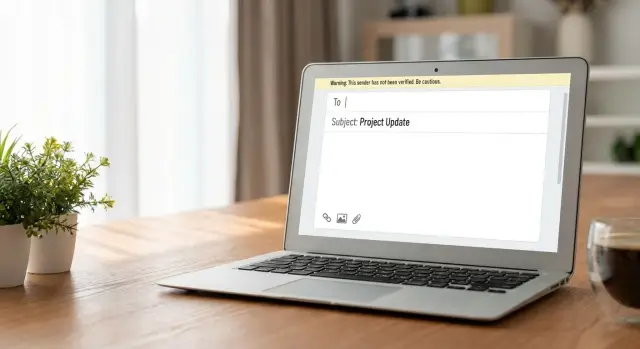
Why links, images, and files can hurt first-touch emails
Email filters are extra cautious when you write to someone who has never heard of you. You have no history with that person, your domain may be new to them, and there’s no pattern yet that says your messages are wanted.
On a first-touch email, filters look for risk signals that often show up in spam and phishing. One or two signals might be fine, but stacking several at once can push your message into spam or quarantine.
The most common risk signals in step 1:
- Shortened or masked links that hide the real destination
- Tracking and redirect links that hop through multiple domains
- Heavy HTML with lots of styling, buttons, or big blocks of code
- Image-heavy or image-only emails
- Attachments, especially common “download me” file types
The goal with links in cold email isn’t to find a trick that beats filters. “Safe” usually means reducing signals and making the email look like a normal one-to-one note: plain text, clear intent, and a simple ask.
Set the right expectation, too. Your first email is mainly to start a conversation and earn a reply, not to get someone to click, download, or open a file. A short question like “Is this relevant to you?” is often a better first step than “Here’s the deck.”
If you want to share a case study, don’t attach a PDF and don’t paste three tracked links. Send a simple message instead: one sentence on the outcome, one sentence on who it helped, then ask if they want it. If they say yes, share it in step 2 using the simplest method.
Deliverability safe defaults for a first-touch cold email
If your goal is deliverability, treat the first email like a personal note. The more it looks like a newsletter or ad, the more likely filters and recipients are to be skeptical.
Plain text is the safest default. Light formatting (a couple of short paragraphs, maybe one bold word) is usually fine, but avoid heavy templates. Big headers, banners, and button-style calls to action can make your message look like bulk marketing, even if you’re emailing one person.
Keep it short enough to read on a phone in about 10 seconds. Stick to one idea and one clear question. When you stack offers, resources, and asks, people either ignore it or mark it as spam because it feels pushy.
Use a real sender name and a normal signature you’d use day to day. A simple sign-off builds trust. Long footers packed with icons, badges, and legal blocks look automated.
A simple set of deliverability safe defaults most teams use:
- 60 to 120 words, 2 to 4 short paragraphs
- 1 clear ask (a question is often best)
- A real reply-to inbox (no “do-not-reply”)
- A normal signature (name, role, company, optional phone)
- Minimal formatting, no buttons, no banners
On links: in step 1, less is more. A good default is zero links, or one link only if it’s truly necessary (for example, your homepage). More than one link can look promotional, and three or more often starts to feel like a blast.
If you need to share something important (case study, deck, pricing), consider waiting until the prospect replies, or move it to a later step after you have some engagement.
Links: what’s safe in step 1, and what to avoid
For most first-touch outreach, the safest move is simple: don’t include a link. A clean email that asks one clear question often gets better placement and more replies than an email that asks the reader to click.
Think of step 1 as a trust check. The reader doesn’t know you yet, and filters treat “click this” as higher risk.
If you must include a link in email 1
Keep it to one link, and make it feel normal and necessary. A single, relevant destination (like your homepage or a short about page) is usually safer than a calendar link, a PDF, and a tracking link all in the same message.
A few rules that help you stay out of trouble:
- Use a plain, recognizable domain and a clean path (avoid long random strings).
- Avoid link shorteners and anything that bounces through multiple redirects.
- Make the visible text match what the link actually is.
- Place the link where it makes sense, not in every sentence or your signature.
- Skip “urgent” click language. It reads like spam.
What to avoid in step 1
The biggest red flags are links that hide where they go. Shorteners, redirect chains, and heavily tracked URLs can turn a normal message into something that looks like bulk marketing.
Also watch for domain mismatches. If your email shows one domain but the click goes somewhere else, that mismatch hurts trust for both people and filters.
If you want to share a one-page case study, ask if it’s relevant in email 1 and offer to send it. In step 2, share a file or a single clean page after they’ve replied or shown interest.
Tracking and redirects: the quiet deliverability killer
Open and click tracking often adds invisible elements to your email: a tracking pixel, rewritten links, and extra redirect hops. Filters don’t “hate tracking” by default, but in a first-touch message it can look like the behavior spammers rely on.
The biggest risk is link rewriting. Many tools replace your clean URL with a tracking domain, then bounce the click through multiple redirects before landing on the page. That creates a mismatch between what the reader sees and where the click actually goes. It also makes your email feel more like mass marketing than a personal note.
Tracking usually becomes more acceptable later, when you have a warmer thread: someone replied, you’re in an active conversation, or you’re sending step 3-5 to a segment that already engaged.
If you want to measure results without heavy tracking, lean on outcomes that matter:
- Reply rate and meeting rate instead of opens
- CRM outcomes (replies, positive replies, booked calls)
- A/B tests on subject lines and copy, then compare reply categories
UTM parameters can be fine when they look normal and stay consistent. A short set like source and campaign is usually okay. A long string of parameters, mixed casing, or suspicious words can look spammy, especially in step 1.
Keep your sender identity consistent across steps: same sending domain, same From name, and a stable Reply-To. If your click tracking uses a different domain than your sending identity, that inconsistency can work against you.
Images in outreach emails: when to skip them, and when they can work
For a first-touch cold email, embedded images are usually more risk than reward. Filters treat image-heavy emails like promos, and many recipients won’t see the image anyway because their client blocks remote images by default. You pay a deliverability cost for something the reader might not view.
The worst version is an image-only email (or a big banner with one short line of text). It looks like marketing, it gives filters fewer real words to judge, and it feels impersonal. For cold outreach, simple text is easier to trust and easier to skim.
If you truly need an image, keep it small, purposeful, and rare. A good test: if the email still makes perfect sense with images turned off, you’re in the safe zone.
A few safer image defaults:
- Use one small image max, not a banner
- Put clear text first, image second
- Add short, plain alt text that matches the content
- Avoid “newsletter” layouts and heavy formatting
- Don’t mix images with lots of tracking elements in the same send
Timing matters. Images usually perform better after there’s some trust, like step 3 or 4 in a sequence, or after the person replies and asks for details.
Cold email attachments: safer ways to share files without tripping filters
Attachments are one of the fastest ways to make a first-touch email look risky, especially when the recipient has never heard of you. Many companies block attachments by default, and some inbox providers treat “new sender + attachment” as a common spam pattern. Even if the message delivers, it can still land in Promotions or spam.
Certain file types get flagged more often than others. PDFs, ZIP/RAR archives, Office files (DOCX, XLSX, PPTX), and anything executable (EXE, DMG) are frequent troublemakers. Password-protected files can also look suspicious because filters can’t scan them.
A safer default is simple: don’t attach anything in step 1. Describe what you have in one line and offer to send it after they reply. That reply is a strong trust signal and a natural moment to share the asset.
If you truly must send a file early (for example, a one-page spec required to evaluate you), reduce the risk:
- Keep it small (ideally under 1 MB) and avoid compressed archives.
- Use a plain, descriptive filename.
- Prefer a simple PDF over Office macros or uncommon formats.
- Personalize the asset instead of blasting the same file to everyone.
- Mention the attachment in the email body so it doesn’t look hidden.
Avoid sending the exact same attachment to your whole list. Reused files can build a bad pattern over time, and one flagged version can poison future sends. Rotate assets, tailor them by segment, or wait until step 2-3 when the prospect has shown interest.
Step-by-step: sharing assets without spam filters
If you include links in cold email too early, you give filters more to judge. A safer approach is to lead with the ask, then offer the asset as an option.
A simple first-touch structure
Start with a clear reason for reaching out and a small, specific question. Only after they show interest should the asset become the next step, not the centerpiece.
A simple flow that works well:
- Ask first: “Is this a priority this quarter?” or “Who owns this area?”
- Offer two choices: “I can paste a 5-bullet summary here, or send the full one-pager.”
- Describe the asset in plain text: one sentence on what it is and why it helps.
- Confirm interest before sending anything heavy (PDFs, decks, big files).
- Keep follow-ups clean. Don’t add more links each step.
What to say (example copy)
"Quick question: are you open to improving your outbound reply rate this month?
If helpful, I have a short case study on how a small SDR team increased booked meetings. I can paste the key points in this email, or if you prefer I can send the full PDF after you confirm it’s relevant."
This keeps step 1 light, explains what the asset is in normal language, and asks permission before sharing a file.
What to move to later steps in a sequence
A good cold sequence earns trust in small steps. The first email is mostly about looking like a normal person, from a normal inbox, sending a normal note. Anything that looks like marketing (links, big images, attachments, heavy formatting) can wait.
A practical progression:
- Message 1: plain text, one clear question, no links, no images, no files
- Message 2: add a small proof point; if needed, include one simple link (no tracking or redirects)
- Message 3: offer a resource, but try to send the actual asset only after they respond
- After engagement: share the doc, deck, or case study they asked for, and keep the file size modest
If you want to use links in cold email, treat the first touch like an introduction, not a landing page visit. Often you can replace a link with two sentences that explain the result: “We cut no-shows by 18% for a 12-person SDR team by changing follow-up timing.” That gives context without asking them to click.
When someone replies with even a simple “sure” or “send it,” filters tend to be more forgiving because the thread is now a conversation. That’s the right moment to share richer assets.
If you sell something visual (design, real estate, video, events), keep the first email text-only, then ask permission in step 2: “Want 2 examples?” If they say yes, send a small, curated set. Fewer items beats a big gallery.
Common mistakes that get first-touch emails flagged
Most first-touch cold emails get flagged for small, avoidable signals that look like “mass send” to filters. The goal is to make your first message look like a normal one-to-one note, then earn the right to add more elements later.
One of the fastest ways to raise suspicion is domain mismatch. If your From address is on one domain, but every link points to a different domain (or several), it can look like spoofing or phishing.
Big signatures are another quiet problem. A long footer with a logo, multiple social icons, tracking pixels, and several links can outweigh your actual message. A simple sign-off (name, role, company) is usually enough for step 1.
Calendar links can backfire when they show up too early. Dropping a booking link in the first email, without context, reads like automation. If you want to suggest a meeting, start with a small question first, then share a scheduling option after interest is confirmed.
Be careful with link shorteners and “view in browser” style links. They hide the real destination and are widely abused, so filters treat them as higher risk than a plain, readable link.
Finally, avoid adding an attachment “just in case.” Attachments increase risk and can trigger security scanners or recipient warnings, especially on first contact.
Quick checklist before you hit send
Read your email once as if you were the recipient. If it feels like a real person wrote it for one specific person, you’re already ahead.
A simple rule: the message should make sense even if it arrives as plain text. That means it still works with zero images, zero formatting, and no extras.
A fast check you can run in under a minute:
- Is this the first email to this person from this domain and mailbox? If yes, keep it extra clean.
- Does the email work with zero links and zero images? If removing everything except text makes it weak, rewrite the value in words.
- If you include a link, is it only one and clearly relevant to the sentence right before it?
- Are tracking and redirects turned on that you don’t need?
- Would a normal person send this to a colleague? If it reads like a blast, it will often be treated like one.
Do one quick “risk scan” for anything that’s unnecessary in a first touch: multiple domains, fancy signatures, buttons, banners, calendar widgets, and long legal footers.
If you must share something (a case study, pricing, a one-pager), move it to step 2 or 3 after they reply when you can. If timing forces you to include it now, keep it small: one clear link to a single destination, and explain what they’ll see there.
A simple example: sharing a case study without hurting deliverability
You have a one-page case study (or a short deck) and you want to use it to start a conversation with a new prospect. The safest move is to treat the asset like a second step, not the opener.
Two simple versions:
-
Version A (first-touch, no link): "Hi Maya - quick question. We helped a team like yours reduce no-shows for demos by tightening their follow-up process. I have a 1-page summary. Want me to send it?"
-
Version B (follow-up, one link or summary): "Thanks for taking a look - would it help if I shared the 1-page summary? If yes, I can send the PDF, or I can paste the key numbers here."
Version A works because it avoids the usual triggers: no attachments, no tracking, and no pressure. It also gives the prospect a small, easy reply. Version B is where you can introduce a single, clean share option, but only after you have a sign of interest.
What to do after they say “yes”
Send the asset in the format they prefer (PDF attachment vs. a single direct link), then ask one question that ties it to their situation: "Are you trying to increase booked calls, improve show rate, or speed up follow-ups?" That keeps the conversation from turning into a file drop.
If you’re running a multi-step sequence, this is also the moment to stop or slow the automation so you don’t keep nudging them while they’re reading.
If you want a single place to manage domains, mailboxes, warm-up, sequences, and reply sorting, LeadTrain (leadtrain.app) is built around those basics. It’s still worth keeping step 1 plain: turn off unnecessary click tracking, avoid redirects, and let the first email do one job - earn a reply.
FAQ
Should I include a link in the first cold email?
For most cold outreach, the safest default is zero links in the first email. If you truly need one, keep it to a single, obvious destination that matches your sender identity and the sentence around it.
Does open or click tracking hurt deliverability on step 1?
Tracking often rewrites your clean links and adds extra redirect hops, which can look risky to filters on first contact. A simple approach is to turn off open/click tracking for step 1 and measure success with replies and booked meetings instead.
Are link shorteners okay in cold emails?
Avoid link shorteners and “masked” URLs because they hide the real destination, which is a common phishing pattern. Use a readable domain and path, and make the visible text match where the link actually goes.
Do images in cold emails increase spam risk?
Embedded images are usually not worth it on the first touch because they can make your email feel promotional, and many clients block images by default. If you must use an image later, keep it small and make sure the email still makes complete sense without it.
Are attachments safe to send in the first email?
Don’t send attachments in step 1 unless you have a very specific reason and you know the recipient expects it. New sender plus attachment is a common risk pattern, and many companies block or quarantine attachments even if the text is fine.
How can I share a case study without hurting deliverability?
Ask for permission first: briefly explain what the asset is and the outcome it shows, then ask if they want it. Once they reply “yes,” share it in the simplest way and follow with one question that ties it to their situation.
What should a “safe” first-touch email signature look like?
Keep it short and normal: your name, role, and company are enough for step 1. Large footers with logos, icons, multiple links, and long legal blocks can outweigh your actual message and make it look automated.
Is it a bad idea to include a calendar booking link in the first email?
Calendar links can work, but they often backfire in the first message because they feel like automation and “click this” pressure. A better default is to ask a small question first, then offer scheduling only after they show interest.
Are UTM parameters safe in cold email links?
UTM tags are usually fine when they’re short, consistent, and not stuffed with long strings or weird parameters. On step 1, if you do include a link, keep the URL clean and avoid anything that looks heavily tracked or rewritten.
What’s a safe sequence plan for links, images, and files across multiple steps?
Keep step 1 text-only and focused on earning a reply: one idea and one clear question. In later steps, add proof and a single clean share option, and only introduce heavier elements (links, images, files) after engagement.
LeadTrain helps by managing domains, mailboxes, warm-up, sequences, and reply classification in one place, so you can keep first-touch emails simple while still running a consistent process.