Lead data refresh cadence for long cold email sequences
Lead data refresh cadence: a practical schedule to recheck job titles, company changes, and email validity before each new send wave in long sequences.
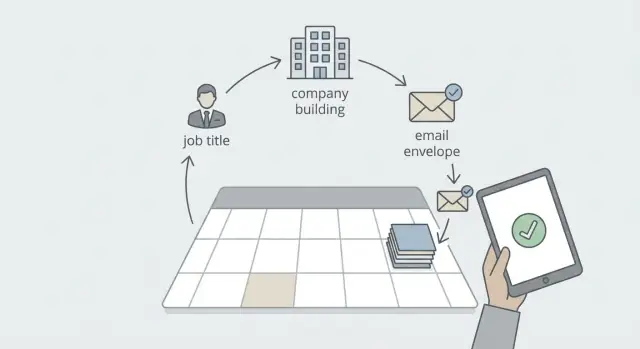
Why long sequences break when lead data gets stale
Long cold email sequences assume something that rarely stays true: the person and the company will look the same weeks later. When a sequence runs 30 to 90 days, even a strong list drifts. The cost is more than fewer replies. Stale data can quietly waste sends, raise bounces, and chip away at deliverability.
Most failures are simple:
- You email someone who changed roles, so the message misses the mark.
- You email someone whose company was acquired or renamed, so your personalization sounds careless.
- You keep sending to an address that no longer works, and bounces start piling up.
A few bounces don’t feel dramatic, but repeated waves of them can drag down your sender reputation and push more mail into spam.
Refreshing lead data isn’t a massive cleanup project. It’s a quick pre-wave check of three things that change often:
- Job title and role (are you still talking to the right person?)
- Company status (is the business still active and the same brand?)
- Email validity (will this deliver or bounce?)
A practical lead data refresh cadence is just making that check a habit. If you send weekly waves, refresh weekly. If you send every two weeks, refresh every two weeks. The longer the sequence, the more you should assume reality changed.
Imagine you queued 2,000 prospects for a 6-week sequence. By week 4, some have switched jobs, some companies have changed, and some inboxes have been disabled. If you keep firing the next wave without checks, you send more irrelevant emails and collect more bounces. If you refresh before week 4, you mainly send to people who still match your message.
What “stale” looks like: the three data points that change most
Stale lead data isn’t just a few wrong fields. It’s the kind of drift that turns a good sequence into wasted touches: lower replies, more bounces, more spam placement, and more awkward conversations.
If you want a cadence that protects results without creating busywork, focus on the three fields that change most often and cause the most damage when they’re wrong.
1) Job title and role
People move faster than most lists update. Promotions, reorganizations, new managers, and internal transfers can all make your message feel off, even if the person is still at the same company.
Common signs: your opener references a role they no longer have, your offer targets the wrong function, or your “right person?” question gets forwarded. Sometimes you’re emailing a former champion who can’t help anymore.
2) Company status and identity
Companies change shape. They get acquired, rebrand, freeze hiring, shrink, or shut down. Sometimes the company is fine but the domain changes after a rename, which breaks old email patterns.
Common signs: the website redirects, public profiles show “acquired,” layoffs are mentioned, or the domain on your list no longer matches what employees use. Sending to a dead or changed company wastes touches and can spike bounces.
3) Email validity and deliverability drift
Even if an email was valid when you collected it, it can go bad. Mailboxes get disabled, contractors leave, IT changes rules, and some domains flip to catch-all (accepting mail but not delivering it reliably).
Common signs: bounce rate rises wave over wave, replies drop suddenly for one domain, or you see more out-of-office replies from addresses that used to respond. One bad batch can hurt your sender reputation.
Not all lists age the same. Scraped or bought lists decay fastest. Conference lists and old exports degrade steadily. Referrals usually stay accurate longer, but job changes still happen. Opted-in lists are cleaner, yet email addresses can still expire.
Pick a refresh cadence that matches your sequence length
If your sequence runs for weeks, data will change while you wait. Refresh right before each wave goes out, not just once at the start. You want the data to be most accurate at the moment you hit send.
A simple way to decide is to tie the interval to how long the sequence stays active. Longer sequences need more frequent checks because there’s more time for job changes, company updates, and inboxes to break.
These tiers cover most teams:
- 7 days: sequences longer than 30 days, high volume sending, or any list where bounces hurt you fast
- 14 days: 14 to 30 day sequences with steady waves
- 30 days: shorter sequences (7 to 14 days) or one-off campaigns where you won’t re-email the same people soon
- 60+ days: very small, low-risk lists where you send rarely and can tolerate some drift
If you’re unsure, let risk signals set the pace:
- Bounce rate: any noticeable increase is a reason to refresh email validity more often
- Reply rate: if it drops wave to wave, titles or company info may be out of date (or targeting is slipping)
- Time since last touch: the longer the gap, the more likely the person moved roles or the company changed
For enterprise accounts, executive titles, or high-volume sends, refresh before every wave, even if waves are only a few days apart. For small lists where you manually review top prospects, you can stretch to 14 or 30 days as long as bounces stay low.
Before-the-wave setup: decide your rules once
Sequences fall apart when every send feels like a one-off. The fix is a few clear rules for what you refresh, when you refresh it, and who’s allowed to hit launch.
First, define what “next wave” means for your team. A practical definition is: any send after the first contact, or any time you restart a lead in a new follow-up cycle. If your sequence has many steps, you can also draw the line at step 3+ where gaps get longer and data is more likely to change.
Next, set a refresh window close enough to catch changes but not so tight it blocks sending. For most teams, 24 to 72 hours before the next wave works well. Closer than 24 hours tends to create rush decisions. Longer than 72 hours leaves time for things to change again.
Then decide which fields are mandatory versus optional:
- Mandatory: email validity and company status
- Mandatory for high-value accounts: job title and role fit
- Optional: phone number, LinkedIn URL, department, seniority tags
Set simple block rules you can enforce consistently: any bounce history, any unsubscribe, or any “company closed” signal should remove the lead from future sends. If data can’t be refreshed, pause the lead and revisit next cycle.
Finally, assign ownership so the process actually happens. For example: an SDR runs checks, a manager approves exceptions, and the campaign owner launches.
A concrete schedule helps: if wave two goes out on Wednesday, run refresh checks Monday afternoon, resolve issues by Tuesday noon, and lock the send list Tuesday evening. That calendar habit prevents most “we sent to outdated leads” problems.
Step-by-step: a repeatable refresh workflow before each wave
A good cadence isn’t about doing more research. It’s about doing the same small checks every time, in the same order.
A workflow you can run in under an hour
Start by locking the exact audience you plan to email next. Snapshot that segment and avoid adding or removing leads while checks are running. Otherwise you end up validating one list and sending another.
Work from the company level down to the person:
-
Confirm the company still exists and is the same entity. Flag anything that looks acquired, renamed, merged, or shut down.
-
Check the contact’s current role and seniority. Focus on whether your message is still relevant.
-
Decide what “good enough” means. For example, “company active + role relevant” proceeds, while “company renamed + role unknown” gets paused.
-
Mark anything uncertain as “needs review.” Don’t guess.
Then validate email risk before you send:
- Run email validity checking on the frozen list.
- Apply one action rule: update fields when you have solid info, replace the contact when the role is wrong, pause when company status is unclear, remove when the email is invalid.
- Log what changed and why (job change, company renamed, invalid email, acquired). Patterns show up quickly.
Example: you’re about to send wave 3 to 500 leads. You freeze the list on Monday. You find 30 companies that rebranded, 25 contacts who moved roles, and 12 invalid emails. Swap in better contacts for the 25 job movers, pause the rebrands for review, and remove the 12 invalids. That small reset can protect reply rate and sender reputation.
How to handle job title changes without rewriting everything
Job titles change a lot during long sequences. The goal isn’t to rewrite your whole campaign every time someone updates their profile. The goal is to decide whether the same person still matches your offer, then make the smallest change that keeps the message relevant.
Start with one fit check: does the new role still own (or strongly influence) the problem you solve?
- If yes, keep them in the sequence and adjust only the role-dependent parts.
- If no, treat it as a routing decision (different persona message, or pause).
Simple rules that stay workable:
- Same function (SDR -> AE, Marketing Manager -> Marketing Lead): keep the person, make minor edits.
- Different function (Marketing -> Finance, Sales -> Product): route to a different persona, or pause.
- Higher seniority (Manager -> VP/C-level): keep the person, tighten the pitch and raise the level of the CTA.
- Same company, new department: use a softer ask like “Are you the right person, or should I speak with someone on X team?”
If you do edit, keep it limited to three places:
-
Subject line: reflect the new focus (pipeline vs process vs budget).
-
Opener: swap one sentence so it matches the new role.
-
CTA: match the level (a manager might take a quick call; a VP may prefer a one-pager or looping in an ops lead).
Example: your lead changes from “Sales Development Manager” to “Revenue Operations Lead.” Keep the same core value, but shift from coaching reps to fixing systems: fewer manual steps, cleaner reporting, fewer bounces.
Stop once the core fit is clear. Over-editing slows you down and makes messaging inconsistent across waves.
Company status checks: active, acquired, renamed, or gone
Company info changes more often than people expect, especially over a long sequence. Company status checks prevent the most avoidable mistakes: congratulating a team that no longer exists, pitching to a retired brand, or referencing a domain that now redirects.
Common signs a company isn’t a good target right now:
- No hiring activity and no recent posts for months, plus a website that looks abandoned
- The site redirects to a different brand without explaining the change
- Many employees show up as “former” within a short window (restructure)
- Messaging shifts to “coming soon” or “in stealth” with no clear motion
- Profiles indicate the company shut down or filed for bankruptcy
Acquisitions and rebrands need extra care because the company may still be a great target, just under a new name and domain. Treat it like a data migration: update the company name, website, and email domain together, then scan your opener for anything that clashes.
A practical rule: if the public brand and domain changed, assume your personalization is wrong until you confirm it. Many teams update the CRM account name but keep the old domain in the email address, or they keep the old company name in the first line while the recipient now uses the parent brand.
When you find a status change, decide what happens before the next wave:
- Pause: short-term uncertainty or you need manual review
- Remove: shutdown or the account no longer fits your ICP
- Update and continue: clean rebrand where the buyer role and need still match
- Re-qualify later: acquired into a different segment where timing matters
Example: you queued 300 leads at “NorthPeak Analytics.” Two weeks later, the website redirects to “BlueRidge Data” and press notes say NorthPeak was acquired. If you keep the old name in your opener, you look careless. Update the account name, swap the domain if it changed, and rewrite the opener to focus on the recipient’s role and a neutral trigger rather than the old brand story.
Email validity: reduce bounces before they cost you deliverability
Email validity matters more in later steps of a long sequence because time passes. People change jobs, companies switch providers, and old inboxes get shut down. Contacts who were fine at step 1 can become risky by step 4 or step 7.
Bounces do more than waste sends. A spike in hard bounces is a loud signal to mailbox providers that your list is stale. That can push more of your good emails into spam and drag down results for the whole campaign.
Treat email validation as part of your cadence, not a one-time cleanup.
How to handle catch-all domains
Catch-all domains (where any address looks deliverable) are tricky because most validators can’t confirm the mailbox exists. Safer options:
- Send a smaller test batch and watch bounces and replies.
- Slow the pace for that domain group so you can react before volume compounds.
- Try an alternate contact at the same company when you have a second strong match.
- Keep copy clear and respectful to reduce “this is spam” reactions.
If you see unexpected bounces from a specific catch-all domain, pause that domain group and re-check company status. Sometimes the domain is in transition, or the company is effectively inactive.
When to re-validate
Re-validate when risk changes, not just on a calendar date:
- Before every new wave (especially if you’re increasing volume)
- After a long gap in the sequence (two to four weeks is often enough for decay)
- After infrastructure changes (new sending domain, new mailboxes, or authentication changes)
- When bounce patterns shift (a sudden jump is a reason to stop and re-check)
If your sending tool labels replies like bounce or unsubscribe automatically, use that as a feedback loop. Move hard bounces to a “do not send” list immediately, and treat repeated soft bounces as a sign to re-validate before the next wave.
Common mistakes that make refresh work slow or ineffective
The goal is straightforward: keep the next wave accurate without turning it into a research project. Most teams lose time because they do the hard parts in the wrong order, or they only fix one type of problem.
The mistakes that create the most drag:
- Personalizing too early. If you write custom openers for 500 people, then refresh and remove 120, you just threw away hours. Refresh first, personalize second.
- Checking only email validity. A valid email with the wrong job title or changed company still tanks replies.
- Over-cleaning and shrinking the list. Removing every lead with a missing detail can cut your list in half. Often it’s better to tag “needs review” and route it for a quick fix.
- Not recording why you removed or changed a lead. Without a reason, you miss patterns by source or industry.
- Refreshing too early. If you refresh on Monday and send next Friday, a chunk of data will change again.
A small example: an SDR personalizes “leading growth at Acme” for a VP of Marketing. Two weeks later, the person is now “Head of Partnerships” at a different company. The email still delivers, but it reads as tone-deaf.
A few rules prevent most of this:
- Refresh 24 to 72 hours before a wave, not a week before.
- Validate email, job title, and company status together, in one pass.
- Use light, reusable tokens until the final check is done.
- Keep a simple “change reason” field (bounced, left company, acquired, role changed, duplicate).
48-hour checklist, a simple example, and next steps
48 hours before your next send, treat your list like it’s going to production. A small amount of checking now prevents bounces, wasted touches, and deliverability damage later.
A quick checklist before the next wave:
- Recheck emails for the riskiest slice first: people added 90+ days ago and any segment that bounced last wave.
- Spot-check job titles on high-churn roles (SDRs, recruiters, agency staff, contractors) and update only what affects your pitch.
- Confirm company status for accounts that change fast (funded startups, crypto, ecommerce, local services).
- Review bounce-prone domains from your last send and re-verify or exclude them for this wave.
- Set pass/fail rules: pause the wave if your expected hard-bounce rate is above 2% or if too many addresses come back as “unknown.”
Keep thresholds simple so you can decide quickly. Many teams aim for under 2% hard bounces per wave. If you can’t meet the threshold, send a smaller, cleaner batch instead of forcing full volume.
Example: you run a 6-week sequence with weekly waves. After week 1, you see 3.4% hard bounces, mostly from older contacts and a handful of domains that often reject cold outreach. Two days before week 2, you re-verify the 90+ day segment, remove invalid addresses, and update a set of job titles that changed from “Manager” to “Director” so your opener still fits. Week 2 goes out with 1.1% hard bounces, and replies are easier to sort because fewer messages go to dead inboxes.
If you want to make this routine easier to execute, it helps to centralize the sending side so you’re not juggling tools while you’re trying to make data decisions. LeadTrain (leadtrain.app) puts domains, mailboxes, warm-up, multi-step sequences, and reply classification in one place, which makes it simpler to pause risky leads and keep waves clean.
FAQ
How often should I refresh lead data during a long cold email sequence?
Refresh right before each wave, not just once at the start. For long sequences, a simple default is to recheck within 24–72 hours before the next send so the data is accurate at the moment you hit “send.”
What lead fields should I refresh first to prevent wasted sends?
Start with three fields: job title/role fit, company status (still active and the same brand), and email validity. Those three drive most of the “wrong person,” “wrong company,” and bounce problems that quietly ruin results.
Why do a few bounces matter if I’m sending thousands of emails?
Treat it as a deliverability and relevance issue. Even a few extra hard bounces, repeated over multiple waves, can lower your sender reputation and push more good emails into spam, which then reduces replies across the whole campaign.
How do I pick a refresh cadence that matches my sequence length?
Tie cadence to risk. If the sequence runs 30+ days or you send high volume, refresh weekly; if it runs 14–30 days, every two weeks is usually fine; for short sequences or one-off blasts, a monthly refresh can be enough as long as bounce rate stays low.
When exactly should I run refresh checks before the next wave?
A practical window is 24–72 hours before the next wave. Earlier than that, the data can drift again before you send; later than that, you create rushed decisions and people start “guessing” instead of confirming.
What’s a simple step-by-step workflow I can repeat before every wave?
Freeze the exact list you plan to send, then check company status, then role fit, then email validity. After that, apply one clear action per lead: update if you have solid info, swap to a better contact if the role is wrong, pause if the company status is unclear, and remove if the email is invalid.
What should I do when a contact’s job title changes mid-sequence?
Do a single fit check: does the new role still own or strongly influence the problem you solve? If yes, keep the person and only adjust the role-specific line and CTA; if no, route them to a different persona message or pause and replace them with the right owner.
How do I handle companies that were acquired, renamed, or changed domains?
Assume your personalization is wrong until you confirm the new brand and domain. If it’s a clean rebrand or acquisition where the buyer role still fits, update the company name and email domain together and keep going; if the account no longer fits or looks inactive, pause or remove it before the next wave.
How should I deal with catch-all domains during email validation?
Catch-all domains can look “valid” even when the specific mailbox is risky, so don’t treat them as guaranteed. Send a smaller batch first, watch bounces and replies for that domain group, and slow down or pause if you see unexpected bounce patterns.
How do I make this refresh process actually happen every week without slowing the team down?
Give one person clear ownership of checks and one person authority to approve exceptions, then lock a recurring calendar slot so it happens every time. If you use an all-in-one tool like LeadTrain, it’s easier to pause risky leads, keep suppression rules consistent, and avoid juggling separate tools while you’re trying to protect deliverability.