Inbound signals for outbound: build focused account lists
Learn how inbound signals for outbound help you turn sign-ups, newsletter clicks, and demo requests into tight account lists and relevant emails.
What inbound interest is, and what it is not
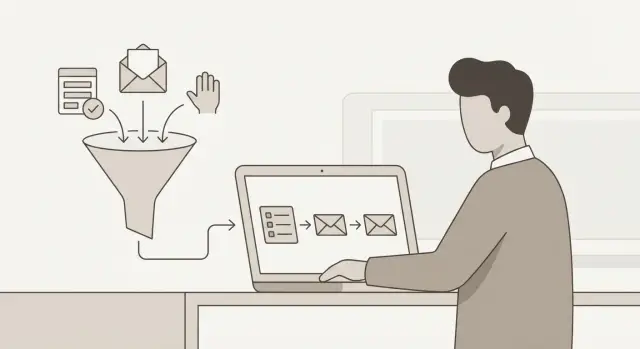
Inbound interest is any real action someone takes that suggests they’re open to a conversation. It’s not the same as being “ready to buy.” It just means they raised their hand.
Outbound targeting is what you do with that hint. You decide which companies to focus on, who to contact, and what message fits their situation. Done well, these signals turn a wide, messy pile of attention into a shortlist you can actually work.
Warm interest still needs a clear next step because most people are busy, distracted, or just curious. A newsletter sign-up might mean “I want ideas,” not “Call me.” A demo request might mean “I’m comparing options,” not “I have budget today.” Your job is to make the next step easy and specific: one quick question, one helpful resource, or a short call, depending on what they did.
A usable signal is based on behavior, not opinions. “Seems interested” isn’t a signal. “Clicked pricing twice this week” is.
Strong actions that are usually worth targeting include:
- Requested a demo or replied to a confirmation email
- Returned to key pages (pricing, integrations, case studies)
- Clicked a specific topic in a newsletter (not just opened it)
- Started signup but didn’t finish, or created an account and went quiet
- Downloaded something tied to a real problem (template, checklist, report)
This is different from generic lead scoring. Scoring often collapses everything into one number and hides the reason behind it. For outbound, the “why” matters more than the score. If someone clicked a deliverability guide, your message should be about deliverability, not a generic product pitch.
Example: If three people from the same company sign up for your newsletter in a week and two of them click a “security” article, that’s not proof they’ll buy. But it is a solid reason to add the account to a focused list and reach out with a security-focused message to the right contact.
Pick the inbound signals that actually predict intent
Not all activity is equal. You’re looking for actions that show curiosity, urgency, or fit, not casual browsing.
High-signal actions to prioritize
Start with signals that cost the person effort or risk. Those usually predict intent better than passive metrics.
- Demo requests that include a real problem, timeframe, or team size
- Newsletter clicks on “how to” or pricing-related topics (more than simple opens)
- Replies to newsletters, even short questions
- Trial usage that hits a key moment (importing leads, creating a sequence, inviting a teammate)
- Support or chat questions that mention timing, budget, compliance, or deliverability
If you track only one newsletter metric, track clicks, not opens. Opens are noisy because privacy tools can trigger them. Clicks and replies are harder to fake and usually mean the person wanted details.
What to capture when data is messy
Sign-ups and demo forms often collect too much and still miss what you need. Focus on what helps you route the account and tailor the first message. Company, role, and a single “what are you trying to do?” prompt usually beat a long form.
Some fields matter less than people think. “Industry” is often vague. “Phone number” can be empty or wrong. A corporate email domain and job role are usually more useful.
Product usage signals get powerful when you define 1 to 3 “key actions” that mean activation for your offer. For a cold email platform, that might be connecting a mailbox, launching a warm-up, or creating a first sequence. You don’t need every click, just the actions that show they tried to get value.
Support and chat are underrated. “Can I keep deliverability safe across multiple mailboxes?” signals urgency and a real project. “Do you have a free plan?” often signals curiosity with low commitment.
Example: Two people sign up for the newsletter. One only opens emails. The other clicks a deliverability guide and asks a question about SPF/DKIM. The second person is the better outbound target, even if the first has opened ten times.
Turn signals into a focused account list
Inbound activity arrives as people, not companies. Before you build a list, choose your unit. A person list works when you sell to individuals. An account list (company-first) works when a deal needs multiple stakeholders and a budget.
For most B2B outbound, an account list keeps you from chasing five contacts at the same company as if they’re five separate opportunities.
Merge people into one account
Start by grouping every inbound signal by company domain (the email after the @). If you also capture company name, use it to catch edge cases like parent companies or shared domains.
A simple rule: if two people share a company domain and their roles touch the same problem, treat them as one account. Keep both contacts, but evaluate the company once.
For each inbound person, you only need a small set of fields:
- Company name and website or email domain
- Role (job title is enough)
- Signal type (signup, newsletter click, demo request)
- Use case hint (page visited, feature clicked, topic in the form)
- Date of last activity
Then add a scoring model you can explain in a minute. Example: demo request = 5 points, pricing page visit = 3, 2+ newsletter clicks in a week = 2, basic signup = 1. Sum the top signals per account, not per person.
Exclude early to stay sharp
Some “active” leads rarely convert. Exclude them upfront so your outreach stays relevant and your email metrics stay clean:
- Students or job seekers using personal emails
- Competitors (domains you recognize)
- Vendors selling to you (agencies, tools, recruiters)
- Existing customers in a support scenario
- Spammy domains or obviously fake signups
Once you have 20 to 50 high-intent accounts, you can run targeted outreach with fewer emails and better personalization. If you’re using LeadTrain, it can help keep domains, warm-up, sequences, and reply sorting in one place so the process doesn’t fall apart once you start sending.
Step-by-step: from inbound event to outbound list
When someone signs up, clicks a newsletter link, or requests a demo, you get a small clue about what they want. The goal is to turn that clue into a clean account list you can contact without guessing.
A simple workflow you can repeat
Collect events in one place. Pull new form submissions (newsletter, waitlist, webinar, demo request) and email engagement into a single spreadsheet or CRM view. Opens are noisy; clicks are stronger. If you can capture page names (pricing, case study, integration docs), that helps later.
Next, clean up company identity. People type company names in ten different ways, and personal emails hide the domain you need for account building. Normalize company names, confirm the company website domain, and group multiple people under the same account.
Then score intent based on what happened recently, not months ago. A demo request yesterday is very different from a newsletter sign-up 90 days ago.
A practical daily sequence:
- Export yesterday’s form events and top email clicks into one list.
- Standardize company name and match each person to a company domain.
- Assign an intent tier using the last 7 to 14 days of actions.
- Pick one outreach goal per tier (reply, quick call, or booked demo).
- Add only a small batch to your sending queue, then do a fast mismatch review.
Before you send, scan for obvious problems that waste good interest:
- Students, job seekers, vendors, or competitors mixed into your list
- Free email domains when you need business accounts
- Regions or industries you don’t serve
- Multiple leads from the same company queued at once
- Old activity that no longer signals intent
Example: If two people from “Acme” sign up for your newsletter and one clicks “pricing” twice this week, treat it as a single Acme account with higher intent, and write outreach that matches that pricing interest.
If you use a platform like LeadTrain, keeping the list, intent notes, and outreach queue together makes it easier to stay consistent as volume grows.
Segment by intent with three simple tiers
Segmentation turns random attention into clear next steps. A simple three-tier model is usually enough to keep your list focused and your message relevant.
The three tiers
Tier 1 is high intent: demo requests, pricing questions, or repeated clicks on “book a call,” integrations, or case studies in a short period. They’re raising their hand, so your outreach can be direct.
Tier 2 is warm intent: they didn’t ask for a demo, but they keep engaging. This might be multiple clicks, repeated visits, or returning to the same topic over a few days. They’re interested but still shaping the problem.
Tier 3 is light intent: first-time sign-ups, one-off downloads, or a single click on a top-of-funnel article. They need education and a reason to care before you ask for time.
What changes in the message
Match your offer to the tier:
- Tier 1: confirm what they looked at, propose a next step, and give two time options
- Tier 2: ask one short question to qualify, then share one relevant proof point
- Tier 3: send a helpful resource and invite a low-effort reply (for example, “Want a 3-bullet summary?”)
Keep personalization tied to their signal, not their job title. “Saw you clicked the deliverability guide twice” beats “Noticed you’re Head of Sales.”
Keep tiers fresh with a time window
Intent expires fast. Use a simple window so your tiers don’t fill with stale names:
- Tier 1: last 7-14 days
- Tier 2: last 14-30 days
- Tier 3: last 30-60 days
When a new signal arrives, upgrade the tier. When the window passes with no activity, downgrade or pause. In LeadTrain, this maps cleanly to separate sequences per tier so you don’t mix messages.
Write outbound that matches what they showed interest in
The fastest way to get ignored is to send a generic pitch right after someone shows a specific interest. Use the exact thing they did as your hook: the guide they downloaded, the newsletter topic they clicked, or the feature page they spent time on.
Keep the email tight. Ask one relevant question that helps you route them to the right next step, instead of stacking three questions and turning it into homework.
Start from their action, then offer a small step
A useful pattern is: (1) name the action, (2) say what you think they’re trying to do, (3) offer a small next step. “Small” beats “book a 30-minute call” when you’re still confirming fit.
Easy next steps that feel reasonable:
- Reply with a 2-sentence note on their current setup
- Confirm one detail (team size, tool, timeline)
- Ask for a 3-bullet checklist tailored to their role
- Request a short example relevant to their use case
- Get a quick deliverability or workflow recommendation
Then adapt to the role. A buyer cares about outcomes, risk, and budget. A user cares about daily steps and effort. An influencer often cares about process, reporting, or compliance. The same click can mean different things depending on who clicked.
Example: If a Sales Ops lead clicked your “reply handling” newsletter, focus on how replies get categorized and routed. If an SDR clicked it, focus on time saved and what happens after a positive reply.
Keep proof specific and modest. One sentence is enough: a concrete result, a narrow claim, or a simple before/after. Avoid big promises.
If you’re using LeadTrain, you can also tie follow-ups to the sequence topic or reply category they likely care about, then ask one question to confirm.
Timing and frequency that feel helpful, not pushy
Speed matters, but so does restraint. The point is to show you noticed their interest without acting like a reminder bot.
A simple timing guide by signal
Use the signal to decide how soon to write, and how direct you can be:
- Demo request or contact form: reply within 10 to 60 minutes during business hours, otherwise first thing next morning
- Webinar attendance or high-intent event: same day if possible, or within 24 hours
- Newsletter click to a product or pricing-style page: within 24 to 48 hours
- New sign-up with no engagement yet: wait 2 to 3 days, then send a helpful check-in
- Repeat site visits or multiple clicks over a week: write within 24 hours of the latest spike
Then decide the cadence. For warm leads, daily follow-ups usually feel like pressure and can lower reply rates.
How many touches, and how far apart
A practical ceiling is 3 to 5 touches total per person, spread over 10 to 21 days. Keep each message short and add something new each time (a relevant use case, a quick answer to a common question, or a simple next step).
If they keep engaging but never reply, treat it as “interested but busy,” not “ignore harder.” Slow down. Send one final note that offers two options (book time, or tell you to stop), then pause for a few weeks.
When multiple people from the same account engage, avoid piling on. Pick one primary contact (the most senior, or the one who raised their hand) and mention you can loop in teammates if helpful. If you do email a second person, space it a few days apart and keep the tone light. You’re trying to route the conversation, not create internal noise.
LeadTrain can help here by tracking replies and auto-labeling common outcomes (interested, not interested, out-of-office, bounce, unsubscribe) so your timing adjusts without manual sorting.
Common mistakes that waste interest and harm deliverability
The fastest way to burn inbound interest is to treat it like any other cold list. Someone who signed up for a newsletter or requested a demo gave you context. If your outbound ignores that context, it feels random and gets ignored.
A common trap is leaning on weak signals like email opens. Open tracking is noisy (privacy features and image blocking), so it often tells you more about the inbox than the person. A click, a form submit, a pricing page view, or a demo request is usually a better “do something now” trigger.
Another mistake is sending a generic sequence that never mentions what they did. If a contact downloaded a guide on onboarding and your first email is “quick intro” with a vague pitch, you miss the moment. Even one sentence naming the trigger changes the tone from cold to relevant.
Data hygiene problems also waste good intent. People use personal emails, switch between sister brands, or sign up through agencies. If you don’t clean domains and confirm the right company, you can pitch the wrong org or send to a catch-all that bounces. Bounces and spam complaints hurt deliverability.
Deliverability issues that show up most often:
- Dumping every inbound lead into one big list with one message
- Skipping SPF, DKIM, and DMARC setup before sending at scale
- Sending from a brand new domain with no warm-up period
- Emailing people who already opted out
- Continuing after an unsubscribe or “stop” reply
If you want replies, treat unsubscribes as a hard stop, keep lists small and focused, and ramp sending slowly. LeadTrain can handle authentication and warm-up, but you still need clean targeting and respectful opt-outs to protect your sender reputation.
Quick checklist before you hit send
A good outbound follow-up should feel like a helpful continuation, not a random cold email. Before you send, take 3 minutes to confirm you’re targeting the right people, using the right mailbox, and asking for something they can actually do.
Message and targeting check
- Are you emailing the right account (company) and the right domain? Make sure you’re not mixing subsidiaries, old domains, or personal emails that don’t match your ICP.
- Does the first sentence clearly name the trigger (signup, a specific newsletter click, a demo request)? If it’s vague, it will read as spam.
- Is your ask one step and realistic? “Worth a 10-minute chat this week?” or “Should I send the 2-line summary?” beats a multi-part request.
- Have you removed anyone who unsubscribed, bounced, or asked not to be contacted? Don’t rely on memory. Use your suppression list.
- Are you sending from a mailbox that fits the context (brand, product line, region)? A mismatch can kill trust fast.
Deliverability and control check
Even a perfect message can fail if deliverability is shaky. Before launch, confirm the basics:
- Your sending domain is authenticated (SPF, DKIM, DMARC) and your mailbox has been warmed up.
- You’re sending in small batches you can review quickly, not one big blast. If you can’t scan the first replies within an hour, it’s too large.
- You have a simple way to label replies (interested, not interested, out-of-office, bounce) so follow-ups don’t go to the wrong people.
If you use LeadTrain, domain setup, authentication, warm-up, and reply classification can live in one place, but it’s still worth doing this final human check before every send.
Example: turning sign-ups and clicks into 30 target accounts
A B2B SaaS sends a weekly newsletter and has a simple demo request form. In one week, they get 210 newsletter sign-ups, 68 people who click at least one link, and 9 demo requests. Instead of treating this as a pile of leads, they turn it into a short, high-focus list.
They start with an account list, not a contact list. They group sign-ups by company domain, remove free email domains, and merge duplicates. Then they keep only companies that show extra intent (a click, a second visit, or a demo request). After cleanup, they end up with 30 accounts worth outbound attention.
Their process:
- Convert emails to company domains, then group people under each domain
- Mark accounts with demo requests as Tier 1
- Mark accounts with specific content clicks as Tier 2
- Keep Tier 3 for light nurturing only (sign-up only)
- Assign one owner per account so outreach doesn’t overlap
They run two outreach tracks. Track A is demo follow-up (Tier 1): fast, direct, and scheduling-focused. Track B is content follow-up (Tier 2): one short note referencing exactly what the person clicked.
A Tier 2 email can be as simple as this:
Subject: Quick question about the deliverability guide

Hi Maya,

I saw you clicked the “SPF/DKIM checklist” in our newsletter.

Are you trying to fix inbox placement right now, or planning a new outbound push this month?

If you tell me which one, I can send a 2-minute plan that matches it.

Best,
Sam
They measure outcomes that show both interest and risk: reply rate (by tier), meetings booked, and unsubscribe rate. If unsubscribes rise, they slow down Tier 2, tighten the list, and keep messaging tied to the exact signal. With LeadTrain, it’s easier to keep sequences and reply classification together so you can see what’s working without manual sorting.
Next steps: build a repeatable workflow (with LeadTrain)
Start small so you’ll actually run it every week. Pick 2 or 3 signals you trust (for example: demo requests, pricing page visits, or high-intent newsletter clicks), then map them to one intent tier to begin. Expand only once the process feels easy.
Good outbound starts with clean sending. If your setup is messy, even the best list will underperform. Use a separate sending domain, make sure authentication is in place (SPF, DKIM, and DMARC), and warm up new mailboxes before you ramp volume.
A simple weekly loop
- Pull the last 7 days of sign-ups, clickers, and demo requests.
- Assign each account to one intent tier and add a short note on what they did.
- Enroll each tier into a matching multi-step email sequence.
- Review replies daily and act on them the same day.
- Log what worked (subject, offer, timing) and keep the winners.
Keep sequences short and specific. One tier equals one message angle. If someone clicked a topic, lead with that topic, not a generic pitch.
Where LeadTrain fits
If you want fewer tools to manage, LeadTrain brings the core pieces into one workflow: buying and configuring sending domains with automatic DNS setup and authentication, warming up mailboxes, running multi-step sequences, and using AI-powered reply classification to sort responses like interested, not interested, out-of-office, bounce, or unsubscribe.
A practical starting point: build one “warm interest” sequence for demo requests and high-intent clicks, run it for two weeks, then add a second tier only after the first is consistent. If you’re curious, LeadTrain is available at leadtrain.app.