Human-in-the-loop AI reply labeling for reliable reporting
Human-in-the-loop AI reply labeling keeps cold email reporting accurate. Use sampling, review queues, clear categories, and feedback to reduce mislabels.
Why reply labeling needs a human backstop
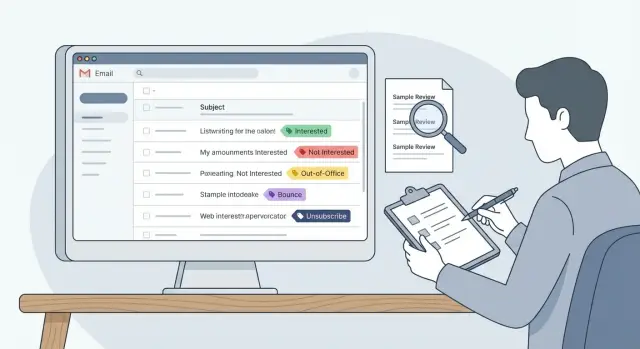
Reply labeling means sorting incoming email replies into buckets so you can report on what happened. In cold email, those buckets are usually: interested, not interested, out-of-office, bounce, and unsubscribe. The labels sound simple. Real replies aren’t.
AI is great at reading every message and categorizing it fast. The problem is that the hardest replies to label are often the most important ones. A light human review step isn’t about distrust. It’s how you keep decisions and reporting tied to reality.
Mislabels happen for predictable reasons:
- Short replies like “no” or “maybe” have almost no context.
- Mixed intent is common: “Not now, try next quarter” isn’t a clean rejection.
- People use sarcasm (“Sure, I totally love spam”) or ask a question while still saying no.
- Threads get messy: forwarded replies, auto-replies that read like humans, or a colleague responding on someone else’s behalf.
Bad labels don’t just make a dashboard slightly off. They change priorities:
- If “Interested” is over-labeled, conversion looks great and you scale a weak campaign.
- If “Not interested” is over-labeled, you stop follow-ups that could’ve turned into meetings.
- If bounces are under-labeled, you keep sending from mailboxes that are taking damage.
- If unsubscribes are misread, you risk compliance problems and burn trust.
Human review matters most when the system is most likely to be wrong. Add a review loop when you:
- launch a new campaign or change the offer
- enter a new market with different language patterns
- change your copy tone (more casual, more direct, more humor)
- start using new data sources or targeting rules
- notice metric shifts that don’t match what the team sees in the inbox
Example: after switching to a shorter, punchier first email, a team starts getting more one-line replies like “send details.” If those get labeled as “Interested” instead of “needs info,” the team celebrates a fake lift. A quick human sampling pass catches it early, updates the definitions, and keeps reporting honest, whether you label manually or use a platform like LeadTrain that auto-classifies replies.
Set goals and ownership before you change the workflow
“Accurate enough” means different things to different teams. Before you add reviews, agree on what good looks like in plain numbers. For example: “On a weekly sample, mislabels on core categories stay under 3%, and we can explain drift within one business day.” That gives you an error target and a response time.
Also decide what matters most. You usually don’t need perfection on every edge case. Focus on labels that drive decisions. If your dashboards control follow-ups and forecasting, you care most about whether “Interested” is truly interested, and whether bounces and unsubscribes are counted correctly.
Keep the scope simple:
- Core labels (must be correct): Interested, Not interested, Bounce, Unsubscribe
- Optional labels (nice to have): Out-of-office, Wrong person, Referral, Check back later
- Needs review: anything unclear or mixed intent
- One rule for “Other”: what it includes, and when it’s allowed
Ownership is the make-or-break step. If nobody owns the rules, every reviewer quietly invents their own standards and your metrics wobble. Pick one owner who can decide changes and document them (often RevOps, an SDR lead, or a sales manager). Reviewers can suggest updates, but the owner publishes the final call so reporting stays consistent.
Set a cadence that matches your volume and risk. A daily check catches sudden failures (like a new template triggering more auto-replies). A weekly audit catches slower drift.
A cadence many teams can actually stick to:
- Daily: 10-minute spot check of new “Interested” and “Unsubscribe” labels
- Weekly: deeper review of a larger sample plus any “Needs review” items
- After changes: extra review for 2-3 days after a new sequence, list source, or domain setup
If you use an AI classifier (including tools like LeadTrain), the goal stays the same: you’re not reviewing everything. You’re owning the definition of “correct” and checking it often enough that the dashboard stays believable.
Build a label taxonomy people can apply consistently
A review process fails if people don’t agree on what each label means. The goal is a small set of labels that stays stable over time, so reporting doesn’t shift every time a new edge case shows up.
Start with a tight core that covers most replies. Keep labels mutually exclusive when you can, and write a one-sentence definition that a new teammate could follow.
- Interested: The person asks for a meeting, pricing, timing, or a clear next step.
- Not interested: The person declines now and doesn’t ask for alternatives.
- Out-of-office: An automated absence message with a return date or a clear “I’m away” notice.
- Bounce: Delivery failure or mailbox doesn’t exist (system-generated failure language).
- Unsubscribe: Any request to stop emailing, including “remove me” or “do not contact.”
The label that usually does the most damage is “Interested.” Define it narrowly so meeting rate and pipeline reporting stay honest. “Sounds interesting” isn’t enough by itself. A simple rule: if there’s no clear next step, route it to Needs review instead of forcing a win or a loss.
Keep one holding label, like Needs review (or Other) for replies that don’t fit cleanly. This protects the taxonomy while you learn and gives you a focused queue to audit when replies shift.
Multi-intent replies are common, so decide tie-breakers ahead of time and stick to them:
- If a reply includes Unsubscribe, label it Unsubscribe no matter what else it says.
- If it’s Out-of-office plus a real question, label it Out-of-office and flag for follow-up later.
- If it’s a referral (“Email Alex”) plus “not me,” label it Not interested (and track the referral separately if you do that).
If you must add a new label, do it deliberately and backfill a small sample so trends stay comparable.
Pick a sampling method that catches the most harmful errors
A random handful of replies tells you whether things are generally OK, but it can miss the mistakes that distort decisions. Sample in a way that finds high-cost errors: mislabels that change your counts of interested replies, bounces, and unsubscribes.
A practical setup usually mixes three sampling types, plus triggers that force extra review when something changes.
Sampling options (and what they’re good at)
Random sampling gives you a baseline and catches weird edge cases over time.
Targeted sampling makes sure you don’t rely on luck to catch rare but important labels:
- Random sample across all replies to estimate overall correctness
- Stratified sample by label (especially Interested, Unsubscribe, Bounce)
- Risk-based sample from replies that are easy to misread (very short messages, slang, mixed languages, sarcasm)
- Change-triggered sample after a workflow shift (new domain, new offer, new sequence, new template)
- Disagreement sample when the model seems uncertain or flips categories often (if your tool exposes this)
If you use a platform like LeadTrain that auto-categorizes replies, stratified and risk-based samples are usually where you find the issues that quietly skew your dashboard.
Set a weekly sample size your team will actually do
The best sample size is the one that gets done every week. Start small, make it routine, then scale.
- Pick a fixed time box (for example, 30 to 60 minutes per week)
- Aim for 30 to 100 reviews per reviewer per week, depending on volume
- Ensure each key label gets a minimum count (for example, at least 10 Interested and 10 Unsubscribe when possible)
- Increase sampling for new campaigns during the first 1 to 2 weeks
One simple rule: if “Interested” replies are rare, random sampling will miss them. Put them into the review queue on purpose.
A step-by-step sampling and review workflow
A good workflow makes errors visible without turning your team into full-time label police. The goal is straightforward: catch wrong labels early, fix the rule that caused them, and keep reporting honest.
The workflow
Create a small, steady review queue. Pull from your daily sample and include anything risky (new copy, unusual spikes, replies that look uncertain).
A loop most teams can run in 15 to 30 minutes a day:
- Build the review queue from your sample and any “Needs review” replies.
- Apply the written definitions, not personal opinions.
- Record the corrected label and add a one-sentence reason note.
- When reviewers disagree, decide quickly and update the rule in plain language.
- Feed corrections back into reporting rules and any training process you maintain.
After the pass, look for patterns: is “Interested” getting confused with “Not now”? Are out-of-office messages getting marked as “Not interested”? Those mistakes quietly change conversion rates.
Track what improves (and what doesn’t)
You only need a few numbers:
- Overall error rate in the sample
- Error rate by label (especially Interested and Unsubscribe)
- Top confusion pairs (like Interested vs Not interested)
- Time-to-resolution for disagreements
- Volume of Needs review items per day
Example: you change subject lines and see a jump in “Interested.” The review queue shows many replies are actually out-of-office auto-responders triggered by a new keyword. You update the rule, correct the sample, and your dashboard stops telling the wrong story.
Make reviews consistent across people
People will read the same reply and disagree, especially on short or vague emails. The goal isn’t perfect agreement. It’s predictable decisions so reports stay stable week to week.
Start with two-person checks on a small subset. Pick 20-50 replies per week (or per campaign) and have two reviewers label them independently. Compare results. When they disagree, talk briefly and write down the rule you wish you had.
Use a tiny rubric so every decision leaves a trail:
- Label
- Confidence (high or low)
- Trigger phrase (the exact words that drove the choice)
- One-sentence note for edge cases
A small “gold set” keeps reviewers calibrated. This is a folder of known replies with the expected label that new reviewers score before they touch live data. Refresh it when campaigns or offers change.
A practical calibration approach:
- Keep 25-40 examples that cover common labels
- Include at least 5 tricky cases (polite no, referral, vague maybe)
- Agree on the expected label and a one-line reason
- Re-test new reviewers and anyone below your agreement target
Finally, record edge cases in a shared note, written like rules. Over time, this becomes your playbook and makes retraining or tweaking categories safer.
Common mistakes that quietly break your metrics
Most reporting problems don’t come from one big failure. They come from small labeling habits that slowly bend your numbers until the dashboard looks confident but wrong.
Mislabels that hurt the most
These mistakes tend to punch above their weight:
- Mixing sentiment with intent. “Thanks, not a priority right now” can sound warm, but it’s still a no. If it’s labeled “Interested,” your positive rate inflates.
- Treating referrals as rejection. “Talk to Sarah in operations” isn’t “not interested.” If you track it, label it separately so you can measure how often emails find the right person.
- Dumping everything into Other. Other is fine for rare cases, but when it becomes a common bucket, it hides patterns (pricing pushback, bad timing, competitor lock-in) that should shape your next campaign.
- Changing definitions mid-quarter without a note. If “Interested” meant “asked a question” last month and “booked a meeting” this month, your trend lines become fiction.
- Ignoring bounces and unsubscribes because they feel operational. They’re part of deliverability and list health. If they’re missing or mislabeled, you overestimate reach and underestimate risk.
One simple guardrail: whenever reviewers see the same “Other” case 10 to 20 times, promote it to a real category and document it.
Quick checks to run before you trust the dashboard
Dashboards feel precise, but labels drift in small ways that add up. Before you act on a spike in “Interested” or a dip in “Not interested,” run a few checks that take minutes.
1) Look for sudden label spikes after changes
A label that jumps right after you launch a new sequence, change copy, or adjust targeting is a red flag. Real performance changes happen, but labeling shifts are just as common.
Compare the day before and the day after. If only one label moved a lot (for example, out-of-office doubles while total replies stay flat), you likely have a labeling issue.
2) Spot-check Interested and Not interested
Read 10-20 recent replies labeled Interested. Look for false positives like:
- polite acknowledgements (“Thanks”)
- scheduling deferrals (“Next quarter”)
- referrals (“Talk to my colleague”)
- vague asks (“Send info”) with no next step
Then scan 10-20 Not interested replies and ask a practical question: did any of these leads later book after a reasonable follow-up? If yes, your Not interested definition may be too broad, or your team may be treating it as a hard stop when it shouldn’t be.
3) Make sure bounces and unsubscribes aren’t hiding as out-of-office
Bounces and unsubscribes are operational signals, not conversation signals. If they get mislabeled as out-of-office, reporting looks healthier than it is.
Scan a small batch of out-of-office replies and look for giveaway words like “undeliverable,” “delivery failed,” “blocked,” “unsubscribe,” or “remove me.”
4) Review very short replies
One to three word replies are the most common source of quiet errors: “No.” “Maybe.” “Who?” “Ok.” “Stop.” They depend on context.
Grab 15 short replies across your main labels and confirm they match intent. If you see confusion, add a simple rule (for example: “Ok” isn’t Interested unless it’s agreeing to a proposed time).
Example: fixing mislabels after a campaign change
A small SDR team launches a new 3-step sequence. The copy is tighter, the follow-up is more direct, and the offer is a short call. Two days later, the dashboard shows a big jump in Interested replies. Everyone is happy until the meeting count stays flat.
They run a simple check: sample recent Interested replies and read them end to end, including thread context. The pattern is clear. Many replies aren’t real buying intent. They’re “send info” stalls like “Sure, send details” or “Can you email me a deck?” Others are polite deflections like “Not the right time, but keep me posted.”
The model didn’t suddenly get bad. The campaign change produced more ambiguous replies, and the team’s Interested definition was too loose. They tighten the taxonomy and write rules people can follow.
Their updated definitions:
- Interested requires meeting intent or a clear next step (book a call, suggest times, ask for a proposal, confirm fit).
- “Send info” stays out of Interested unless the reply includes a next step (for example, “Send details and I’ll book time this week”).
- “Maybe later” covers timing deferrals (next quarter, after a launch, back in a few months).
- Not interested is a clear no, including “stop” and “remove me.”
They also add one handling rule: “Maybe later” is tracked separately so it doesn’t inflate meeting-intent reporting. The follow-up action stays consistent: log the reason, set a reminder date, and avoid pushing for a meeting in the same thread.
For the next two weeks, they keep a light review loop. Each day, they sample a handful of Interested and Maybe later replies and confirm whether the label is correct. If they’re using a tool like LeadTrain, that pairs well with AI reply classification because reviewers can focus on the few categories that drive decisions.
By the end of week two, the error rate on Interested drops, and meeting-rate reporting stops swinging with small copy changes.
Next steps: start small and keep the loop running
Run a pilot you can finish. Pick one active campaign and run the review loop for one week. That’s long enough to see patterns (new objections, more out-of-office replies) without turning it into a full-time job.
Keep the setup time-boxed. In 15 minutes, you can get reviewers aligned by writing plain-language definitions and walking through 5-10 real examples from your inbox. If someone can’t label a reply confidently after reading a definition once, the definition needs work.
A starter plan that stays manageable:
- Use the AI label as the default, then review a small weekly sample (for example, 30-50 replies).
- Prioritize high-impact categories first: Interested, Unsubscribe, Bounce, Not interested.
- Flag anything unclear instead of forcing a guess, and collect those for a quick definition update.
- Record just two things for corrections: the original label and the corrected label.
- Stop after 30 minutes and schedule the next session instead of trying to clear the backlog.
If you’re using LeadTrain (leadtrain.app), a good approach is to treat its AI-powered reply classification as your baseline and keep this light review loop on top. You still get speed, but your categories stay aligned with how your team is selling right now.
To keep the loop healthy, add a short monthly checkpoint:
- Update definitions based on the most common unclear replies.
- Review the top mislabel patterns.
- Decide whether your sample size should grow, shrink, or stay the same.
- Share one takeaway with the team so everyone labels with the same intent.
Small reviews, small fixes, and metrics you can rely on week after week.
FAQ
Do I really need humans to review AI-labeled replies?
Start with AI as the default, then add a small human sampling step that focuses on high-impact labels like Interested, Unsubscribe, and Bounce. The goal is to catch the mistakes that change decisions, not to manually re-label everything.
Why does AI mislabel cold email replies so often?
Because the most valuable replies are often the most ambiguous. One-line responses, sarcasm, mixed intent, and messy threads are easy to misread, and small errors in Interested or Unsubscribe can skew your reporting and follow-up priorities.
What’s the safest definition of “Interested”?
Keep it narrow: Interested should mean the person is asking for a meeting, pricing, timing, or a clear next step. If there’s no next step, treat it as Needs review or a separate category like “Needs info,” so your meeting-intent metrics stay honest.
How should we label replies with mixed intent (like “Not now, try next quarter”)?
Use a simple tie-breaker rule and write it down. A practical default is: if the reply includes “stop,” “remove me,” or anything similar, label it Unsubscribe no matter what else is in the message.
Which labels matter most to get right?
Prioritize categories that affect deliverability and compliance, and the ones your dashboards drive actions from. Most teams should treat Interested, Not interested, Bounce, and Unsubscribe as “must be correct,” and keep everything else as optional or “Needs review.”
How big should our weekly review sample be?
A simple weekly time box works well: review 30–50 replies, and make sure you include minimum counts for key labels (for example, at least 10 Interested and 10 Unsubscribe if you have them). If Interested is rare, sample it deliberately instead of relying on random picks.
What’s the best way to sample replies so we catch costly mistakes?
Mix random sampling with targeted sampling. Random gives you a baseline, while targeted sampling focuses on risky areas like very short replies, category spikes after a copy change, and anything labeled Interested, Unsubscribe, or Bounce.
Who should own the labeling rules and changes?
Assign one owner (often RevOps, an SDR lead, or a sales manager) who publishes the final definitions and tie-breakers. Reviewers can suggest changes, but one person should decide and document updates so metrics don’t wobble week to week.
How can I tell if my dashboard is being skewed by mislabels?
Run quick checks: read 10–20 recent replies labeled Interested and confirm there’s a real next step, and scan Out-of-office for hidden bounces or unsubscribe requests. If one label spikes right after a campaign change, assume a labeling shift until you prove it’s real performance.
Can we use LeadTrain and still do human-in-the-loop review?
Yes. LeadTrain’s AI reply classification can be your baseline, and a light review loop helps keep categories aligned with how your team sells right now. You still get speed, but you reduce false “wins,” missed follow-ups, and compliance mistakes from misread unsubscribes.