Google and Yahoo bulk sender rules: a practical checklist
Meet the Google and Yahoo bulk sender rules for cold outreach with practical steps for SPF, DKIM, DMARC, one-click unsubscribe, and complaint limits.
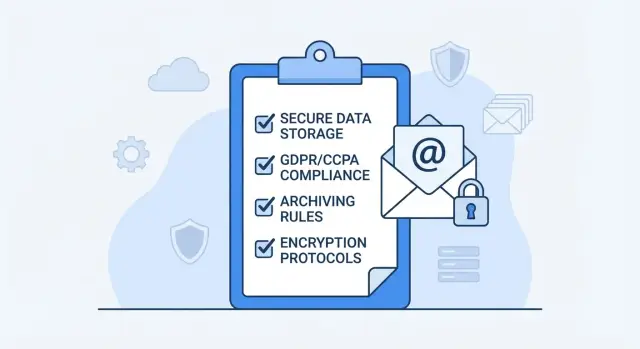
What changed and why cold outreach feels harder now
Big inbox providers tightened the rules for high-volume senders. Google and Yahoo now push everyone toward the same basics: prove you are who you say you are, make it easy to stop receiving messages, and keep complaints low.
A few years ago, a “good enough” setup often worked. Now small mistakes stack up fast. If your domain is missing proper authentication or your unsubscribe experience is messy, your emails can still send but start landing in spam, getting throttled, or quietly blocked.
The changes that matter most:
- Authentication is required at scale. You need SPF and DKIM aligned with your sending domain, plus DMARC to tell providers what to do when checks fail.
- Unsubscribing must be easy. Providers expect a clear unsubscribe option. For bulk mail, they increasingly expect one-click unsubscribe.
- Complaint rates carry more weight. If enough people hit “Report spam,” your reputation drops quickly.
- Filtering is more automated. Engagement and reputation signals matter more, so spray-and-pray lists get punished.
If you ignore these requirements, the outcome is often slow and confusing: deliverability collapses over time. Opens and replies drop. Threads get “ghosted” because the message never reaches the inbox. In worse cases, you get temporary blocks or a damaged domain reputation that takes weeks to repair.
Cold outreach feels harder because it naturally creates more negative signals than newsletters. Recipients didn’t ask for the email, so deletes and complaints happen more often. Today, cold email depends less on clever copy and more on operational discipline: clean lists, cautious ramp-up, and a setup that passes checks consistently.
Not every message type is judged the same. Newsletters and cold sequences are both “bulk” once volume and patterns look like bulk sending. Transactional mail (receipts, password resets) is often evaluated differently, but if you send it from the same domain as outreach, reputation can spill over.
The fix usually isn’t a rebuild. Most teams get results by tightening their sending foundation first, then adjusting list quality and cadence to reduce complaints.
Are you a bulk sender? A quick way to tell
“Bulk sender” sounds like it only applies to big brands. In practice, cold outreach can qualify much sooner than people expect.
A simple rule of thumb: if you regularly send similar messages to many recipients on a steady schedule (especially daily), providers can treat you like a bulk sender. Volume matters, but patterns matter too. A small team can look “bulk” if it scales quickly or runs multiple mailboxes.
You should assume bulk-sender expectations apply if you’re doing several of these:
- Sending from multiple inboxes, or rotating addresses to increase volume
- Going beyond a few dozen messages per day per domain, or ramping week to week
- Running sequences and using template-like copy across many prospects
- Seeing spikes in bounces, spam complaints, or unsubscribes
- Relying on Gmail or Yahoo recipients for a meaningful share of replies
Which inboxes are affected
The rules people call the Google and Yahoo bulk sender rules show up when you email recipients hosted by Gmail and Yahoo. It’s not about where you send from (Google Workspace, Microsoft 365, or something else). It’s about where the recipient is hosted and what your sending behavior looks like.
Example: you send from [email protected] on Google Workspace. If many prospects are on gmail.com, those messages need to meet Google’s expectations. If many prospects are on yahoo.com, they need to meet Yahoo’s expectations too.
What providers watch (the signals that trigger problems)
Mailbox providers watch a small set of signals that indicate whether recipients want your mail:
- Authentication: SPF, DKIM, and DMARC alignment
- Complaints: people clicking “Report spam”
- Bounces: high rates suggest poor list quality
- Unsubscribes: a clear, working opt-out
If predictable inbox placement matters to your business, treat yourself as a bulk sender early and build the habits now.
Step-by-step: SPF, DKIM, and DMARC that pass checks
If you send cold outreach from your main company domain, one mistake can hurt day-to-day email too. A safer approach is a dedicated sending domain (or subdomain) for outbound, like mail.yourcompany.com or yourcompany-mail.com, while keeping the primary domain for normal conversations.
1) Set up SPF (who is allowed to send)
SPF tells inbox providers which services are allowed to send on your behalf.
The most common mistake is publishing multiple SPF records. You should have one SPF record per domain.
Keep SPF tight: include only the services that actually send mail for that domain, then end with -all (strict) or ~all (soft). If you keep adding tools, revisit SPF so it doesn’t become a long, messy record that hits DNS lookup limits.
2) Set up DKIM (proof the email wasn’t altered)
DKIM adds a signature to each message. Your provider gives you one or two DNS records (often long strings). After publishing them, make sure DKIM is enabled in the sending tool and that the selector matches what you published.
Sanity check: send a test email to a personal inbox, open message details, and confirm DKIM passed for your sending domain.
3) Set up DMARC (your policy and reporting)
DMARC ties SPF and DKIM together and tells providers what to do when checks fail.
Start in monitoring mode:
- Set
p=nonefirst and collect reports for at least a week. - Confirm alignment: the domain in the From address should match SPF or DKIM.
- Move to
p=quarantineonce you’re confident. - Tighten to
p=rejectonly when you’re sure all real senders are covered. - Use a reporting address you actually monitor.
4) Confirm authentication is actually passing
DNS records existing isn’t the same as being compliant in real sends. Before you scale, send a few emails and verify headers show SPF pass, DKIM pass, and DMARC pass.
Example: if you send from [email protected] but DKIM signs yourcompany.com, DMARC can fail due to misalignment even if both SPF and DKIM individually say pass.
Sending setup that avoids deliverability surprises
Even with perfect authentication, sending behavior can still trigger filters. Most problems come from mixing outreach with day-to-day business email, changing identity mid-campaign, or scaling volume too fast.
Domain and identity choices
For cold outreach, sending from a separate domain that’s still connected to your brand protects your main domain (support, invoices, normal conversations) if something goes wrong.
A single sending domain can work if volume is modest and settings stay stable. Multiple sending domains can make sense for higher volume or isolating risk across teams, but they add setup and monitoring work.
A good rule: pick the smallest setup that matches your volume. It’s easier to grow later than to repair a burned domain.
Warm-up and ramping volume
New mailboxes need time to build trust. Warm-up helps by sending low-risk messages and gradually increasing daily sending. After that, ramp cold outreach in small steps, not big jumps.
Keep identity consistent. Frequent changes to the From name, From address, or reply behavior can look suspicious, especially across multi-step sequences.
A simple setup that prevents most surprises:
- Use a dedicated sending domain for cold outreach.
- Keep the From name and address consistent across all steps, and stable week to week.
- Limit how many new mailboxes you add at once.
- Increase daily volume gradually per mailbox, and pause increases when metrics worsen.
- Start with a small, well-matched segment before scaling.
One-click unsubscribe: how to implement it correctly
One-click unsubscribe means a recipient can opt out with a single action, without logging in, answering questions, or waiting days.
The key detail: providers look for unsubscribe support in the email headers, not only a link in the body. A footer link helps humans, but it’s not enough by itself.
Put unsubscribe in the header (and keep the body simple)
For bulk sender requirements, send:
- A
List-Unsubscribeheader (mailto and/or HTTPS) - A
List-Unsubscribe-Post: List-Unsubscribe=One-Clickheader when you support true one-click
Also include a clear unsubscribe line in the email body (usually the footer). Keep it plain: “Unsubscribe” or “Stop emails.” Don’t hide it behind tiny text or extra steps.
Make opt-out immediate and reliable
Unsubscribes should take effect quickly and stay in effect. The moment someone opts out, they should stop receiving sequences, follow-ups, and retries.
A practical approach that avoids common mistakes:
- Store unsubscribes in one suppression list per sending brand.
- Apply suppression before every send, including scheduled steps.
- Treat replies like “unsubscribe” or “stop” as opt-outs.
- Keep the unsubscribe endpoint stable (no expired tokens).
- Log opt-out source and timestamp.
If you run multiple campaigns, don’t keep separate unsubscribe lists that drift. Use one global suppression rule so a person who opts out once is excluded everywhere.
Complaint thresholds: staying under the radar
A complaint is when a recipient marks your email as spam (or junk). It usually happens fast: they don’t recognize you, the offer feels irrelevant, or the email looks like something they didn’t ask for. Mailbox providers treat complaints as a strong signal to filter your mail.
A practical target is simple: keep complaints consistently low. As a rule of thumb, aim to stay under 0.1% spam complaint rate, and treat anything around 0.3% as a red zone where you should slow down and fix the cause before sending more.
The biggest lever is targeting. Before you send, do quick checks: is the role a match, is the email recent and work-related, and is this person likely to care? A small, accurate list often beats a large “maybe” list.
Patterns that reliably trigger spam reports include vague clickbait subjects (“Quick question”) with no context, aggressive urgency, mass-mail templates that feel generic, unclear identity cues, and long follow-up chains when the first email wasn’t relevant.
When complaints rise, don’t just swap words and keep volume. Adjust the plan:
- Pause the segment generating complaints.
- Cut daily volume (often 30%-50%).
- Tighten targeting and reduce follow-ups.
- Look for one or two mailboxes, domains, or list sources causing most of the damage.
A simple habit helps: review negative signals daily (complaints, bounces, angry replies) and make one change at a time.
Bounces and list hygiene: simple rules that work
Bounces hurt sender reputation because they signal stale or scraped lists. You want your system to stop bad addresses quickly, not keep retrying them.
A hard bounce usually means the address doesn’t exist or the domain can’t receive mail. Treat it as final. Re-sending to hard bounces is like knocking on a door that isn’t there.
Simple rules that prevent most bounce and hygiene issues:
- Suppress hard bounces immediately and permanently.
- If a domain starts bouncing unusually often, pause sending and investigate the source.
- Recheck older leads before scaling, especially if they’ve been sitting for 60-90 days.
- Keep one suppression list across campaigns so a bad address is blocked everywhere.
- Track bounce rate by campaign and list source so you can shut off the worst source early.
List hygiene also means being careful with addresses that are more likely to bounce, complain, or route to shared inboxes. Role-based and risky addresses are common culprits: info@, sales@, support@, admin@, billing@, noreply@, postmaster@, abuse@, and webmaster@.
Out-of-office replies are different. Don’t treat them as bounces or negative intent. Pause the sequence for that contact, note the return date if included, and keep them out of follow-ups until then.
Example: you upload 2,000 prospects and see 60 hard bounces on day one. Freeze that list source, suppress those 60 immediately, and validate the remaining contacts before sending step 2.
Content and cadence tweaks that don’t require a rewrite
You don’t need to throw out your copy to meet the Google and Yahoo bulk sender rules. Small, consistent changes to how you write and how you send can lower complaints and make replies feel more natural.
Choose clarity over cleverness. Straight subject lines usually beat vague teasers. Your first sentence should explain why you’re reaching out in plain words, not “quick question” or “saw your profile.” If the reader understands the point in five seconds, they’re less likely to mark it as spam.
Match the offer to the person. A VP at a 200-person company and a founder at a 5-person startup won’t react to the same pitch. Keep the core template, but swap one line to fit role and company size.
Avoid sudden global template changes. If you change everything at once across all mailboxes, you can spike complaints or lower engagement and won’t know why. Change one variable at a time (subject, first line, CTA, or follow-up timing) and let it run for a few days.
A few rules that tend to work:
- Use one clear call to action (a short question is enough).
- Keep links out of the first email when possible.
- Use a real identity: name, company, and what you do.
- Make sure replies go to a mailbox someone checks daily.
- Prefer fewer, shorter follow-ups over long “just checking in” chains.
Cadence matters as much as wording. If you normally send 30 per day from each mailbox, don’t jump to 150 overnight. Increase volume slowly and leave time gaps between steps so it doesn’t look like a blast.
Pre-flight checklist before launching or scaling
Before you increase volume, run a quick pre-flight. The Google and Yahoo bulk sender rules are less forgiving during ramp-ups, and small gaps (like missing headers or DMARC misalignment) can turn into real deliverability problems.
Use this checklist each time you launch a new domain, add mailboxes, or scale a campaign:
- Authentication passes on the exact sending domain. Confirm SPF and DKIM show “pass” on real test sends from the same From address you’ll use. Watch for mismatches like sending from a subdomain while authenticating only the root domain.
- DMARC is active and sending reports. Publish a DMARC record for the domain used in the From header and enable reporting (rua). Start with a safe policy if needed, but don’t skip DMARC.
- One-click unsubscribe is truly one click. Ensure your emails include List-Unsubscribe and that the one-click method works in a real inbox. Confirm opt-outs are honored quickly.
- Complaint rate is visible, with a response plan. Decide where you’ll monitor complaints and what you’ll do if they rise: pause the segment, reduce volume, narrow targeting, review step 1.
- Bounces and invalids are suppressed automatically. Verify hard bounces (and repeated soft bounces) stop receiving emails without manual work.
Treat this like a gate. If any item fails, don’t scale. Fix it, then retest with a small batch.
Next steps: make compliance a repeatable system
If outreach used to work and now feels unpredictable, assume nothing is set-and-forget. A common pattern is an existing multi-step sequence that still gets some replies, but also random spam placement, rising bounces, and occasional angry responses. The goal isn’t to rebuild your outbound motion. It’s to turn these requirements into a routine.
Week 1: fix the basics without touching your copy
In week one, focus on what causes most deliverability surprises: authentication, unsubscribe, and ramp-up. Keep your sequence the same while you stabilize sending.
- Confirm SPF, DKIM, and DMARC are passing for every sending domain.
- Add one-click unsubscribe to every message and test it.
- Reduce daily volume for a few days, then increase slowly (especially for new domains or mailboxes).
- Pause or remove any mailbox showing unusual bounce or complaint spikes.
- Document your approved sending setup so new team members don’t improvise.
Once those are done, you have a clean baseline. Now copy and targeting changes are easier to evaluate.
A simple weekly monitoring habit
Block 15 minutes once a week and check the same signals every time. You’re looking for trends.
Track:
- Complaint rate (watch for jumps after list changes)
- Hard bounces (often a data issue)
- Unsubscribes (a targeting and expectation signal)
- Reply mix: interested vs not interested vs out-of-office
When one number gets worse, roll back the last change you made (new list source, higher volume, new mailbox, new domain) before rewriting messages.
If you want fewer moving parts, it helps to keep domains, mailboxes, warm-up, sequences, and reply handling in one workflow. LeadTrain (leadtrain.app) is one example of an all-in-one cold email platform that can centralize domain setup, email authentication (SPF/DKIM/DMARC), warm-up, multi-step sequences, and reply classification, so it’s easier to stay consistent while you focus on targeting and follow-up.
FAQ
How do I know if I’m considered a “bulk sender” for Gmail and Yahoo?
If you send similar messages to lots of people on a predictable schedule, providers can treat you like a bulk sender even at relatively low volume. Running sequences, using multiple inboxes, or ramping quickly are common triggers, especially when many recipients are on Gmail or Yahoo.
What’s the minimum authentication setup I need to avoid deliverability issues?
At minimum, make sure SPF and DKIM pass and are aligned with the domain in your From address, and publish a DMARC record for that same From domain. Don’t assume “DNS records exist” means you’re fine; verify on real test sends that SPF, DKIM, and DMARC all pass together.
What’s the most common SPF mistake that breaks deliverability?
Keep exactly one SPF record per domain and include only the services that actually send mail for that domain. A messy SPF with too many includes can hit lookup limits and fail, so it’s better to keep it tight and update it when your sending stack changes.
Should I set DMARC to quarantine or reject right away?
Start with p=none so you can monitor and confirm alignment without blocking real mail, then move to p=quarantine once you’re confident everything legitimate is covered. Only go to p=reject when you’re sure every real sender for that From domain is correctly authenticated and aligned.
Is an unsubscribe link in the email footer enough?
A body footer link helps people, but providers increasingly look for unsubscribe support in the email headers. For true one-click behavior, you need the appropriate List-Unsubscribe headers and an opt-out flow that stops future sends immediately.
Should cold outreach be sent from my main company domain?
Use a dedicated sending domain or subdomain for outbound so mistakes or complaint spikes don’t spill into your main business email. It’s usually the simplest way to protect support, billing, and day-to-day conversations while you iterate on outreach.
How fast can I ramp up sending without getting throttled or spammed?
Warm up new domains and mailboxes gradually, then ramp cold sends in small steps rather than big jumps. Keep your From name, From address, and reply handling consistent so you don’t look like a changing identity mid-campaign.
What complaint rate is “too high,” and what should I do when it spikes?
Aim to stay under about 0.1% spam complaints as a practical target, and treat anything around 0.3% as a warning to slow down and fix targeting and cadence. If complaints rise, reduce volume and pause the segment causing the issue instead of blasting ahead with new copy.
How should I handle bounces so they don’t damage my reputation?
Suppress hard bounces immediately and permanently, and don’t keep retrying addresses that clearly don’t exist. If you see an unusual bounce spike from a list source, pause that source and validate the remaining contacts before continuing the sequence.
Can cold outreach hurt deliverability for my transactional or support emails?
Yes, reputation can spill over when different message types share the same domain, especially if outreach generates complaints or bounces. A safer default is separating outbound on its own domain, and using a system that applies global suppression and consistent authentication across all sending identities.