Email deliverability drops mid-campaign: a throttle plan
Email deliverability drops mid-campaign can be fixed without panic. Use throttling and isolation to find the cause, protect reputation, and recover safely.
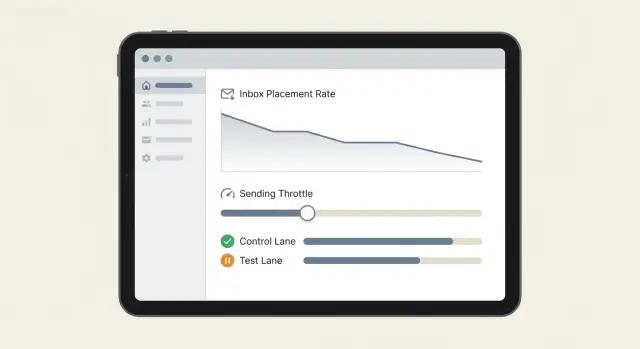
What a mid-campaign deliverability dip usually means
A mid-campaign dip is usually not “everything is broken.” It’s a sign that inbox providers trust you less than they did a few days ago, or that one part of your setup changed and pulled results down.
It often shows up as a mix of small symptoms: opens fall across multiple inboxes, bounce rates climb (especially “blocked” or “policy” bounces), and a few real people reply saying your message landed in spam. Sometimes replies stay normal, but new sends stop getting seen. That pattern matters because it points to filtering, not just low interest.
The biggest risk is reacting too fast. When email deliverability drops mid-campaign, teams often make several changes at once: they pause, then double volume to “catch up,” swap domains, rewrite copy, import new lists, and change sending hours. Those sudden shifts can look suspicious to mailbox providers and can turn a temporary wobble into a deeper reputation problem.
The practical goal is simple:
- Stop the bleeding by slowing down sending in a controlled way.
- Diagnose one variable at a time so you know what actually caused it.
Don’t assume the obvious. A dip does not automatically mean your copy is bad. And it rarely means your platform is “broken.” More often, it’s a reputation and consistency issue: list quality slipped, a mailbox started getting more bounces, a domain warmed up too quickly, or you hit a complaint threshold.
Think in parts: domain, mailbox, list, sequence, and volume. When one part goes off, you want to isolate it, not burn the whole program.
Common causes, in plain terms
When deliverability dips mid-stream, mailbox providers usually saw a new risk signal. The tricky part is that the “new signal” can be something you changed on purpose, or something that changed around you.
The most common triggers
A dip often starts after one of these shifts:
- You raised daily volume, removed breaks, or packed sends into a shorter window.
- Your list got worse: a new lead source, older data, more role accounts (sales@, info@), or more typos.
- Your message changed: different offer or CTA, heavier sales tone, more links, more tracking, or a new signature.
- Your setup changed: a new sending domain, new mailbox, different provider, or routing changes.
- Timing changed: weekends, holidays, or temporary crackdowns in your industry.
None of these are “bad” by default. The problem is speed. If you change too much at once, providers can’t build trust gradually, and your sender reputation can wobble.
Volume and schedule are the classic culprit. Sending 300 a day instead of 80, or switching from steady sends to big bursts, can look like a compromised account. Even if the copy is fine, the pattern alone can trigger filtering.
List quality is the second big one. If a new batch has more outdated contacts, you’ll see more bounces and fewer replies. That combination signals low quality and drives placement down.
Content changes can quietly raise risk. Adding a calendar link plus a couple of tracked links can be enough to push borderline inbox placement into spam.
Infrastructure changes matter because “new” is suspicious. A fresh domain or mailbox has no history yet. Even with correct authentication and warm-up, scaling faster than your reputation can support can trigger a dip.
A quick reality check: nothing “broke.” You launched a new segment on Friday, doubled volume, and used an older list. Monday morning, bounces rise and opens fall. That’s a pattern problem, not a mystery.
Before you touch anything: set a baseline
When email deliverability drops mid-campaign, the fastest way to make it worse is to change five things at once. Set a baseline first so you can tell whether your next move helped or hurt.
Start by picking one main “success” metric to watch for the next 24 to 72 hours. Many teams choose reply rate, but deliverability problems show up earlier in inbox-placement signals like bounce spikes, more spam complaints, or a sharp drop in opens (if you trust your open tracking). Pick the metric that changes first for you, and stick with it.
Next, freeze changes while you test. Keep the copy, subject line, sending schedule, tracking settings, and lead source the same. If you swap the list, rewrite the pitch, and change volume on the same day, you won’t know what caused the dip.
Decide your safety thresholds before you troubleshoot. That keeps you from “pushing through” and damaging sender reputation.
- Max daily sends per mailbox (a number you can keep steady for several days)
- Max bounce rate you’ll tolerate before pausing new sends
- Max spam complaints (even a small jump matters)
- Minimum reply rate you expect from your current segment
- A clear stop rule: what triggers a full pause vs a throttle
Finally, keep a simple log. One note per day is enough: what changed, when it changed, and what you observed. Example: “Tue 10am: added 2 new mailboxes. Tue 2pm: bounces up, replies flat.”
If your platform lets you export basics like sends, bounces, unsubscribes, and reply categories, add those to the log. The goal isn’t perfect reporting. It’s having one reliable picture of what “normal” looked like right before the dip, so every next test is clean and safe.
Throttling first: how to slow down without killing the campaign
When deliverability drops mid-campaign, the safest move usually isn’t to stop everything. A sudden stop can make your sending pattern look odd, and it also tempts teams to restart too hard. Instead, use controlled cold email throttling so you can reduce risk while you figure out what changed.
Here’s a practical throttle plan that keeps the campaign alive but lowers the odds of more spam placement or complaints:
- Cut volume right away, but don’t hit zero. A 30% to 60% reduction is often enough to stop the slide while you collect signals.
- Pause the highest-risk slice first. That’s often a brand-new list source, unverified leads, a new industry, or a new country you haven’t mailed before.
- Keep warm-up activity running if you have it, so your mailbox doesn’t go from active to cold overnight.
- Shift effort to conversations already happening. Reply fast to interested leads, handle “not interested” politely, and avoid piling on extra follow-ups to cold contacts for a day.
- Wait a full cycle before judging. Most teams need 24 to 48 hours to see whether inbox placement, bounce rates, and complaint signals stabilize.
Example: you’re sending 2,000 emails/day and notice replies drop and bounces rise. Drop to 1,000/day, pause the newest segment you imported yesterday, and keep sending only to the segment that performed well last week. Meanwhile, focus on replies already in your inbox (and make sure unsubscribes are honored quickly).
The goal is control. Throttling buys you time to diagnose without burning reputation by pushing harder into a bad situation.
Isolation testing: find the culprit without guessing
When email deliverability drops mid-campaign, you recover faster by testing one variable at a time, with a clear control group. If you change copy, audience, and volume together, you’ll never know what actually fixed (or broke) inbox placement.
Create two sends that are almost identical: a “control” that keeps the current setup, and a “test” that changes only one variable. Keep timing the same for both so day-of-week and hour-of-day don’t distort the result.
A simple isolation flow you can run in under a day:
- Pick a small sample you can afford to lose (for example, 100 to 300 recipients).
- Define the one variable to test: sending domain, mailbox, audience segment, or template.
- Hold everything else steady: same send window, same sequence step, same personalization rules.
- Write your pass/fail rule before sending (example: hard bounces under 3% and spam complaints at 0%).
- Run the test, then compare control vs test using the same metrics.
Example: you suspect one mailbox is “hot” (getting filtered). Keep the same domain, the same copy, and the same prospect list split in half. Send half from Mailbox A (control) and half from Mailbox B (test). If bounces and opens crater only on Mailbox A, you have a mailbox-level issue, not a copy issue.
If mailboxes look fine, test domain isolation. Move the exact same sequence step to a second sending domain for a tiny batch. If performance improves only on the new domain, your primary domain reputation is a likely culprit.
The method works anywhere: change one thing, measure it, decide, repeat.
Read the signals: bounces, complaints, and reply patterns
When email deliverability drops mid-campaign, the fastest way to recover is to read the signals you already have. Don’t guess based on one bad day. Look for a change in pattern: what kind of failures increased, from which provider, and after which send.
What each signal is telling you
Hard bounces are the bigger alarm. A hard bounce usually means the address doesn’t exist or the domain won’t accept mail. Too many hard bounces tells providers you’re sending to low-quality data, and they react fast.
Soft bounces are often temporary (mailbox full, rate limit, short-term block). Treat them as a cue to slow down and watch trends.
Unsubscribes and spam complaints are different levels of the same warning: your targeting or message match got worse. A sudden spike often points to a new list segment, a new subject line, a sharper offer, or sending too frequently. Complaints hurt more than unsubscribes because they’re a stronger trust signal.
Out-of-office replies are usually neutral or even good news. They show the email reached an inbox. “Not interested” is also not a deliverability problem by itself, but a wave of it can predict future complaints if you keep pushing the same angle.
Watch for block signals tied to one provider. If non-delivery suddenly clusters at Gmail or Microsoft while others look normal, that’s often a provider-specific limit or reputation issue, not a total collapse.
A simple way to read the dashboard:
- Hard bounces up: pause that list source, verify data, stop repeats.
- Soft bounces up: throttle volume and add more time between steps.
- Complaints up: stop the newest variant and tighten targeting.
- Unsubscribes up: reduce frequency and soften the CTA.
- One-provider failures: isolate sending domains and mailboxes for that provider.
If you use reply classification, you can spot these shifts faster because replies get bucketed consistently (interested, not interested, out-of-office, bounce, unsubscribe). For example, if “bounce” rises mainly on one new mailbox while others stay stable, you have a clear suspect without burning the whole program.
Fast fixes that are safe to try mid-campaign
When email deliverability drops mid-campaign, the safest moves are the ones that reduce risk without changing everything at once. Think small, reversible adjustments that help you stabilize while you keep diagnosing.
Start with authentication. SPF, DKIM, and DMARC should still be passing, and “still” is the key word. A tiny DNS change, a domain renewal, or a new sending service can break alignment. If you recently added a new mailbox, subdomain, or sending route, double-check that the exact domain you send from is the one authenticated.
Also check expectations. The From name, From address, and reply-to should match what a real person would use. A mismatch like sending from one domain while your signature and calendar links show another can raise filters and confuse recipients.
Safe mid-campaign fixes that often help without creating new problems:
- Pause the worst segments first: role accounts (info@, sales@), old leads, and any slice with high bounces.
- Reduce “risk” in the email: fewer links, no link shorteners, lighter tracking, and remove pushy lines like “quick call today?”
- Tighten list hygiene: remove duplicates, obvious typos, and addresses that bounced even once.
- Make the message look more human: one clear ask, fewer buzzwords, and no giant blocks of text.
- Keep domain and mailbox consistent: send from the same sending domain recipients saw in earlier steps.
Example: if Step 3 of your sequence has two links plus a tracked image, try sending that step with one plain link and no image to a small, healthy segment only. If replies return and bounces drop, you found a low-risk improvement.
Mistakes that burn reputation fast
When deliverability dips mid-campaign, the worst moves add noise while you’re trying to find a cause. A small dip can turn into a long-term sender reputation problem if you react too fast.
One common trap is changing the copy every day and then staring at the numbers. If you edit subject lines, first lines, CTAs, and targeting all at once, you lose the trail. Keep one “control” version running while you test one change at a time.
Another fast way to get into trouble is ramping volume back up too quickly. A tiny improvement after throttling doesn’t mean you’re “safe” again. Mailbox providers often need a few days of steady behavior to trust you. Jumping from low volume to full speed can trigger spam placement or blocks.
Risky combinations that hide the real culprit
Deliverability issues are hard to debug when you mix too many new variables:
- Launching a new domain and a new prospect list in the same week
- Adding new mailboxes while also changing offer and targeting
- Switching sending patterns (hours, days, steps) at the same time as copy edits
Keep the campaign predictable. If you need to expand, change one axis at a time.
Blind spots that waste days
Teams also miss provider-specific problems. One mailbox can be healthy while another is quietly failing, especially if different domains or inbox providers are involved. Check results per mailbox and per domain, not just the overall dashboard.
Don’t treat unsubscribes as the only “bad” signal. Unsubscribes hurt, but rising bounces are often the bigger emergency. If bounces climb and you keep sending, you’re telling providers your list quality is poor. Fix list hygiene and targeting first, then adjust messaging.
Quick checklist: 10 minutes to triage the dip
When email deliverability drops mid-campaign, your goal isn’t to “fix everything.” Your goal is to stop the damage, then narrow the cause.
Start by pulling a quick snapshot for the last 72 hours versus the prior 7 days: sends, delivered, hard bounces, spam complaints, unsubscribes, and positive replies. If you can, split it by mailbox provider (Gmail, Microsoft, Yahoo) and by sending domain or mailbox.
Use this 10 minute triage flow:
- Check volume: did daily sending jump in the last 72 hours (even 20% to 30%)? If yes, throttle immediately and hold the new lower level.
- Check list changes: did you add a new list source, enrichment vendor, or a new segment? Compare metrics for that segment alone. One bad slice can poison the whole campaign.
- Check hard bounces: are hard bounces above your baseline? If they’re rising fast, pause the newest segment first and review address quality.
- Check complaints and unsubscribes by provider: if one provider is spiking while others look normal, treat it as provider-specific (content, links, or reputation) and slow that traffic.
- Check what changed: did you swap domains, add new mailboxes, change a tracking setting, or edit links? Even small changes can trigger filtering when volume is steady.
If you spot a clear “new thing” (new segment, new domain, new link), isolate it before touching the rest. Keep your proven segment running at a lower rate, and pause only the new segment for 24 hours.
Example: diagnosing a dip without scrapping the whole program
It’s day 6 of your sequence. Everything looked fine for the first week, then open rates drop and bounces jump right after you add a new lead source. This is the classic moment when email deliverability drops mid-campaign, and the worst move is to keep pushing the same volume “to see if it fixes itself.”
First, limit the blast radius. Cut sending volume by 50% to 70% for the next 24 to 48 hours, and pause the newly added segment completely. Keep the rest of the campaign running (at the lower rate) so you don’t throw away momentum with people who were already responding.
Next, run an isolation test instead of guessing. Use the same mailboxes, the same copy, and the same schedule, but only send to the older, proven segment that worked before day 6. You’re testing one thing: did performance drop because of the new list, or because your sending reputation is now damaged across the board?
What to look for:
- If the old segment quickly returns to normal bounce and reply patterns, the new lead source is the likely culprit.
- If both segments stay bad, the issue is probably domain or mailbox reputation, content, or a technical problem that affects all mail.
- If only one or two mailboxes look worse, treat it as a mailbox-level problem and keep the rest steady.
In this scenario, the old segment recovers within a day. That points to list quality. The recovery plan is straightforward: clean the new list (remove role accounts when possible, risky domains, and duplicates), then reintroduce it slowly in small batches while watching metrics per mailbox.
Next steps: build a dip-proof routine for future campaigns
If email deliverability drops mid-campaign, the best long-term fix isn’t a single trick. It’s a routine that keeps volume, list quality, and reputation changes predictable, so dips are smaller and easier to diagnose.
Set a “safe sending” policy you can follow every week
Pick limits you can defend, then stick to them. A simple policy beats heroic changes.
- Cap daily sends per mailbox and keep it steady (spikes are what usually trigger trouble).
- Ramp up gradually when you add a new mailbox or domain.
- Schedule breaks (for example, lighter sending on weekends or one rest day after a big push).
- Keep warm-up running on any mailbox that isn’t actively sending.
- Separate “testing” from “production” so experiments don’t affect your core pipeline.
Make dips boring: a repeatable incident routine
When something slips, follow the same order every time: throttle, isolate, test, then scale back up. That prevents panic edits that burn reputation.
Start by slowing volume across the board, then isolate by sending domain or mailbox to find the culprit. Test with a small, clean segment (recently verified prospects, normal copy, no new links or attachments). Once metrics look stable again, increase in small steps, not all at once.
To reduce incidents, standardize list checks before every import. Verify emails, remove role addresses when possible, avoid stale lists, and watch for sudden shifts in audience (a new industry or country can change complaint rates fast).
If you want fewer moving parts during troubleshooting, using one system for domains, mailboxes, warm-up, sequences, and reply handling can help. For example, LeadTrain (leadtrain.app) combines domain and mailbox setup, automated warm-up, multi-step sequences, and AI-powered reply classification, so it’s easier to spot patterns like “bounces rising on one mailbox” or “one provider starting to block” without stitching together five different tools.
FAQ
Does a mid-campaign deliverability dip mean something is broken?
It usually means inbox providers saw a new risk signal and started filtering you more than before. Most of the time it’s a consistency problem like a volume jump, a worse list batch, or a new mailbox/domain that hasn’t earned trust yet.
What’s the first thing I should do when deliverability drops mid-campaign?
Throttle first instead of stopping completely. Reduce daily sends per mailbox by a meaningful amount and pause the newest or riskiest segment, then hold everything else steady for 24–48 hours so you can see whether the slide stops.
Why is a full pause sometimes worse than throttling?
A sudden stop often leads to a panicked restart with higher volume, which can make patterns look suspicious. A controlled slowdown keeps your sending behavior predictable while you gather data on bounces, complaints, and provider blocks.
Can a volume increase alone cause the dip even if my message didn’t change?
Volume is the most common trigger, especially if you removed breaks or compressed sending into a shorter window. Even if your copy is fine, sudden bursts can look like a compromised account and lead to spam placement or temporary blocks.
Which metric matters most during a deliverability dip: bounces, complaints, or unsubscribes?
Hard bounces rising is the biggest emergency because it signals poor list quality and providers react quickly. Complaints are also serious because they damage trust fast, even if the count looks small compared to sends.
What should I do if unsubscribes suddenly spike?
Treat it as a clue that your targeting or message match got worse, not necessarily a technical failure. Stop the newest variant or segment first, soften the ask, and make sure unsubscribes are honored quickly so you don’t turn irritation into complaints.
How do I isolate whether it’s a mailbox issue, domain issue, or list issue?
Run a small A/B-style isolation test where you change only one variable and keep timing, list rules, and sequence step the same. Split a clean sample between two mailboxes or two domains to see whether the problem follows a specific mailbox, domain, segment, or template.
What quick technical checks are safe to do mid-campaign?
Check that SPF, DKIM, and DMARC are still passing for the exact domain you’re sending from, especially if you recently added mailboxes, changed routing, or edited DNS. Also ensure your From address, signature, and any calendar or brand references don’t conflict, because mismatches can increase filtering.
What are safe content and targeting tweaks that won’t create new problems?
Reduce risk without redesigning everything: remove the worst segments (role accounts and any slice with high bounces), cut extra links and heavy tracking, and avoid pushing follow-ups too aggressively for a day. Keep the same core copy running as a control so you can tell what actually helped.
How can a single platform help me diagnose dips faster?
Use one place to see domains, mailboxes, warm-up status, sequences, and reply categories so you can spot patterns like one mailbox getting blocked or one segment driving bounces. Platforms like LeadTrain can help because warm-up, sending, and AI reply classification are unified, making it easier to troubleshoot one variable at a time instead of juggling multiple tools.