How many domains and mailboxes for cold email outreach
Use a simple capacity model to decide how many domains and mailboxes for cold email, set daily limits per SDR, and spread risk safely.
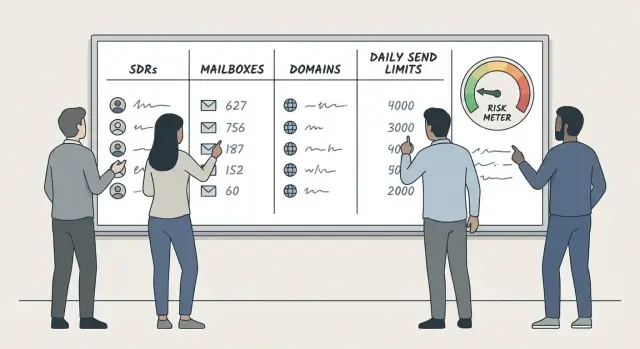
Why this question is harder than it sounds
People ask "how many domains and mailboxes for cold email" as if there’s one safe number. There isn’t. The right setup depends on three things: how much you want to send, how much deliverability risk you can accept, and how much day-to-day admin your team can realistically handle.
Outbound is a volume activity. When you double outreach, you also increase the chances of hitting provider limits, getting complaints, or burning a sender that was fine at lower volume.
The most common mistake is letting one inbox do all the sending. It might work for a week, then performance quietly drops: fewer replies, more spam placement, more bounces. Even with good copy, sender reputation is fragile when you push one mailbox too hard.
Think of domains and mailboxes as your risk distribution system. Multiple mailboxes spread daily sending across more senders. Multiple domains keep one problem from taking down your entire outbound motion. If one domain’s reputation dips, you can slow that domain down without stopping everything.
This is why the math is more than "SDRs x 1 inbox": your true capacity is limited by safe sends per mailbox, new inboxes need warm-up time, sequences create follow-up waves, and risk is uneven (one bad list can hurt a single mailbox fast).
Example: an SDR wants to start 40 new contacts per day on a 5-step sequence. That’s not 40 total sends over time. It’s closer to 200 sends, plus replies, bounces, and unsubscribes. If everything runs through one inbox, you either exceed safe limits or slow the SDR down.
Key terms in plain language
A lot of confusion comes from mixing up a few basics. Once these are clear, the planning gets much easier.
Domain
A domain is the name after the @ in your email address (like yourcompany.com). In deliverability terms, it’s your identity and reputation.
Email providers watch how a domain behaves over time: complaints, bounces, reply rates, and whether messages look consistent and trustworthy. If a domain gets a bad reputation, it can drag down every mailbox using it.
Mailbox (inbox)
A mailbox is the sender account, like [email protected].
Mailboxes have their own sending history, too. If one mailbox sends too much too fast, it can start landing in spam even if the domain is fine. The domain is the family name; the mailbox is the individual.
SDR
An SDR (Sales Development Rep) runs outreach and handles replies. Two SDRs can have very different email load. One might send fewer emails but write custom follow-ups and book meetings. Another might run higher volume and rely on fast reply handling. Your setup needs to match how they actually work.
Sequence
A sequence is the set of messages and timing rules that make up outreach. Example: Email 1 on day 1, follow-up on day 3, follow-up on day 7.
Sequences change daily volume because you’re not only sending new first emails. You’re also sending follow-ups to older leads. A 4-step sequence can create a big wave of follow-ups later, even if your new lead count stays the same.
The three constraints: risk, capacity, and effort
When someone asks how many domains and mailboxes they need, they usually want one number. In practice you’re balancing three forces that pull in different directions: deliverability risk, sending capacity, and ongoing effort.
1) Risk: what you’re trying to reduce
Deliverability risk is the chance your mail starts landing in spam (or inboxes get restricted) because patterns look suspicious or complaints spike.
More mailboxes and more domains can reduce risk by shrinking the blast radius. If a mailbox gets flagged, only part of your volume is affected. If a domain dips, you can pause that domain and keep running on the others.
The tradeoff is maintenance. Spreading too wide can backfire if you don’t keep each mailbox healthy and consistent.
2) Capacity: how much you can send without spikes
Capacity isn’t just "emails per day." It’s "emails per day without sudden jumps." Providers notice patterns. A mailbox going from 10/day to 80/day overnight is a red flag even if 80 sounds modest.
Treat capacity as a smooth pace you can repeat. You grow it gradually (warm-up helps) and keep it steady.
3) Effort: what you can actually manage
Every extra domain and mailbox adds work: DNS and authentication, warm-up, reply handling, bounces, unsubscribes, and basic hygiene. If you add inboxes but don’t monitor them, the "safer distribution" can turn into more deliverability problems.
A simple way to frame the tradeoff:
- Fewer inboxes means less admin work, but each inbox carries more volume pressure.
- More inboxes improve distribution and scaling, but create more moving parts.
- More domains spread reputation risk, but add setup and naming complexity.
If your team is small, using a single platform that keeps domains, mailboxes, warm-up, sequences, and reply triage together can reduce that effort. For example, LeadTrain bundles those pieces and also classifies replies automatically (interested, not interested, out-of-office, bounce, unsubscribe), so the operational load doesn’t grow as fast as volume.
A simple capacity model you can reuse
You don’t need a perfect answer. You need a safe baseline that hits your send goal without pushing any single inbox too hard.
Start with a few inputs you can keep in a worksheet:
- SDRs sending (S)
- target sends per SDR per workday (T)
- safe per-mailbox daily send cap once fully warmed (C)
- warm-up ramp factor for the current period (F), between 0 and 1
- buffer, as a decimal (for example, 0.2 for 20%)
Then calculate how many warmed mailboxes you need.
Total daily sends needed = S * T
Effective capacity per mailbox today = C * F
Mailboxes needed (no buffer) = (S * T) / (C * F)
Mailboxes to provision = CEILING(Mailboxes needed * (1 + Buffer))
Practical starting assumptions:
- C: 20 to 40 cold emails per mailbox per day for conservative sending
- F: 0.25 in week 1 of warm-up, 0.5 in week 2, 0.75 in week 3, 1.0 after you’re stable
- Buffer: 10% to 25% extra mailboxes for outages, pauses, or sudden deliverability issues
Replies matter, too, because they create workload and can affect your sending patterns:
Expected daily replies = (S * T) * R
If that number feels high, lower T or add support. Reply classification can reduce sorting time, but humans still need time to follow up well.
Finally, translate mailboxes into domains. Decide your maximum mailboxes per domain (M). Many teams pick 2 to 5 to spread risk.
Domains needed = CEILING(Mailboxes to provision / M)
This model isn’t about squeezing the most volume from one inbox. It’s about steady pacing, a buffer, and enough separation that one mistake doesn’t stall the whole team.
Step by step: calculate mailboxes per SDR
Buying too many (or too few) inboxes usually happens when you start from a single number like "50 emails per day." Instead, start from the real workload: new prospects plus follow-ups. Follow-ups often become the majority of sends after week 2.
1) Start from your real daily target
Decide how many new people each SDR should reach per day. Then estimate the average number of follow-ups your sequence creates per new lead.
A useful rule of thumb: if your sequence has 4 total steps (1 initial + 3 follow-ups), you may send about 3 to 4 total emails per lead over its lifetime. It won’t all happen in one day, but it will shape daily volume once things are running steadily.
2) Choose a conservative daily cap per mailbox
Pick a cap you can stick to even on busy days. Conservative is usually better for deliverability.
Many teams plan 20 to 40 sends per mailbox per day for cold outreach, especially on newer domains.
3) Do the math (mailboxes per SDR)
Use this model:
Daily emails per SDR = (daily new leads x emails per lead over time)
Mailboxes per SDR = (daily emails per SDR) / (daily cap per mailbox)
Round up.
Example: one SDR targets 30 new leads/day. Your sequence averages 3 total emails per lead over time.
- Daily emails per SDR = 30 x 3 = 90
- Cap per mailbox = 30/day
- Mailboxes per SDR = 90 / 30 = 3 mailboxes
4) Add buffer for warm-up, pauses, and replacements
Real life reduces capacity: warm-up, temporary restrictions, deliverability dips, list fixes.
A simple buffer approach: add 25% to 50% extra mailboxes per SDR, and keep at least one spare mailbox warmed and authenticated so you can rotate quickly when something goes wrong.
How to split volume across domains (risk distribution)
Putting all outbound on one domain is like running your whole sales floor through one phone line. If that domain gets flagged, deliverability drops everywhere at once.
A practical starting point is 2 to 4 mailboxes per domain for cold outreach. It’s not magic. It’s a balance between control and complexity. Fewer mailboxes per domain spreads risk better, but it also means more domains, more DNS records, and more things to keep tidy.
Add a new domain vs add another mailbox
Add another mailbox on an existing domain when you’re simply short on capacity and the domain has been healthy for weeks (low bounces, low complaint signals, steady engagement).
Add a new domain when you’re increasing volume meaningfully (new SDR, new motion), you want separation by team or offer, or you’re seeing early warning signs and don’t want to stack more load on the same domain.
A rule that works for many teams: once you go beyond 4 to 6 mailboxes on one domain for cold outreach, adding another domain is often safer than squeezing more into the first.
Keep naming and ownership organized
Distribution only helps if you can manage it. Use a clear system so anyone can answer: who owns this domain, which SDR uses which inbox, and what it’s used for.
Keep it simple: consistent domain naming, consistent mailbox naming, and one shared tracker for purchase dates, warm-up start dates, and current daily caps.
Warm-up and setup assumptions that change the math
Warm-up is why two teams with the same "daily send limit" can get very different results. The limit tells you what a mailbox can send on paper. Warm-up decides what it can send without getting filtered.
Plan for weeks, not days. If you plan capacity using final target volume from day one, you’ll either overbuy mailboxes or push too hard and hurt deliverability.
Warm-up basics: ramp beats raw limits
Warm-up is about proving to inbox providers that your mailbox behaves like a real person. That means gradual volume, consistent sending times, and replies that look natural.
If you’re onboarding new SDRs, build a ramp buffer into your model so team volume stays stable while new inboxes grow into their caps.
What SPF, DKIM, and DMARC protect you from
These aren’t about sending more. They’re about being trusted.
SPF says which servers are allowed to send for your domain. DKIM adds a signature so messages can’t be altered without detection. DMARC tells providers what to do when SPF or DKIM fails and reduces spoofing.
If authentication is missing or misconfigured, your "safe" daily volume drops quickly. You’ll see more spam placement, more bounces, and more time spent debugging instead of selling.
Separate reputations: why teams shouldn’t share everything
Reputation is tied to both domain and mailbox behavior. When one mailbox gets high bounces or complaints, it can drag down the rest if everything is tightly shared.
A good rule is to separate sending identities by team or risk level. For example, keep a new SDR group on its own set of domains and mailboxes until performance stabilizes. Platforms with tenant-isolated sending infrastructure, like LeadTrain’s per-organization setup, help keep your deliverability reputation independent from other customers.
When to slow down
Deliverability problems are easier to prevent than fix. If you see negative signals, reduce volume first, then investigate targeting and list quality.
Common "slow down now" signs:
- Bounce rate spikes (especially "mailbox does not exist")
- Spam complaints or angry replies increase
- Open rates drop sharply across multiple sequences
- Unsubscribe rate jumps after a volume increase
- Providers start throttling (delays, temporary failures)
A realistic assumption for your capacity plan: you will sometimes need to cut sends by 30% to 50% for a few days. A buffer is what keeps outreach consistent when things get noisy.
Common mistakes that break deliverability
Most deliverability problems don’t come from picking the "wrong" number in your model. They come from habits that make your sending look risky.
The fastest way to get into trouble is starting with too few mailboxes and then jumping volume overnight. If you go from 20 emails a day to 200, it looks unnatural, even with a decent list. Ramp slowly, especially on new domains or recently created mailboxes.
Another common mistake is mixing very different sender personas in one mailbox. One day it’s "Alex from Sales," the next it’s "Alex from Partnerships," then it turns into "Support." That inconsistency shows up in copy, signatures, and reply patterns. Keep one mailbox tied to one role and one style.
Ignoring reply capacity can also hurt performance. If interested replies sit for two days because the SDR is overloaded, you lose meetings and train prospects to ignore you. Some will mark later follow-ups as spam.
A few habits prevent most issues:
- Set a daily ceiling per mailbox and raise it gradually.
- Keep one persona per mailbox (same name, role, and tone).
- Slow sends when replies spike and the team can’t keep up.
- Stop campaigns when bounce rates rise and fix list issues first.
- Treat unsubscribes as normal, and honor them immediately.
Even the best capacity plan won’t save you from poor list quality. Outdated leads, generic inboxes, or irrelevant targeting will drag engagement down and poison reputation faster than any inbox math can fix.
Quick checklist before you buy more domains
Buying more domains feels like progress, but it often hides a simpler problem: your current setup can’t handle normal week-to-week swings without sudden volume jumps.
Before spending money, check these basics.
The "do we actually need more?" checks
Look for spikes, not averages. If an SDR usually sends 30/day but sometimes needs 60/day to catch up, you need enough mailboxes to absorb that spike without doubling per-inbox volume overnight.
Keep at least one spare mailbox warmed and authenticated. That gives you an immediate replacement when an inbox starts bouncing, gets restricted, or needs a pause.
Confirm every domain is authenticated and consistent. Each sending domain should have SPF, DKIM, and DMARC set. Keep your "From" name and signatures aligned with a real sender identity. If you use multiple domains, keep them clearly related to your brand so replies don’t feel suspicious.
Have a pause-and-replace plan. Decide what you do when performance drops: reduce daily sends, pause a mailbox, rotate in the spare, then consider adding new domains.
Scale in small steps. Instead of "add 5 domains," use a trigger like "when we consistently hit 80% of safe volume for 2 weeks, add 1 domain and 2 to 3 mailboxes."
A quick example
Say you have 3 SDRs and each needs about 40 new emails/day. If you run 2 mailboxes per SDR, a sick day, a new list upload, or a sequence tweak can push one mailbox from 20/day to 40/day overnight. That jump is often what causes spam placement.
In that situation, adding one warmed spare mailbox per SDR can be a better first move than buying new domains. If you later confirm you still need more headroom, then add another domain and spread volume gradually.
Example scenario and practical next steps
A small example makes the tradeoffs clear.
A simple 3-SDR plan (with buffers)
Say you have 3 SDRs and you want a steady target of 120 new outbound emails per SDR per day (not counting replies). That’s 360 new sends per day total.
Use a conservative cap of 40 new sends per mailbox per day. Add a 20% buffer so you can absorb pauses and dips without pushing any single inbox too hard.
- Needed capacity per day: 360 sends
- Buffer (20%): 360 x 1.2 = 432 sends
- Mailboxes needed: 432 / 40 = 10.8, round up to 12 mailboxes
That works out to 4 mailboxes per SDR. If you split those 12 mailboxes across 3 domains (4 mailboxes per domain), you spread both volume and risk.
If one domain gets flagged and you pause it, you lose about a third of your capacity. With multiple domains, you can keep running at reduced volume while you fix the issue instead of going dark.
Practical next steps
Decide your per-SDR daily target and set a per-mailbox cap. Start lower than you want to end up, then raise slowly.
Spread mailboxes across multiple domains and avoid putting all outbound on one sending identity.
Set up SPF, DKIM, and DMARC, then warm up every new mailbox before real outreach.
Keep sequences simple, and use clear stop rules (reply, bounce, unsubscribe).
If you want fewer tools to manage, LeadTrain (leadtrain.app) combines domains, mailboxes, warm-up, multi-step sequences, and AI-powered reply classification in one place. Even with an all-in-one setup, the planning above still matters: it helps you scale without sudden jumps and keeps deliverability stable.
After a week, review performance. If you’re consistently hitting caps, add mailboxes before you raise per-mailbox volume." }
FAQ
What’s a safe daily sending limit per mailbox for cold email?
Start with 20–40 cold emails per mailbox per day once it’s fully warmed and stable. If you need more volume, add mailboxes first instead of pushing one inbox harder, because sudden jumps are what usually trigger spam placement or provider throttling.
How many mailboxes should I put on one sending domain?
A practical starting point is 2–5 mailboxes per domain for cold outreach. This spreads risk without creating too much admin work, and it gives you room to pause one mailbox or slow a domain down without stopping everything.
How do I calculate how many mailboxes my team needs?
Use a simple model: mailboxes needed = ceiling((SDRs × daily sends per SDR) ÷ (safe sends per mailbox × warm-up factor) × (1 + buffer)). Start with a 10–25% buffer so you can handle pauses, restrictions, or list issues without forcing big per-inbox spikes.
When should I add a new domain versus just adding another mailbox?
Mailboxes spread volume across more senders, which reduces stress on any one inbox. Domains spread reputation risk, so one domain problem doesn’t sink all outreach; if you’re scaling meaningfully or want separation by team or offer, adding a domain is often safer than stacking more mailboxes onto one domain.
How does warm-up affect the number of domains and mailboxes I need?
Warm-up changes your usable capacity more than your theoretical limit. Plan for a ramp where week 1 might be around 25% of your target, week 2 50%, week 3 75%, and only then approach full caps, otherwise you’ll either overbuy or push too hard and hurt deliverability.
How do sequences change my daily volume math?
Sequences create follow-up waves, so daily sends grow even if new-lead volume stays flat. A simple way to estimate is total emails per lead over time, often 3–4 emails per lead for a 4-step sequence, then size mailboxes based on that steady-state daily total rather than just “new contacts per day.”
What should I do if a mailbox or domain starts having deliverability issues?
Keep at least one spare mailbox warmed and authenticated, then reduce volume on the affected mailbox/domain before you investigate. If you’ve spread volume across multiple mailboxes and domains, you can keep sending at reduced capacity while you fix targeting or list quality.
When is it time to scale up by adding more domains and inboxes?
A clear trigger is when you consistently run at around 80% of your safe cap for a couple of weeks and need more output. Add capacity in small steps—like 1 domain and 2–3 mailboxes—instead of big jumps, because stability matters more than hitting a big number fast.
How do replies impact how many inboxes we should run?
High reply volume can overload SDRs, causing slow responses that hurt results and can lead to more spam complaints on later follow-ups. Aim for a setup where replies are handled quickly, and use tools that reduce sorting time; for example, LeadTrain can classify replies (interested, not interested, out-of-office, bounce, unsubscribe) so SDRs spend less time triaging.
Do I need SPF, DKIM, and DMARC before scaling outbound?
At minimum, each sending domain should have SPF, DKIM, and DMARC correctly set, because missing or broken authentication lowers trust and effectively reduces how much you can send safely. Platforms like LeadTrain can automate DNS setup and authentication, which helps you avoid configuration mistakes that tank deliverability.