Deduplicate Prospects Across Sources Without Double-Touching
Learn how to deduplicate prospects before outreach so you do not email the same person twice when pulling lists from multiple providers.
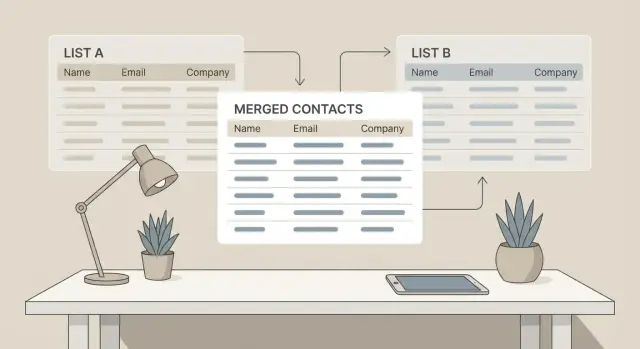
Why double-touching prospects happens (and why it hurts)
Double-touching usually starts with good intent. You pull fresh leads from Apollo, a conference list, LinkedIn exports, and an old CRM segment, then load them into your outbound tool. Each source looks “new” on its own, but the same person is often in two or three places with slightly different details.
Contact data is messy. One provider has “Sam Lee” with [email protected], another has “Samuel Lee” with [email protected], and your CRM has a personal email from a past conversation. If you don’t deduplicate before sending, your system treats these as different people, so they get multiple first emails or multiple follow-ups.
The damage is bigger than it sounds:
- Prospects get annoyed fast and may reply sharply or unsubscribe.
- Complaints and bounces can hurt deliverability, so even good leads stop seeing your emails.
- You waste time as reps chase the same person in parallel.
- Reporting becomes unreliable because “unique prospects” isn’t actually unique.
This gets worse when you run high-volume outbound, when multiple reps share the same market, or when replies land in a shared inbox. Two people on your team can unknowingly work the same contact, especially if each rep imports their own lists.
A simple goal keeps you honest: one person, one outreach path at a time. That doesn’t mean you never reach out again. It means you choose a single owner, a single active sequence, and a single source of truth for status, so your next move is intentional instead of accidental.
If you’re using an all-in-one platform like LeadTrain, getting this right pays off immediately: cleaner sequences, clearer reply handling, and fewer “Why did you email me twice?” moments.
Decide what “duplicate” means for your team
Before you try to deduplicate prospects, agree on what “same” means. If you don’t, you’ll keep arguing about edge cases, and your sequences will still hit the same person twice.
Most teams pick one default definition:
- By email: the same email address is one record.
- By person: “Jane Smith” is one record even if she has multiple emails.
- By company: all contacts at a company count as “one” for a period of time.
Email-level dedupe is the simplest and safest for deliverability, but it can miss the same person when providers give different addresses ([email protected] vs [email protected]). Person-level dedupe reduces double-touching, but it can hide real opportunities, like a buyer who changed jobs or uses a contractor address for a specific project. Company-level dedupe helps if you have strict account rules, but it can block good outreach to different roles in the same organization.
Decide how you’ll treat role accounts and shared inboxes. For many B2B teams, addresses like info@, sales@, support@, and careers@ should be excluded or handled separately.
Write down one rule your team can follow without debate. For example: “We dedupe by email by default. If first name, last name, and company match, we treat it as the same person and keep the most recent work email. We never sequence role accounts.” In tools like LeadTrain, this kind of rule is easier to enforce consistently when lists from multiple sources land in one place.
Normalize your data before you try to match it
Before you deduplicate prospects, make sure the fields you compare look the same. Most duplicates slip through because the same person is written in slightly different ways across providers.
Common mismatches are small but painful: casing (JANE vs Jane), punctuation (O’Neil vs Oneil), extra spaces, and nicknames (Bob vs Robert). Even email can vary if one source adds tags like "+sales" or formats dots differently. Company names are just as messy: “Acme, Inc.”, “ACME”, and “Acme Incorporated” might all be the same place.
The normalizations that usually pay off first:
- Trim extra spaces, use consistent casing, and remove obvious punctuation where it helps.
- Clean emails (lowercase, remove surrounding spaces, and decide how you handle plus tags).
- Standardize names (split first/last, remove titles like “Dr.”, and store a preferred name if you have it).
- Normalize company signals (company name plus website domain is often stronger than name alone).
- Standardize country/state fields (use one format, not a mix of “US”, “USA”, and “United States”).
If you call prospects, normalize phone numbers too (one format with country code). Otherwise, “(415) 555-0123” and “+1 415 555 0123” won’t match.
Keep the original values somewhere for traceability (for example, in a notes or raw_source field). When a teammate asks why two records were merged, you can show the inputs that led to the decision.
Choose matching rules that are simple and consistent
The fastest way to deduplicate prospects is to pick a small set of identifiers and use them the same way every time. If each list gets “matched” differently, you’ll keep reintroducing duplicates.
Start with a clear priority order. Most teams get reliable results with:
- Email address (exact match, after trimming spaces and lowercasing)
- LinkedIn URL (exact match after removing tracking parts)
- Name + company + title (only when the first two are missing)
Missing fields are where duplicate outreach usually sneaks in. If email is blank, don’t fall back to name alone. Two people can share a name, and one person can appear under different nicknames. Also treat generic emails (info@, sales@, support@) as weak identifiers. They often represent a shared inbox, so matching on them can merge unrelated records.
Use a simple confidence approach so everyone knows what gets merged automatically:
- Exact match: safe to auto-merge (same email or same LinkedIn URL)
- Likely match: queue for review (strong signals, but one field differs)
- Needs review: don’t merge (common name, partial company name, missing title)
Example: you pull “Sam Lee at Acme” from one provider with no email, and from another as “Samuel Lee at Acme Inc” with a LinkedIn URL. That’s only a likely match if the LinkedIn profile lines up. Otherwise, keep both until verified.
If your outbound tool supports it, set rules so exact matches merge automatically, while likely matches get flagged for a quick human check before a sequence goes out. This keeps your rules consistent and helps avoid duplicate outreach without over-merging unrelated people.
Step-by-step: a repeatable deduplication workflow
To deduplicate prospects reliably, treat it like a small pipeline: collect everything in one place, make it consistent, match in layers, then publish a single clean output.
Start by pulling every provider list into one staging sheet or table. Keep the raw exports unchanged in a separate tab so you can trace where each row came from if something looks off.
Next, normalize your columns and formats before you match anything. Make emails lowercase, trim spaces, standardize phone formats, split full name into first and last, and store company domain in its own field. This boring step prevents most false misses.
Then match in two passes:
- Exact match: dedupe on email first. If you have it, do the same for LinkedIn URL (it’s often more stable than a title or company name).
- Secondary match: for records without email or LinkedIn, compare name + company domain.
You’ll still get a gray-area list where things are close but not certain (for example, same name and company, but different roles). Review these manually and decide whether to merge or keep separate. A simple rule helps: if you can’t explain why they’re different people, mark as “needs research” instead of guessing.
Finally, output one clean list and assign a stable prospect ID that never changes. Keep a source history field (which providers contributed data) and merge notes (what you did and why). If you load this into your outbound tool, a stable ID makes it much easier to prevent two sequences from touching the same person later.
Edge cases you will hit (and how to handle them)
Even with clean data and clear rules, a few edge cases keep showing up. Planning for them up front helps you avoid accidentally skipping real people.
Email quirks: aliases, plus signs, and dots
Some providers treat email formatting differently. A classic example is [email protected] versus [email protected]. Many inboxes deliver both to the same place, but not all.
A safe approach is to store two fields: the original email and a normalized email you use for matching. Normalize carefully, and only apply rules you’re sure about.
Contacts that look like duplicates but are not
Common “looks the same” situations, with a practical default response:
- Role inboxes like info@, sales@, support@: usually exclude from outbound, or route to a separate campaign with different copy.
- Same person, new job: treat as a new prospect if the company changed, but keep the old record so you don’t send two intros in the same week.
- Parent company vs subsidiary names: match on website domain and company address when possible, not just the company name string.
- Shared domains across brands (holding companies): don’t assume everyone on the domain is one brand; use company name and LinkedIn URL (if you have it) as a tie-breaker.
A small example
You pull “John Smith” from two sources. One record is [email protected] at “ACME Holdings”, the other is [email protected] at “ACME Logistics”. If your rule is “same normalized email = same person”, merge them and keep both company names as aliases. If the emails differ but the name and domain match, flag it for review instead of auto-merging.
If you’re using a tool like LeadTrain, keep the normalized email and your decision (merged, new job, needs review) on the master record so future imports don’t recreate the same ambiguity.
Build a master prospect record you can trust
To deduplicate prospects reliably, you need one place that decides who a person is, even when the same contact shows up in three imports with slightly different details.
Create a stable internal prospect ID the moment a new person is added, and never change it. Email and company can change over time, but your internal ID shouldn’t. That ID becomes the anchor for merges, outreach history, and reporting.
What to store in the master record
A trustworthy master record is more than a “best guess” name and email. Keep a small, complete file you can reuse across campaigns:
- Internal prospect ID (permanent)
- Source details (provider, list name, import date)
- Merge history (what records were combined and the rule used)
- Outreach status (never-contact, contacted, in-sequence, replied)
- Field ownership (which system is the source of truth)
Add source details even if you think you won’t need them. When a prospect complains or unsubscribes, you’ll want to know where they came from and whether they appeared in multiple places.
Decide field ownership before the first merge
Teams get into trouble when two tools fight over the same fields. Agree on simple rules, like: the CRM owns job title and account notes, your email platform owns sequence status and last touch, and the most recent verified email wins over older emails.
A common scenario: Apollo has “Jon Smith” at Acme with one email, another provider has “Jonathan Smith” with a different email, and your CRM has a phone number. Your merge history should show why you combined them (same LinkedIn URL or same company + name match), which email you kept, and that the outreach status is “never-contact” so you don’t accidentally put him into two sequences at once.
Quick checklist before you launch a sequence
Before you start sending, do a fast pass that catches the most common problems: duplicates, bad addresses, and mismatched company info. Ten minutes here can save you days of awkward follow-ups and deliverability issues.
Start with the new list itself. Look for exact matches on email first, then check a second identifier such as LinkedIn URL. Duplicates often slip in when one source has “[email protected]” and another has “[email protected]”. If your list has no LinkedIn URLs, use a consistent alternative like full name + company domain.
Next, compare the new list against your “already contacted” file for the last 90 to 180 days (pick a window and stick to it). The goal is to avoid double-touching someone who recently got a sequence, even if they appear in a fresh export.
Then do a quick quality filter:
- Remove role inboxes (info@, sales@, support@) and obvious junk (missing @, placeholder emails).
- Confirm company domains are correct and consistent (watch for .co vs .com, regional domains, or parent vs subsidiary domains).
Finally, spot-check about 20 random rows. Look for weird formatting (extra spaces, all caps), swapped first/last names, or titles pasted into the name field. If you see patterns, fix them in bulk before you send.
If you’re running campaigns in LeadTrain, this checklist pairs well with a final “do not contact” suppression step so new imports don’t accidentally hit someone twice.
Common mistakes that create duplicates later
Most teams deduplicate once, then quietly recreate duplicates week after week. The cause usually isn’t the tool. It’s small habits that let messy data back in.
One common mistake is relying on name-only matching. “Alex Lee” isn’t a unique identifier, and it’s easy to merge two different people who share a name. That over-merging is worse than having duplicates because it can mix job titles, companies, and past replies into one wrong record. The next email can look careless or risky.
The opposite problem is under-merging. Tiny formatting differences slip through: “J.P. Morgan” vs “JP Morgan,” “Acme Inc” vs “Acme, Inc.,” or a phone number with and without a country code. If your process treats these as different, you don’t actually deduplicate prospects, you just remove the most obvious repeats.
Another repeat offender is not excluding recent contacts. If you pull a fresh list every Monday but don’t filter out people contacted in the last 30 to 90 days (including replies, bounces, and unsubscribes), you can accidentally follow up as if it’s the first touch.
Duplicates also happen across teammates. One SDR imports a list, another imports a similar list, and both sequences run from separate mailboxes. If you don’t dedupe across shared workspaces and shared mailboxes, a prospect can get two “first emails” in the same week.
Patterns to watch for as you scale:
- Matching on name only instead of stable identifiers like email or LinkedIn URL
- Over-merging two real people into one record
- Ignoring normalization (case, punctuation, common company suffixes)
- Skipping a “recently contacted” suppression check
- Keeping personal spreadsheets that never sync with the team
If you use a platform like LeadTrain, set one team rule for matching and suppression, and make everyone import through the same place. Consistency matters more than perfection.
Example: merging lists from multiple providers without overlap
You pull three files for a new campaign: 500 prospects from Provider A, 500 from Provider B, plus an old CSV of 250 people you contacted last quarter. That’s 1,250 rows, but you don’t have 1,250 unique people.
Start by matching on email (lowercased, trimmed). After that pass, you find 170 exact duplicates. Most are the same person sold by both providers, plus a handful already in your old CSV. If your goal is to deduplicate prospects quickly and safely, this email match step does most of the work.
Next, create a “likely match” bucket for records that look like the same person but have different emails. In this example, 55 rows fall into that bucket, like:
Jordan Lee | Acme Logistics | [email protected]
Jordan Lee | Acme Logistics | [email protected]
Now you need one rule so the team makes the same call every time:
- Merge if: same full name and same company, and one email is clearly the company domain you want to target.
- Keep separate if: same name but location or title suggests a different person.
- Keep separate if: emails are from different domains and you can’t confirm a company change.
- Suppress if: the person appears in the old CSV with a negative outcome (unsubscribed, bounced, asked not to be contacted).
After review, you merge 35 of the likely matches (keeping the best email and saving the other as an alternate), and you keep 20 as separate records.
Final result:
- Clean send list: 1,045 unique prospects
- Suppression list: 205 emails (170 duplicates removed + 35 alternates not used, plus any do-not-contact from history)
When you load this into your sequencer, import the clean list and also upload the suppression list so none of those addresses get picked up again by mistake.
Keep duplicates from coming back
One clean-up run isn’t enough. New imports, enrichment, and list sharing can quietly reintroduce the same people. The goal is to make deduplication a habit that happens automatically as your team works.
Pick a cadence and stick to it. For many teams, the safest rule is: run dedupe on every import, plus a quick weekly sweep to catch late additions (like manual uploads or CRM syncs).
Keep imports organized so you can trace where duplicates came from. Use the same naming pattern every time, like: Provider - ICP - Region - YYYY-MM-DD. When someone asks, “Where did this record come from?”, you can answer in seconds.
Suppression lists are your safety net. If a person has unsubscribed, bounced, or asked not to be contacted, that should override everything, even if they show up again from a different provider.
A prevention routine that works:
- Run dedupe at import time before anyone starts a sequence.
- Apply suppression lists (unsubscribes, bounces, do-not-contact) first.
- Lock one “source of truth” for key fields like email and company to reduce drift.
- Do a final pre-send check: no suppressed contacts, no recent touches.
- Write down the rules in a short one-page SOP.
Example: your SDR imports 2,000 leads from Provider A on Monday, then another 1,500 from Provider B on Wednesday. If the Wednesday list skips the same dedupe and suppression steps, you can double-touch people who already replied or opted out.
If you use a platform like LeadTrain, build the final pre-send check into your campaign launch routine: confirm suppression is applied and scan for repeats before messages go out.
Next steps: bake deduping into your outbound workflow
The goal isn’t to fix duplicates once. The goal is to make it hard for duplicates to get into your system again.
Turn what you decided into a simple SOP that anyone on the team can follow: what fields you match on (email, then LinkedIn URL, then name plus company), what you do when two records disagree, and what “wins” (newer data, higher-confidence source, or the record with past outreach history).
Decide where dedupe happens, and do it more than once:
- Before import: clean and normalize your file, then run your matching rules.
- At import: block exact duplicates and flag “maybe duplicates” for review.
- Before send: run a final check against recent outreach so no one gets double-touched.
Someone needs to own the gray area. Pick one person (or a rotating owner) to review the “maybe duplicate” queue daily. Give them clear options: merge, keep separate, or suppress one record. Without an owner, the queue becomes a junk drawer and duplicates leak into campaigns.
Tooling also matters. If your list pulls, sequences, mailboxes, and reply handling live in different tools, duplicates are easier to create and harder to spot. A centralized platform like LeadTrain can help because domains, mailboxes, warm-up, sequences, and reply classification live in one workflow, so your matching and suppression rules are easier to apply consistently.
Track one metric: duplicate rate per import (duplicates found divided by total rows). Watch it weekly. If the rate spikes, a source changed, someone skipped steps, or your matching rules need an update.