Data retention for outreach: audit readiness for regulated industries
Data retention for outreach in regulated industries: what to store, how long to keep it, and how to document consent and opt-outs for audits.
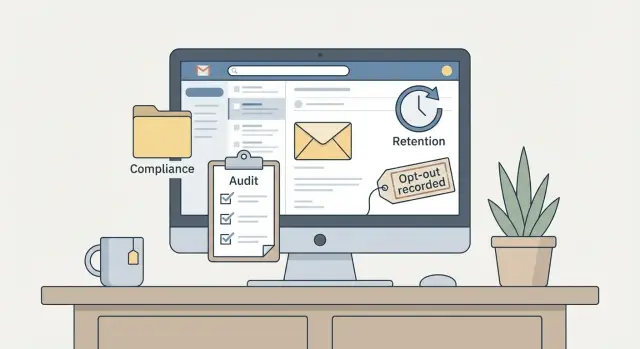
Why regulated industries care about outreach records
Regulated industries (finance, insurance, healthcare, public companies, and many B2B vendors that sell to them) get asked the same question over and over: can you prove what you did? Audits rarely focus on intent. They focus on evidence you can produce quickly, with dates, sources, and a clear chain of events.
That’s why data retention for outreach matters. If you send emails, run sequences, or contact prospects through forms and referrals, you’re creating business records. When an auditor, regulator, or a customer’s compliance team asks how someone ended up on a list, you need more than a story. You need a record.
When outreach records are missing or messy, a small complaint turns into a big distraction. Common failure points look like this:
- You can’t show where a lead came from or what your “legitimate interest” was based on.
- Someone opted out, but the opt-out wasn’t stored, so they got emailed again.
- Consent exists, but the proof is vague (no timestamp, capture method, or the exact language shown).
- A vendor provided contacts, but you can’t document the source or terms.
- Logs exist, but they’re scattered across tools, inboxes, spreadsheets, and a CRM.
“Audit-ready” doesn’t mean perfect. It means your team can answer basic questions fast and consistently: Who was contacted? When? Using which mailbox and domain? What message went out? What was the response? Was there an opt-out? What happened next?
A simple rule helps: keep the minimum information needed to prove compliance, plus enough context to investigate issues. If a prospect replies “stop emailing me,” you should be able to show the reply, when it was received, when suppression was applied, and that future sends were blocked.
The tooling can make this easier, but the principle is the same in any setup: define what you store, how long you keep it, and who can change it.
One note: rules vary by country, industry, and contract. When the stakes are high (patient data, financial advice, government contracts), get legal guidance to confirm what evidence you must keep and what you should avoid storing.
What counts as outreach data you may need to retain
Regulated teams usually don’t get questioned on a single email. They get questioned on whether they can prove what was sent, to whom, why, and how they handled responses. That means thinking beyond the message body and keeping the small details that explain your decisions.
A practical way to think about outreach retention is to group records into a few categories that tell the full story:
- Outreach messages: the exact email content, subject line, sender identity, template version, and which step in a sequence it was.
- Prospect data: what fields you used (name, role, company, email), where they came from, and when you collected or imported them.
- Consent and permission signals: what you relied on (form submission, meeting, referral, customer relationship), plus dates and supporting notes.
- Opt-outs and suppression: unsubscribe requests, do-not-contact flags, and the rule that blocks future sends.
- System activity logs: who created or changed a template, updated a list, edited a sequence, or changed suppression settings, and when.
It also helps to keep the “why” around the send, because auditors often ask, “How did this happen?” Store campaign names, audience criteria, and any A/B test variants. If you personalize emails, store the variables you used (like industry or location) rather than copying sensitive notes into free-text fields.
Example: a fintech SDR sends a three-step sequence to operations leaders. Six months later, a complaint comes in. You want to quickly show which list the contact was on, the source of the email address, the exact three messages that went out, the timestamps, the reply (if any), and the opt-out record if they unsubscribed.
One caution: don’t retain more than you need. Avoid storing passwords, unnecessary personal data, or sensitive health and financial details in notes. The most useful records are often already captured as part of normal operations (sent messages, sequence steps, and response outcomes). Your job is to confirm you can export them and tie them back to a person, a campaign, and the permission basis you relied on.
Map the rules that apply to your outreach
Regulated teams get into trouble when they treat outreach like one global process. The same email, sent to the same job title, can fall under different rules depending on where the person is, what you claim in the message, and what your company policy says.
Start by separating requirements by audience and region. Outreach to someone in the EU is often judged under GDPR rules about lawful basis, transparency, and individual rights. In the US, you may be thinking more about CAN-SPAM style requirements (clear identification, unsubscribe handling, no deceptive subject lines). If you sell to healthcare, finance, or government, add any sector-specific expectations your customers impose, even if they aren’t written as law.
Build your rules map (simple, but written down)
Keep it as a short document or table that anyone can follow. Include:
- Your regions and audiences (EU prospects, US prospects, existing customers, partners)
- The rules you follow for each (laws, regulator guidance, customer contract terms)
- Your internal policies (security, risk, sales ops, acceptable use, data minimization)
- The named data owner for outreach records (often Sales Ops, Compliance, or Legal)
- The evidence you can produce in an audit (the specific outputs you can reliably export)
Evidence is the part most teams skip. Decide ahead of time what proof you can consistently produce, such as message versions, timestamps, lead source details, lawful-basis notes, and opt-out records.
Write assumptions and keep them current
Auditors often ask, “Why did you choose this approach?” Capture assumptions in plain language: where your prospects are located, which tool is your system of record, and who can change key settings.
Set a reminder to review the rules map when you enter a new region, change your ICP, or update email processes. A small update now prevents a painful scramble later.
Decide what to store (and what not to store)
Regulated teams do best when they store only what they need to run outreach and prove they followed the rules. The goal is simple: keep clear evidence, not a shadow CRM full of extra details that add risk.
Start by separating:
- Operational data (needed to send and respond)
- Proof data (needed to explain what happened later)
Operational data can often be short-lived. Proof data should be consistent, well-structured, and easy to export.
Store a small set of audit-friendly records
A practical baseline is to keep a contact record, a campaign record, and an activity record that ties the two together. Make the fields consistent across every list and campaign so you aren’t guessing later. For each contact, choose one “source of truth” and record where the address came from.
Fields that often save the most time in audits include:
- Source details (source type and source name)
- Lawful basis or consent basis (even if consent isn’t required in your situation)
- Timestamps (added date, first sent date, last contacted date)
- Message metadata (campaign name, sequence step, sending mailbox or domain)
- Preference status (opted out yes/no, opt-out date, and how it arrived)
Avoid storing sensitive data unless you truly need it
If your outreach doesn’t require sensitive categories (health details, financial account data, government IDs, personal notes about someone), don’t store them. Free-text notes are a common trap because they invite accidental sensitive details. If you must keep notes, prefer short, controlled tags over paragraphs.
Example: a medical device supplier emails hospital procurement. You might store job role, work email, organization, source, and the exact opt-out timestamp. You don’t need to store patient-related context, department rosters, or personal details shared in a reply.
Finally, use a consistent naming system for campaigns and lists so records stay readable months later. A pattern like “INDUSTRY-REGION-OFFER-MMYYYY” makes searching and exporting much easier.
How long to keep records: build a retention schedule
A retention schedule is a simple, written rulebook for how long you keep outreach records and how you delete them. In regulated industries, “we keep everything forever” can be as risky as “we delete too fast.” The goal is to keep what you need for audits, complaints, and disputes, then remove what you no longer have a reason to hold.
Start with a table you can show to compliance or an auditor. Keep it short and usable.
| Data type | Why you keep it | Retention period (example) | Deletion method |
|---|---|---|---|
| Campaign settings and send logs (dates, sender, subject) | Prove what was sent and when | 24 months from last send | Delete from app + purge archives |
| Message content (email body, templates) | Handle complaints, quality review | 6-12 months from last use | Delete templates + remove exports |
| Prospect contact record (name, company, email) | Legitimate business outreach | 12-24 months from last contact | Delete record + remove from CRM sync |
| Consent proof (source, timestamp, form/text, policy version) | Prove permission if challenged | 3-6 years from consent or last use | Delete after period; keep minimal fields |
| Opt-out record (who opted out, when, how) | Prove you honored the request | 6 years from opt-out | Keep only what’s needed to suppress |
| Bounce and delivery events | Deliverability and fraud prevention | 12-24 months | Delete logs; keep aggregate metrics |
Pick retention triggers people can follow consistently. Common triggers include last contact date, opt-out date, and contract end date. Decide which system is the source of truth for each trigger so you don’t end up with conflicting dates.
One rule that often surprises teams: keep opt-out proof longer than most marketing history. If someone complains years later, you want to show the opt-out date and that you stopped. You usually don’t need to keep every old email to prove that.
Make deletion real by including backups and archives. If your primary database deletes records but weekly backups keep them for a year, your schedule isn’t true in practice. Write down backup retention, who can restore data, and how you handle deletion requests when restored data reappears.
Finally, document exceptions. Legal holds, investigations, and active disputes can pause deletion. Put the pause process in writing: who can approve it, what gets frozen, and when it’s reviewed.
How to document consent so it stands up in an audit
Auditors rarely argue about your intentions. They ask for proof. If you can’t show who agreed, what they agreed to, and how you captured it, consent becomes a guess. Good documentation also guides your retention: it tells you what to keep, and what you can safely delete.
Capture the essentials (who, what, when, how)
For every contact who has consented, store a small set of facts you can export later. Keep it consistent across sources (website forms, email replies, event scans, partner referrals) so you can answer questions quickly.
A consent record should usually include:
- Identity (person, company, and the identifier you use, usually an email address)
- Timestamp (when consent was given, and time zone if you can)
- Method (form submission, checkbox, email reply, event sign-up, paper form, call note)
- Scope (which channel, which brand or product name, and topics if you segment by topic)
- Source evidence (form name and page, event name, email thread ID, uploaded scan reference)
Whenever possible, store the exact wording the person saw. If your form text changes, keep a version ID or saved copy of the consent statement. Otherwise, you might prove someone clicked a checkbox, but not what the checkbox meant.
Example: someone signs up at a conference booth. Your note shouldn’t just say “met at conference.” It should say “Opted in to receive product updates by email,” plus the event name, date, and the consent script used at the booth (or the form version if it was on a tablet).
Keep a clear history of changes
Consent isn’t always one-and-done. People withdraw consent, narrow it to one topic, or change from “marketing” to “product updates only.” Keep an append-only change log (or at least dated entries) showing what changed and what triggered it (user update, support agent action, automated unsubscribe).
Be careful with “soft” signals, like a business card handed over, a verbal “sure,” or a friendly message that sounds like permission. These can be valid in some contexts, but they’re easy to challenge. If you rely on them, document your rationale in plain language: what was said, why you believed consent was given, and what you sent afterward. When in doubt, send a confirmation message that asks them to opt in, and store the outcome.
Opt-outs and suppression: how to record and honor them
Opt-outs are easy to respect when they live in one place. They become risky when they end up scattered across inbox folders, spreadsheets, CRM notes, and “I’ll remember” chat messages. In regulated settings, treat suppression like a system record, not a personal reminder.
A good opt-out record is small but specific. You want enough detail to prove you acted quickly and correctly, without keeping more personal data than you need. Capture:
- date and time
- method (email reply, unsubscribe link, verbal request)
- scope (a specific topic, a brand, or all outreach)
If you send from multiple domains or mailboxes, record which identity received the request so you can trace it later.
Suppression should apply across campaigns by default. If someone opts out once, they shouldn’t receive a “new sequence” next week because it was built in a different tool or by a different teammate.
Even if you delete other data to meet minimization goals, keep a minimal suppression record so you don’t re-add the person later. A practical minimal set is email address (or hashed identifier), opt-out date, scope, and source. That gives you a durable do-not-contact instruction without storing the full history.
Manual requests need a clear process because they often arrive outside email. Keep the workflow simple and repeatable:
- Log the request the same day it arrives
- Record where it came from (phone, event, support ticket)
- Confirm the scope (all outreach vs. a specific newsletter)
- Add it to suppression immediately
- Store who recorded it (name or user ID)
Example: a prospect tells your support team, “Stop emailing me,” during a billing call. The agent logs the request with a timestamp and call reference, and the address is suppressed globally so future cold email sequences never reach them again.
Step-by-step: set up an audit-ready outreach workflow
An audit-ready workflow is mostly about consistency. If two people run the same campaign, your records should look the same and answer the same questions quickly.
A simple workflow you can repeat
-
Define required fields before outreach starts. Decide the minimum a contact must have before they can be emailed: lead source, date collected, the lawful basis or permission type you rely on (if you track it), and the product or service the message relates to. If a required field is missing, block the record from sending.
-
Standardize campaign naming and version your templates. Use a naming pattern that includes audience, offer, region, and month (for example: “SDR-Healthcare-Claims-US-2026-01”). When you edit a template, save a new version instead of overwriting. You want to show what was sent at the time.
-
Set permissions for import, edits, and deletes. Limit who can import contacts, change consent status, or delete records. When deletion is allowed, require a reason (retention expired, data subject request, duplicate).
-
Add review points to your calendar. Suppression lists and retention rules fail when nobody checks them. A monthly suppression check catches mistakes early. A quarterly retention review prevents old data from piling up.
-
Run an “audit drill” using one campaign and one contact. Pick a recent campaign and a single contact at random. Pretend an auditor asked why that person was contacted and what happened after.
What your audit drill should produce
The goal is a small packet of proof you can generate on demand, without hunting:
- The contact record (including source and date captured)
- The exact email content sent (template version) and send timestamps
- The response history (including bounce, unsubscribe, or out-of-office)
- The current suppression status and when it was applied
Example: a clinic operations manager unsubscribes after step 2 of a sequence. Your records should show the unsubscribe event time, the rule that suppresses future sends, and that no later steps were sent to that address. If you can’t show that in minutes, adjust the workflow until you can.
Common mistakes that cause audit pain
Most audit problems aren’t caused by one big mistake. They come from small gaps that add up: unclear records, scattered opt-outs, and no consistent way to show who did what, and when.
A common issue is having “a list of emails” but no proof of where those emails came from or what allowed you to contact them. If you can’t show the source (event list, inbound form, referral, public directory, vendor) and the date you collected it, you end up arguing from memory. In regulated settings, memory isn’t evidence.
Another frequent pain point is opt-outs living inside personal inboxes. Someone replies “unsubscribe,” an SDR flags it mentally, and the thread disappears. Later, another teammate emails the same person from a different mailbox, and now you have a complaint you can’t explain. Opt-outs need a shared suppression process that every send checks.
Keeping everything forever “just in case” also backfires. Over-retention increases what you must protect, search, and disclose, and it keeps sensitive data around long after it’s useful. Good retention is about keeping the minimum that proves compliance and performance, then letting the rest expire on purpose.
Deletion gaps are another classic. A team “deletes” a contact from the CRM but forgets exports, CSVs on laptops, old campaign downloads, or backups. In an audit, those copies count. If you can’t describe where copies live and how they age out, your retention story won’t hold.
Finally, too many people editing key fields without tracking changes can wreck your timeline. If “consent type,” “source,” or “opt-out date” can be edited by anyone, you may not be able to prove records were accurate at the time of sending.
Here are red flags auditors often latch onto:
- Missing source and timestamp for lead capture or list purchase
- Opt-outs recorded as notes, not enforced as a send block
- No record of which template or sequence was sent to whom
- Uncontrolled edits to consent or suppression fields
- Copies of data spread across exports, inboxes, and backups
Example: a clinic vendor gets asked why a prospect was contacted after opting out. The team can show the reply, but not when the opt-out was added to suppression, and a second mailbox sent anyway. That’s the kind of “simple” case that becomes a week of cleanup.
Quick checklist, a simple audit scenario, and next steps
The fastest way to stress-test your outreach recordkeeping is to time yourself. Pick one contact at random and see how quickly you can answer two questions: where did this person come from, and what happened when they opted out?
Quick checklist (5 minutes)
Run these checks on a real campaign, not a best-case example:
- Can you trace a contact back to its source in 2 minutes (provider, import date, fields captured, and the legal basis you rely on)?
- Can you show the exact email(s) sent, the send timestamps, and which mailbox/domain sent them?
- Can you prove when an opt-out was applied (timestamp, method, and which system recorded it)?
- Can you show that suppressed contacts stayed suppressed across later campaigns?
- Can you export a clear audit packet (contact record, consent notes if any, outreach history, opt-out record, retention window)?
If any answer is “kind of,” that’s usually where audits get slow and expensive.
A simple audit scenario: a bank vendor request
Imagine you sell software to a bank. During a vendor review, the bank asks about your cold email program. They pick one recipient who complained and request the original source, proof of opt-out handling, and evidence that you keep data only as long as needed.
What you show should be boring and complete: a contact record with lead source and capture date, the campaign and sequence steps that were sent, and the message history (including subject lines and timestamps). Then you show the opt-out event: when it happened, how it was triggered (reply, unsubscribe, manual update), and the suppression result in later sends. Finally, you show your retention schedule and the deletion or anonymization log when the retention period ends.
Next steps
Pick a small pilot and make it audit-ready end to end:
- Assign a single owner for outreach records and audit requests.
- Draft a retention schedule that states what you keep, where it lives, and how long.
- Run a 2-week pilot on one campaign and rehearse the “2-minute trace” test.
- Fix gaps, then standardize naming, fields, and export formats.
If you want fewer moving parts, LeadTrain (leadtrain.app) is built to centralize domains, mailboxes, warm-up, multi-step sequences, and reply classification so key outreach events are easier to review and export from one place.
FAQ
What outreach records do auditors usually ask for first?
Keep enough to answer: who was contacted, when, from which mailbox/domain, what content was sent (including the version), what reply came back, and whether an opt-out was recorded and enforced. Add the lead source and the permission basis you relied on so you can explain why the contact was in scope.
How do I prove where a lead came from months later?
Start with a clear lead source record and a date it was collected or imported. If you’re relying on legitimate interest or a similar basis, store a short note that ties the outreach to a reasonable business context (for example, role-based targeting for a relevant offer) and the campaign name that used it.
What’s the minimum I should store to document consent properly?
Store the exact consent wording shown, a timestamp, the capture method (form, checkbox, email reply, event), and an identifier that ties it to the person (usually their email). If the wording changes over time, keep a version ID or saved copy so you can prove what they agreed to at that moment.
What should an opt-out record include so it holds up in an audit?
Record the opt-out date/time, how it arrived (reply, unsubscribe link, manual request), and the scope (all outreach vs. a specific topic/brand). Then enforce suppression globally so the contact can’t be emailed again from another sequence, mailbox, or teammate.
How do I choose retention periods without keeping data forever?
Use consistent triggers such as last contact date, opt-out date, and contract end date, and write them down in a simple retention schedule. Keep opt-out proof longer than typical campaign history so you can show you honored the request, even after older send logs are deleted.
How can we avoid storing sensitive data in outreach systems by accident?
Prefer controlled fields and tags over free-text notes, and avoid storing sensitive details you don’t need to run outreach. If a reply contains sensitive information, keep only what’s necessary to handle the request and prove what happened, and keep the rest out of searchable notes.
We use multiple tools (CRM, inboxes, spreadsheets). How do we keep records consistent?
Pick one system as the source of truth for outreach activity and suppression, then make sure every send checks it. If you must use multiple tools, standardize field names, require source and timestamps on import, and make exports reproducible so you can build the same audit packet every time.
Who should be allowed to edit or delete outreach records?
Limit who can import contacts, edit consent/source fields, or delete records, and keep a change history for key items like consent status and suppression. If someone can overwrite dates or sources without tracking, you may lose the timeline you need to defend a complaint.
What’s a simple “audit drill” my team can run to test readiness?
Pick one recent campaign and one random contact, then try to produce a “packet” that shows source and capture date, messages sent with timestamps and versions, response history, and current suppression status. If it takes more than a few minutes, tighten required fields, naming, and export steps until it’s repeatable.
How can a platform like LeadTrain help with audit-ready outreach records?
A unified system helps because domains, mailboxes, warm-up, sequences, and reply outcomes are captured in one place, making audits faster and less error-prone. For example, LeadTrain centralizes sending setup and classifies replies (including opt-outs and bounces), which can make it easier to export consistent evidence when compliance or customers ask questions.