Cold email sequence framework for SDRs: a 5-touch plan
Use a cold email sequence framework for SDRs to build a 5-touch cadence, pick follow-up angles, and write CTAs that book more meetings.
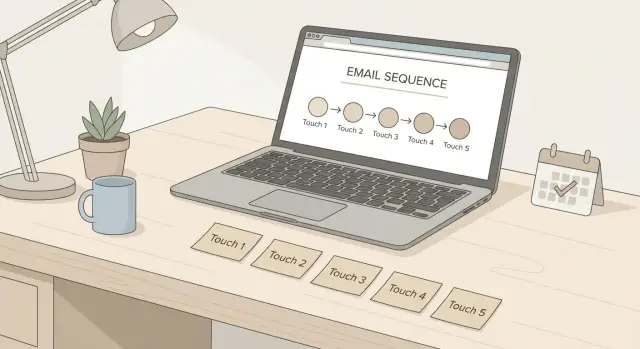
What a 5-touch sequence is trying to solve
A good 5-touch sequence exists for one reason: most prospects won't reply to the first email, even when they're a fit. People are busy. Your message hits at the wrong moment, or it gets buried. A sequence gives you a few chances to be relevant without sounding desperate.
Most sequences fail for simple reasons: the ask is vague ("thoughts?"), the targeting is loose (spraying anyone with a job title), or the sender just adds more emails instead of fixing the message. More touches don't rescue weak positioning. They usually create more ignores, more unsubscribes, and worse deliverability.
A 5-touch cadence isn't daily spam. It's a planned set of follow-ups spaced out so it feels human. Each touch should add something new: a clearer problem, a different proof point, a tighter question, or a polite close-the-loop note. If every email repeats the same idea, you're only repeating noise.
The goal isn't to get a "yes" in the first line. The goal is to start a short conversation that leads to a meeting when there's real fit. Think of it like knocking twice, then leaving a helpful note, not pounding on the door.
Before you write a subject line, get four basics right:
- A clear ICP (who you help, and who you don't)
- One specific offer (what you can do for them this month)
- 2-3 proof points (results, recognizable customers, or a credible method)
- A single next step (a small meeting-focused question)
Example: if you sell recruiting software to Series B startups, don't target "HR leaders" broadly. Target "Heads of Talent at 100-400 person tech companies hiring 10+ roles," with proof you improved time-to-hire.
Also make sure your sending basics are solid (domain authentication and warm-up). Otherwise you might judge your copy when the real problem is inbox placement.
Set the goal, persona, and offer in 10 minutes
A good sequence starts before you write a single line. Skip this step and you'll email too many people with too many messages, then decide "cold email doesn't work."
Start with the meeting you're trying to book. A 15-minute intro, a 30-minute discovery, and a demo are different asks. Your email length, proof, and CTA should match the level of commitment.
Then go narrow on who you're writing to. One persona and one pain point per sequence keeps your message sharp. "Sales leaders" isn't a persona. "VP Sales at 30-150 person SaaS teams hiring their first SDR team" is.
Finally, pick one offer. Not a menu. One clear reason to reply that feels low-effort and useful.
A quick way to decide, in order:
- Goal: what meeting are you asking for, and how long is it?
- Persona: who is the email for, and what problem are they feeling this quarter?
- Offer: insight (what you're seeing), teardown (their current setup), benchmark (how they compare), or quick fix (one change they can try)
- Success metric: are you optimizing for replies, or meetings booked?
Example: if you're emailing SDR managers, offer a short teardown of their outbound flow (deliverability basics, sequencing, and reply handling) with a 15-minute intro call. Every touch can reinforce the same persona, pain, and ask.
Timing: a practical 5-touch cadence that feels human
A good cadence works because it matches how people actually handle email: they skim, postpone, forget, then respond when the timing is right. The goal is steady, polite persistence, not pressure.
A simple cadence that fits most B2B offers:
- Day 1 (Touch 1): First note. Clear reason for reaching out and one easy next step.
- Day 3 (Touch 2): Short follow-up. Add one new detail (proof, result, or a quick question).
- Day 6 (Touch 3): New angle. Same meeting ask, different reason it matters.
- Day 10 (Touch 4): Light bump with an easy option (redirect me, or is this not a priority?).
- Day 14 (Touch 5): Final check-in. Close the loop unless they want to talk.
When to slow down: enterprise, finance, legal, and executive inboxes often move slower. Seasonal peaks (end of quarter, holidays, big events) can also justify adding 2-4 days between touches.
When to speed up: high-intent lists (trial users, inbound hand-raisers, booth visitors) usually respond better to tighter spacing like 1, 2, 4, 7, 10 days.
Send windows matter, but don't obsess. Use a local-time window you can maintain, then focus on the message. Mid-morning or early afternoon on Tue-Thu is a solid default. Avoid sending every touch at the exact same time, and pause weekends for most B2B roles.
The framework: what each touch should do
A 5-touch sequence works when every email has a job. If all five say the same thing louder, you don't build trust. You add noise.
Touch-by-touch jobs (and what to include)
Treat each touch as a new reason to reply, not another reminder.
- Touch 1 (Relevance): Give a specific reason for reaching out. Name the role, a likely priority, and one trigger (change, tool, goal). End with a low-friction question.
- Touch 2 (Value add): Share one useful observation they can apply even if they never buy. A quick benchmark, common mistake, or small tactic.
- Touch 3 (Proof): Add credibility without bragging. Keep it small and specific. Numbers are great if they're true. If you don't have numbers, name a similar company type.
- Touch 4 (Alternative angle): Change the lens while keeping the same offer. If you led with meetings, talk about time saved. If you led with time saved, talk about deliverability risk or reply handling.
- Touch 5 (Close the loop): Be polite and make "no" easy. This often gets the fastest replies because it lowers pressure.
Keep the offer consistent
Across all five touches, keep the ask basically the same: a short meeting to see if it's a fit. What changes is the reason.
Copy building blocks: subject, opener, proof, CTA
Subject lines that fit each touch
Good subjects are short and plain. Think of the subject as a label, not a hook.
A few patterns you can reuse:
- Touch 1: "Quick question, {Name}" or "{Company} + {their goal}"
- Touch 2: "Re: {original subject}" or "Worth a look?"
- Touch 3: "Idea for {team}" or "About {pain point}"
- Touch 4: "Should I close the loop?" or "Bad timing?"
- Touch 5: "Last try" or "Okay to park this?"
Opener, proof, and CTA (one idea only)
Your opening line needs to earn the next 10 seconds. You can personalize, but don't force it. Often, segmentation-based relevance is faster and safer.
Personalization opener example:
"Saw you're hiring SDRs in {region}. Usually that means pipeline targets are rising."
Segmentation opener example:
"Most {persona} teams I speak with are trying to book more meetings without adding more tools or manual work."
Keep the body to one idea in 3-5 short lines: what you noticed, why it matters, one proof point, and the next step. Proof should be believable and specific, like a small operational change that led to a clear outcome.
End with one low-effort, meeting-focused question. A few CTAs you can rotate:
- "Open to a 10-minute chat next Tue or Wed?"
- "Is it worth exploring this for 15 minutes?"
- "Should I send two times that work, or is this not a priority?"
- "Who owns {problem} on your side?"
- "If I share a 3-bullet plan, would you tell me if it's relevant?"
Follow-up angles you can rotate without sounding pushy
A good sequence isn't "checking in" five times. Each follow-up should add a new reason to care, using a different angle, while keeping the ask the same.
An easy way to avoid sounding needy: anchor every follow-up to something the prospect already wants (more revenue, less work, fewer mistakes, faster progress). Here are a few angles that work:
- Cost of doing nothing: what stays broken if they ignore it.
- Simple process fix: one step you remove or simplify.
- Risk reduction: preventing deliverability or workflow issues.
- Speed to outcome: how quickly they can see results.
- Light competitive pressure: what peers are standardizing, without threats.
Keep each message short. One new insight plus one question is enough.
Example CTAs optimized for booking meetings
Meeting CTAs work best when they're small, clear, and easy to answer in one reply. Earlier touches can be lighter. Later touches can be more direct.
A few meeting-focused CTAs to adapt:
- Soft: "Open to a quick 10 minute chat to see if this is even relevant?"
- Direct: "Can we do 15 minutes this week to see if we can help?"
- Two-choice: "Would Tue 11:00 or Thu 2:00 work for a quick call?"
- Permission-based: "If you want, I can send a 3-bullet outline of what we typically change. Want that?"
- Close-the-loop: "Should I stop reaching out, or is there someone else who owns this?"
A simple rule: use soft or permission-based CTAs on touches 1-2, two-choice on touches 2-4, and close-the-loop on touch 5.
Before you send, check your CTA:
- Can they answer with "yes," "no," or a time?
- Is the time ask specific (10-15 minutes)?
- Does it avoid pressure words like "ASAP" or "urgent"?
- Does it still make sense if they only read the last email in the thread?
Realistic example: a 5-touch sequence end-to-end
Persona: you're an SDR emailing a Head of Sales at a 50-person SaaS company.
Trigger: they just posted a new AE role and the team is growing, but pipeline coverage needs to keep up.
Frame it as a question, not a pitch: "Are you feeling the pain of more reps than meetings?" Then offer one specific, low-effort next step.
A full 5-touch mini-sequence (swap in your own proof and offer):
- Touch 1 (Day 1): "Saw you're hiring AEs. When teams add reps, meeting volume often lags for 30-60 days. Is growing pipeline coverage a focus this quarter?" CTA: "Open to a 15-min chat next week?"
- Touch 2 (Day 3): "Quick follow-up. If you're already covered, I'll close this out. If not, what's your target meetings per rep right now?" CTA: "Worth a quick compare call?"
- Touch 3 (Day 6): "One idea we've used: tighten the ICP + run a short 2-week outbound sprint with simple A/B messaging." CTA: "Want me to send a 3-line sample sequence for your persona?"
- Touch 4 (Day 9): "Curious, who owns outbound experiments on your side - you, RevOps, or SDR leadership?" CTA: "If you point me to the right person, I'll reach out once."
- Touch 5 (Day 14): "Last note from me. If timing's off, I can circle back later. If outbound is on your plate, happy to share what's working for similar SaaS teams." CTA: "Should I follow up in 60 days or close the loop?"
Notice how the CTA evolves. It starts with a meeting ask, then shifts to smaller yeses (answer a question, receive a sample, route me), and ends with a clean close.
If they reply "not now," keep it easy:
"Totally fair. When would yes make sense - after hiring lands, after quarter-end, or something else? I can follow up in (X) weeks."
Common mistakes that lower replies and bookings
Most bad sequences aren't bad because the writing is awful. They fail because the reader gets confused, pressured, or never receives the email.
Changing the offer mid-sequence is a common one. Touch 1 promises a quick idea, Touch 2 pushes a demo, Touch 3 asks for a referral. The prospect has no clear reason to respond. Pick one meeting-worthy offer and keep it consistent, even when your follow-up angle changes.
Over-personalizing the wrong details can also backfire. Commenting on a photo, a hobby, or a random post can feel creepy or irrelevant. Personalize to things tied to your reason for reaching out: their role, a recent change, a tool they use, a hiring signal.
Proof dumping too early hurts, too. Big logos without context read like bragging. One proof point tied to their situation beats a paragraph of name-dropping.
Messy CTAs kill replies. Stacking options (call, deck, referral, form) makes it harder to answer. One email, one next step.
Finally, deliverability basics get ignored, and your sequence never gets a fair test. Watch out for:
- Sending too much volume too fast from a fresh domain or mailbox
- Missing SPF/DKIM/DMARC
- Reusing the same message across too many prospects without variation
- Stuffing emails with links, images, or heavy formatting
- Skipping warm-up and reputation building
Quick checklist before you hit send
Do a fast pass over four areas: who you're emailing, whether your mail will land, whether the message is easy to read, and whether every touch earns its spot.
1) List and fit (the fastest way to raise replies)
A strong list makes everything else easier. Spot-check 20 leads and confirm the role can actually buy, use, or champion your offer. Make sure company size and type match your best customers, and that you have a believable reason they might care now (trigger, change, hiring, tech, growth). Don't mix very different personas in one sequence.
2) Deliverability and pacing (protect your sender)
If you're sending from new domains or mailboxes, treat reputation like a bank account. Confirm domain authentication (SPF, DKIM, DMARC) is in place, warm-up is active, and volume ramps gradually.
If you want fewer moving parts here, LeadTrain (leadtrain.app) bundles domains, mailboxes, warm-up, multi-step sequences, and reply classification in one place, so you're not juggling separate tools just to get a clean test.
3) Copy, CTA, and sequence logic
Read each email once on a phone. If it feels long, it's long. Keep one clear idea per message, short lines, and proof that's specific (a result, a number, or a named use case).
Your CTA should be one low-effort question that leads to a meeting. Check that each touch adds something new: a fresh angle, a proof point, or a better question, not "just bubbling this up."
Next steps: run it, learn from replies, and improve fast
Once your 5-touch sequence is live, learn fast without changing everything at once. Give it enough time to collect signal (usually a few days and at least a few dozen sends per variant).
Track outcomes per touch, not just the sequence as a whole. Opens can be noisy, so treat them as optional. Replies and meetings are the real score.
A simple weekly scorecard:
- Reply rate by touch (Touch 1 vs Touch 3 often shows what's missing)
- Positive reply rate (not just any reply)
- Meeting rate (booked meetings per 100 delivered emails)
- Unsubscribes and bounces (early warning for targeting and deliverability)
Test one thing at a time
If you A/B test, keep it clean: change one element and keep the rest identical. Start with the biggest levers: subject line, first sentence, or the meeting-booking CTA.
Use reply categories to route the next action. "Interested" goes to booking, "Not interested" triggers a polite close, "Out-of-office" gets a later reminder, and "Bounce" means you remove or fix the address. That keeps follow-ups relevant and protects your sender reputation.
If you're not getting replies, rewrite the message. If you're getting replies but not meetings, adjust the offer and CTA. If bounces and unsubscribes climb, fix the list (wrong persona, wrong company type, or bad data).
FAQ
Why use a 5-touch cold email sequence instead of just one email?
A 5-touch sequence gives you multiple chances to reach a busy prospect without sounding pushy. Most good-fit people won’t reply to the first email because timing is off or your message gets buried. The sequence creates polite persistence so you can start a short conversation that can lead to a meeting.
What timing works best for a 5-touch cadence?
A solid default cadence for B2B is Day 1, Day 3, Day 6, Day 10, and Day 14. That spacing feels human and avoids the “daily spam” pattern. If you’re selling into slower-moving inboxes like enterprise or finance, add a few extra days between touches.
What should change from touch to touch?
Each touch should add one new reason to reply while keeping the same basic meeting ask. Touch 1 is relevance, Touch 2 adds a useful insight, Touch 3 adds proof, Touch 4 uses a different angle, and Touch 5 politely closes the loop. If you repeat the same message five times, you’re just repeating noise.
What’s the best CTA for booking meetings in cold email?
Keep the ask small and easy to answer in one reply. A 10–15 minute “fit check” is usually the best default, and it should be clear you’re not asking for a big commitment. If the CTA needs multiple steps or options, replies usually drop.
Should I personalize every email or rely on segmentation?
Default to relevance through segmentation (role, company size, triggers) because it’s fast and doesn’t feel creepy. Use personalization when it directly supports your reason for reaching out, like a hiring signal or a tool change. Avoid personal details that aren’t tied to the problem you’re solving.
When should I slow down or speed up follow-ups?
Slow down when the buying cycle is naturally longer or the inbox is harder to reach, like executives, legal, or finance. Speed up when the lead is already warm, like trial users, inbound hand-raisers, or event leads. Matching pace to intent usually beats trying to force the same schedule on every list.
What deliverability basics should I check before running a sequence?
Start with domain authentication and reputation building so your emails actually land. New domains and mailboxes should ramp volume gradually and run warm-up, otherwise you may blame the copy when the real issue is inbox placement. Keep formatting light and avoid heavy link stuffing to reduce spam signals.
What are the biggest mistakes that ruin a 5-touch sequence?
The most common issue is changing the offer mid-sequence, which confuses people and kills replies. Another frequent problem is vague asks like “thoughts?” that don’t give a clear next step. Overdoing proof, messy multi-option CTAs, and loose targeting also tend to increase ignores and unsubscribes.
How do I measure whether the sequence is working?
Track results by touch, not just the overall sequence, so you can see where interest drops. Replies and meetings are the main metrics, while opens can be misleading. Watch bounces and unsubscribes closely because they often signal list quality or deliverability problems.
What should I do with replies like “not now” or out-of-office?
Reply quickly, keep it low-pressure, and propose a specific time to follow up based on their context. If they say “not now,” ask what timing would make sense and schedule a later check-in. If you use a platform with reply classification, you can route “interested,” “not interested,” “out of office,” and “bounce” differently so follow-ups stay relevant.