Cold email deliverability checklist before your first campaign
Use this cold email deliverability checklist to verify DNS hygiene, domain signals, list quality, and content risks before you send your first campaign.
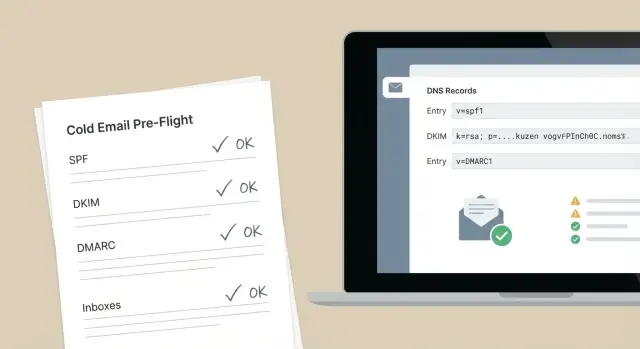
Why pre-flight deliverability checks matter
Deliverability is where your email ends up. Best case, it lands in the inbox. Worse, it goes to spam, gets blocked before delivery, or bounces because the address is bad. If you run outreach, those outcomes decide whether you get replies or waste time.
A cold email deliverability checklist matters because early mistakes are expensive. If your first campaign goes out from a domain that looks risky, providers can downgrade your sender reputation fast. After that, even good emails stop reaching people. You can also burn your best leads on messages they never see, or trigger spam complaints that take weeks to undo.
SPF, DKIM, and DMARC are necessary, but they’re not the whole story. Filters also look at domain history, DNS cleanliness, sending patterns, list quality, and what your email looks and sounds like. You can be fully authenticated and still land in spam if you send too much too soon, email stale lists, or use content that resembles a blast.
Pre-flight checks prevent three common disasters: burning a sending domain, trashing your list (bounces and complaints), and assuming you’re safe because the basic auth records exist.
Before you send anything, make sure you’ve covered the basics: a dedicated outreach domain, clean DNS and aligned authentication, warmed mailboxes with a realistic week-1 volume, a fresh list with low permission risk, and simple first messages that avoid spammy patterns.
If you use a platform like LeadTrain, the goal is to set these foundations once and keep them consistent across domains, mailboxes, warm-up, and sequences. Your first campaign should start with clean signals, not avoidable red flags.
Choose the right domain and sending identity
A lot of deliverability comes down to one boring decision: which domain and inbox you send from. Get it wrong, and you can damage the reputation of the domain you rely on every day.
For first-time cold outreach, don’t send from your main company domain (the one used for customer conversations, invoices, and internal email). Use a separate sending domain so early mistakes don’t spill into your core business email.
Keep it simple and separated. Sales outreach, support, and marketing newsletters behave differently. Mixing them makes it harder to spot what caused a deliverability drop, and it can make reply handling messy.
A practical setup is:
- One domain dedicated to cold sales outreach
- One domain for customer support and account email
- One domain for newsletters (if you send them)
Your sending identity should look real and be easy to reply to. Choose a From name that matches how a human introduces themselves (for example, "Maya at Northstar") and use a stable address like firstname@your-sending-domain. Avoid rotating lots of addresses early on. If you use Reply-To, point it to an inbox you actually monitor.
Example: if your core domain is northstar.com, you might send cold outreach from a separate domain that still feels on-brand. The goal isn’t to trick anyone. It’s to protect your main domain while you build reputation.
Before you send, decide your week-1 daily target and stick to it. A small, steady number beats a spike. Start low, increase gradually if bounces stay low and replies look healthy, and keep the same From name and address during week 1.
If you use LeadTrain, you can purchase and configure sending domains inside the platform and keep domains, mailboxes, warm-up, and sequences in one place. That makes it easier to follow a cold email deliverability checklist without missing setup steps.
Domain age and basic trust signals
A brand-new domain isn’t bad, but it has no history. Providers look for signs you’re a real business, not a throwaway sender. That’s why domain trust belongs in any cold email deliverability checklist.
First, confirm the domain wasn’t recently dropped and re-registered. A dropped domain can carry baggage from the previous owner, including complaints and blocks. If you bought an older-looking domain from a marketplace, be extra careful. “Older” doesn’t always mean “trusted.”
Next, check the obvious public basics for red flags. Whois privacy is common and fine. The problem is when the brand name, domain name, and public details look unrelated or inconsistent.
A simple, real website helps more than people expect. It doesn’t need to be fancy, but it should make sense to a stranger and match what your emails claim.
Before you send, verify a few trust signals:
- The domain hasn’t been dropped recently.
- The site loads and includes basic pages (Home, About, and a contact method).
- Your company name is consistent on the site and in the email signature.
- The site isn’t stuffed with copied text or keyword spam.
- The website and inbox identity match (same brand, same offer).
Avoid stacking risky changes all at once. The most common new-sender failure is combining a new domain, a new mailbox, high sending volume, and aggressive copy in the same week. Each choice might be fine on its own, but together they look like a short-lived spam run.
A realistic example: you register a new domain on Monday, add five mailboxes on Tuesday, and send 1,000 cold emails on Wednesday with heavy discount language. That pattern often triggers scrutiny. A safer approach is to publish a basic site, keep identity consistent, and ramp slowly.
If you’re using a tool like LeadTrain that can buy domains and generate simple websites for them, treat the website as part of your sender identity, not a last-minute checkbox.
Authentication sanity check (SPF, DKIM, DMARC plus alignment)
Before you send your first sequence, make sure your domain can prove your emails are real. SPF, DKIM, and DMARC aren’t set-and-forget records. A small mistake here can tank deliverability even if your copy and list are strong.
SPF: present, valid, and not too loose
SPF tells receivers which servers are allowed to send mail for your domain. You want exactly one SPF record, and you want it tight.
Checklist:
- Confirm there’s exactly one SPF TXT record (multiple can cause a "permerror").
- Include only the providers you actually send from (for example, your outbound tool or AWS SES).
- Avoid an overly permissive ending like
+all. Use~allor-allbased on your setup. - Watch the 10 DNS-lookup limit. Too many
include:entries can break SPF. - Make sure you’re checking the same domain you send from (root vs subdomain matters).
Example: if you send as [email protected] but SPF is only set on acme.com, receivers may treat it as unauthenticated.
DKIM: signing and aligned
DKIM adds a cryptographic signature to each email. The key detail isn’t just that a DKIM record exists. It’s that your messages are actually being signed.
Send a test email to a personal inbox (like Gmail) and view the authentication details. You should see DKIM = PASS. Also check alignment: the DKIM "d=" domain should match your visible From domain (or align according to your DMARC settings). Misalignment is common when a provider signs with its own domain.
DMARC: policy, reporting, and alignment
DMARC ties SPF and DKIM together and tells receivers what to do when something fails. Start with a sensible policy (often p=none while you validate), then move to quarantine or reject once things are stable. Add a reporting mailbox (rua=) so you can see who is sending on your behalf.
The final sanity check is alignment: your visible From domain must align with the domain authenticated by SPF and/or DKIM.
If you use a platform like LeadTrain that sets up SPF/DKIM/DMARC for you, still confirm alignment with a real test email before ramping volume. It prevents the classic problem where DNS “looks right,” but inboxing is still bad.
DNS hygiene beyond the big three
SPF, DKIM, and DMARC are table stakes, but they don’t cover everything. If you want your first campaign to land in inboxes, treat DNS like a pre-flight check. Small misconfigurations can make providers doubt your domain even when authentication looks correct.
Start with MX records. They don’t directly send mail, but they signal what service handles mail for your domain. Old MX entries from a previous setup can cause bounces or weird routing. Keep MX clean and consistent with the mailbox provider you actually use.
Tracking is another common leak. If you track opens or clicks, avoid generic shared tracking domains from random tools. A custom tracking domain that matches your brand (and is correctly set up in DNS) keeps your links and redirects consistent. The key is stability: set it once and avoid changing it every time you try a new tool.
Your sending server identity matters too. Reverse DNS and the HELO/EHLO name used during sending can affect trust. If you send through a managed provider (for example, AWS SES), much of this is handled at the infrastructure level, but issues can still show up if you mix providers or send from multiple places. Using a single, tenant-isolated setup (like LeadTrain’s approach) helps keep your reputation and technical footprint consistent.
A quick DNS hygiene pass before you hit send:
- Remove old or duplicate MX records you no longer use.
- Use one sending path per domain (avoid tool hopping).
- Set up a dedicated tracking domain if tracking is required.
- Keep DNS changes minimal during your first 2 to 4 weeks of sending.
Example: a team buys a new domain, connects mailboxes, then adds a second outreach tool “just for tracking.” Now the domain has extra DNS records, mixed sending sources, and inconsistent link domains. Nothing looks obviously broken, but inbox providers see a messy footprint.
Warm-up and ramp schedule you can actually follow
A new mailbox looks suspicious if it starts blasting hundreds of emails on day one. Warm-up is simply teaching inbox providers that you send like a normal person, at a normal pace, and that people sometimes reply.
Start with a small daily send per mailbox and build up slowly. If you have multiple mailboxes, warm up each one separately. Don’t pool volume into one inbox to hit targets faster.
A simple ramp plan (per mailbox)
Use this as a starting point. Adjust down if your list is risky or your offer is aggressive.
- Days 1-3: 5-10 emails/day
- Days 4-7: 10-20 emails/day
- Week 2: 20-35 emails/day
- Week 3: 35-50 emails/day
- Week 4+: 50-80 emails/day (only if metrics stay clean)
Keep weekends lighter (or off) and vary send times. A flat pattern (same count, same minute, every day) looks automated.
Warm-up works best when behavior looks real: some replies, some threads, and not every email being a brand-new cold start. If you use a warm-up system, it should create natural back-and-forth, not just one-way sending.
Also keep cold outreach separate from warm-up traffic. Warm-up emails should go to safe inboxes that won’t report you as spam. Cold emails should go to prospects. Mixing these signals makes problems harder to diagnose. In platforms like LeadTrain, warm-up is handled as its own activity while you ramp sending volume.
When to pause (and what to fix)
If deliverability drops, pushing more volume usually makes it worse. Slow down and investigate.
Common warning signs:
- Sudden spike in bounces or “user unknown” responses
- A wave of complaints, unsubscribes, or angry replies
- Open rates collapsing across providers at the same time
- Replies saying your message landed in spam
- Temporary blocks or throttling from inbox providers
When you see these, hold volume steady or cut it in half for a few days. Then fix the likely cause: list quality, too much volume too soon, or content that triggers filters. Once metrics recover, resume ramping in smaller steps.
Consistency beats speed. A slower ramp that protects your domain is almost always better than rushing and burning it.
List quality checks before you upload anything
A clean list does more for deliverability than most people expect. If you send to the wrong people, you get bounces, complaints, and low replies. Providers read those signals fast.
Start by being honest about where contacts came from and what they expect. A list from a conference you attended is different from a scraped list of “anyone with a job title.” Even when cold outreach is legal in your region, expectations still matter. If your message surprises people, the risk of “Mark as spam” goes up.
Before you upload, catch the most common problems:
- Confirm source and relevance: why is this person on your list, and why would they care now?
- Remove role accounts (info@, support@, sales@) unless you have a specific reason to target them.
- Run a bounce check and suppress risky addresses (invalid, disposable, or repeatedly failing).
- Drop obvious mismatches (wrong country, industry, or company size).
- Maintain a suppression list for people who opted out, complained, or asked not to be contacted.
Role accounts deserve a callout. They often forward to multiple people, trigger internal filters, and rarely convert. If you truly need them (for example, a partnership inquiry that must go to partners@), treat them as a separate segment with different copy and lower volume.
Bounce protection isn’t just about saving money. High bounce rates can hurt your sender reputation right away. If you’re pulling prospects from a provider (many teams use sources like Apollo), still validate before sending. Tools like LeadTrain can help you run the outreach workflow, but the input list still needs basic hygiene.
Finally, segment your list so your outreach doesn’t feel random. Split by company type, size, and seniority. Better targeting usually means more replies, fewer complaints, and safer deliverability.
Content risks that trigger filters
Even with perfect setup, the words and formatting in your email can push it into spam. Filters look for patterns that show up in mass blasts: hype, pressure, and emails that feel like templates. Humans react the same way.
Write like a person trying to start a normal conversation. Keep it short, use one clear ask, and make the next step easy. If you ask for a call, don’t also ask them to download something, fill out a form, and reply with details. One email, one goal.
Formatting matters. Too many links, image-heavy layouts, or anything that feels like an attachment can look promotional. A plain-text email with a single link (or none) is usually safer than a mini newsletter.
Common content problems:
- Shouty patterns: ALL CAPS, lots of exclamation marks, repeated buzzwords (free, guaranteed, act now)
- Fake urgency: “last chance today” with no real deadline
- Too many links or tracking-style links, especially in the first email
- Attachment-like elements: big images, embedded buttons, “invoice/receipt” language
- Broken personalization: “Hi {first_name}” or “Company: {{company}}”
Personalization mistakes are a double hit: fewer replies and more complaints. Before you send, preview the email with real sample contacts. If your tool supports it, generate previews for 10 to 20 records and scan for blanks, odd capitalization, and fields that don’t read like English.
Example. Risky: “FINAL NOTICE!!! I can 10x your pipeline. Book a call now.” Safer: “Hi Maya - quick question: are you the right person for outbound at BrightLabs? If yes, can I send 2 ideas that might help your team book more demos?”
If you build sequences in LeadTrain, use previews and A/B tests to catch token issues and tone problems before the first campaign goes out.
Common traps that hurt deliverability fast
Most deliverability problems are self-inflicted. You can have perfect DNS records and still burn a new sender identity in a week if your sending behavior looks like spam.
The first trap is volume. A brand-new domain or mailbox that suddenly sends 200 messages a day looks suspicious, even if the list is clean. Providers watch patterns, not just settings. If you need scale, use more mailboxes and ramp gradually instead of turning one inbox into a firehose.
Another fast way to get in trouble is mixing email types on the same domain. If you use the same domain for cold outreach and transactional mail (receipts, password resets, customer updates), a deliverability hit can bleed into critical mail. Keep cold outreach on its own sending domain.
Tracking can backfire early. Open pixels and aggressive link tracking add extra domains and redirects that filters dislike, especially when you have no reputation yet. Tracking isn’t always bad, it just adds risk when you’re trying to earn trust. If you must track, start simple and add more only after you see stable inbox placement.
Reply handling is an underrated trap. Ignoring bounces, unsubscribe requests, and out-of-office replies tells providers you aren’t maintaining your list. It also creates a bad experience for recipients. A simple rule: every negative signal should reduce future sending, not increase it.
Mistakes that cause the fastest drop in inbox placement:
- Sending big volumes too soon from a fresh domain or mailbox
- Using one domain for both cold outreach and transactional or customer email
- Turning on open and link tracking from day one without testing impact
- Continuing to send to addresses that bounce
- Treating unsubscribes and out-of-office replies as “no response” and mailing again
Example: an SDR launches a campaign to 2,000 prospects on Monday using a new mailbox with tracking turned on. By Wednesday, bounces climb, a few people hit spam, and unsubscribes are ignored because replies aren’t being triaged. The mailbox reputation drops, and even good prospects stop seeing emails. The fix is boring but effective: slow down, clean the list, remove bounces immediately, honor unsubscribes, and keep cold outreach separate from important company email.
Pre-flight checklist (copy and use) + next steps
Use this cold email deliverability checklist right before you send campaign #1. If any item is a no, fix it first. It’s faster than digging out of spam later.
Copy and use: 5-minute pre-flight
- Domain and identity: you’re sending from a dedicated outreach domain (not your main company domain) and the From name matches what prospects expect.
- DNS hygiene: no conflicting SPF records, DKIM is present for the exact sending domain, DMARC exists and aligns with the From domain, and core records (A/AAAA and MX) are set correctly.
- Warm-up status: the mailbox has been warming, and you’re not jumping to high daily sends on day one.
- List health: the list is recent, the context is clear (why you’re emailing them), and you removed role accounts plus obvious bad fits.
- Content scan: one clear offer, one clear next step, no shouty formatting (ALL CAPS, too many links, heavy images), and a plain-text first email.
After that, run a small test batch to a controlled segment first. Send 20 to 50 emails to people you know are a strong match, across a few inbox providers, and hold the rest for 24 hours.
What to watch in the first 48 hours
Early signals tell you whether to pause or keep going:
- Hard bounces: anything above ~2% is a stop sign.
- Spam complaints: even a few can hurt. Pause and adjust targeting and copy.
- Unsubscribes: some are normal, but a spike usually means mismatch or too-pushy wording.
- Reply rate: low replies with low bounces often means your message isn’t relevant.
- Out-of-office and “not interested” mix: these show you’re reaching real inboxes, but also whether targeting is right.
If you want fewer moving parts early on, keeping setup and sending in one place helps. LeadTrain (leadtrain.app) can purchase and configure sending domains, handle SPF/DKIM/DMARC setup behind the scenes, warm up mailboxes, run multi-step sequences, and classify replies so you can act quickly on bounces, unsubscribes, and real interest.
FAQ
Should I send my first cold campaign from my main company domain?
Use a dedicated outreach domain so any early mistakes don’t affect the domain you rely on for customers, invoices, and internal mail. It also makes it easier to diagnose problems, because cold outreach behavior is very different from support or newsletter sending.
Is a brand-new domain automatically bad for deliverability?
A new domain can work, but it has no reputation, so you need to earn trust with a real website, consistent identity, and a slow ramp. Avoid stacking multiple risky changes at once (new domain, new inboxes, high volume, aggressive copy) in the same week.
What’s the most common SPF mistake that breaks deliverability?
Make sure there is exactly one SPF record and that it only includes services you actually send from. Also confirm you’re checking SPF on the exact domain in your From address, because root domains and subdomains are treated differently.
How do I know DKIM is really working (not just “set up”)?
DKIM needs to actually sign your outgoing mail, not just exist in DNS. Send a test email to a personal inbox and check that DKIM passes and that the signing domain aligns with your visible From domain, otherwise DMARC can still fail.
What DMARC policy should I use before my first campaign?
Start with a monitoring-friendly policy like p=none while you validate that SPF or DKIM alignment is correct for your From domain. Once you see stable results and no unexpected senders, move to stricter policies like quarantine or reject to reduce spoofing and improve consistency.
What DNS checks matter beyond SPF, DKIM, and DMARC?
Clean up MX records so they match the mailbox provider you actually use, and avoid leftover records from older setups. If you use tracking, keep the tracking domain stable and brand-consistent, because frequent DNS changes and mixed sending paths can look suspicious.
How many cold emails per day is safe in week 1?
For a new mailbox, begin with a small daily send and increase gradually over a few weeks based on clean metrics. A steady ramp beats a spike, and it’s safer to scale by adding mailboxes than by turning one inbox into a high-volume sender.
What list quality checks should I do before uploading contacts?
Prioritize relevance and freshness, then validate for bounces before you send. Remove role accounts unless you have a specific reason, suppress invalid or disposable addresses, and keep a suppression list for anyone who opts out or complains.
What content changes reduce the chance of landing in spam?
Keep the first email plain and conversational with one clear ask and minimal links. Avoid shouty formatting, fake urgency, heavy tracking, and broken personalization tokens, because those patterns increase complaints and spam filtering.
What should I do if bounces or spam complaints jump after launch?
Pause or cut volume when you see sudden bounce spikes, complaint increases, or a sharp drop in engagement across providers. Then fix the likely cause first—list quality, sending too much too soon, or risky wording—before you ramp again.