Cold email attribution without open tracking: a simple system
Learn cold email attribution without open tracking using reply tags, booked-meeting sources, and reliable CRM fields that still work when opens are hidden.
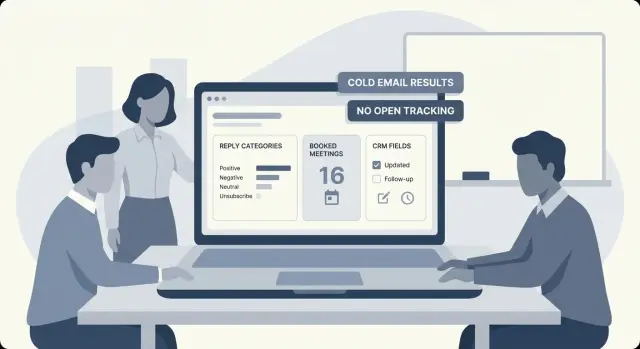
Why attribution breaks when you stop tracking opens
Open tracking sounds simple until it stops matching reality. Many inboxes and privacy tools block tracking pixels. Some email clients preload images, which can create false opens. Others never load images, even when someone reads every word. Opens end up noisy at best and misleading at worst.
When you remove open tracking, a lot of reporting falls apart because it was built around a fragile signal. Teams used opens to judge subject lines, decide who to follow up with, and pick a "winning" campaign. Without that crutch, you have to measure what actually happened.
Cold email attribution without open tracking still works if you focus on outcomes you can trust. The most reliable signals are ones a person (or your systems) must produce:
- Replies, tagged by intent (interested, not interested, out of office, unsubscribe)
- Meetings booked from those replies
- Opportunities created and pipeline influenced
- Revenue closed (when your CRM is kept up to date)
For a small sales team, good attribution isn't perfect tracking of every touch. It's a simple, repeatable system that answers three questions each week: which campaign produced the most qualified conversations, which audience converts to meetings, and where follow-ups are wasted.
Tools that classify replies automatically can help here. For example, LeadTrain's reply tagging turns messy inbox activity into clean counts you can report on without relying on opens.
Pick outcomes you actually want to optimize
If you're doing cold email attribution without open tracking, define success upfront. Otherwise you'll chase noisy numbers and end up improving metrics that don't lead to revenue.
Start with one primary outcome. For most outbound teams, the cleanest primary conversion is a booked meeting. It's hard to fake and easy to verify. If meetings are rare (new offer, small list), use a qualified reply as the primary conversion, but define "qualified" in plain words before you send anything.
A practical way to think about outcomes:
- Primary conversion: booked meeting, or qualified reply
- Secondary conversions: "follow up later", referral to the right person, forwarded to a colleague
- Negative outcomes: bounce, unsubscribe, spam complaint
- Not wins: polite "no", wrong persona, vendor lists, generic auto-replies
Once outcomes are set, add a few operational metrics that help you improve without changing the goal. These should answer: how quickly do we get signal, and where is it coming from?
Common operational metrics include time-to-first-reply, reply rate by segment (industry, role, company size), and qualified rate per mailbox or domain. If you use a platform like LeadTrain, keep these metrics tied to replies and meetings, not opens.
Example: you run two campaigns to heads of finance. Campaign A gets fewer replies, but more "forwarded to the controller" messages that turn into meetings. Campaign B gets more replies, but most are quick "no." If your primary outcome is meetings (or qualified replies), you'll keep the campaign that converts, even if it looks worse on raw reply count.
Define the signals: reply tags, meetings, and CRM fields
Without open tracking, you need a few signals you can trust. The goal is simple: every outreach email should end in a clear outcome you can count, compare, and improve.
Reply tags
A reply is a real event and usually contains intent. Keep tags limited and consistent so reps don't invent their own labels.
A set most teams can stick to:
- Interested
- Not interested
- Out of office
- Bounce
- Unsubscribe
You can add one or two extras if they matter to your workflow (like Referral or Needs review), but resist turning tagging into a taxonomy project.
Meeting outcomes
A booked meeting is a clean conversion signal, but you also want to know what happens after it's scheduled. If you only track "Booked," you'll overrate campaigns that attract poor-fit leads.
Keep outcomes short: Booked, No show, Rescheduled, Disqualified.
CRM as the source of truth
Replies can live in your email tool, but attribution stays reliable when your CRM reflects status changes (New lead -> Contacted -> Meeting set -> Qualified/Closed). If your email platform can classify replies (for example, LeadTrain's reply classification), map those tags to a CRM field so reporting doesn't depend on a single inbox.
Use one naming convention for every campaign and variant, and never change it mid-run. A simple pattern is: ICP_Channel_Offer_Month_V1 and ..._V2. That string should appear in your email tool and in a dedicated CRM field (Campaign ID), so every reply, meeting, and deal traces back cleanly.
Step-by-step: a no-open-tracking attribution setup
If you stop tracking opens, follow one rule: every outcome must carry a Campaign ID from first email to booked meeting.
The 5-step setup
Start with a naming pattern you'll actually use, like 2026-01-finance-cfos-v1. Keep it short and consistent.
-
Add a Campaign ID to every sequence and variant. If you A/B test subject lines or offers, each variant needs its own ID (or a shared parent ID plus a variant label). Otherwise, you won't know what worked.
-
Stamp every lead when they enter outreach. Set
Source = Cold Emailand write the Campaign ID into a dedicated CRM field (not a note). This prevents mystery leads later. -
Require a reply tag before anyone moves the deal forward. Decide on a small set of tags (Interested, Not interested, Out of office, Bounce, Unsubscribe, and maybe Needs info). The key is consistency.
-
When a meeting is booked, capture meeting source and Campaign ID. Put the Campaign ID on the meeting record (or the contact) and set Meeting source to Cold Email. If the meeting was booked from a different channel, don't force it.
-
Review weekly by Campaign ID. Look at replies, qualified replies, meetings, and pipeline created, grouped by the same ID.
Example: you run two sequences to the same list, one short and direct and one case study. If both stamp leads with different Campaign IDs, you can compare qualified replies and meetings even when open rates are unknown.
If you use a platform like LeadTrain, reply classification can make Step 3 easier. Still do quick human checks for edge cases like referrals or "email me next month."
CRM field design that stays reliable
Your CRM should answer one question: what happened, and where did it come from? Reliability comes from storing the same few fields in the same places, every time.
Start by separating person-level facts from deal-level outcomes. A person can be touched by many campaigns over time, but a deal should capture what actually drove the conversion.
Where to store attribution fields
Use these placements as your default so reports don't break when records move from Lead to Contact:
- Activity (email/task): Campaign ID and Variant for each send or reply (your audit trail)
- Lead/Contact: First touch date and First touch campaign (the earliest outbound touch that started the relationship)
- Deal/Opportunity: Deal source (the campaign or channel that directly triggered the booked meeting or sales-qualified step)
- Account (optional): owning SDR and "current active campaign" if you run account-based outreach
Keep the minimum set small: Campaign ID, Variant, First touch date, and Last touch date. "Last touch" should update when something meaningful happens (reply, meeting booked, qualified call), not when an email is merely sent.
Multi-touch without messy rules
People reply after referrals, or book from inbound after your sequence. Don't overwrite history. Record both:
- First touch: the campaign that first created engagement
- Deal source (conversion touch): what directly led to the meeting or next step
Example: an SDR emails a prospect in Campaign A, they ignore it, then later a colleague refers them and they book. First touch stays Campaign A, but deal source becomes Referral.
To keep fields consistent across SDRs, write two rules and enforce them:
- Only the system or a designated owner updates Campaign ID and Variant (reply classification tools like LeadTrain can help keep tagging consistent).
- Deal source is set once at meeting booked or qualification, and changes only with a short note in the deal timeline.
Using reply tags to measure performance
Without open tracking, replies become your most reliable signal. They only work for reporting if you tag them the same way every time.
A simple rule set keeps everyone aligned:
- Tag by intent, not tone (Interested, Not interested, Referral, Objection, Question).
- Tag based on the first clear outcome, not the full thread.
- Use one primary tag per conversation (add a second only when it changes the next action).
- Don't invent new tags mid-week. Park it and decide later.
- If you're unsure, use Needs review rather than guessing.
Manual tagging is slow, so automate where you can. LeadTrain can categorize common outcomes like interested, not interested, out-of-office, bounce, and unsubscribe, which reduces sorting work and makes reporting more consistent across reps.
Auto-replies need special handling. Out-of-office and automated "we got your message" replies shouldn't count as positive engagement. Treat them as their own bucket so they don't inflate reply rate. Bounces and unsubscribes matter for a different reason: they point to list quality and deliverability problems.
Edge cases that can quietly skew numbers:
- "Talk to my colleague" (referral): tag Referral and capture the new contact.
- Forwarded reply: tag Forwarded and attribute it to the original thread.
- "Not me, but try X department": tag Referral even if it's a soft handoff.
- Multi-topic reply: tag the strongest intent (Interested beats Question).
If Campaign A gets fewer total replies than Campaign B but a higher share of Interested and Referral tags, Campaign A is usually the better lead source.
Booked-meeting sources: getting the clean conversion signal
A booked meeting is the most useful "yes" you can count in cold outreach. Without open tracking, it becomes your cleanest conversion signal.
Decide what "booked meeting source" should capture. Keep it simple:
- Channel: where the conversation started (Cold email, LinkedIn, Referral)
- Campaign: which sequence or offer drove the meeting (Q1 CFO outreach, webinar follow-up, pricing test)
Record the source at the moment the meeting is set. Many meetings get booked after a few back-and-forth emails, and a calendar invite alone often loses context. If you use a calendar link, add a short required question on the booking page like "Where did you hear about us?" with options that include your campaign names.
To connect meetings to the right contact and deal, tie everything to one unique contact record (usually email address) and keep the same campaign value from first touch to meeting. If your CRM creates a deal on meeting booked, copy the source fields onto the deal too so reporting still works when contacts get merged.
A practical setup that reduces missing data:
- Meeting Source (picklist): Cold email, Inbound, Partner, Other
- Meeting Campaign (picklist or text): sequence name like "SDR-IT-01"
- Meeting Set Date (date): when it was booked
- Meeting Set By (user): who booked it
- Attribution Confidence (picklist): High (reply), Medium (calendar), Low (manual)
Example: you send two sequences from LeadTrain. Sequence A gets fewer replies but books 6 meetings tagged "Cold email + SDR-IT-01". Sequence B gets more replies but only 2 meetings tagged "Cold email + SDR-FIN-02". You can optimize for what matters: meetings, not inbox noise.
Make key fields required where possible and use short prompts for reps: "Before you mark this meeting booked, set Source and Campaign." That habit protects your reporting.
Common mistakes that ruin attribution
Attribution gets messy when small habits drift. The biggest risk without open tracking is inconsistency, not complicated math.
Not stamping a stable Campaign ID before the first send is the most common failure. If you add the ID later, you'll miss fast replies, bounces, and leads that get reassigned. Treat the Campaign ID like a shipping label: it has to be on the record before anything goes out.
Renaming campaigns mid-run breaks comparisons. Keep a human-friendly display name if you want, but never change the underlying ID.
Mixing total replies with qualified replies inflates performance. A quick "No thanks" and a real conversation are different outcomes. Track them separately and optimize for the one tied to your sales goal.
Counting out-of-office replies as engagement makes reply rate look better than it is. Whether you tag manually or use an automated classifier (including LeadTrain), keep out-of-office separate and exclude it from performance metrics.
Misattributing meetings that were already in motion is the hardest one to spot. Example: an SDR emails a lead on Tuesday, but the lead was already in an active referral conversation on Monday. If you credit the meeting to cold email, your reporting lies.
Five quick checks that prevent most attribution failures:
- Campaign ID is set before the first send
- Campaign ID never changes after launch
- Reply and qualified reply are tracked separately
- Out of office is excluded from reply rate
- Meeting source is verified against prior CRM activity
Quick checklist for reliable reporting
Consistency is the goal: the same inputs, recorded the same way, every week.
- Lock identifiers before sending. Every new lead should have Campaign ID and Variant filled in before they enter a sequence.
- Tag replies quickly. Categorize replies within 24 hours using the same tags (interested, not interested, out of office, bounce, unsubscribe). If you use LeadTrain, AI reply classification can handle most of this, but still spot-check edge cases.
- Treat meetings as the conversion. When a meeting is booked, log a clear source (campaign + variant) and attach it to the right contact and deal.
- Report with fixed definitions. Decide whether reporting uses send date or reply/meeting date and keep it consistent. Define what counts as a positive reply and don't change it mid-month.
- Track bounces and unsubscribes per campaign. These are early warning signals for list quality and deliverability.
A simple sanity check: pick 10 random contacts from last week. For each one, confirm you can answer three questions in under 30 seconds: which campaign and variant they were in, what happened (tagged reply or no reply), and whether a meeting was booked and tied to the same record.
If any of those answers require checking five places, your reporting will drift, even if the dashboard looks neat.
Example: comparing two cold email campaigns without opens
A sales team targets the same persona: heads of finance at mid-sized SaaS companies. They run two sequences at the same time, each to a matched list size.
Sequence A offers a short ROI calculator and asks a simple question. Sequence B offers a 10-minute teardown and pushes for a meeting sooner. No open tracking is used.
Replies are tagged the same way for both sequences so the comparison stays fair. The team uses a small set of reply tags in their outbound tool (or via AI reply classification in a platform like LeadTrain) and only counts what they can act on:
- Interested (positive intent)
- Not a fit (clear mismatch like region, company size, role)
- Not interested (polite no)
- Out of office (neutral, excluded from rate)
- Bounce or unsubscribe (deliverability and list quality signals)
In the CRM, every contacted lead has two fields set at send time: Campaign (A or B) and First touch channel (Cold email). When a meeting is booked, the meeting record gets one more field: Meeting source = Cold email, and Campaign = A or B. The rule is simple: if the meeting came from an email reply thread, it inherits the campaign from the lead.
After two weeks, the story is clear. Sequence A gets fewer total replies, but a higher share of Interested and fewer unsubscribes. Sequence B gets more replies, but many are Not interested and unsubscribes are higher.
The next change isn't about chasing opens. They keep Sequence A's offer, then test Sequence B's subject line and first line to reduce negative replies. They also tighten list filters to cut bounces, because bounces hurt both campaigns no matter how good the copy is.
Next steps: make this easy to run every week
If you want cold email attribution without open tracking to stick, make it a routine. Same input rules every day, same report every week.
Write a one-page tagging rubric the whole team follows. Keep reply tags limited (Interested, Not interested, Referral, Out of office, Bounce, Unsubscribe). Pair that with a fixed set of CRM fields like Campaign ID, First-touch channel (Cold email), and Meeting source. When everyone uses the same labels, the numbers stop drifting.
Run a two-week baseline before you optimize. Collect enough replies and meetings to see patterns, then change one variable at a time: offer, audience segment, subject line, or follow-up count. If you change three things at once, you won't know what worked.
A weekly rhythm that stays manageable:
- Monday: confirm the Campaign ID naming rule and that new leads are stamped correctly in the CRM.
- Midweek: spot-check a sample of replies for tagging accuracy and fix confusing cases.
- Friday: pull a report by Campaign ID (replies by tag, meetings booked, meetings held, deals created).
- End of week: make one decision per campaign (keep, pause, or tweak) based on meetings, not reply volume.
Automate what you can so humans handle exceptions. Auto-classifying replies and applying consistent campaign identifiers reduces miscategorized noise.
If your outbound stack is spread across multiple tools, attribution often breaks at the handoffs. A unified platform like LeadTrain (leadtrain.app) can help keep campaign IDs and reply tags consistent while also handling domains, mailbox warm-up, sequences, and reply classification in one place.
FAQ
Why are open rates so unreliable in cold email?
Open tracking is unreliable because many clients block or prefetch images, which creates missed opens and false opens. If you treat opens as a decision signal, you’ll optimize for noise instead of real outcomes like replies and meetings.
If I stop tracking opens, what should I measure instead?
Use outcomes a person must produce: a reply with clear intent, a meeting booked, an opportunity created, and revenue closed when your CRM is accurate. Those signals don’t depend on image loading and stay comparable across inboxes.
What’s the best primary conversion for cold outbound reporting?
Default to booked meetings as your primary conversion because it’s easy to verify and hard to fake. If you don’t have enough meetings yet, use qualified replies, but write a simple definition of “qualified” before you launch so the team tags consistently.
Which reply tags should a small team use?
Start small and consistent: Interested, Not interested, Out of office, Bounce, Unsubscribe. Add one extra tag only if it changes the next action, like Referral or Needs review, and keep the rules written down so reps don’t invent new labels.
How do I set up attribution without open tracking in a simple way?
Assign a stable Campaign ID to every sequence and variant, stamp it onto the lead/contact record before the first send, and make sure replies and meetings inherit the same ID. The goal is that every meaningful outcome can be grouped by the same Campaign ID later.
What CRM fields matter most for reliable attribution?
Keep a few fields that don’t move around: Campaign ID, Variant, First touch date, and Last meaningful touch date. Put “first touch” on the person record, and put “deal source” on the opportunity so you can report on conversions even when contacts get merged or stages change.
How should I handle multi-touch attribution without making it messy?
Keep both, but don’t overwrite history. Use First touch to capture the earliest outbound campaign that started engagement, and use Deal source to capture what directly triggered the meeting or qualification step, especially when referrals or inbound later become the real driver.
Should out-of-office and auto-replies count as replies?
Exclude out-of-office and generic automated confirmations from your “positive” reply metrics because they inflate reply rate without creating conversations. Track them as their own category so you still see patterns, like timing or list issues, without mistaking them for engagement.
How do I accurately attribute booked meetings to the right campaign?
Record meeting source at the moment the meeting is set, not later, and store both the channel and the Campaign ID. If the meeting came from an email reply thread, inherit the campaign from the contact; if it came from another channel, record that instead so you don’t credit the wrong campaign.
What are the most common mistakes that break attribution?
The biggest ones are failing to stamp a Campaign ID before sending, renaming campaigns mid-run, mixing total replies with qualified replies, and miscrediting meetings that were already in motion through another channel. A quick weekly spot-check of a small sample of contacts usually catches these before dashboards drift.