Campaign QA checklist before launch: list, copy, routing
Use this campaign QA checklist before launch to sample your list, verify personalization renders correctly, confirm reply routing, and set escalation paths.
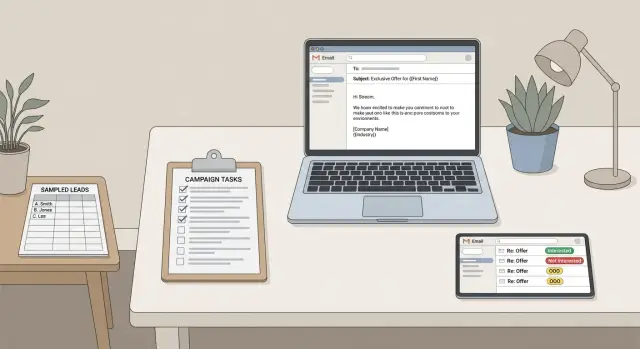
What campaign QA is (and why it matters beyond inboxing)
Campaign QA is the final check that your outbound campaign will behave the way you think it will. Deliverability matters, but QA goes further. It confirms the right people get the right message, personalization shows up correctly, and replies reach the right human quickly.
A campaign can send without errors and still fail in quiet, expensive ways. One wrong column mapping can turn every first name into "{first_name}." A bad segment filter can email customers who already paid. A missing reply route can leave an interested lead sitting in an inbox nobody checks.
A solid pre-launch QA pass usually comes down to four areas: data, content rendering, reply routing, and ownership. If any one of these is off, the damage is bigger than a few awkward emails. It wastes SDR time, hurts trust with prospects, and kills momentum on day one.
QA matters most when you're sending at scale, using multi-step sequences, or running variants. Run it every time you change the list source, the template, the offer, the sending domain or mailbox, reply handling rules, or the schedule.
The goal is simple: prevent embarrassing sends and make sure real replies get action within minutes, not hours.
Good QA protects you from things like:
- Broken personalization (wrong name, wrong company, tokens showing up)
- Mis-targeting (wrong segment, duplicates, suppressed leads included)
- Small but costly content bugs (wrong signature, broken calendar options, missing opt-out text)
- Reply mishandling (interested replies missed, bounces not removed)
- Ownership gaps (nobody knows who fixes issues during the first day)
Even if you use an automated platform, QA still matters. You're verifying the campaign logic and the human process around it, not just the setup screens.
Define your launch criteria and who owns QA
A campaign can look ready and still fail for reasons that have nothing to do with deliverability. The easiest fix is to agree on pass/fail rules before anyone clicks Send.
Keep launch criteria short and measurable so there’s no debate at the end. For most teams, that looks like:
- The list sample has no obvious landmines (wrong names, missing companies, bad regions, role mismatch).
- Personalization renders correctly in real previews (no blank fields, no weird punctuation, no double spaces).
- Tracking and inbox basics are confirmed (reply-to address, sender identity, unsubscribe handling).
- Reply routing is clear (who sees replies, where they go, and how fast someone responds).
- Escalation rules are agreed (what counts as urgent and who takes over).
Assign a single QA owner. This person runs the checks, collects the evidence (notes or screenshots), and gives the final go or no-go. Also pick a backup reviewer, because launches happen when someone is in meetings or offline. The backup should know what they can change versus what needs approval.
Define scope up front. For most teams, that means sampling the list, opening every template variation, verifying key settings, and sending a few internal test emails to confirm rendering and routing. If your tool supports reply classification, include that in the test too.
Add a short freeze window. A common rule is no edits in the last 2 hours before QA starts. If someone changes a subject line or a variable after QA, you don’t have a tested campaign anymore.
Quick campaign sanity check before you inspect data
Before you open a spreadsheet, make sure the campaign itself makes sense. A lot of "bad performance" isn’t bad data. It’s goal, targeting, and timing problems that create low replies even with a perfect list.
Start with one sentence: what outcome do you want from this send? Book a call, get a referral, confirm a need, or re-activate old leads. Then compare that to the persona and list source. If the list skews toward founders but the offer is written for IT managers, you’ll get confusion, not meetings.
Next, check your segment rules. Be clear about who is included, who is excluded, and why. This is where duplicates, past customers, competitors, or people who already said "no" slip back in through broad filters.
Four sanity questions catch most early mistakes:
- Does the goal match the persona and list source (role, company size, region)?
- Do include and exclude rules reflect real intent (recent activity, prior outreach, suppression lists)?
- Does the timing fit how people work (recipient time zone, weekdays, follow-up gaps)?
- Does the offer and CTA fit the relationship stage (true cold vs re-engagement)?
Finally, look at cadence and timing like a recipient. A Monday 8:00 AM send may hit some inboxes on Sunday night depending on time zone settings. Also make sure follow-ups are spaced to feel normal, not pushy.
List sampling: find data problems before they go to thousands
Start with the list, not the copy. Bad data creates bad outreach even if your deliverability and messaging are perfect.
Pick a sample size big enough to show patterns. A practical rule is 25 to 50 records, or 1% to 2% of the list, whichever is larger. If you have multiple segments, sample each one.
Don’t just check the top of the file. Pull rows across sources and enrichment paths (for example: manual uploads, an API pull like Apollo, a data vendor, and each persona segment). Random rows from the middle and bottom are where surprises live.
Spot-check these fields on each sampled record:
- First and last name (missing, all caps, placeholders like "Friend")
- Company name and website/domain (mismatches, parked domains, personal domains)
- Title and seniority (stale roles, obviously wrong titles)
- Location, industry, and segmentation fields (empty or inconsistent)
- Email address format (typos, odd subdomains, wrong company domain)
As you review, look for duplicates and near-duplicates: the same person with two emails, multiple contacts at the same domain that should be limited, or old addresses left over after a rebrand.
Build a "never contact" screen before you send anything: existing customers, partners, investors, internal domains, and competitors (if that’s your policy). One missed exclusion creates awkward conversations fast.
A simple example: you sample 40 records and notice 9 have the right company name but the website points to a different domain. That’s often a bad enrichment match. Fix it before launch and you avoid a week of confused replies.
Data hygiene checks that prevent awkward personalization
Personalization failures rarely look like broken code. They look like small human mistakes: "Hi ," "Hey john," or "at {{Company}}." That’s why QA should include a quick data cleanup pass.
Start with basic formatting rules for the fields you actually use (first name, company, title, location). Normalize extra spaces, random punctuation, and weird capitalization. Watch for company names with legal endings ("Inc.", "LLC") if your copy assumes a short brand name.
Missing data is the next trap. If 15% of your list has no first name, your opener needs a safe fallback. Use a neutral greeting, or remove the line that depends on that field. The email should read naturally even when a field is blank.
Pay extra attention to risky fields. Long job titles can break sentences. Special characters (accents, apostrophes, non-Latin letters) can render fine in one tool and poorly in another. Company variants are common too ("IBM" vs "International Business Machines"). Pick one form for your message and map the rest.
Before you send, confirm suppression is applied: do-not-contact records, past unsubscribes, known bounces, and role accounts (like info@ or sales@) if your policy excludes them.
A simple way to decide what to fix now versus exclude:
- Fix in bulk: spaces, capitalization, consistent formatting issues
- Fix with defaults: missing values you can safely handle (fallback greeting)
- Exclude: unclear or conflicting name/company fields you can’t verify quickly
- Exclude: anything that matches suppression rules
- Review manually: high-value accounts with messy data
Example: if FirstName is "-" for 200 leads, don’t gamble. Switch that step to "Hi there," or exclude those records and re-add them once the data is corrected.
Personalization rendering: test the actual emails people will see
A template can look perfect in an editor and still read badly once real data is merged in. Before you send to thousands, run a rendering test using a small set of leads that represent your real list: clean records, messy records, different industries, and different name formats.
Read each step like a human. You’re checking flow, tone, and whether the message still makes sense when personalization is missing.
Make sure every placeholder and conditional block behaves well when data is incomplete. If a lead has no first name, the email shouldn’t start with "Hi ," or "Hi {{first_name}}." If company is missing, the sentence should still work instead of turning into a half-finished thought.
High-impact checks for each step:
- Preview the email for 10 to 20 sample leads and read it out loud for awkward phrasing.
- Verify subjects for length, clarity, and token safety (no brackets, odd characters, double spaces).
- Confirm the CTA stays consistent across steps (same ask, same time zone language, same promise).
- Check every link and meeting CTA is the correct one for the sender and step (no old tracking links).
- Verify the signature matches the mailbox (sender name, title, company name, phone).
Example: one lead is stored as "M. Chen" with no first name and no company. A line like "Loved what {{company}} is doing" should swap to a generic line like "Loved your recent work" instead of showing blanks.
Reply routing and escalation paths: make sure nothing gets missed
Replies are where cold email turns into meetings, or into risk. If routing is unclear, an interested lead can sit for a day. If unsubscribes are missed, you risk complaints.
Confirm the destination for every reply. Each sending mailbox should have a clear place where replies land, and it should match how your team actually works (shared inbox, owner-based inboxes, or a mix). If you run multiple campaigns, make sure replies don’t get mixed in a way that hides context.
Then define ownership by reply type. Even if you use reply classification, a human still needs to own each bucket:
- Interested: owned by the assigned rep, with a same-day follow-up target
- Not interested: owned by the rep, with a single polite close-out reply (or none)
- Out-of-office: owned by ops or the system, with a follow-up date
- Bounce: owned by ops, to pause the mailbox or fix the address
- Unsubscribe: owned by ops, to confirm suppression is applied
Escalation rules prevent the scary misses. Define a few triggers that always get extra attention, and who gets pinged when they happen. Common triggers include VIP domains, meeting requests, high-intent phrases like "send a calendar link," and angry replies that mention spam or legal threats.
Response-time targets matter most when people are away. Decide what happens on weekends, holidays, or vacations: pause sends, rotate an on-call owner, or accept a longer response window for interested replies. Write it down so behavior stays consistent.
Finally, test routing with real replies. Send a short batch to a few personal accounts (Gmail, Outlook, and one work address if possible). Reply with an interested response, an unsubscribe, and an out-of-office. Confirm replies land in the right place and reach the right person without manual hunting.
Step-by-step pre-launch QA flow you can repeat every time
Good QA is less about being perfect and more about being consistent. Keep a tiny runbook you can finish in 10 to 20 minutes.
-
Lock the list and pull a QA sample. Freeze the exact audience for this send, then export a small sample (often 50 to 100 rows). Scan for missing names, odd job titles, broken company fields, duplicates, and placeholders.
-
Render the templates using the sample data. Generate the final email text for each sampled prospect, not just the template. Approve the exact subjects and every step in the sequence.
-
Send internal test emails and verify the experience. Send the fully rendered emails to a few inboxes (Gmail, Outlook, mobile). Confirm formatting, links, and the quoted/forwarded view still look normal.
-
Run a small pilot batch. Send to a controlled slice first (often 1% to 5%). Watch bounces, unsubscribes, and real replies for a few hours.
-
Approve full launch only after pilot criteria are met. Decide go/no-go rules up front (for example: bounces below your threshold, replies landing in the right inbox, no personalization glitches). If anything fails, pause, fix, and rerun the same flow.
This rhythm catches the most expensive mistakes while the blast radius is still small.
Common mistakes that slip through (and how to avoid them)
Most launch-day problems aren’t "the copy is bad." They’re small process slips that turn into hundreds of awkward emails or missed replies.
The biggest one is changing the prospect list after QA. Someone adds a segment, removes a column, or updates suppression rules and assumes earlier checks still apply. They don’t. If the list changes, re-check segmentation, exclusions, and do-not-contact logic.
Another trap is testing only with perfect records. Real lists have missing first names, weird capitalization, and job titles that don’t match your assumptions. If you only preview emails using your best five contacts, the rendering test won’t catch anything. Include messy records on purpose.
Follow-ups get overlooked too. Step 2 and Step 3 often reuse variables, swap subject lines, or include different snippets. If you only test step 1, you can miss a broken link, a malformed signature, or repetitive lines that feel robotic.
Reply handling is where revenue gets lost. If interested replies route to the wrong owner, or to a shared inbox nobody checks, leads go cold. The same is true for unsubscribe and complaint handling: without a clear internal path, you end up with manual forwarding and inconsistent responses.
A simple prevention routine that works:
- Freeze the list before final QA, and re-run QA if anything changes.
- Preview with at least 10 records, including missing fields.
- Send test messages for every step, not just the first email.
- Confirm who owns each reply type (interested, not interested, out-of-office, bounce, unsubscribe).
- Define what "urgent" means and how it escalates within the same day.
A realistic example: catching issues before a Monday launch
An SDR team is about to launch a three-step sequence to mid-market operations leaders on Monday morning. The list is 4,200 contacts, the copy looks fine in a doc, and deliverability checks passed. They still run QA because most disasters happen after the email is delivered.
They sample 200 rows pulled from different sources and segments. Three problems show up fast: duplicates from two providers, job titles that don’t match the persona, and missing first names that will break greetings.
The sample reveals:
- 17 duplicates (same company and email, different IDs)
- 31 titles that are off ("Office Manager" and "Operations Associate" mixed into an ops leader list)
- 24 missing first names (would send "Hi ," to real people)
Next, they send test emails to a few internal inboxes using real sample rows. The rendering test catches a subtle bug: a conditional line meant to say "If you handle {process}," fires even when the field is empty, creating an extra comma and an awkward opening. They also see the subject sometimes shows a raw token like "Quick question, {first_name}" when the name is missing.
Finally, they test reply handling. Out-of-office replies are categorized correctly, but interested replies aren’t assigned to an owner, so they sit unworked in a shared inbox.
They fix the list (dedupe, title filter, name fallback), adjust the conditional line, and update routing so interested replies create an immediate task for the account owner. Then they run a 50-contact pilot on Monday, review replies and logs, and only then send the full campaign.
Quick pre-launch QA checklist and next steps
A good QA pass ends with one question: if this campaign started sending right now, would anything confuse prospects, embarrass your team, or cause leads to be missed?
A quick checklist you can run in 15 to 30 minutes:
- List sampling across segments and sources: Spot-check each segment and source for mismatches like wrong titles, outdated companies, duplicates, or contacts who should be excluded.
- Templates render cleanly when data is missing: Preview messages for contacts without first name, company name, or custom fields. Make sure fallbacks read like normal English.
- Reply routing works with real replies: Send test emails and reply with realistic scenarios (interested, not interested, out-of-office, unsubscribe). Confirm ownership is clear.
- Escalation rules are written down: Define urgent triggers (VIP accounts, high-intent replies, legal complaints) and who steps in if the primary owner is unavailable.
- Pilot batch is reviewed before full rollout: Send a small batch first, then adjust copy, targeting, or timing before scaling.
After you run the checklist, save the result in one place: what you checked, what you changed, and who approved it. Future launches get faster, and new teammates can follow the same standard.
If you want fewer handoffs during QA, it helps when domains, mailboxes, warm-up, sequences, and reply handling live in one place. LeadTrain (leadtrain.app) is built around that all-in-one workflow, including multi-step sequences and AI-powered reply classification, so it’s easier to verify routing and ownership before you scale up.
FAQ
What does “campaign QA” actually mean for cold email?
Campaign QA is the last pre-launch check that your outbound campaign will behave the way you expect. It covers not just inboxing, but also list targeting, personalization rendering, reply handling, and who owns fixes when something goes wrong.
When should I run QA—only for new campaigns or every time?
Run QA every time you change anything that could alter who gets emailed or what they see: the list source, segment filters, suppression rules, templates, variants, sending domain or mailbox, reply handling, or schedule. Even small edits late in the process can undo earlier checks.
How many leads should I sample before sending to thousands?
Start with a repeatable rule like 25–50 records or 1%–2% of the list (whichever is larger). If you have multiple segments or data sources, sample each one so you catch mismatches that only show up in one slice.
What are the most important data fields to QA for personalization?
Broken personalization usually comes from messy inputs, not the template. Check first name, company, title, and any fields you reference, then normalize spacing and capitalization, remove placeholders, and decide on safe fallbacks so the email reads naturally when a value is missing.
How do I test personalization rendering so tokens don’t show up?
Preview fully rendered emails using real sample records, including messy ones with missing fields. Read the message like a recipient and look for blanks, weird punctuation, token leaks, double spaces, or sentences that only work when every field is present.
Do I really need to QA follow-up steps too?
Verify every step in the sequence, not just the first email. Follow-ups often have different subject lines, different snippets, or reused variables, so a broken link, wrong signature, or awkward conditional line can hide until step 2 or 3.
How do I QA reply routing so interested leads don’t get missed?
Confirm where replies land for each sending mailbox and who owns each reply type (interested, not interested, out-of-office, bounce, unsubscribe). Then send a few test emails and reply with realistic messages to ensure routing works without manual hunting.
What should escalation rules include for cold email replies?
Set simple escalation triggers and assign who gets notified when they happen, such as VIP domains, meeting requests, high-intent phrases, or angry complaints. Also decide what happens when the primary owner is offline so urgent replies don’t sit overnight.
How do I stop last-minute changes from breaking a campaign after QA?
Use a short freeze window so the campaign doesn’t change after you test it, like “no edits in the last 2 hours before QA starts.” If anything changes after QA—list, copy, rules, or scheduling—treat it as untested and rerun the checks.
Why should I run a small pilot batch if everything looks fine in previews?
A pilot reduces risk by keeping the blast radius small while you validate real behavior. Send 1%–5% first, watch bounces, unsubscribes, and whether replies route correctly, then scale only after the pilot meets your pass/fail criteria.