Build a lead list from app marketplaces and extensions
Build a lead list from app marketplaces using app and extension directories to find teams already buying adjacent tools, then qualify and reach out with confidence.
Why marketplaces are a good place to find buyers
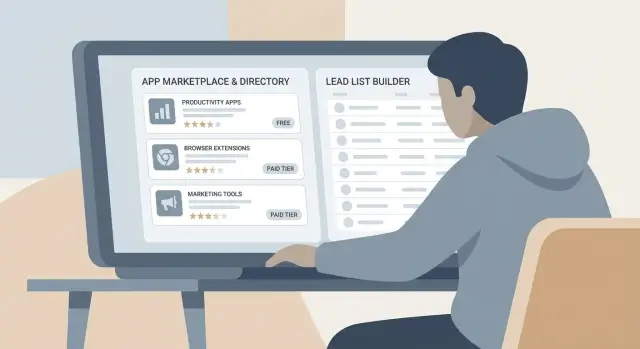
App marketplaces and extension directories are one of the fastest ways to find real buyers because the people there are already trying to solve a problem with software. They’re not just reading about a topic. They installed a tool, reviewed it, or paid for it. That’s buyer intent you can use.
Unlike broad databases, marketplaces also show what someone is buying. If a company uses a specific app, you can usually infer something about their workflow, their comfort with paid tools, and what they might need next. That’s why many teams start their lead list from marketplaces instead of starting from scratch.
“Adjacent tools” are products that sit next to yours in the customer’s workflow. Think CRM add-ons (enrichment, routing, tracking), reporting and analytics connectors, scheduling tools, support and onboarding software, or security and compliance tools. If someone already pays for one of these, they’re more likely to pay for another tool that removes friction or improves results.
Set expectations: the data won’t be perfect. Some listings show only a brand name and a generic support email. Some extensions are installed by individuals, not companies. Reviews can be old, and “customers” sometimes include free users. Even with those limits, the signals are useful: categories, integrations, pricing hints, review language, and which apps show up together.
The goal isn’t a massive spreadsheet. It’s a prioritized list of accounts you can email with specific context: “I saw you use X for Y, and teams like yours often add Z to fix this gap.” For example, if a Shopify store uses an inventory forecasting app and a reporting connector, they may also care about faster follow-up to wholesale inquiries.
Once you have that list, it helps to have an outreach setup that doesn’t fall apart when you start sending. LeadTrain (leadtrain.app) is one option if you want domains, mailboxes, warm-up, multi-step sequences, and reply classification in one place, so you can focus on good targeting and messages.
Which marketplaces and directories to use
Start where your buyers already shop for tools. The best “home base” is usually the marketplace inside the platform your audience lives in.
If you sell to ecommerce brands, that often means Shopify. If you sell to sales teams, it might be Salesforce. If you sell to product and engineering teams, look at the tools they use daily.
Good starting points include Shopify App Store, Salesforce AppExchange, Atlassian Marketplace, the Chrome Web Store, and the WordPress Plugin Directory.
Also check directories inside communication platforms. The Slack app directory, for example, can reveal what teams use for alerts, support, surveys, and CRM updates. Those installs often hint at departments and use cases, which makes your outreach more specific.
Review sites can help you discover tool names and common alternatives, but treat them as secondary. They’re weaker at telling you which specific accounts are actively using something.
To keep this manageable, pick one or two sources for your first pass. One is enough to get momentum and learn how customer names show up in listings, reviews, and vendor pages. Add a second only when you have a clear reason, like “we want Shopify brands and also Chrome extensions used by Shopify operators.”
Define your target and the adjacent tools you’ll track
If you jump into marketplaces without a clear target, you’ll end up with a messy sheet and no idea who to contact first. Narrow your focus so every listing you review answers one question: “Is this account likely to buy what I sell, right now?”
Pick one ICP and one job-to-be-done
Choose one ideal customer profile (ICP) and one reason they’d buy. Keep it simple.
Example: you sell cold email software. Your ICP could be B2B companies with small sales teams (2 to 20 reps). The job-to-be-done is “book more sales meetings with outbound email.” That’s very different from “send newsletters” or “run ecommerce promos,” even though all of them involve email.
Add a few boundaries so your list stays useful: geography (time zones and language matter), company size, and industry. You’re not banning everyone else forever. You’re creating a clean first pass.
Choose 3 to 5 adjacent tools to hunt for
Adjacent tools are the products someone already pays for that suggest your job-to-be-done is real. Pick a short set you’ll track consistently across listings: direct competitors, complements (CRM, scheduling, lead databases), must-have integrations, and “bridge” tools that work manually but break at scale.
Then write a one-sentence definition of a qualified account using must-have signals. For example: they use at least one relevant outbound or prospecting tool, they have sales roles on the team, they fit your size and geography filters, they have an active website and a clear offer, and they show recent activity (fresh reviews, releases, or hiring).
Find the right categories and shortlist the tools
Picking the right category is the difference between finding real buyers and collecting random accounts. Start with your use case, then map it to how marketplaces organize apps.
Start with categories that match buyer intent
Look for categories where customers are already paying to solve a problem close to yours. Common high-intent areas include billing and subscriptions, analytics and attribution, support and live chat, security and compliance, identity and access, and CRM and sales.
A practical gut check: if a category is mostly “nice to have” time-savers, you’ll see more free users. If it affects revenue, risk, data, or customer experience, you’re more likely to find teams with budget.
Use filters to find the few tools worth mining
Within a category, use filters to avoid the long tail. “Most popular,” “top rated,” and “new/trending” usually surface apps with proven demand. If pricing tiers or install brackets are shown, use them to stay aligned with your target.
Then scan integration lists. If many tools integrate with the same core platform you care about (CRM, helpdesk, ecommerce platform, data warehouse), the customers often share a similar stack. Even when you’re not competing directly, you’re prospecting in the same pond.
Aim for a shortlist of roughly 20 to 50 tools per pass. That’s enough variety to spot patterns, but small enough to finish in a week.
What data to collect from each listing
The goal is to capture enough detail to (1) find the right accounts and (2) write a message that clearly matches what they already pay for. Copying only the app name won’t get you there.
Start with a consistent set of basics for each tool: the app/extension name and vendor, the marketplace it’s listed on, the category and main use case (one plain sentence), who it’s built for, a quick pricing snapshot (free vs paid, entry point, team tier), and a short note on why it’s adjacent to your offer.
Then add buyer signals. Write down numbers and dates when possible instead of vague labels: install count (or ranges), review volume and the date of the most recent review, a couple repeated review themes, update frequency, and any support cues you can see.
Finally, capture public “customer hints.” Many listings quietly reveal who buys the tool: testimonial quotes, logos, named case studies, partner badges, or “used by” examples. Those details are the raw material for credible personalization.
Example: you find a Chrome extension for finding emails and exporting prospects. It’s updated regularly, has recent reviews, and multiple testimonials mention SDR teams. Your note might be: “They invest in prospecting, but likely struggle with deliverability and sorting replies.” That line can guide both targeting and messaging.
Step-by-step: turn listings into a lead list
Pick one marketplace listing for a tool that sits next to yours. You’re looking for proof that real companies already pay for something similar.
Start from a single listing and look at the “similar apps” or competitor section. Write down the closest alternatives, because they usually share the same buyer and the same problem.
A simple loop that works:
- Open one listing and note the direct competitors shown nearby.
- Check each vendor’s site for customer proof: logos, testimonials, case studies, and review quotes.
- For every company mentioned, add a row with the exact source and the context line (for example, “ACME cut response time by 30% using X”).
- Repeat for 10 to 20 listings in the same category before switching.
- Tag each account with the tool they use and the likely team behind it (sales, support, ops, marketing).
Two details keep the list useful later. First, store “where you found it” (marketplace listing vs testimonial vs case study) so you can reference the right proof in outreach. Second, add a short note about why it matters (the outcome, the team, or the feature) so segmentation is easy.
How to qualify and prioritize accounts
After you collect company names, the win isn’t “more leads.” The win is knowing who to contact first.
Start with intent strength. A logo wall is a weak signal because it could be old or vague. A named case study, quote, or “how we use it” story is stronger because it suggests a real rollout and a real owner.
Next comes recency. Recent reviews, community comments, or newly published customer stories usually mean the tool is actively used today, not something they tried years ago.
A simple scoring rubric helps you stay consistent:
- Intent (0 to 3): detailed case study or testimonial beats generic logos
- Recency (0 to 2): mentions in the last 90 days beat older signals
- Fit (0 to 3): industry and company size match your ICP
- Pain angle (0 to 2): the adjacent tool hints at a clear priority (compliance, speed, reporting)
- Reachability (0 to 1): you can find a relevant team and likely owner
Then group accounts into three tiers so you start with the best 50 to 200, not the noisiest 2,000.
Tier 1 is high intent, recent, strong fit. Tier 2 is good fit but weaker intent or older signals. Tier 3 is unclear fit or low-quality signals.
Common mistakes and traps to avoid
Marketplaces and extension directories are full of buying signals, but they also contain noise.
One mistake is treating every “integrates with” logo or marketplace badge like proof of a paid account. Many listings include partners, agencies managing client accounts, trials, or outdated installs. Treat these as hints, then confirm with a second signal such as job posts mentioning the tool, screenshots in reviews, or other tech stack data.
Another trap is only collecting the biggest brands. Recognizable logos feel good, but large companies often have strict vendor rules and long cycles. Mid-market accounts are often a better fit: they buy tools, move faster, and feel pain from switching costs.
Be careful with contact data. Apps and extensions are often installed by one person, while your product might be sold to a team. Mixing personal emails with company outreach without checking who the “account” really is often leads to low-quality replies and more spam complaints.
Generic outreach is another list killer. If you never mention the adjacent tool, your message reads like a template blast. A simple line like “Saw you use [Tool] for [job-to-be-done]” is often the difference between ignored and answered.
Deliverability is the silent trap. New domains and mailboxes get burned fast when you send too much too soon or skip authentication.
Avoid this:
- Don’t assume a directory badge equals a paying customer.
- Don’t over-index on enterprise logos.
- Don’t email personal addresses unless you know it’s the right buyer.
- Don’t hide the adjacent-tool context in vague copy.
- Don’t ramp volume aggressively on fresh domains.
A realistic example: sourcing leads from one category
Say you sell a lightweight reporting tool for ecommerce teams. You want companies that already pay for analytics, dashboards, or attribution because they have the budget and the habit of buying tools.
Start in the Shopify App Store and pick one category, like Analytics and Reports (plus nearby categories such as Marketing analytics or Dashboards). The first goal isn’t to find prospects. It’s to find the tools those prospects already use.
Pick 10 apps that look serious: lots of reviews, clear pricing, and screenshots showing real business metrics. For each app, check two places that often reveal customer names: customer or case study pages, and reviews (reviewers often mention their store name).
From those 10 apps, you might find around 30 case studies. Each case study usually names one brand, sometimes more. Then confirm the company site is actually a Shopify store. If each case study yields a few identifiable stores, you can reach roughly 100+ accounts quickly.
As you collect them, add simple tags to keep the list usable: platform (Shopify), tool used (the specific analytics app), suspected role (ecommerce manager, growth marketer, founder), country (from shipping pages or footers), and a priority tier (A/B/C).
Your outreach should reflect what you learned. Personalization angles that tend to work include:
- “You’re using [analytics app]. Teams often hit a point where they need reporting across channels, not just inside one dashboard.”
- “If you’re tracking ROAS and LTV, you’re probably testing campaigns weekly. Reporting speed becomes the bottleneck.”
- “If you run weekly KPI reviews, a simple auto-sent report can reduce back-and-forth and keep stakeholders aligned.”
If customer names are missing, don’t stop. Check featured merchant pages, review author names, screenshot watermarks, and vendor posts that highlight users. One clue is often enough to identify the account.
Quick checklist and next steps for outreach
Before you hit send, do a quick pass to make sure your list is usable, not just big. Small details decide whether outreach feels relevant or random.
Quality checks that matter: record your source (marketplace, category, date), track the adjacent tool (and where you saw it), fill the basics (company name, website, location/industry when available, role hints), apply simple scoring rules (fit, intent, size, adjacency), and clean duplicates (spelling variations, parent/sub-brand confusion).
Then sanity-check the company site matches the listing name. Many “customers” are agencies or resellers. If you can’t find a clear site, treat it as low priority. Make a best-guess role for outreach (owner, head of sales, marketing ops), but label it as a guess.
Keep compliance simple: use business contact details only, include a clear opt-out, and honor opt-outs immediately. If someone says “not interested” or “wrong person,” update your list and move on.
For the first sequence, keep it short and specific. Lead with a job-to-be-done tied to the tool’s category, mention the tool once as context (“teams using X often run into Y”), ask one low-friction question, and follow up with a small proof point (a result, a workflow, or a quick tip), not a deck.
If you want the mechanics handled end-to-end, LeadTrain can also cover the operational pieces: buying and configuring sending domains, setting up email authentication (SPF/DKIM/DMARC), warming mailboxes, running multi-step sequences, and automatically classifying replies so your team spends less time sorting and more time responding.
FAQ
What’s the fastest way to start building a lead list from marketplaces?
Start with one marketplace where your buyers already shop, then pick one category tied to a real budget line (revenue, risk, support, reporting). Mine 10–20 serious listings first, and only expand once you see repeat patterns in tools, use cases, and customer types.
How do I tell if a marketplace listing points to real buyers or just noise?
Look for proof that the tool is actively used by teams like your ICP: recent reviews, frequent updates, clear paid pricing, and customer proof such as named quotes or case studies. “Similar apps” sections also help you find clusters of tools that share the same buyer.
What counts as an “adjacent tool,” and why does it matter?
Adjacent tools are products that sit next to your offer in the customer’s workflow, like CRMs, prospecting tools, scheduling, analytics, support, or compliance. If a company pays for an adjacent tool, it’s a strong hint they feel the same job-to-be-done your product supports.
What information should I collect from each listing to make it useful later?
Capture enough to personalize and prioritize: the tool name, category, pricing hint, and the specific source where you saw customer proof (review, testimonial, case study). Add recency notes and a one-line guess about which team owns it, so you can message with context instead of sending generic outreach.
How do I turn a single app listing into a list of companies to contact?
Start from one listing, then follow the trail: similar apps, vendor pages, testimonials, and case studies that name customers. Each named customer becomes a potential account, and the exact line you found becomes your personalization anchor in outreach.
How do I prioritize accounts once I have a bunch of company names?
Use a simple score and stick to it: fit to your ICP, strength of proof (case study beats logo), and recency of signals (recent mentions beat old ones). This keeps you focused on the best first 50–200 accounts rather than collecting thousands you won’t email well.
Are integration badges and marketplace partnerships reliable proof someone uses a tool?
Treat “integrates with” badges and partner logos as hints, not proof of a paying customer. Confirm with a second signal like a named quote, a case study, recent reviews mentioning the company, or other public signs the tool is actually in use.
What if an extension is installed by an individual, not a company buyer?
It can happen, especially with extensions, because a single person can install something on their own. If your product is team-based, aim to identify the company and the likely owner role before emailing, and avoid mixing personal addresses into broad outreach without clarity.
How do I personalize outreach using what I found in a marketplace?
Use the adjacent tool as the reason you’re reaching out, not as trivia. A single sentence like “Saw you use X for Y” works best when it leads into a specific gap, outcome, or workflow the buyer likely cares about right now.
How do I keep deliverability from falling apart when I start emailing this list?
Authenticate your sending domains (SPF, DKIM, DMARC), warm mailboxes gradually, and ramp volume slowly so you don’t burn new infrastructure. A unified setup like LeadTrain can handle domains, mailboxes, warm-up, multi-step sequences, and reply classification so you can focus on targeting and messaging.