BIMI for outbound domains: worth it for cold email?
BIMI for outbound domains can add your logo in the inbox. Learn prerequisites, setup steps, costs, and when cold email should skip BIMI.
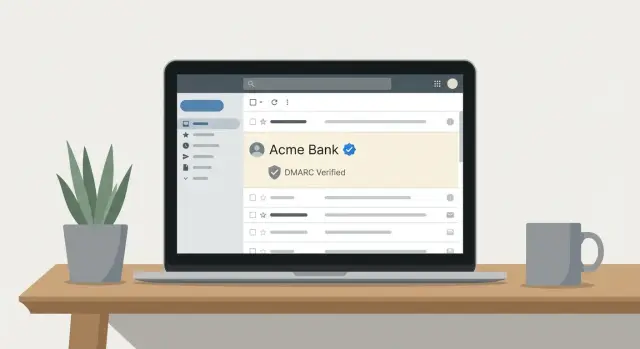
What BIMI actually does for outbound email
BIMI (Brand Indicators for Message Identification) is a standard that can show your brand logo next to your sender name in some inboxes. It works like a visual cue that helps people recognize you faster while scanning their inbox.
The logo isn’t automatic, and it isn’t a reward for sending more email. BIMI is mainly a brand trust and recognition signal. It sits on top of normal email authentication and tells participating mailbox providers: “If this message is genuinely from us, here’s the logo you can display.”
The key point for cold outreach: BIMI isn’t a deliverability shortcut. It won’t fix poor targeting, weak copy, high complaint rates, or a shaky domain reputation. If you’re landing in spam, BIMI is usually the last thing to work on.
Outbound domains are different from your main marketing or corporate domain. They’re often newer, used at higher volume, and they get mixed engagement (some replies, many ignores, and sometimes complaints). Many teams also rotate or replace outbound domains. BIMI adds setup and ongoing upkeep, which is hard to justify if you expect to retire the domain in a few months.
BIMI helps most when you already have the basics right and you care about brand consistency. When a logo is shown, it can improve recognition and reduce the “who is this?” friction for warmer prospects. It can also reinforce that your authentication is correctly set up.
If you’re weighing BIMI for outbound domains, decide in this order:
- get authentication and inbox placement stable, 2) keep sending behavior consistent, 3) then consider BIMI as a finishing touch.
Reality check: when a logo shows up (and when it does not)
BIMI can make your messages look more legitimate by displaying a brand logo. But it’s not a switch you flip and instantly see everywhere. With outbound domains, the surprise is that logo display depends heavily on the recipient side, not just your DNS.
Mailbox providers decide whether to show a logo, and their rules vary. Some support BIMI more consistently than others, and those decisions can change. Even within the same company, two recipients might see different results due to client apps, security settings, or how the provider treats new or low-reputation senders.
Even with perfect configuration, a logo is never guaranteed. Providers can hide it for suspicious patterns, brand-new sending domains, or messages that trigger extra filtering. Treat BIMI as a signal they might use, not a promise.
What does matter is the foundation. BIMI sits on top of strong authentication, especially DMARC enforcement. If SPF, DKIM, or DMARC are shaky, the logo won’t appear, and you might invite more scrutiny instead of more trust.
Common reasons a logo doesn’t show up:
- The recipient provider doesn’t support BIMI (or not in that client).
- DMARC isn’t enforced (policy isn’t set to quarantine or reject).
- DKIM alignment fails because you’re sending from a different domain than you think.
- Your domain or IP reputation is still building.
- A VMC is required by that provider and you don’t have one.
Cold email deliverability still rises and falls on targeting, list quality, and copy. A relevant offer to the right audience will beat a logo every time.
Prerequisites you need before thinking about BIMI
BIMI is the frosting, not the cake. If your authentication is messy or your sending behavior looks spammy, adding a logo won’t help. In some cases, it can make things worse by making you look “official” without the trust signals to back it up.
Start with alignment.
- SPF must authorize the service that actually sends your mail, and it needs to align with the visible From domain.
- Your emails must be DKIM-signed, and the DKIM domain should align with that same From domain.
If SPF passes but doesn’t align, or DKIM signs with a different domain, fix that before you touch BIMI.
Next, DMARC has to be in enforcement mode. A policy of p=none is monitoring only, and many mailbox providers won’t treat BIMI as meaningful until you move to quarantine or reject. Only do that when you’re confident legitimate mail will pass.
A simple readiness check before you spend time on BIMI:
- SPF passes and aligns with the From domain
- DKIM passes and aligns with the From domain
- DMARC is set to quarantine or reject
- You reliably handle bounces and unsubscribes
- Your sending is consistent (no sudden spikes)
Also keep cold email practices clean: use warmed mailboxes, send to relevant prospects, and ramp volume gradually.
BIMI basics: the DNS record and the logo file
A BIMI setup has two main parts: a DNS TXT record that points mailbox providers to your brand logo, and an SVG logo file that meets BIMI requirements. The DNS record is the pointer. The SVG is the asset.
The BIMI DNS record (what it does)
The BIMI record lives under a special host name on your domain (commonly _bimi). Mailbox providers read it after your message passes authentication checks, then decide whether to fetch and display your logo.
A typical record includes the BIMI version (v=BIMI1), a location for the logo (l=), and optionally a link to a certificate (a=) if you use one.
Example format (with placeholders):
_bimi.yourdomain.com TXT "v=BIMI1; l=YOUR_HTTPS_LOGO_LOCATION; a=YOUR_VMC_LOCATION"
For BIMI for outbound domains, the domain in your visible From address (and the domain used for DMARC alignment) is what providers check. If your cold emails send as [email protected], you typically need DMARC alignment and BIMI on that subdomain, not only on the parent domain.
The logo file (SVG basics)
BIMI logos are picky. Plan for a simple, square mark that stays readable at small sizes. High contrast usually works better than detailed designs.
In practice, aim for a square layout, simple shapes, clean edges, and an SVG that renders consistently without fancy effects. Host the SVG somewhere reliable. Providers may fetch it repeatedly, so if it times out or changes unexpectedly, your logo may not show even when your email is authenticated.
One practical note for outbound: if you rotate sending domains, each domain (or sending subdomain) needs its own correct BIMI record and logo hosting. Otherwise you end up “configured” on paper but invisible in the inbox.
VMC certificates: what they are and why they matter
A VMC (Verified Mark Certificate) is a digital certificate that proves your company has the legal right to use a specific logo. Some mailbox providers will only show a BIMI logo when the domain publishes BIMI and the logo is backed by a VMC. Without a VMC, you can do all the DNS work and still see no logo.
Think of it like a passport for your logo. BIMI says, “Here is the logo I want to display.” The VMC says, “A trusted authority checked that this brand owns that logo.”
What drives the effort and cost
The hardest part often isn’t DNS. It’s the brand and paperwork process: preparing a compliant logo, proving trademark ownership (or completing brand validation), verifying your legal entity, and then handling issuance and renewals.
For a brand-new outbound domain, that overhead can feel disproportionate compared to the small lift a logo might provide.
VMC vs CMC (and timelines)
In some cases, a CMC (Common Mark Certificate) can be an alternative, depending on the provider and your situation. The main takeaway is that certificate options vary, and not every path results in the logo showing everywhere.
DNS changes can be done quickly. VMC validation can take days or weeks, especially if your trademark or business details aren’t ready. If you’re trying to launch outreach fast, treat a VMC as a separate project, not a “quick win.”
Step by step: how to roll out BIMI safely
BIMI for outbound domains is safest when it’s the final layer, not the first. The goal is to add a trust signal without breaking authentication or distracting you from deliverability fundamentals.
-
Verify the basics and alignment. SPF and DKIM should pass, and DMARC should pass because SPF or DKIM aligns with the visible From domain (not just “something passed”). If you see “pass but not aligned,” fix that first.
-
Move DMARC from monitoring to enforcement carefully. A common approach is
p=quarantineat a low percentage, watch for issues, then increase toward full enforcement. Keep reporting turned on so you can spot unexpected sources. -
Prepare a compliant logo asset. Keep it simple, test rendering in multiple viewers, and avoid tiny details that blur at small sizes.
-
Publish the BIMI record and validate it. Then give it time. Logo display can lag, and it won’t be consistent across providers.
After publishing, monitor for a week or two. Look for spikes in DMARC failures, unexpected mail sources, or sudden changes in inbox placement.
Common mistakes that waste time (or hurt deliverability)
The biggest mistake is treating BIMI like a deliverability fix. A logo is a trust signal, not a rescue plan. If you’re landing in spam, BIMI won’t pull you back into the inbox.
Another common blocker is DMARC set to monitoring only. If your DMARC policy is p=none, many providers won’t show a logo even if everything else is correct.
Teams also get burned by authentication drift. When you send from multiple tools (one for sequences, another for warm-up, another for tracking), it’s easy to end up with incomplete SPF, DKIM signing from a different domain, or headers that break alignment. That kind of mismatch can quietly reduce inbox placement even before you touch BIMI.
Logo setup issues waste time too. Many SVGs look fine in a browser but fail BIMI checks because they’re too complex or not in the right profile.
Finally, order matters. Rolling out BIMI on a brand-new outbound domain with no reputation is usually backwards.
Mistakes to avoid:
- Adding BIMI before you have stable inbox placement
- Expecting BIMI to work with DMARC set to
p=none - Mixing multiple sending tools and breaking SPF/DKIM alignment
- Using an incompatible SVG (or an overdesigned logo)
- Turning on BIMI immediately after buying a new domain
When BIMI is worth it for cold outreach
BIMI is worth the effort when trust and brand recognition matter as much as your offer. A visible logo can act like a fast identity check: recipients recognize you quicker and feel a bit safer opening.
You’ll usually get the most value when you’re emailing people who expect professional standards, like enterprise buyers, partners, or investors. In those inboxes, small trust signals can add up.
BIMI for outbound domains also makes more sense when the domain isn’t disposable. If you plan to keep the same sending domain for months or years, the setup work (and any certificate cost) has time to pay back.
A good fit usually looks like this: your brand is recognizable, DMARC enforcement is already realistic for the domain, sender history is stable (low bounces, low complaints, consistent volume), and you can handle the VMC process without slowing launches.
Example: a small team reaches out to procurement leaders at large companies with a targeted partnership pitch. It’s not “spray and pray.” In that case, investing in BIMI can support the overall credibility of the outreach once the domain has proven it can send reliably.
If you’re using a new outbound domain, still finding product-market fit, or changing angles weekly, BIMI usually doesn’t move the needle enough to justify the distraction.
When to skip BIMI and focus elsewhere
BIMI can be a nice finishing touch, but it’s rarely the thing that makes cold outreach work. If you’re choosing between fixing inbox placement and adding a logo, pick inbox placement every time.
Skip BIMI for outbound domains when the foundation is still moving: frequent domain rotation, ongoing authentication issues, high bounces, inconsistent sending, or active spam placement problems.
It’s also often not worth it when recipients don’t recognize your brand yet. A logo doesn’t mean much if you’re sending small tests to a fully cold audience.
Instead, spend your effort on what reliably improves outcomes: cleaner lists, tighter targeting, slower and steadier volume ramps, and simpler emails that earn replies.
Example: if you’re testing three new value props across two fresh outbound domains, spend your first two weeks watching bounce rates, reply quality, and inbox placement. Once one domain becomes your long-term keeper and deliverability is steady, that’s the right moment to revisit BIMI.
Example: deciding on BIMI for a new outbound domain
A small SDR team is about to start cold outreach for a product that already has some brand recognition. They want the logo to appear in the inbox, but they also want to protect deliverability while the new sending setup learns consistent behavior.
They consider two options:
- Primary brand domain (used for the website and customer email)
- Dedicated outbound domain (used only for cold email)
They follow a simple rule: only consider BIMI after the domain is already authenticated and stable.
First, they check DMARC readiness. Their brand domain already has SPF and DKIM aligned and can move to DMARC enforcement (quarantine or reject) without breaking important mail. That makes it a candidate for BIMI.
The outbound domain is newer. It’s still warming up, and its DMARC policy stays cautious while they confirm alignment and monitor bounces. They decide not to add BIMI there yet.
Next is budget and proof. A VMC certificate costs money and takes time. The team asks: “Will a logo actually change outcomes for our target list?” If they’re mostly emailing a mix of small businesses across many inbox providers, they expect some visibility but not universal logo display.
Finally, there’s timeline. They want campaigns live this month. They launch outreach first, then revisit BIMI once sending is consistent and DMARC is fully enforced.
Quick checklist and next steps
Treat BIMI for outbound domains like a finishing touch. The fastest way to waste time is to add it before authentication and sending habits are stable.
Before you invest:
- Confirm authentication is solid: SPF passes, DKIM validates, and DMARC enforcement is enabled (
p=quarantineorp=reject) with alignment working. - Make sure you can operate cleanly: warm up new mailboxes, ramp volume gradually, and handle bounces and unsubscribes reliably.
- Prepare BIMI assets: a compliant BIMI SVG and a correctly published BIMI DNS record.
- Decide whether you need a VMC certificate based on where your prospects are and what those providers require.
- Keep BIMI only on domains you plan to use long-term.
If you want fewer moving parts while you work toward BIMI readiness, LeadTrain (leadtrain.app) is built to keep domains, mailboxes, warm-up, sequences, and SPF/DKIM/DMARC setup in one place. That reduces the chance of authentication drift while you focus on targeting, copy, and consistent sending behavior.
FAQ
What is BIMI, and what does it actually change in the inbox?
BIMI can display your brand logo next to your sender name in some inboxes, acting as a quick visual identity cue. It’s mainly about recognition and trust, not about increasing sending volume or “unlocking” better placement.
Will BIMI improve cold email deliverability or stop my emails from going to spam?
No. BIMI doesn’t fix spam placement caused by poor targeting, weak copy, high complaint rates, or a damaged domain reputation. If you’re having deliverability problems, stabilize authentication and sending behavior first, then treat BIMI as a final polish.
Why do some people see my BIMI logo while others don’t?
Because the recipient’s mailbox provider decides whether to show the logo, and rules vary by provider and even by app. Even with perfect DNS and authentication, logo display is never guaranteed and can be withheld for new or low-reputation senders.
What do I need in place before I even think about BIMI?
Start with aligned SPF and DKIM for the same visible From domain, then enforce DMARC with a policy like quarantine or reject. Also make sure bounces and unsubscribes are handled reliably and your sending volume ramps gradually and consistently.
What are the two main parts of a BIMI setup?
The BIMI TXT record points providers to your logo file (and optionally a certificate). The logo must be a BIMI-compliant SVG hosted reliably over HTTPS, since providers may fetch it repeatedly and skip display if it’s inaccessible or invalid.
If I send from a subdomain, do I need BIMI on the subdomain or the main domain?
Publish BIMI on the domain that’s used for DMARC alignment, which is usually the domain in your visible From address. If you send as [email protected], you typically need DMARC alignment and BIMI on that subdomain, not only on the parent domain.
Do I need a VMC certificate for BIMI to work?
A VMC (Verified Mark Certificate) proves you have the legal right to use the logo and is required by some mailbox providers before they’ll show it. Without a VMC, you might have BIMI configured correctly and still never see the logo in those inboxes.
What’s the safest way to roll out BIMI without breaking anything?
First verify SPF/DKIM pass and align, then move DMARC from monitoring to enforcement carefully so you don’t break legitimate mail. After that, publish the BIMI record and logo, validate it, and give it time; monitor DMARC results and inbox placement for changes.
Is BIMI worth it on a dedicated outbound domain I might replace later?
It’s usually not worth it if the domain is new, still warming up, likely to be rotated, or you’re still fixing authentication and inbox placement. The setup and upkeep can outweigh the benefit if you expect to retire the domain in a few months.
What are the most common BIMI mistakes that waste time?
The most common issues are DMARC staying at p=none, SPF/DKIM passing but not aligning with the From domain, or an SVG that looks fine in a browser but fails BIMI requirements. Another frequent problem is “authentication drift” when multiple tools send mail differently, causing alignment to break over time; using a unified platform like LeadTrain can reduce that drift by keeping domains, mailboxes, warm-up, sequences, and authentication setup in one place.