Attachments in cold outreach: when PDFs hurt deliverability
Learn why attachments in cold outreach can trigger spam filters, reduce trust, and what to send instead to share proof without hurting inboxing.
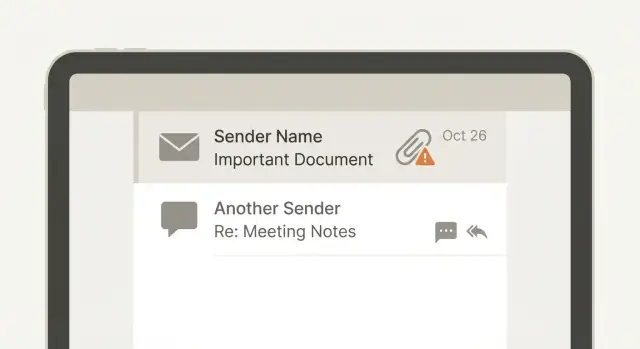
Why attachments feel helpful but often hurt first-touch emails
Attachments in cold outreach can feel like the fastest way to look credible. A PDF case study, a one-pager, or a deck looks polished and saves you from writing a long email.
But a first-touch email has one job: start a conversation. You're asking for a small yes (a reply, a quick answer, a short call), not trying to deliver a full information packet.
When attachments backfire, it usually shows up as lower inbox placement, weaker open rates, or silence even when the offer is solid. It's easy to blame your list or your copy when the real issue is simpler: the message raised deliverability or trust alarms before anyone read it.
This matters most on the first touch because you have no relationship yet. The recipient doesn't recognize your name, your domain, or your sending pattern. In that context, a file can look less like helpful collateral and more like risk. Many people are trained to avoid unexpected attachments, especially from unknown senders.
Attachments tend to hurt early outreach for a few predictable reasons. They add friction (the prospect has to decide whether it's safe), they invite stricter filtering, and they shift attention away from the one thing you need: a reply. They can also feel pushy, like you're asking for more time and trust than you've earned.
A better model is: earn the right to send the file. Use the first email to show you understand their situation and ask a low-effort question. After they respond, sharing a PDF or deck feels normal and looks less suspicious.
How attachments affect inbox placement
Attachments change how a first-touch email is judged. Many inbox providers treat messages with files as higher risk, so they get extra checks before landing in the inbox. That can mean slower delivery, more spam placement, or getting blocked before the prospect ever sees it.
When you send an attachment, you're not only sending text. You're sending a signal that says, "scan this." Filters evaluate the file itself, the file type, and patterns associated with similar mail. If your copy is already salesy or your sending pattern looks automated, an attachment can be the extra factor that tips the email into spam.
New domains and new mailboxes usually have the least tolerance for this. They have little sending history, so providers don't trust them yet. A fresh mailbox that suddenly sends batches of emails with PDFs can resemble common spam and phishing patterns.
File types that tend to trigger stricter filtering
Some attachment types get more scrutiny because they're often abused:
- ZIP (and other compressed files)
- HTML files
- Image-heavy PDFs or decks (where the real message is inside the file)
- PPT/PPTX (not always blocked, but often examined more closely)
- Large files of any kind (more scanning, more delivery failures)
Deliverability is also reputation math. Attachments can indirectly hurt it by increasing negative outcomes: more bounces (large files failing to deliver), more complaints ("why is this stranger sending me files?"), and fewer positive signals (opens and replies). Once those numbers lean the wrong way, future emails are more likely to miss the inbox.
A common example: an SDR emails 80 prospects from a newly set up domain and attaches a 6 MB PDF case study. Even if the offer is legit, some messages get filtered and the people who do see it may hesitate to open the file. Low engagement then teaches the inbox provider that your mail isn't wanted.
Trust and security: what your prospect assumes
Most people have been trained to treat unexpected files as danger. Even if your PDF is harmless, the prospect doesn't know you or your intent. That trust gap is the real issue.
From their point of view, an unknown sender plus an attachment often equals "this could be malware" or "this could be a trick." Many teams also have strict policies: don't open attachments from people you didn't ask to hear from.
How email systems treat attachments by default
Before a human ever sees your message, security layers may inspect it. Gateways and inbox providers can flag or quarantine messages with certain file types, password-protected documents, or even "safe" PDFs that look like mass-sent sales collateral. Some email clients show warning banners or hide attachment previews, which makes the email feel even riskier.
Even when the email lands, the attachment changes perception. It can feel heavier, more salesy, and harder to evaluate in a few seconds.
The likely human reactions
A lot of prospects do one of these things when they see a file from a stranger:
- Ignore it (too much effort)
- Delete it (not worth the risk)
- Report it as spam or phishing (common in regulated industries)
- Forward it to IT/security (which can lead to blocks later)
- Reply asking you to resend without attachments (more friction)
If you care about cold email deliverability, assume your first touch needs to feel low-risk and understandable without opening anything.
What actually happens to attachments in real inboxes
When you attach a file in cold outreach, you're asking the recipient's security stack to accept a file from someone it doesn't know.
In many companies, attachments are treated as risky by default. The email might still arrive, but the file may be removed, held for review, or replaced with a warning.
Common outcomes that are more normal than most senders realize:
- The attachment is stripped and the email arrives with "attachment removed."
- The email is quarantined until IT or the user releases it.
- The file is blocked due to type, size, or password protection.
- The attachment is converted to a preview that looks broken.
- Delivery is delayed because the message needs extra scanning.
Preview is a quiet failure point. Many recipients read cold emails in a notification pane, on a mobile lock screen, or during a quick skim between meetings. If your PDF or deck doesn't preview cleanly, they may never open it.
Mobile makes this worse. A file that's "small" on your laptop can still feel heavy on a phone, and some work apps force extra steps: download, switch apps, find the file again. Each step is a chance to lose them.
The core issue is friction. "I attached it" asks for effort before trust. "Reply yes and I'll send it" asks for a tiny commitment and gives the prospect control.
Which attachments are riskiest (and when)
Attachments in cold outreach can fail in two ways at once: they can hurt inbox placement, and they can lower trust. Even if your message lands, many people won't open a file from someone they don't know.
Some files are more likely to trigger filters. Others look harmless but still add risk signals to a first-touch email.
Highest-risk attachment types
Here are common outreach attachments and why they backfire on first touch:
- Deck (PPT/PPTX or PDF): Often large, frequently sent in bulk. That pattern alone can look spammy.
- Case study PDF: "Safe looking," but still an attachment. Some inboxes quarantine PDFs or strip previews.
- Pricing sheet (XLS/XLSX/CSV or PDF): Spreadsheets are heavily scanned for hidden content. Even clean files can get extra scrutiny.
- Calendar file (ICS): Can feel pushy ("they booked time on my calendar") and some filters treat unsolicited invites as suspicious.
- Images as attachments (JPG/PNG): Image-only emails are a common spam trick, and attached images can trigger the same suspicion.
Risk factors that compound the problem
It's rarely "the PDF" alone. These factors stack quickly:
- Large files or compressed ZIPs
- Multiple attachments in one email
- Unusual extensions (EXE, JS, HTM, ISO) or password-protected files
- Attachment plus heavy formatting (big images, lots of tracking)
- Brand-new sending domain or mailbox with little history
Even normal PDFs can cause trouble when combined with a new domain, a generic pitch, and a high send volume.
Rule of thumb: first touch vs later
On the first touch, earn a reply first. Put the proof in the body (one result, one specific example, one sentence on how you did it) and offer to send the deck or case study if they want it.
Attachments make more sense after a positive signal: they asked for details, agreed to a time, or confirmed they're the right person. At that point, a single, small PDF is usually fine because trust and intent already exist.
Safer ways to share proof (step by step)
If you want replies and good inbox placement, treat proof like seasoning, not the whole meal. You can still share a deck or PDF, but it's better to send it after the prospect shows interest.
Step 1: Replace the attachment with 2 to 3 lines of proof
Skip the file on the first touch. Put the proof in the email body so it can be read in three seconds. Keep it specific and low-hype.
Examples:
- "Booked 18 demos in 30 days for a 5-person agency (similar audience)."
- "Typical lift: 10-20% more replies after fixing SPF/DKIM/DMARC and warming new mailboxes."
- "Happy to share the 6-slide teardown if helpful."
Step 2: Offer the asset after a reply (permission-based send)
Instead of attaching a deck, ask for permission. This changes the vibe from "here is a file" to "want me to send it?" and reduces the chance your first email trips filters.
A simple line works: "Want the one-page case study PDF, or should I summarize the results here?"
Step 3: Share an excerpt (or one slide) in plain text
Prospects rarely open a PDF just to find the one useful part. Do that work for them.
Pull out the before/after numbers, one short testimonial sentence, and the key step in one sentence.
Example: "Before: 0-2 replies/day. After: 8-12 replies/day once we rotated domains and fixed authentication."
Step 4: Send the full file only after interest, ideally in a reply thread
Once they reply (even a quick "sure"), sending the file in the same thread is safer and feels normal. Keep it short and tell them what to look at: "Attached the PDF. Page 2 shows the results and the exact sequence."
Step 5: Keep follow-ups focused on one question
When people don't reply, the fix is usually not more collateral. Ask one simple question that's easy to answer.
Examples:
- "Is increasing booked meetings a priority this quarter?"
- "Should I send the 6-slide deck, or is a 3-bullet summary better?"
Proof that works without files
If you feel the urge to attach a PDF, you're trying to answer a fair question: "Why should I trust you?" The problem is that attachments add friction and suspicion. You can often build credibility faster with proof that can be read inside the email.
The micro case study (3 lines)
This format works because it's easy to skim:
- Problem: what was broken or slow
- Action: what you changed
- Result: what improved (one outcome)
Keep it specific, but small. Example: "Problem: demos were stalling after the first call. Action: we rebuilt the follow-up sequence and qualification steps. Result: meetings booked per week went from 6 to 11 in 30 days."
Use a metric only if you're confident it's accurate. If you're unsure, use a concrete but safer detail (timeframe, scope, direction): "cut admin time by about half" or "reduced no-shows over a month."
Named examples without oversharing
Names can help, but be careful. Some prospects assume that dropping client names in a first email means you're careless with data.
If you can't share the exact company, use a tight description: "a 40-person IT services firm in Texas" or "a Series A HR startup." You can also ask permission before sending anything sensitive.
Another simple move: tailor proof to their role. A VP of Sales cares about pipeline and forecasting. An SDR lead cares about reply rates and workload. One line like, "If you tell me your outbound motion (inbound-heavy vs outbound-heavy), I'll share the closest example," invites a reply.
Common mistakes that make attachments backfire
Most people attach files because it feels efficient: "Everything is there, so they can decide faster." In practice, attachments often do the opposite. They add friction, raise suspicion, and give filters more reasons to hold the message back.
The most damaging patterns:
- Leading with a deck or PDF in the first email. Before trust exists, a file looks like a pitch (or a risk), not helpful context.
- Sending image-heavy, designed emails that resemble a newsletter. Promotional formatting plus an attachment is harder to skim on mobile and can trigger more filtering.
- Attaching multiple documents to answer every question. More files usually means lower trust and more chances to get quarantined.
- Following up with "Did you see the attachment?" This forces the prospect to hunt for a file they may not have received or felt safe opening.
- Skipping the basics (SPF/DKIM/DMARC, warm-up, consistent sending) and blaming the PDF when deliverability drops.
A safer habit is simple: put the value in the email, then offer the asset after a reply.
A realistic example: deck-first vs reply-first outreach
An SDR tries to reach a VP of Operations at a mid-size logistics company. They have a good story, so they attach a 12-slide PDF deck on the first email and write, "See attached." It feels helpful, but it creates friction before they earn attention.
What goes wrong is usually a mix of deliverability and human behavior. The email can get flagged by internal security tools, routed to quarantine, or pushed into spam. Even if it lands, the VP sees an unexpected file from a stranger and thinks "risk" before "value." Fewer opens and fewer replies follow.
Deck-first example:
"Hi Dana, attached is a short deck on how we reduce shipment exceptions by 22%. Are you free this week?"
A safer rewrite is text-first, proof-first, and permission-based:
"Hi Dana - quick note. We help ops teams cut shipment exceptions by catching issues earlier.
Recent example: a regional 3PL reduced exception tickets by 18% in 60 days.
If you're open, I can send a 12-slide deck and two screenshots that show the workflow. Worth it?"
One relevant proof point, no file, and a simple question. The deck becomes a next step, not a hurdle.
A light reply-first sequence can look like this:
- Day 1: Short intro + one proof point + ask permission to send the deck
- Day 3: "Should I send the deck, or is this not a priority right now?"
- Day 6: Add one more specific detail (metric, use case, or customer type) and ask a yes/no question
- Day 9: "If now isn't the time, I'll close the loop."
If the VP replies "Sure, send it," then you send the deck. Waiting for interest first reduces filter risk and avoids triggering security instincts.
Quick checklist and next steps
If you remember one rule: avoid attachments on the first touch unless the person asked for it. Most prospects skim on mobile, and many security setups treat unexpected files as risky.
Before you hit send, check:
- Is this a first-touch email, and is a file truly necessary?
- Will the message still make sense without the asset?
- Does the file add friction (download, sign-in, request access), especially on mobile?
- Is the file low-risk and lightweight (small PDF, not a macro-enabled document)?
- Did you include the key proof in the email text (result, short case example, or a couple of bullets)?
Then check the deliverability basics. Attachments amplify problems you already have:
- SPF, DKIM, and DMARC are set up for the sending domain
- You're sending from a warmed mailbox (not a brand-new address blasting on day one)
- Early volumes are modest and consistent (sudden spikes look suspicious)
Next steps that usually work:
-
Send a text-first email that stands on its own. Add one clear proof point and one simple question.
-
Offer the asset instead of attaching it: "Want the 6-slide deck?" If they say yes, send it in the reply thread.
-
Test what changes outcomes. Compare "no attachment" vs "attachment only after reply" for the same audience and message.
If you want fewer moving parts while you test, LeadTrain (leadtrain.app) combines domains, mailboxes, warm-up, multi-step sequences, and AI-powered reply classification in one place. That makes it easier to keep first-touch emails clean and only send assets when someone actually asks for them.
FAQ
Should I include a PDF or deck in my very first cold email?
On a first touch, the goal is a reply, not a full download. An attachment adds risk signals for spam filters and adds decision friction for the reader, so you often get fewer opens and fewer replies even if the offer is good.
How do attachments affect deliverability and inbox placement?
They can push your email toward spam or quarantine because providers and company gateways treat files as higher-risk. The extra scanning can also slow delivery, and lower engagement afterward can hurt your sender reputation for future sends.
Why do attachments feel suspicious to prospects?
Most recipients assume unexpected files could be unsafe. Even if your PDF is harmless, they don’t know you yet, so the safest choice for them is to ignore, delete, or report the message instead of engaging.
Which attachment types are most likely to get blocked or filtered?
ZIP files, HTML files, spreadsheets, calendar invites, and large PDFs/decks tend to get extra scrutiny. Even “normal” PDFs can be a problem when you’re sending from a new domain, a new mailbox, or at higher volume.
What actually happens to attachments inside real corporate inboxes?
In many company setups, the email may arrive but the file can be stripped, quarantined, or replaced with a warning. Sometimes it’s delayed for scanning, and sometimes the preview breaks—so the reader never sees what you wanted them to read.
When is it okay to send an attachment in outreach?
Usually after they reply or explicitly ask for it. A simple “Want me to send the one-page PDF?” earns permission, makes the file feel expected, and reduces both filtering risk and the recipient’s security anxiety.
How can I share proof without attaching a file?
Put the proof in the email body in 2–3 lines: what you did, for whom, and one result. Then offer to send the full case study or deck if they want it, so the email stands on its own without any file.
What’s the simplest “safe” alternative to attachments for mobile readers?
Keep the first message readable in a 5-second skim on a phone. If you need to share an asset, ask first, then send it in the reply thread with one sentence telling them exactly what to look at inside the document.
What common mistakes make attachments backfire in cold outreach?
The biggest ones are leading with “see attached,” sending multiple files, using image-heavy/promotional formatting, and following up with “did you see the attachment?” Another common issue is sending attachments from a brand-new domain before warming up your mailbox.
How can I test whether attachments are the reason my campaign is underperforming?
Start by testing two flows: no attachment on first touch versus attachment only after a reply, using the same audience and offer. If you want fewer tools involved while you run these tests, LeadTrain can manage domains, mailboxes, warm-up, sequences, and reply classification in one place so you can keep first-touch emails clean and consistent.