A/B testing cold emails safely: what to test first and how
Learn A/B testing cold emails safely: what to test first, how to keep variables clean, and how to judge small-sample results without hurting deliverability.
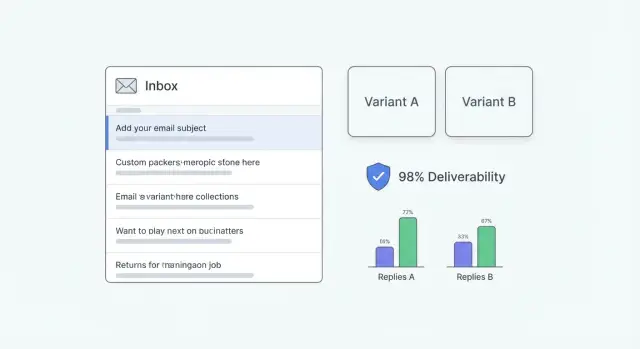
Why A/B testing can hurt deliverability if you do it wrong
A/B testing cold emails sounds harmless, but inbox providers judge you by patterns. If your "test" is really a pile of random changes across different lists, send times, and message styles, you create noisy signals. That can look like inconsistent sender behavior, and inconsistency often gets treated as risk.
Deliverability problems usually show up fast and quietly. You notice fewer replies, then open rates drop, then more messages land in spam. In worse cases, providers slow delivery (throttling), defer messages for hours, or block you outright. The dangerous part is you can keep sending while performance gets worse because you don't always get a clear error.
Cold email has a thin margin for error. A subject line test that slightly increases spam complaints can erase any lift in replies. A new "offer" variant that reads as pushy can drive quick deletes, which is another negative signal.
The most common mistake is testing too many things at once. If Variant B changes the subject, the opener, the offer, and the CTA, you can't tell what caused the outcome. You also risk creating one version that triggers more negative signals and drags down the reputation of the whole domain.
Pause testing and fix the basics first if you see a sudden spike in bounces or unsubscribes, more spam-folder placements than usual, messages arriving much later than normal, wild day-to-day swings with no clear reason, or you're sending from new domains or mailboxes that aren't warmed up yet.
Example: a small team sends 500 emails and "tests" five different angles across mixed lead sources. One angle triggers a few complaints, and now all future sends from that domain perform worse, including the good versions.
Deliverability basics you need before you start testing
Deliverability is simple: inbox providers watch your sending behavior and decide whether your emails look trustworthy. If too many people ignore you, mark you as spam, or you hit a lot of bad addresses, your next emails are more likely to land in spam or be blocked.
Your reputation is tracked in more than one place. Domain reputation is the overall trust of the domain you send from. Mailbox (or sender) reputation is the trust tied to a specific account and its recent behavior. Testing gets messy when you mix these signals. If one variant goes out from a newer mailbox or a different domain, you're not really testing copy anymore. You're testing reputation.
Warm-up and ramping help, but they're not magic. Warm-up builds a pattern of normal sending and engagement over time. Ramping means slowly increasing volume so you don't look like a brand-new sender blasting hundreds of emails overnight. Neither will save you if your list is poor or if you change too many things at once.
List quality is the fastest way to break deliverability. High bounce rates tell providers you're not maintaining your contacts.
Before any test, do a quick hygiene pass: cut role accounts (info@, support@, sales@) unless you have a real reason, avoid stale leads, watch hard bounces and stop sending to similar addresses, keep targeting tight so replies match the offer, and don't email the same person repeatedly across variants.
Consistency beats clever copy early on. If you're on a new domain, keep your sending patterns stable (volume, timing, from-name) and test one variable at a time. If you double daily volume and change the subject line in the same week, you won't know whether the "winner" won because it was better, or because deliverability changed.
What to test first: subject, offer, or CTA
A practical order is: subject line first, then offer, then CTA. It's lower risk and easier to learn from.
1) Subject line first (mostly affects opens)
If people don't open, nothing else matters. Subject line testing is also the lightest change you can make because you can keep the email body identical.
Keep the hypothesis simple and testable: "Adding a concrete outcome will increase opens" or "Shorter subjects will improve opens." Don't change the sender name, send time, and opening line at the same time or you won't know what caused the movement.
2) Offer next (mostly affects replies)
Once opens are decent, the offer usually drives replies. The offer is the reason to respond, not the words you use to ask for a meeting. Think: a quick audit, a short benchmark, a relevant case study, or a clear promise of time saved.
Keep offer tests clean by changing only the value while keeping structure, length, and tone steady. Offer tests often create bigger swings than tiny copy edits.
3) CTA last (mostly affects positive replies)
The CTA shapes how easy it feels to answer. Test the smallest commitment first: simple yes/no questions, "Worth a chat?" vs "Can you do Tuesday at 2?" Small CTA changes can lift reply quality without changing your positioning.
Avoid full rewrites where subject, opening line, offer, and CTA all change at once. If you want a real learning, pick one variable and write down what you expect to move (opens or replies) before you send.
How to keep variables clean and comparisons fair
Fair tests are boring by design. If two versions differ in more than one meaningful way, you can't tell what caused the result.
"Changing one thing" means one decision a reader notices. If you're testing the subject line, keep the preview text, first sentence, offer, CTA, and send schedule the same. Even a tone shift (friendly vs formal) can become a second variable if it changes how the email feels.
Create a control version you can keep for a while. Pick your current best-performing email, lock it, and name it clearly (Control v1). Treat it like a baseline you only replace when a new version wins more than once. This prevents you from chasing noise by rewriting everything every week.
Split your audience randomly. Don't send Variant A to founders and Variant B to marketers and call it a test. If your list has clear segments, stratify: split each segment in half so both variants get a similar mix.
During the test, keep the lead source and filtering rules, send days and time window, follow-up steps and spacing, sending domain and mailbox pool, and suppression rules (bounces, unsubscribes, do-not-contact) the same.
A holdout group helps when conditions shift. Keeping 10% to 20% on the control while you test variants makes it easier to spot whether deliverability or lead quality moved for everyone.
Step by step: run your first safe A/B test
A safe first test is intentionally plain. You want one clear change, a clean split, and stop rules so you don't trade a tiny lift for long-term deliverability problems.
-
Pick one goal metric before you write anything. Opens can mislead on truly cold lists. A practical choice is reply rate. If your team can tag replies reliably, use positive reply rate (interested responses divided by delivered emails).
-
Write Variant A and Variant B with only one difference. Start with one lever, like the subject line. Keep sender name, opener, offer, CTA, and signature identical.
-
Split fairly. Same lead source, similar seniority and region mix, and the same send window. If you have 400 prospects, split 200/200 randomly. If you only have 80, split 40/40 and keep expectations modest.
-
Set guardrails so you don't burn a mailbox. Decide your pause thresholds up front. If bounce rate spikes, spam complaints show up, or unsubscribes jump vs your baseline, stop and diagnose.
-
Launch, check daily, and follow your stop rules. Watch delivered, bounces, complaints, unsubscribes, and replies. If guardrails trigger, stop the test and fix the root cause (list quality, targeting, or tone) before you run another.
Example: a small SDR team tests two subject lines on a new industry segment. They keep the exact same body and CTA, split the list evenly, and run it over three weekdays. One subject wins by a couple of replies, but unsubscribes are also higher, so they keep the "losing" subject and rewrite the opener instead.
What to measure so you don't pick the wrong winner
If you measure the wrong thing, you can "win" an A/B test and still lose meetings, or worse, hurt your sender reputation. The goal isn't higher activity. It's better conversations with the right people.
Opens: useful sometimes, misleading often
Open rates can help you spot obvious problems (like a subject line that gets almost zero opens). But for choosing a winner, opens are shaky. Many email apps prefetch images, and some companies block tracking. "Opened" doesn't always mean a human read your email.
Treat opens as a smoke alarm, not a scoreboard. If Variant B has slightly higher opens but fewer replies, replies should win.
Replies, positive replies, and consistent labels
Define outcomes before you send anything, then stick to the same labels for every test. A simple set is enough: positive reply (clear interest or suggests next steps), neutral reply (not now, try later), negative reply (not interested), admin reply (out-of-office, wrong person), and unsubscribe or complaint.
Track both reply rate (all human replies) and positive reply rate. Reply rate tells you whether your message invites a response. Positive replies tell you whether your offer and targeting are working.
Also track deliverability health alongside results. Don't ignore bounces, blocks, spam complaints, and unsubscribes just because "the test is small." A variant that adds a few replies but doubles complaints is a bad trade.
If you can, look at performance per mailbox and per domain, not just overall. One weaker sender can drag down results and hide the real story.
How to judge results with small samples
Small A/B tests can lie. One version might win because it got better leads, or because one sender had slightly better reputation that week. When you only have a handful of replies, randomness is a big part of the result.
Don't judge a test by sends or opens. Aim for outcomes that matter, like positive replies or booked calls. If you only get 1 to 3 total replies, you didn't really learn which message works.
A practical way to interpret small results:
- Directional win: clearly more positive replies, but totals are still low (2 vs 0). Treat it as a hint.
- Strong win: a repeatable gap after more events (10 vs 4 positive replies). Often enough to pick a winner.
- No signal: results are close or flip depending on day or inbox. Call it inconclusive.
Pooling across days and inboxes helps only when conditions stay the same: same audience rules (same ICP and source), similar sending schedule (same steps and spacing), and stable deliverability (no new domain, no warm-up changes). If you change something important like offer, targeting, or volume, restart the test.
Run until you hit a reply threshold, not a calendar deadline. Stop early only for a strong win. Otherwise, keep going until you have enough replies to trust the direction, or declare it inconclusive and test a bigger change.
How to test without damaging sender reputation
A/B testing is only useful if your sending reputation stays stable. If deliverability drops mid-test, you can end up "learning" that one version is worse when it was really inbox placement collapsing.
Control volume. Keep daily sends steady and increase in small steps over several days instead of jumping from 50 to 500 overnight. Sudden spikes look unnatural and can trigger throttling or spam placement.
If you need more volume, add capacity the safer way: spread sends across more warmed-up mailboxes instead of pushing one inbox hard.
While you test the first email, keep the rest of the sequence consistent. Don't change follow-up timing, follow-up copy, or the number of follow-ups mid-test. Otherwise you're testing the first touch plus "sequence pressure."
Avoid hidden changes that affect inbox placement: switching domains, changing send times, changing tracking settings (especially open tracking), or changing warm-up behavior during the test window.
If any stop signals show up, pause and stabilize before you keep sending: bounce rate jumps above your baseline, spam complaints rise, a lot of messages get delayed or deferred, unsubscribes spike, or replies mention spam or "why am I getting this?"
Example: a two-person agency tests a new subject line. They keep sends at 40 per mailbox per day, rotate across three warmed-up inboxes, and run the test for a week. They pause as soon as bounces rise after uploading a new segment, clean the list, then resume.
Common mistakes that make A/B tests useless or risky
Most "wins" people celebrate come from messy setups, not better copy.
The biggest mistake is changing multiple things at once. If Version A has a new subject, a different offer, and a new CTA, you can't tell what caused the change. Big shifts in wording across variants can also look like inconsistent sending behavior, which isn't great for cold email deliverability.
Other mistakes that ruin tests:
- Quietly changing the audience between A and B (company size, job titles, geography).
- Calling a winner because of 1 to 2 extra replies.
- Over-optimizing for opens with a curiosity subject that doesn't match the body.
- Ignoring unsubscribes, complaints, and bounces because replies look good.
Also watch for setup drift: sending at different times, using different domains, or adjusting warm-up mid-test.
If you want results you can trust, keep one variable per test, split similar leads evenly, and treat unsubscribes and complaints as hard stop signals.
Example: a small team testing cold emails on a limited list
A small SDR team has a list of 500 prospects. They send from two inboxes and run a simple 3-step sequence so they can watch results without spiking volume.
They run the test the safe way: change one thing, keep everything else the same, and split the list evenly. They assign 250 prospects to Version A and 250 to Version B, keeping the same industries and job titles in each group.
Test 1: subject line A vs B
They test only the subject line. The body, offer, CTA, send times, and follow-ups stay identical.
After a few days, Subject B gets more opens. They're tempted to call it a win, but replies are basically the same and reply quality doesn't improve. That usually means the subject got curiosity, but the body and offer didn't deliver, or the CTA asked for too much. They keep the better-opening subject, but they don't treat it as a breakthrough.
Test 2: offer tweak vs CTA tweak
Next, they choose based on the bottleneck. Since opens rose but replies didn't, they focus on the body and pick one clean test for the next batch, not both.
They document each test in a shared note: the hypothesis, exact copy for A and B, audience rules, results (opens, replies, positive replies, unsubscribes), and the decision (keep, drop, or retest). That record stops them from repeating the same experiments.
Quick checklist and practical next steps
Before you run A/B testing cold emails, do a quick sanity check. A lot of "bad results" are list or deliverability issues.
Before you hit send, confirm authentication is in place (SPF, DKIM, DMARC), mailboxes are warmed up and sending steadily, the list is clean and relevant, both versions go out in the same day/time window, and your sequence and reply handling work end to end.
Then keep the test simple: change one thing (subject or offer or CTA), split the audience fairly, pick one goal metric (often positive reply rate), and write a stop rule in advance.
After launch, don't crown a winner after a handful of sends. Cap volume while testing, monitor bounces, unsubscribes, and complaints daily, and make sure results aren't driven by one inbox. If replies are too few to judge, extend the test or test a bigger change (usually the offer).
If you want fewer moving parts while you run controlled tests, LeadTrain (leadtrain.app) keeps domains, mailboxes, warm-up, multi-step sequences, and reply classification in one place, so you're less likely to accidentally change the setup while you're trying to test copy.
FAQ
How do I run an A/B test without hurting deliverability?
Start with one change only, usually the subject line, and keep everything else identical: list source, send window, domain, mailbox pool, and sequence steps. Set pause thresholds for bounces, unsubscribes, and complaints before you launch so a “winning” variant can’t quietly damage reputation.
Why can A/B testing make deliverability worse?
Testing too many things at once creates inconsistent patterns across sends, and inbox providers may treat that as risky behavior. If one variant triggers more deletes, complaints, or bounces, it can drag down the reputation for the whole domain and make even your good emails land in spam.
What should I test first: subject line, offer, or CTA?
Test the subject line first, then the offer, then the CTA. That order keeps risk lower and makes it easier to understand what changed: subjects mostly influence opens, offers usually drive replies, and the CTA often affects reply quality.
What metric should I use to choose the winner?
A common default is positive reply rate based on delivered emails, because it aligns with real outcomes. Opens can be a useful warning signal, but they’re not reliable for picking winners on cold outreach because tracking can be blocked or inflated.
When should I pause testing and fix deliverability first?
If bounces or unsubscribes spike, messages start arriving much later than normal, or spam-folder placement increases, stop and fix the basics first. Also pause if you’re sending from new domains or mailboxes that aren’t warmed up, because reputation changes can overwhelm your copy test.
How do I keep variables clean so the comparison is fair?
If you change the subject line, keep preview text, first sentence, offer, CTA, signature, and send schedule the same. Split the same audience randomly (or split each segment in half) so Variant A and B get a similar mix of job titles, industries, and regions.
What is a control, and why do I need one?
Create a single baseline email (for example “Control v1”) and keep it unchanged for a while. Only replace it when a new version wins more than once, otherwise you’ll end up chasing noise and constantly resetting what “normal” performance looks like.
How do I judge A/B test results with a small list?
Don’t trust results from a handful of replies; randomness is huge at low volume. Treat small wins as directional hints, and either extend the test until you see enough positive replies to feel confident or call it inconclusive and test a bigger change (often the offer).
How do I control volume so I don’t get throttled or flagged?
Keep daily send volume steady and avoid sudden jumps, especially during a test. If you need more capacity, spread sends across multiple warmed-up mailboxes rather than pushing one inbox hard, and don’t change warm-up behavior mid-test.
How can LeadTrain help me A/B test cold emails more safely?
LeadTrain keeps domains, mailboxes, warm-up, sequences, and reply classification in one place, which reduces accidental “setup drift” during tests. That makes it easier to keep the sending domain and mailbox pool consistent while you change only one variable in your email copy.